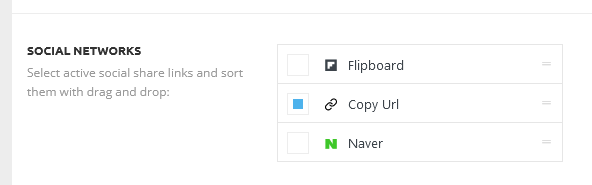
Hello, I want to add social icons to the articles but there are only three options in Theme panel.
https://www.rozumimepenezum.cz/wp-content/uploads/2022/06/Screenshot-2022-06-01-at-13-33-56-Theme-panel-‹-Rozumime-penezum-—-WordPress.png
(Newspaper – version: 11.5.1)

Hi,
If you’re seeing only three options please make this adjustment in the tagDiv Composer plugin -> wp-content/plugins/td-composer/legacy/common/wp_booster/td_first_install.php
=> https://www.screencast.com/t/yO3iU8E5JhH
Then hit a save in the theme panel and then revert the code back to the original, this will make the social icons appear properly again -> https://forum.tagdiv.com/design-post-pages-using-default-templates/.
If you don’t have success you can send us an email at contact@tagdiv.com and provide
– wp-admin URL and credentials
– cPanel URL and credentials
We will fix the problem. Include a link to this topic in the email.
Let me know the results!
Thank you!
Hi, thank you, it is fixed. There are more icons now.
However in articles are still first 4 options only. I´ve marked Linkedin, Email, Print in Theme panel. (But not marked Pinterest.) the result is here: https://www.rozumimepenezum.cz/jak-poslat-penize-bez-znalosti-cisla-uctu/
When I reload the Theme panel page, there are marked first 4 options again only :(.
Hello,
Please make sure the theme settings are saved in the Theme Panel -> https://forum.tagdiv.com/topic/changes-on-theme-panel-not-saved/
Thank you!
Hello,
So, when you refresh the theme panel area, the social shares you selected aren’t saved, right? This means the settings are not saved, for this please check the link provided above -> https://forum.tagdiv.com/topic/changes-on-theme-panel-not-saved/
Thank you!