

Hi Bogdan, In my thread ( https://forum.tagdiv.com/topic/tagdiv-speed-booster-plugin-setup-issues/) you have explained many great things about speedbooster plugin and also explained a workaround way to make all plugins work with tdbooster.
Today I tried to comment out the above-written code from sppedbosster.php to whitelist all the plugins. It worked and now I can see that the “td speed booster plugin” is showing “active” under system panel.
But unfortunately, it doesn’t appear to be doing anything. I also the “view source code” on chrome and found “speedbosster is running on each page. but there is no change in pagespeed score and .js and css files are still showing same render blocking issues. Have a look at this screenshot: https://i.snag.gy/6YsgCl.jpg here is the report: https://developers.google.com/speed/pagespeed/insights/?url=http%3A%2F%2Ftomatoheart.com%2F&tab=desktop
Shouldn’t it be okay now? What should I do ?
The only change that I notice, is change in the position of image caption box: Here is how it used to look before: https://i.snag.gy/hflEuA.jpg
Here is how it looks now: https://i.snag.gy/ICc1Wj.jpg
The responsibe code for the design and positioning of this image caption box is written under CUSTOM CSS here: https://i.snag.gy/p47FrG.jpg
Here is the code :
.wp-caption-text a {

    background: rgba(0, 0, 0, 0.25) none repeat scroll 0 0;
    display: inline-block;
    padding: 0 3%;
    }
.wp-caption-text, .wp-caption-text a {
    color: #fff;
    font-size: 10px;
    margin-top: -28px;
    text-align: left;
    line-height: 20px;
    margin-left: 3px;
}
The similar impact I found when I turned on rocket loader of cloudflare. It makes the site very fast but this image caption box disappears once page fully loads. I thought that tdbooster should have compatibility issues only with plugins , not with CUSTOM CSS codes. but it seems to be conflicting with it too.
How can I make this css code unimpactable for rocket loader or td speedbooster plugin. Should I try writing this code directly to style.css ?
Please help me to make these awesome performance plugins compatible .
Thank you.
-
This topic was modified 10 years by
Nano.

Hi Nairolf,
Let me try if it works in that way.
And yes, With previous theme , I was using more than 35 plugins but currently I am using 25+ plugins. These are all highly reputable , irrestable plugins that I can’t afford to loose and most of them are very less resourceful as per Godaddy’s P3 profiler.
And I am not alone.. there are many who use so many plugins. Have a look here for the inspiration 🙂 : https://digwp.com/2015/09/how-many-plugins/
If you want to see the snapshot of various users with more than 30 plugins, click this link:
https://digwp.com/wp-content/uploads/2015/09/way-too-many-plugins-08-large.jpg
and keep changing the digit under this link to see more such snapshots.
Try without file compress (do not forget that some online tools can even delete some fragments).
If your code added doesn’t charge within inside style.css you have a problem.
P.D.: try to see your web when your are log in (this way you ensure that see a non-cache page)
-
This reply was modified 10 years by
nairolf.
Hey,
Thank you. Yes, finally it worked for Td Speedbosster.I used file without compression and it worked 🙂
Though, Cloudflare’s awesome rocket loader still mysteriously make it ( the image caption box) disappear. Here I have recorded the event to make you all understand better. Have a look: http://i.giphy.com/l3vR3RDKHR5S16orS.gif
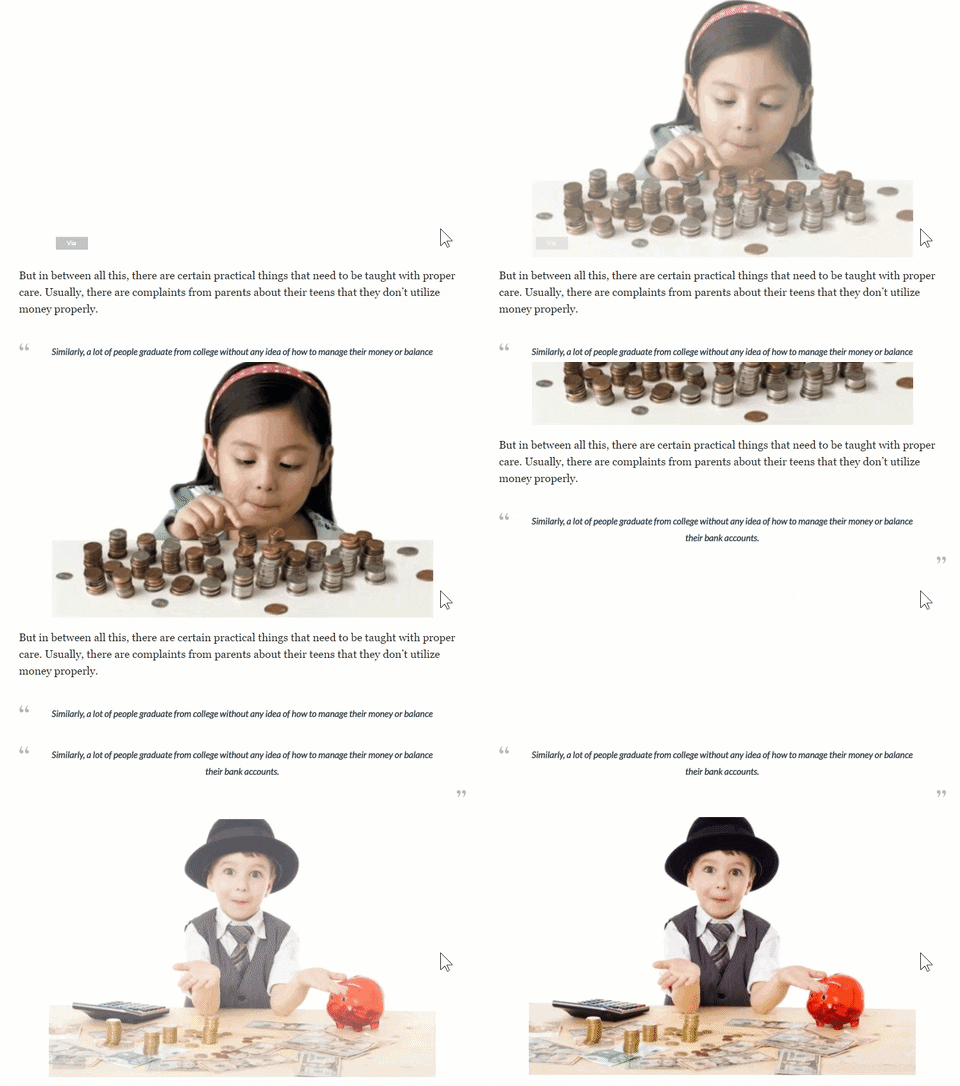
Initiall, you will notice the word “Via” in a semi-transparent gray box in the bottom left corner and then it disappear mysteriously after image loads completly . It happens only when “Rocket loader” is enabled.
Anyway way to bypass this event for rocketloader? Because rocketloader speedup site really well.
Thank you.

Hi
Rocketloader is not among tested plugin and we can’t guarantee that it will work fine with our theme. If the problem appears only when this plugin is active most likely there is a conflict between the theme and this rocketloader. It could be a js conflict or a css issue. Provide a link where we can have a closer look and maybe we can help on this matter.
Thanks!
Hi Andrei: Here is one of the link : https://tomatoheart.com/manisha-choraria/kids-manage-finance/
Please let me know if you need login credential. I will send it to your support email. Thank you.
Hi nairolf,
Yeh, I will try that too but the thing is all of this I am doing to increase the speed. If I have to disable lazy load. I think it will have impact on speed of the page too.
Still, to understand the problem better, I will surely give it a try.
Thank you 🙂
OMG!! Is it so? Almost all plugins with name “Lazy Load” actually add a function to load image only when scrolls down to it. I still believe that TagDiv team must have made more than just an animation effect.
Can you cite any Tagdiv link which says it’s just an animation?
And let me check by disabling this, if it can solve the issue.

In the theme panel and docs it refers to “image effects” — not true lazy loading
https://forum.tagdiv.com/loading-image-effects/
these are CSS effects which are “presentational” and not technical delayed loading of images bit-data.
Oops! I get it now. Thank you Chris and nairolf 🙂
Any suggestions for real Lazy load options or plugins ?
Any suggestions on why Tag div booster uanble to remove render blocking and other related issue when I have already applied it for all the plugins? It’s still showing these many files under render blocking thing under Pagespeed: https://developers.google.com/speed/pagespeed/insights/?url=http%3A%2F%2Ftomatoheart.com%2F&tab=desktop
#Remove render-blocking JavaScript:

https://ajax.googleapis.com/ajax/libs/jquery/1.11.1/jquery.min.js

https://domain.com/wp-includes/js/jquery/jquery.js

https://domain.com/…cebook-login/public/js/facebook-login.js

https://domian.com/…ntent/plugins/ytsubscribe/ytSubscribe.js

#Optimize CSS Delivery of the following:

https://domain.com/…book-login/public/css/facebook-login.css

https://fonts.googleapis.com/…3A400%2C700%7CLora%3A400%2C700&ver=4.6.1
Anywork around? At least for Google APIS and jquery.js which ware not fired by plugin but by theme and speedbooster must take care of theset two.
Also,
Yesterday I cam to know about this amazing plugin which can set “Leverage browser caching” for external .js files too which are not yet effective by “expiry rules” that we set under .htaccess. the plugin is Complete Analytics Optimization Suite (CAOS)
Have any of you used it? Anything to say on this or if you have any alternative for this ( with or wothout plugin ) ?
Thank you.
-
This reply was modified 10 years by
Hi
I’ve checked the indicated link and the issue is no longer visible. Moreover I’ve noticed that you changed the position of image’s caption which may lead to some issues in some circumstances. I’ve also made a few tests on my side and couldn’t duplicate the issue.
Keep in mind that the theme is carefully tested and it works as expected. You changed lots of theme’s default features and those changes may cause issues. As a reference you ca do a test install on a sub-domain or on your local computer only with Newspaper theme and the plugins included in its path. Like this you will be sure that any possible issue is not caused by a plugin or by some customizations.
With regard at Speed Booster I can say for sure that the plugin works fine. From above resources only on is called by the theme, the fonts from google. Anyway Speed Booster will move any css.js resource it’s added in code and also if the plugin is active in System Status. Check this link for more detail in this regard: https://forum.tagdiv.com/topic/speed-%e2%80%8b%e2%80%8bbooster-akismet-php-problem/
Thanks!
Hello Andrei,
Thanks for the detailed response. Actually, I had made the lazy load off that’s why you couldn’t notice it. Currently, I have enabled it again and now you will be able to see the same issue again. Visit this again: https://tomatoheart.com/manisha-choraria/kids-manage-finance/
As I said, it disappears only when “Fade & Scale” or “Up fade” option is selected under loading effect. In case, I made it off or select “Fade (Full)”, It works very well. ( Check this screenshot: https://i.imgur.com/xUhvWum.jpg )
I know there is no issue with theme options or anything and it’s happening because of the compatibility issue of my this custom CSS
.wp-caption-text a {

    background: rgba(0, 0, 0, 0.25) none repeat scroll 0 0;
    display: inline-block;
    padding: 0 3%;
    }
.wp-caption-text, .wp-caption-text a {
    color: #fff;
    font-size: 10px;
    margin-top: -28px;
    text-align: left;
    line-height: 20px;
    margin-left: 3px;
}
I rmember , under a different thread here : https://forum.tagdiv.com/topic/image-caption-disappeared-and-jpg-are-not-in-centre-in-smart-list/#post-131943 Bogdan has said that this code effects only externally sourced image and he has suggested a new code, which is working very well even with smart list style but somehow he wasn’t able to shift the “image caption” both in the bottom left ( it stays in the bottom center)
SO, I am using Bogdan’s code specifically for Smart list styles and using my code for all other places ( here it works with both internally and externally sourced images )
Example for bogdans code : https://tomatoheart.com/akshita/13-science-backed-reasons-indian-superstitions/
Example for my code: https://tomatoheart.com/manisha-choraria/kids-manage-finance/ ( It will disappear in milliseconds because of the current setting )
One better solution can be that if we can style Bogdan’s code in a way that it gets the same style as I am getting with my code. The only issue is to move caption box to bottom left. It will also solve “Lazy load” issue as his code works well universally.
Or you can check the compatibility of my code with last two lazy loading options.
I am repeating it again that theme is working very well and it’s just because of my custom code but any help will be appreciated.
With regard at Speed Booster, I can see it’s working but can’t see it impacts on Pagespeed, with ON or OFF, I don’t see any changes in the number of .JS or .CSS file under render blocking .
Does it work only for the internal .js and .css files , not for the external one?
A look at the current Pagespeed score: https://developers.google.com/speed/pagespeed/insights/?url=https%3A%2F%2Ftomatoheart.com%2Fmanisha-choraria%2Fkids-manage-finance%2F&tab=desktop
Remove render-blocking JavaScript:
https://ajax.googleapis.com/ajax/libs/jquery/1.11.1/jquery.min.js
https://tomatoheart.com/wp-includes/js/jquery/jquery.js
https://tomatoheart.com/…cebook-login/public/js/facebook-login.js
https://tomatoheart.com/…ntent/plugins/ytsubscribe/ytSubscribe.js
https://tomatoheart.com/wp-content/plugins/akismet/_inc/form.js
Optimize CSS Delivery of the following:
https://tomatoheart.com/…book-login/public/css/facebook-login.css
https://fonts.googleapis.com/…3A400%2C700%7CLora%3A400%2C700&ver=4.6.1
https://fonts.googleapis.com/…italic,700,900,500italic,400,300&ver=7.3
https://tomatoheart.com/…r/assets/css/js_composer.min.css?ver=7.3
https://tomatoheart.com/…ntent/themes/Newspaper/style.css?ver=7.3
You can notice that all are internal .js or .css files related to either a theme or plugin. Why can’t it move theme related .js and .css files? what about googleAPIs and external plugins like Facebook login and YTsubscribe plugin ? Is Speedbooster unable to render it?
How can I check that what .j and .css files , speedbooster is succesfully moving?
You may want to answer these things, whenver you have time. Thank you very much.
-
This reply was modified 10 years by
Hi Nano,
Have to understand that some plugins from wp repository they need to inject .js or .css into the header. If you move them into footer you’ll broke even the entire web. You are using a considerable number of plugins and that’s why now and in the near future you will have many many many problems (compatibility and security!!!).
For that reason, any WP themes author they make a list with compatible plugins. If you are using more than xx plugins, is almost impossible debug & make them compatible with the mother theme.
Always make test with Google Insights because is the most relevant for speed (another tools or GTMetrix is only a fellows my opinion for this circumstance, server location… etc. ).
Another problem, I’m sure that you use rules for .htaccess for expires or anything else. Take care, to much changes regularly made into .css/.js is not good for “SEO” (It is too long to explain & are trade secrets :))
Take care & success with your project!
Hi nairolf,
Thanks for the helping hand. I never thought that changing CSS/js file frequently many cause an issue for SEO but for now onwards, I will try to stick with one design 🙂
About plugins, I have cut my plugin number to 21 and I need to add few more plugins like WP Quiz pro, ElegantThemes Share, and email opt-in plugin.
All these plugins are highly reputable and updated and have very low resource need as per P3 plugin profiler reports. I can understand the compatibility thing but don’t know on what ground it can cause security issues too if these are well-coded plugins.
Do you really think that I should decrease the number of plugins anyhow?
Anyways, I will surely take care of whatever you said above and thank you very much for the wish 🙂
“Do you really think that I should decrease the number of plugins anyhow?”
only my opinion: definitely yes.
Even if they are reputable plugins (nobody is perfect) doesn’t mean they are bug exempt. Generally when updates are made, a large percentage of the work is intended to fix bugs/errors. Generally with each update (themes/plugins/etc.), you can see that the code in changed files, grow up. Many times when you use “third parts” maybe you call the same library twice, jam another plugin, broke theme itself, etc.
Have many features on the site has its downside, if you accept the “price” is your decision.
my advice: Spend 90% of your time to improve & optimize the content for your posts!!!
¿Of what good does have a stratospheric web if nobody find you in the Google serp’s?
Your advice: Spend 90% of your time to improve & optimize the content for your posts!!!
Nothing else to say now. I really need to work on this. I spent most of my time in the optimizing website, customizing etc. and very less time with my authors and editors 🙁
Thank you 🙂
Hey Andrei, Don’t you have something to say on https://forum.tagdiv.com/topic/tagdiv-speed-booster-not-removing-js-render-blocking-and-other-related-issue/#post-134766 ? 🙂
HI
Sorry for the late reply but at first sight I’ve thought the the issue was solved, the thread became very long and and I’ve missed the issue.
You can make the via visible by changing its position, use this css: http://screencast.com/t/N4FMtk5TqU
.wp-caption-text {

position: relative;

}
With regard at Speed Booster check its status here: http://screencast.com/t/elhtgWAXCh The plugin disable itself when an untested plugin is active. I am almost sure the plugin is inactive on your side because otherwise theme’s css would be in footer, Speed Booster move theme’s css by default in footer if it’s active. To keep it always activated comment or delete the indicated lines from td-speed-booster.php: http://screencast.com/t/RZLIOPUNdqh Also make sure that you added the correct ids for the resources which intent to move.
You can test speed booster like this without making any changes in plugin’s code: setup a wp-install only with the theme, Visual Composer and Speed Booster. With this configuration the plugin will be active by default because Visual Composer is on allowed plugins list: http://screencast.com/t/uCFJxcIAlu Check then page’s source and you will find theme’s css in footer. You can also make this test if you deactivate all plugins, except Visual Composer and Speed Booster.
Thanks!
Hey Andrei,
I will try everything you wrote above but first let me quickly ask and tell you few things ( Else I have to wait till monday 🙂 )
I have already commented out the code you mentioned here few days back : http://screencast.com/t/RZLIOPUNdqh and under system status it says it’s active “https://i.snag.gy/QFe4y5.jpg” . I haven’t yet changed or modifed any IDs here http://screencast.com/t/uCFJxcIAlu . Is it not working because of that ? Though I can see “TD spped booster ” is mentioned under the “View source code” of my homepage or any page on “Google Chrome”
Actually I dont know how I should do it correctly .Once I had tried by getting the ID using debugging but couldn’t see find appripriate code for plugins like Facebook login and YT subscribe. Can you please tell me ( or give me tutorial link ) for how it do it correctly.
I have also sent you a mail with login credentials too check whatever you wish to.
Thank you very much for all your assistance. 🙂
PS: Excusme for any mistake in this mail. I am trying to make it fast so that you can read it today 🙂



