

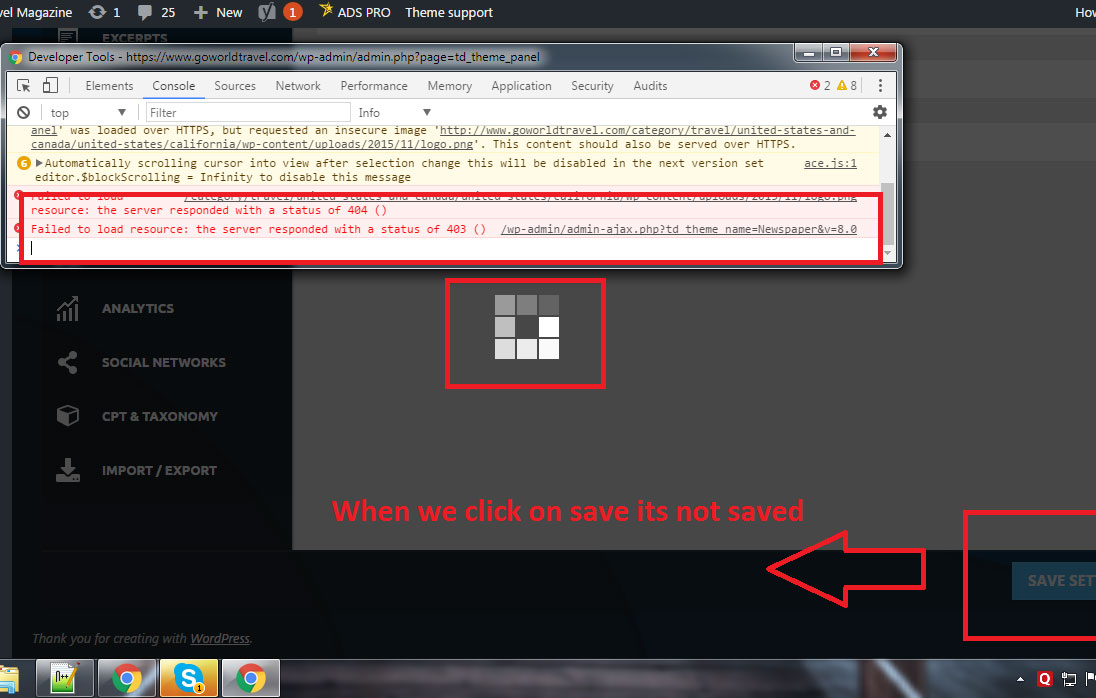

Hi,
First check the theme panel and make modifications to the parameters mentioned in this guide, if necessary. The try saving settings in the theme panel.
– https://forum.tagdiv.com/system-status-parameters-guide/
Try disabling all your plugins except the ones provided in the theme package, clear any caching installed and then try again.
The 403 error means a server related issue with filters or permissions. You could contact your server administrator or hosting provider and explain the situation. Maybe they can give you some information about why the server is responding with these errors.
Thanks
This happen after the WordPress update, Can you please check why theme Panel Save just keep of loading and loading with that icon saving it’s saving but never save
Logins are
url: http://www.goworldtravel.com/wp-admin
-
This reply was modified 9 years by Simion C..
Hi,
Please try and reinstall the theme using this method
– https://forum.tagdiv.com/install-via-ftp/
Then try again while having only the plugins provided in the theme package active. If you have a child theme, switch to the main theme. All the parameters mentioned in the guide should be modified according to the documentation, please check that again.
After all this, if the theme panel is still not saving properly, please send us an email at contact@tagdiv.com and provide there admin login information. We will take a look and maybe identify why this is happening.
Also paste a link to this topic in your email. I will edit your previous reply and remove the login information because this is a public forum. You should not post sensitive data here on the forum.
Thanks
