Hi,
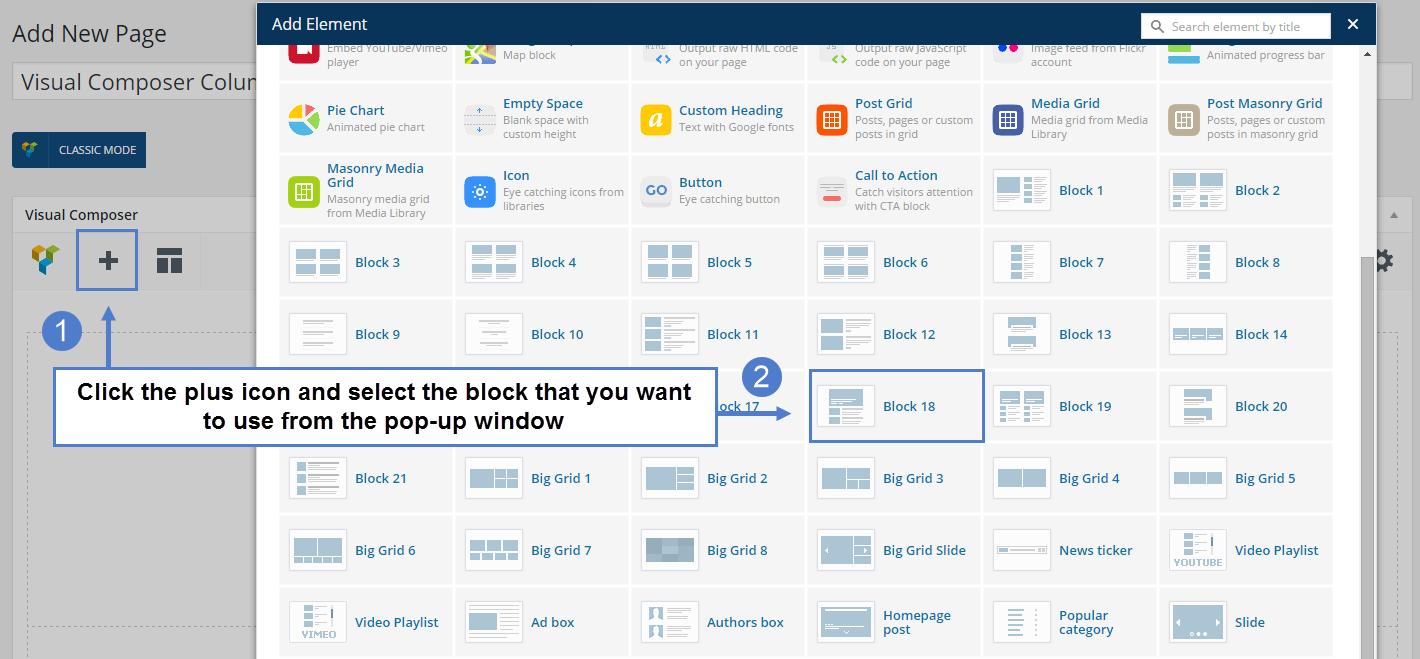
I’ve noticed that when I go into Page/visual composer, and click on add (plus “+”), I don’t have icone news to grid etc. : http://www.screencast.com/t/Z7G5rFEVd I wrote “?” to show you.
It’s very useful in your theme documentation : https://forum.tagdiv.com/wp-content/uploads/2015/06/visual-composer-new_03.png .
Why ? I tried on IE, Firefox and Chrome and it’s the same thing.
Thank you very much.
Benj’

Hello benj0612,
Please ensure that you have correctly installed the Visual Composer and also, make sure that you have the latest version of this. Please set your Visual Composer, according to our documentation here -> https://forum.tagdiv.com/how-to-update-visual-composer-plugin/ Also, please check your system status and try to increase all the parameters, according to our documentation here -> https://forum.tagdiv.com/system-status-parameters-guide/ Please try to disable all plugins except visual composer, clear cache and reset CDN files if you use it.
Hope this helps and let us know how it goes!
Thanks.
Hello benj0612,
Until now, we have not bad reports about this issue. Please ensure that you have followed all the steps for installing the Visual Composer. Also, please try to make a fresh install of the theme and then only install the visual composer version that comes with the theme. Please remove any other version from the plugins section (disable and remove) and then install it from here: http://screencast.com/t/DwZN21u0VR
Please let us know if you still have problems afterward and let us know when you have the theme active so we can inspect your website.
Thank you!
Hi,
I did everything exactly as you said. But I still have the problem. What it is strange is that as you saw in my screencast, some icones are, some not. It’s hard not to have the thumbnail.. I can understand if I’m alone having this problem it’s hard for you to update or do something, but, for me it still handicape me.
Hi,
It seems to be Optimizepress plugin which cause this problem… But, it took me lonnnnngggg time to create some pages as : http://www.objectifs-fitness.com/guide-bases-nutrition-musculation/
So, Super-Catalin, what can you do for me ? :$
Thank you.
Hello benj0612,
Unfortunately, this kind of plugin is not tested with our theme and we have no idea about the behaviour of the theme with this plugin. Please try to disable all the active plugins, leave just Visual Composer, clear all cache and install only the plugins that come bundled with our theme and rule out the conflicting plugins. It is possible that this plugin to interfere with the theme and cause this kind of issue for your backend and in this case you have to disable and try to find another alternative in this case.
Please try this advice and if your problem is still there after this, please let us know.
Thank you for your understanding!