

 antonmh
 Hi Bettina
I have managed to get it to all work now. I am not really sure how 🙂
Things ‘miraculously’ appeared.. and also I am able to use a loop 2 function as well. It’s like the website got fixed with an AI developer.
I have another small issue with my layout but I will post that separately in a new thread.
Thanks for your help.
antonmh Hi Bettina
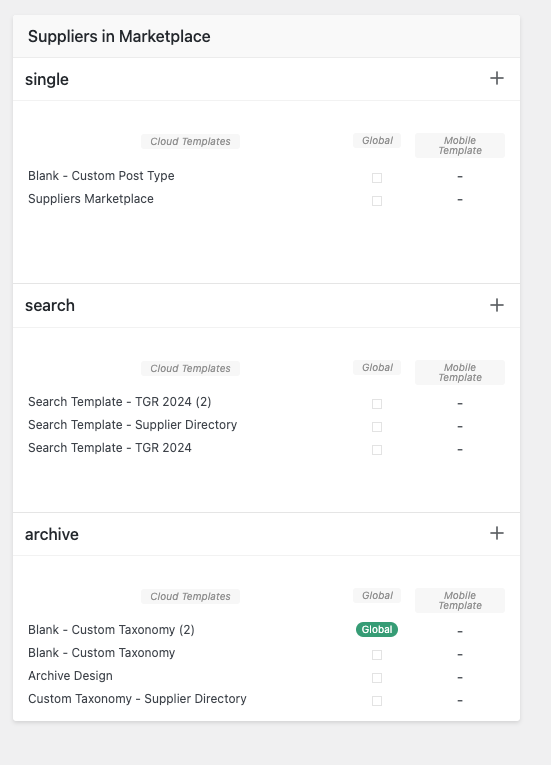
Ok, so I have pressed the + sign and added a Taxonomy template, I can only add it under the archive area, there is no other option:
Then I have added a loop 2 in the composer:
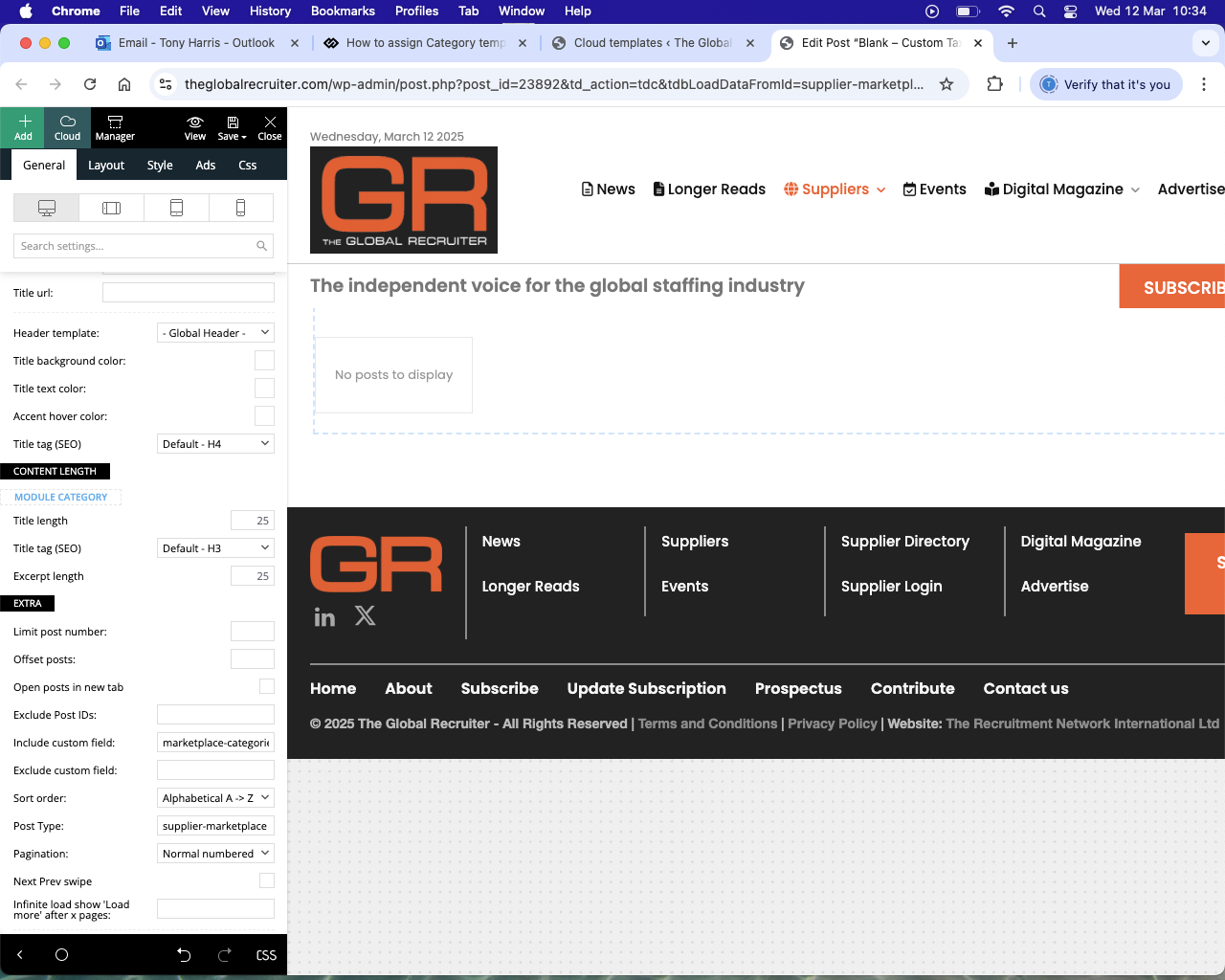
..but categories are not coming through.
Is it correct that the taxonomy template is in the archive area? There isn’t any other option showing, is that correct?
Thank you
-
This reply was modified 1 year by
antonmh.
antonmh Hi Bettina
Ok, I needed to re-create a new taxonomy as it needed to be named differently and I couldn’t change what I did before (it would not let me!).. so I did everything again like before in CPT UI..
After I did this I created a new category template (under CPT/Taxonomies) from the blank template but I am again unable to get the category to feed through to the template, the same problem that I had at the start.
I have checked that I am adding things correctly but it appears that something is wrong somewhere.
Please can you give me some other suggestions of how I can resolve the issue?
Thank you
antonmh
antonmh Hi Bettina
I think it is working now.. so I will play around with things and get back to you if I need to.
Thanks
antonmh Hi Bettina
Thanks for your reply.
Yes, I read about creating one from CPT/Taxonomies which I have done, but it is still not working from there either.
When I open it to edit, from the post loop I am not able to connect to the taxonomy of the custom categories. Nothing is coming through and no options are showing for me?
antonmh Hi Anamaria
I have now fixed the problem, I needed to edit the header in the ‘zone’ setting which I have now done and the gradient has finally gone 🙂
Thanks
antonmh Hi Anamaria
Thank you for your reply.
I have managed to remove the white gradient, however it was hiding another darker gradient!
If you look here:
https://www.tgr2022.zdshosting.com/
..you can see at the top of the page content area (below the header) there is a darker grey gradient.
I can’t find where the gradient comes from. I have looked through the header and the content settings.
Any other suggestions to remove it?
Thank you
antonmh Hi Vlad
Thank you that has worked, though I needed to place the CSS in my WP theme panel area as it didn’t save in the live CSS page builder directly.
Best regards
Antonmh
antonmh Hi Bettina
I have now emailed the details to you.
Thanks
Anton
antonmh Hi Vlad
Do you mean like this?:


Thanks
Anton
antonmh Hi Bettina
Thank you for your reply.
I have actually already done that, that was what I was saying. I have already set the different menu sizes for the different types of device and they all look ok..
But.. What I am saying is that I need to change the actual ‘breakpoint’ between desktop and the first responsive type (which I presume is tablet landscape) because some laptop users are receiving the ‘desktop’ menu/header when I would like them to view the version next down (tablet landscape) because the menu is too large for them. So I would then need to change the breakpoint value.. How do I change the actual pixel value between them?
I don’t know how else I can explain it to you but let me know if you are unclear or need more information?
Thank you
Antonmh
antonmh Hi Vlad
Can you give me an update please?
I need to get the problem resolved as it is preventing me from finishing the site.
Thank you
antonmh
-
This reply was modified 5 years by
antonmh Hi Calin
Thanks for getting back to me. I have tried doing those things and stretching the row but it is still not displaying correctly.
The size is the standard leaderboard size of 728×90. When I switch it to an normal image (i.e not Ad Manager) it displays ok. Again the size is 728×90.
My site is not live at the moment so I would need to send you a login. Where do I send it to?
Thank you
Anton
antonmh Hi Calin
I am having another issue with my header.
I got the ad to appear from Google Ad Manager as said, however now my header is being messed up.
In the TagDiv composer the three columns are like this:

..but in the actual site it looks like this:

No matter what I do the right column will not go to the right, it always stays under the middle column.
What do I need to do to get it to display correctly?
Thank you
Anton
-
This reply was modified 6 years by
antonmh Hi Cloudmark
Yes all of what you said worked.
I played around with some of it but the ads are now coming through, so that is great.
Thank you 😉
antonmh Thanks Calin
It was the settings in the composer.
Luckily it was just the homepage so I went though putting my settings back and it is now ok.
I had been working on the footer adding rows. Yes normally I use the step back / forward button but for some reason I couldn’t get to my correct settings.
Yes I am working on the Gossip demo.
Thanks anyway
Anton
antonmh Hi Cloudmark
Thank you so much for this, it is very kind of you to help 🙂 Yes this is the information that I need.
I will work on it over the next day or so and report back with my progress.
Best regards
Anton
antonmh I have another question:
In the main menu on the right side is the word ‘HOT’ – where do I change the text to something else?
Let me know & thank you
antonmh Thank you, I am now starting to figure it out 🙂
Best regards
antonmh Ok, thank you
antonmh Hi Bogdan
Thank you for showing me how to do it, much appreciated!
Best regards
