

 demcrumblies
 Thank you Anamaria. Looks like it was my fault. I went into the Flex Block settings and saw that infinite load was not enabled.
demcrumblies Check the pinned solution. It worked for me after I reset the key, activated again and cleared cache.
demcrumblies Hi Anamaria,
Thank you, I found the right area to make the change. Thank you so much for your help : )
-
This reply was modified 5 years by
demcrumblies. Reason: solved
demcrumblies Hi there Anamaria,
The social icons are displayed, however, when you click the Facebook or Instagram icons, they do not go to my social media pages. I have inputted social media links in the Theme panel, but only the YouTube icon takes the visitor to the right page. The Facebook and Instagram icons are linked to # for some reason.
Any idea why?
demcrumblies Hi Vlad,
Yes, thank you, it seems to be working now. I appreciate the help.
demcrumblies Thank you for replying Vlad S.
I have pasted the Ad Sense code in the Ads -> Header Ads area now. I have cleared cache and will wait one hour.
Should I remove the same code from the Analytics section too? If I want to have ads appearing on my sidebar and on my blog post pages, how do I do that please? Do I have to add the same code in the sidebar ad then drag out the ad box element and set it to sidebar on the pages I want the sidebar ads to appear on?
demcrumblies TagDiv fixed my issue, I had the wrong Channel ID entered.
demcrumblies Thank you, I have just emailed my credentials to contact@tagdiv.com
demcrumblies Thanks, I ended up removing the Text with title block as a work-around and the page still looks ok.
demcrumblies Hi Calin,
I looked, but I did not see that option because I used the “Text with title” block. What should I use instead of that block, or is there another way to edit it?
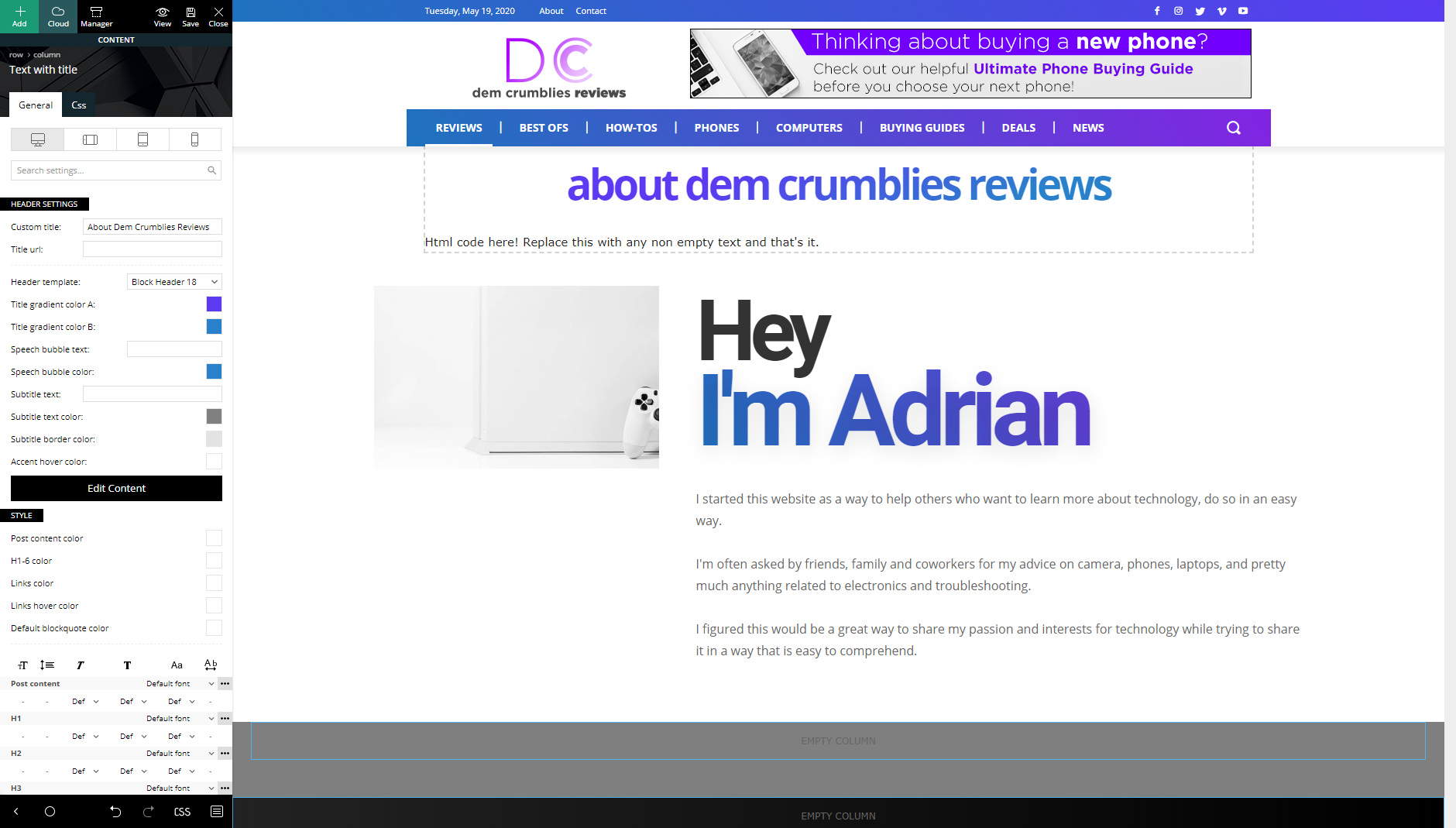
-
This reply was modified 6 years by
demcrumblies How can I manually add the H option? I can see that the theme is setting the heading as H4 when I inspect the code for the word “tech reviews” shown in my image above. But I want to change it from H4 to H1 for the word “tech reviews” for SEO. Is there a way to do this with CSS? My page URL is: https://demcrumbliesreviews.com/tech-reviews/
Thanks.
demcrumblies Thank you for the advice, I switched to a Cloud Library single post template.
demcrumblies Hi Calin,
I believe upping the wp memory limit to 256mb has resolved the issue. I have also changed the PHP version to 7.3. Thank you.
