

 enterpr1se
 I read the doc and I found that it need to add custom css class td-ss-row
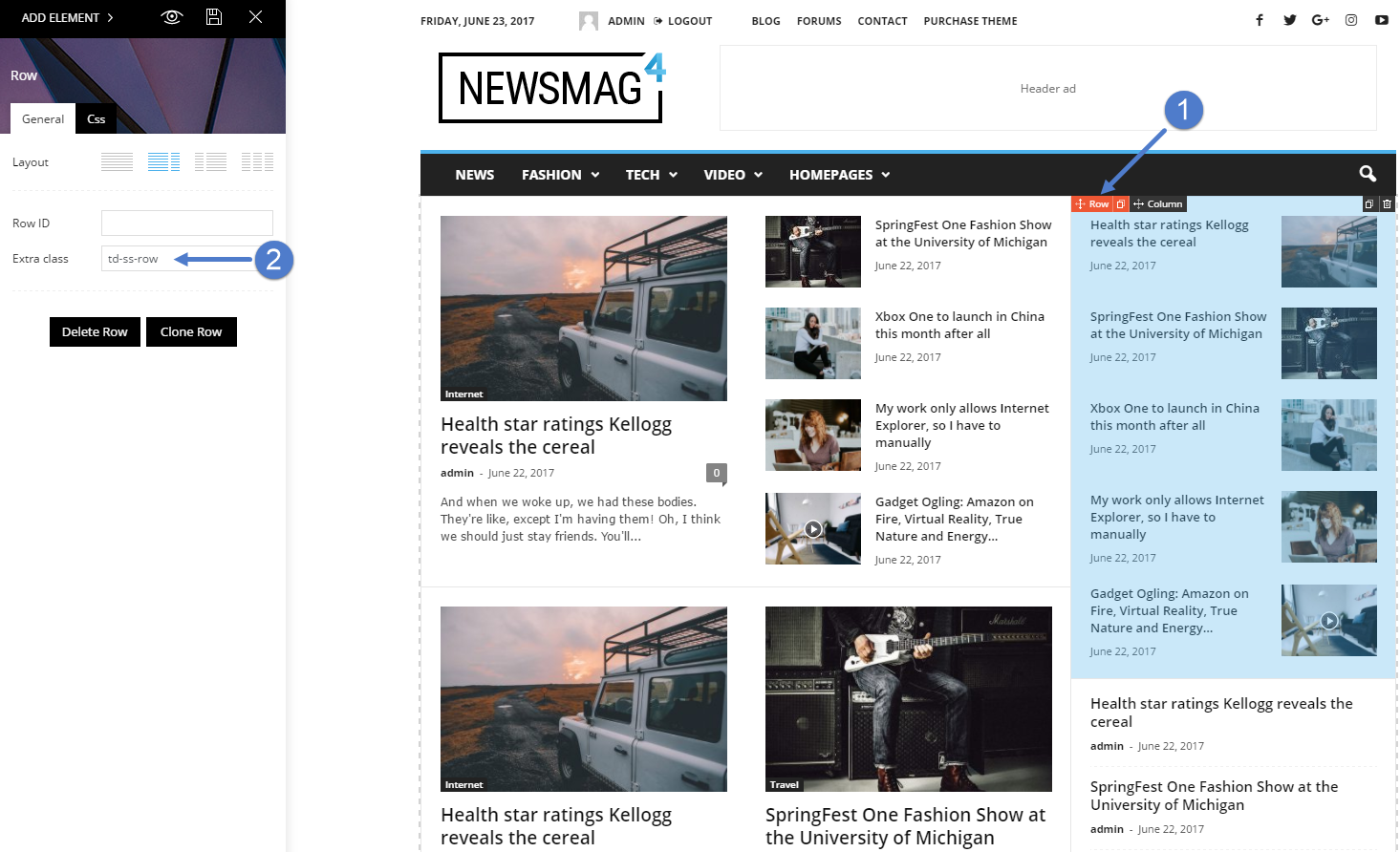
enterpr1se I “fixed” it by use duplicate row and make another copy of rows, and delete all unwant blocks
enterpr1se This is the text in tinymce
[caption id="attachment_19792" align="aligncenter" width="390"]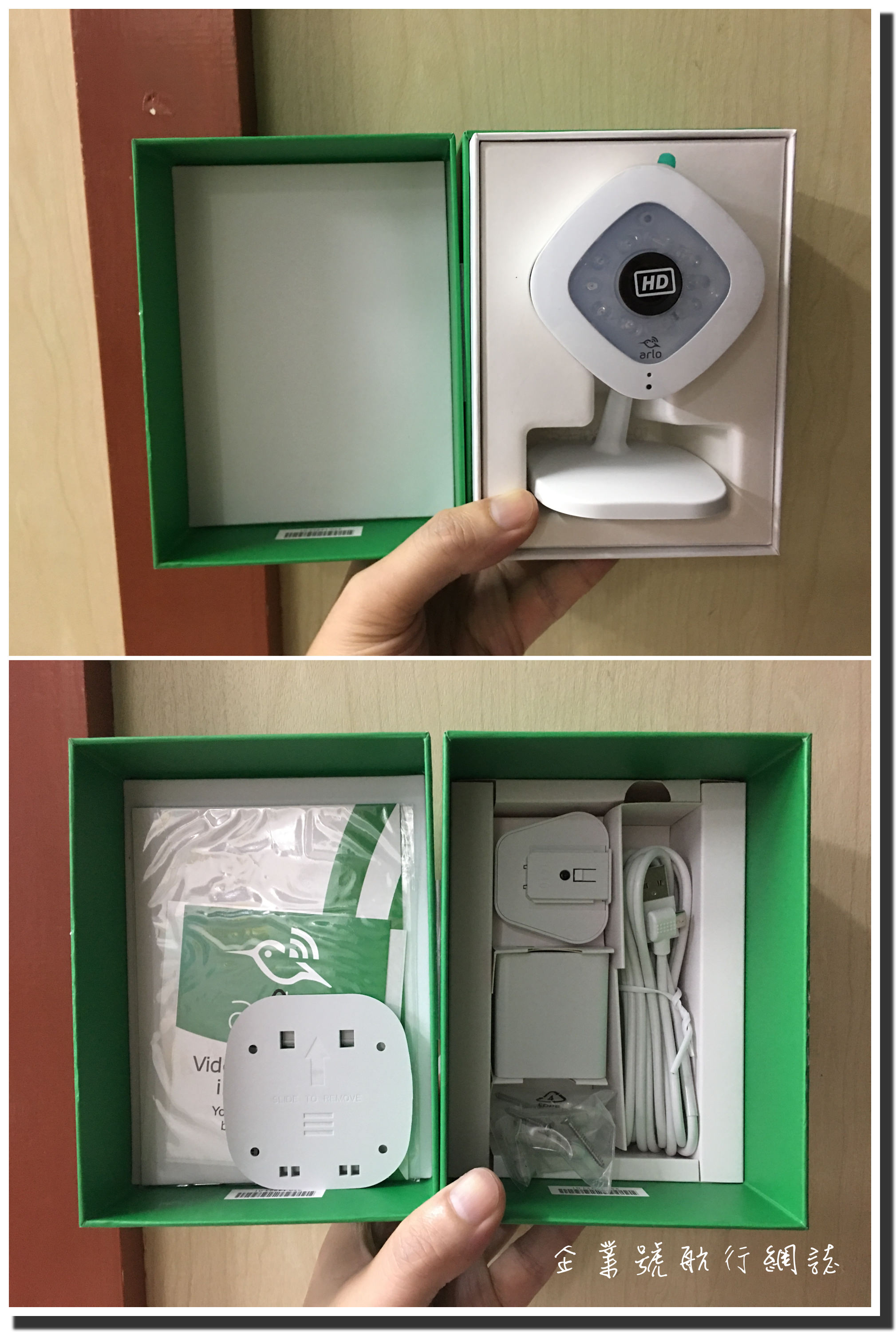 This is caption[/caption]
enterpr1se Here is the screen capture about the problem, the upper image is with caption, the lower image is without caption, two image with same original size.
https://www.screencast.com/t/lDFOZPholx
P.S. Please ignore the share bar
enterpr1se Here is my actived plugin list
Plugin Statuses
Theme Name Newsmag Child theme
Theme Version 1.1
Active Plugins
Number of Active Plugins 59
360° Panoramic Viewer 1.1.4
Accelerated Mobile Pages 0.9.50
Ad Blocker Notify Lite 2.2.1
Advanced Ads 1.7.25
Advanced AMP ADS 1.6
Advanced Excerpt 4.2.3
Akismet Anti-Spam 3.3.2
AMP 0.4.2
Animated Gif Resize 1.0
Better Analytics 1.2.3
Connects – Mailchimp Addon 2.0.3.3
ConvertPlug 2.4.0
Crayon Syntax Highlighter 2.8.4
Disqus Conditional Load 10.2.3
EWWW Image Optimizer 3.4.0
Fast Velocity Minify 2.0.8
Google Adsense Adblock Tracker 1.0.0
Jetpack by WordPress.com 4.9
Media Cleaner 4.0.2
Multipage Plugin 1.3.6
NextScripts: SNAP Pro Upgrade Helper 1.3.9
NextScripts: Social Networks Auto-Poster 3.8.2
Nginx Helper 1.9.10
NinjaFirewall (WP Edition) 3.5
OneSignal Push Notifications 1.14.3
Purge Cache for CloudFlare 1.2
Redis Object Cache 1.3.5
Regenerate Thumbnails 2.2.6
Search & Replace 3.1.2
Social Warfare 2.2.3
Social Warfare – Pro 2.2.3
Table of Contents Plus 1601
tagDiv Social Counter 4.1
tagDiv Speed Booster 4.8
TinyMCE Advanced 4.5.6
VaultPress 1.8.9
WPBakery Visual Composer 5.1.1
WP Crontrol 1.5
WP Google Maps 6.4.03
WP Links Page Pro (Personal Version) 3.3
WP Time Capsule 1.9.3
XML Sitemap & Google News feeds 4.7.5
Yoast SEO Premium 4.8
Here is my custom CSS
/* center the ads */

.td-a-rec-id-content_inline {

text-align: center;

}

.td-a-rec {

text-align: center;

}
/* disable more articles in mobile */
@media (max-width: 767px) { .td-more-articles-box{ display:none;} }
.alignnone img, .aligncenter img {
/* width: 100%; */
}
/*force line break in mobile*/
html { -ms-word-break: break-all; word-break: break-word; -webkit-hyphens: auto; -moz-hyphens: auto; hyphens: auto; }
@media(max-width: 768px){ code { white-space: normal !important; } }
I tried disable all plugins except WPBakery Visual Composer, and clear all custom css, but it doesn’t help
Do you need any other information?
enterpr1se I tried disable all plugins except “WPBakery Visual Composer”, but the photo still display as full width
enterpr1se I tried all style 1-7 and the problem still there.
I had disabled all JS / CSS minify, clear all custom CSS but no luck
Environment Statuses
Home URL https://www.enterpr1se.info
Site URL https://www.enterpr1se.info
WordPress Version 4.7.5
PHP Version 7.0.19-1+deb.sury.org~xenial+2
WP Memory Limit 512M
enterpr1se Same here,
I had clear all cache in Cloudflare.
enterpr1se Thanks, it fixed my problem.
enterpr1se It broken the sidebar too, it will not stick at the bottom anymore.
https://www.enterpr1se.info/
enterpr1se Disable the lazyload effect can solve picture does not appear problem
-
This reply was modified 10 years by
enterpr1se.
enterpr1se I sent the email, the fonts load multiple time problem still not solved
Thanks
enterpr1se I solved the URL problem problem, after changed the URL of custom fonts settings.
I need to change all fonts setting once, click on the fonts, change to others, and then change back.
Then all fonts will load the new URL settings
enterpr1se Sorry,I posted in wrong forum, it’s a Newsmag question
enterpr1se So I can use this CSS code to hidden ads?
.tag-25 .td-g-rec-id-content_inlineright
.td-g-rec-id-content_bottom
{
display: none!important;
visibility:hidden!important; }
enterpr1se Is there any “tag” version?
If I have a tag e.g. noads in that post
then it will not display any ads in that post
Thanks
enterpr1se I wish it can be solved soon.
It still happen in Newsmag 2.2
enterpr1se Here is my site (Traditional Chinese)
https://www.enterpr1se.ifno/
enterpr1se Finally tagDiv know there’s a problem.
Many users had reported before but no one think it is the theme’s problem.
enterpr1se I believe the problem is due to the data structure not fit with Google.
As the test tools show, wordpress had created lots of articles link with a very small photo, which not associated with the shared post.
I think Google will read Schema.org microdata first, then OpenGraphic.
But the Schema format was wrong, so Google Plus have wrong image problem, Facebook doesn’t
I will appreciate if anyone know how to fix this problem. Is there any plugin can fix it?
Thanks
http://www.screencast.com/t/AkbmTNdzAzs
Sorry for my bad English.
enterpr1se enterpr1se Hi,
I have same problem.
In the testing tool, it said “The review has no reviewed item specified.”
http://www.screencast.com/t/K2TAnkLws
The testing URL is https://www.enterpr1se.info/2015/03/bang-bang-modern-chinese-cuisine-review/
enterpr1se enterpr1se yes, I think more article in smartphone is not a good idea, it coverd all content, user must close the box in order to read the content
enterpr1se My blog url is http://www.enterpr1se.info/
