geraldinetay27
 Hi Calin,
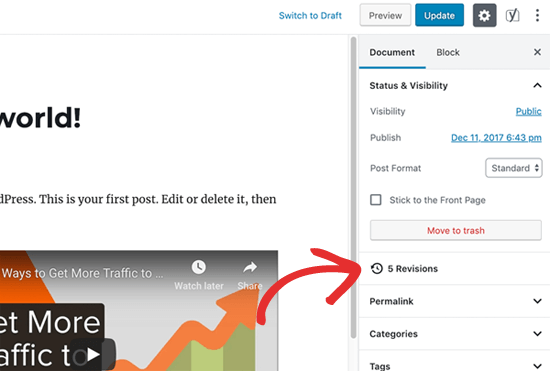
Yes I understand. However, there should be this post revision on the psot page itself no?
How do I enable this setting?
https://cdn4.wpbeginner.com/wp-content/uploads/2019/06/gutenberg-revisions.png
geraldinetay27 For example, I see that there are Ads and Post Settings.
https://www.dropbox.com/s/1891ill0e38bulw/Ads%20Setting.jpg?dl=0
https://www.dropbox.com/s/i6duo4uezl7l0s8/Categories-Setting.jpg?dl=0
1. How do I set the categories to use post template 1 for example?
2. Is it possible for me to edit the view of just the post category page of Singapore?
geraldinetay27 Great thank you! It works now =)
geraldinetay27 Hi Calin, Thanks for the advice.
I tried styling as your screenshots. Would like to check,
1. How do I enable the line under the post title like screenshot?
https://www.dropbox.com/s/wlzew34vvbcf6fg/5-3-2020%209-19-21%20PM.jpg?dl=0
2. How do I select posts with the post category = featured?
geraldinetay27 Hi Simion, I think it would be really helpful for ACF to work together with TagDiv Composer. =)
geraldinetay27 Hi Calin,
Thanks for the response. That’s what we did on the home page. However, we would want the post category labelled travel deals to be shown this. http://travelholic.gigaquirks.net/. The way you showed was to do add the post manually.
geraldinetay27 Hi Calin,
I removed with rev slider in the Cloud Templates > Header and only added Rev Slider to Home Page from Pages > Home Page.
Yet, the rev slider is still showing up in every page and even on the Cloud Template > Header. Its strange because I added the revslider to the page and not the header. Could you please help me?
geraldinetay27 Hello Vlad, isn’t there any workarounds we can do on our side? It is just an image which we are showing.
geraldinetay27 Hi Calin,
I purchased a new license with the extended support so that I can have it look exactly like the deals page.
Can you please advise what settings I need to change in order for me to get the deals page? The screenshot does not look like the deals page and you mentioned pre-sales that you will be able to assist me to get this look.
I have only managed to get the design i want with separate images and title in http://travelholic.gigaquirks.net/
geraldinetay27 How do I get to this page from wordpress admin?
– https://affiliate.tagdiv.com/#/load/Pages
– https://affiliate.tagdiv.com/#/load/Sections
geraldinetay27 Thanks! This works.
geraldinetay27 From the documentation, it seems like the cloud library is mainly for importing of templates.
Will I still be able to use the functionality below if I disable cloud library?
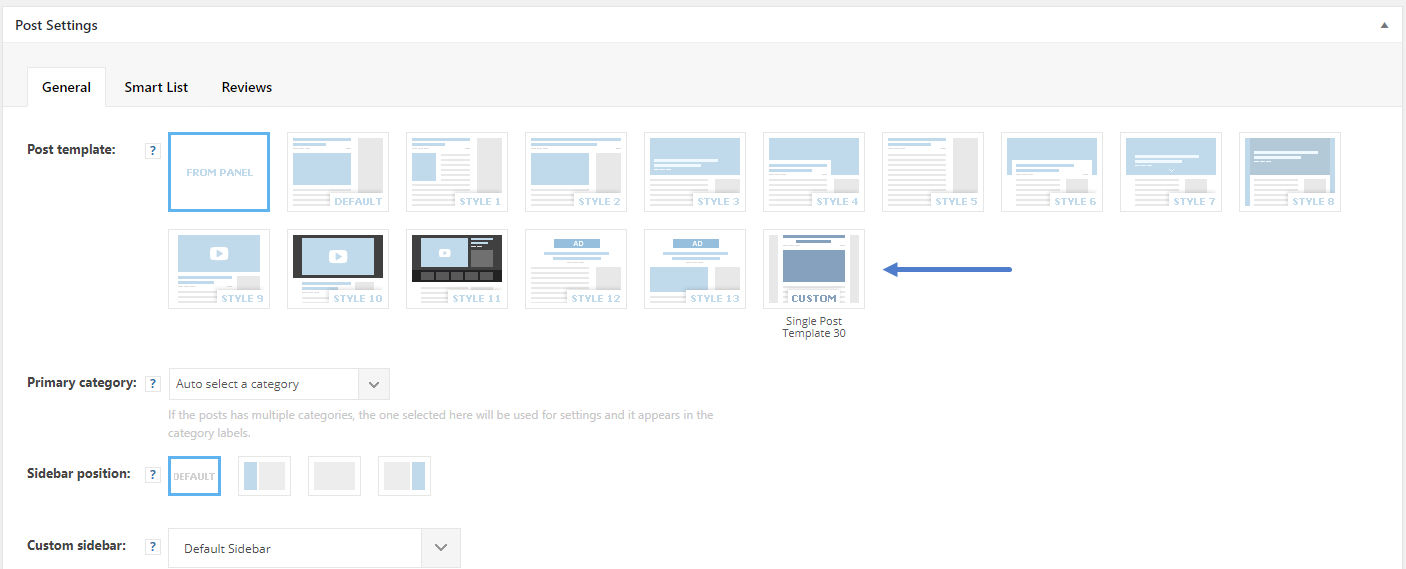
https://forum.tagdiv.com/wp-content/uploads/2018/06/post_template_settings.png
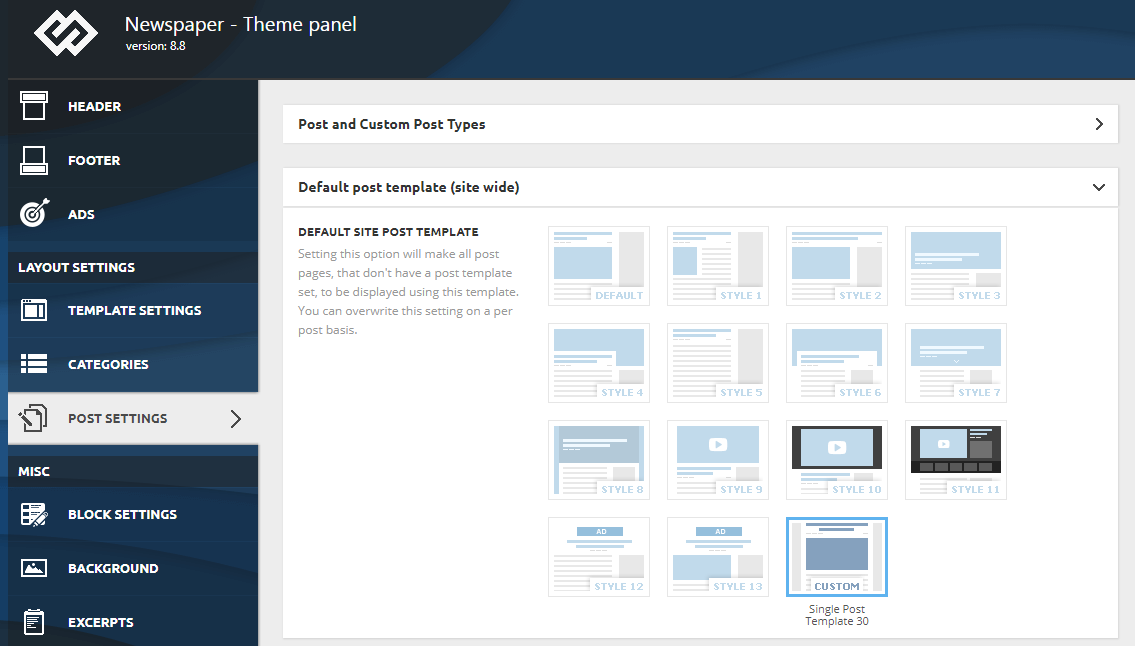
https://forum.tagdiv.com/wp-content/uploads/2018/06/default_template.png
Smart list
geraldinetay27 Hello, how do I extract the visual composer codes for the pages that I like?
Also, how do I make Visual Composer as the default composer?
geraldinetay27 Great thank you!
geraldinetay27 Also, how do I not show the logo in mobile?
https://www.dropbox.com/s/3yq7m8w60nbaiqq/Not%20show%20the%20logo%20in%20mobile.jpg?dl=0
geraldinetay27 Hi, as you can see in my screenshots below, they are already set up to be sub category. However, it just does not show on mega menu.
https://www.dropbox.com/s/gj28d1phqj4zccj/sub%20categories.jpg?dl=0
https://www.dropbox.com/s/15h064pfvorl79z/menu%20settings.jpg?dl=0
https://www.dropbox.com/s/hmsbob3wz5foj9x/Indonesia%20Menu.jpg?dl=0
Can you please help?
geraldinetay27 Thanks! Here is a screenshot of brunei’s menu. https://www.dropbox.com/s/m5e5plidnh3qiqt/Brunei.jpg?dl=0
geraldinetay27 It seems like it could be a code issue. Could you please check? I have only installed with wordpress default codes and installed Newspaper theme.
geraldinetay27 geraldinetay27 I imported the newspaper demo. I think I must have changed something as it doesn’t work now. Can you please help? It was working after I set up the menu.
geraldinetay27 I got it. Thanks! 🙂
geraldinetay27 Hi there, I followed the steps. See attached screenshots.
https://www.dropbox.com/s/15h064pfvorl79z/menu%20settings.jpg?dl=0
https://www.dropbox.com/s/83c16men6bqujq1/sub%20category.jpg?dl=0
Cambodia works perfectly fine though.
2. How do I change the the Category Color in Mega Menu?
https://www.dropbox.com/s/60wzp3v3ukyjihs/tags.jpg?dl=0
3. There is no green border at the bottom of the header menu. What is the header style below?
https://demo.tagdiv.com/newspaper_magazine/
geraldinetay27 Hello, thanks for the response. I have done so but the social icons are still showing up in the header menu.