GiacomoLaw
 Should I do it with the TagDiv plugins enabled, and amp enabled? Or should I uninstall amp and then reinstall after those steps?
Thanks!
GiacomoLaw Thanks, I did this however it still does not appear in the sidebar.
I found that disabling the mobile theme plugin makes it show, but then I cannot use it…
Thanks!
GiacomoLaw Nope, still doesn’t appear when I deactivate the child theme.
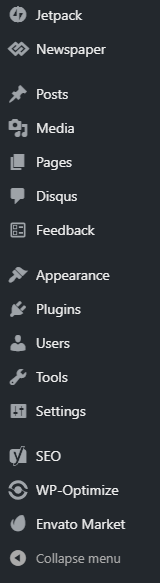
GiacomoLaw I’ve done that. However the amp plugin doesn’t appear in the sidebar: https://user-images.githubusercontent.com/9038673/56297973-432bad00-6129-11e9-8e5a-c41895167903.png
And amp authentication doesn’t pick up any amp links in the standard site after a cache clear.
GiacomoLaw Got this too, and amp is disappearing too. Pity everything breaks on theme update.
GiacomoLaw Hi there, I disabled all plugins and the child theme apart from the amp ones and still no success. I am on 9.7.1.
Thanks
GiacomoLaw Will do when I get home. Thanks for the help!
GiacomoLaw Yes. Disabling the composer prevents the issue, and it’s the theme. Error codes say so too.
GiacomoLaw Great, I’ll take a look at extending. Thanks.
GiacomoLaw Via settings and general?
GiacomoLaw Just an update, I have had to disable AMP because users were getting 404s when tapping on the links, and have set up a redirect.
Could you let me know when this is fixed? Essentially, despite having all the required settings selected, AMP was not working. It was not showing in the sidebar whilst the mobile theme was active.
Thanks
-
This reply was modified 7 years by
GiacomoLaw.
GiacomoLaw Looks like AMP is being picked up: https://www.google.com/amp/s/www.thenerdystudent.com/2018/11/putio/amp/
But icons aren’t loading in. I’ve spent all morning trying to fix this but have no clue.
Thanks 🙂
GiacomoLaw Hi there,
That’s odd, I have checked it in the mobile menu: https://imgur.com/a/O6baNkS
The issue is AMP isn’t appearing in the sidebar, so I can’t do some of the steps in guide: https://user-images.githubusercontent.com/9038673/56297973-432bad00-6129-11e9-8e5a-c41895167903.png
GiacomoLaw Is there any way to get it cheaper? $50 for 6 months is way too expensive.
GiacomoLaw Thanks, that works for me – you’re a lifesaver.
Now all I have to get sorted is AMP lol
GiacomoLaw Getting this error too: https://forum.tagdiv.com/topic/cannot-access-wp-admin-from-mobile/
Disabling TagDiv Composer is a temp fix, as you can re-enable it when you log in.
The fix above, wp-login.php works as a temp.
-
This reply was modified 7 years by
GiacomoLaw Great, thanks.
About my support, sorry about that. I just need to get the AMP and WP Admin issues solved. Ther support is too much for me to afford to renew, so I just want to iron out these issues as the site was working fine on 9.5.
GiacomoLaw Awesome, thanks!
GiacomoLaw You can hide it using CSS:
.td_block_related_posts .td-related-right {

    display:none;

}
GiacomoLaw Turns out it only works for logged in users, non logged in users see it blank regardless. There is an issue with the login screen.
My current temporary workaround is to disable the plugin, login, and then re-enable it. But I need to get it working properly.
Thanks
GiacomoLaw Hopefully eventually the CSS file would be minimized so we don’t need to use plugins.
I have seen the theme get a lot lighter over the past few updates 🙂
GiacomoLaw Seems like its working: https://www.google.com/amp/s/www.thenerdystudent.com/2018/11/putio/amp/
However some elements are not loading, such as the star icons.
GiacomoLaw Okay, thanks. Will my current questions be answered?
GiacomoLaw Enabling this option does not work: https://imgur.com/a/S6lKVos
It still shows the mobile theme. I only want that theme showing on AMP pages (which do not show).
I have disabled the mobile plugin until this and amp (see: https://forum.tagdiv.com/topic/amp-not-appearing-in-sidebar/) can be fixed. Very disappointing as it was working well in 9.5.
-
This reply was modified 7 years by
-
This reply was modified 7 years by
GiacomoLaw Seems to appear when I disable the mobile theme. I have enabled AMP in the mobile theme using the Mobile+Amp option.
-
This reply was modified 7 years by