Matuser
 Thank you
Matuser Hi
It’s sorted out.
Thank you
Matuser Hi
When enabling SHOW RELATED ARTICLES option (see screenshot above) with the setting of 2 rows of related posts,
and in the same time
some posts have longer titles than the other posts
the posts look not alligned (some titles displayed are “too long” ). Titles of such posts should be truncated (see red border).
Which excerpt (title excerpt for which element: eg. Module_1, Module_2 etc.) is applicable for titles of posts shown with SHOW RELATED ARTICLES option and should be used here to truncate titles to the same max length?
And please do not write again about FlexBexes usage and FlexBox configuration, because it’s completely not the case here.
Regards
Matuser Hi
I’ve double checked: all the links to screenshots are accessible without any problems (similarly to the ones the were uploaded earlier).
The issue is not related to FlexBox so this answer doesn’t help.
Again: when enabling ““SHOW RELATED ARTICLE” option, by default there are posts from:
– RELATED ARTICLES (posts from the same cathegory)
and
– MORE FROM THE SAME AUTHOR (posts added by the same author)
displayed at hte bottom of an articles / posts .
How to modify/choose this option so that it doesn’t show RELATED ARTICLES and MORE FROM THE SAME AUTHOR posts
but
other types / cathegories / tags / groups of atticles are displayed in this box with so called RELATED ARTICLES?
Eg. in case somebody would like to display for the RELATER ARTICLES eg. articles CATHEGORY_A and CATHEGORY_B or other groups of posts (not posts of the same author and posts from the same cathegory as in default settings) how to configure that?
Regards,
Matuser Matuser Hi
Unfortunatelly the answer (above) / links don’t provide solution.
We want to use (and have already used) Grid-1 in this part of the website and not use Flexi-Block-X (Flexi-Blocks may be used in different parts of the website), so the links in your answer on configuring Flexi-Blocks or using child theme do not apply here.
The thing is that the 265×198 thumbs for 265×198 windows of “Module-MX6“ in Grid-1 are enabled and are generated by the theme ,
as well as
this is newly reated website (not re-design of an existing content) and content (images and text) are added after (not before) Grid-1 has been chosen (content being added to existing Grid-1 element not the other way around).
So if
– Grid-1 is using 1x MODUKE-MX5 and 4x MODULE-MX6 Blocks,
– MODULE MODULE-MX6 has window size of 265×198 [px]
and
– the applicable thumbs are enabled and are generated by the theme
why the images are blurred?
Why the 265×198 [px] thumbs generated for an image are not used in 265×198 [px] window of “Module-MX6“ of Grid-1?
Why the 265×198 thumb description does not say its used for applicable 265×198 MX6 Block [ while in the same time 534×462 thumb is described as to be used also for corresponding 534×462 MODULE-MX5 in Grid-1 ] ?
QUESTIONS REMAIN:
-I- which thumb is used for Module-MX6 in Grid-1 / Big-Grid-1 if the 265×198 thumb is not ?
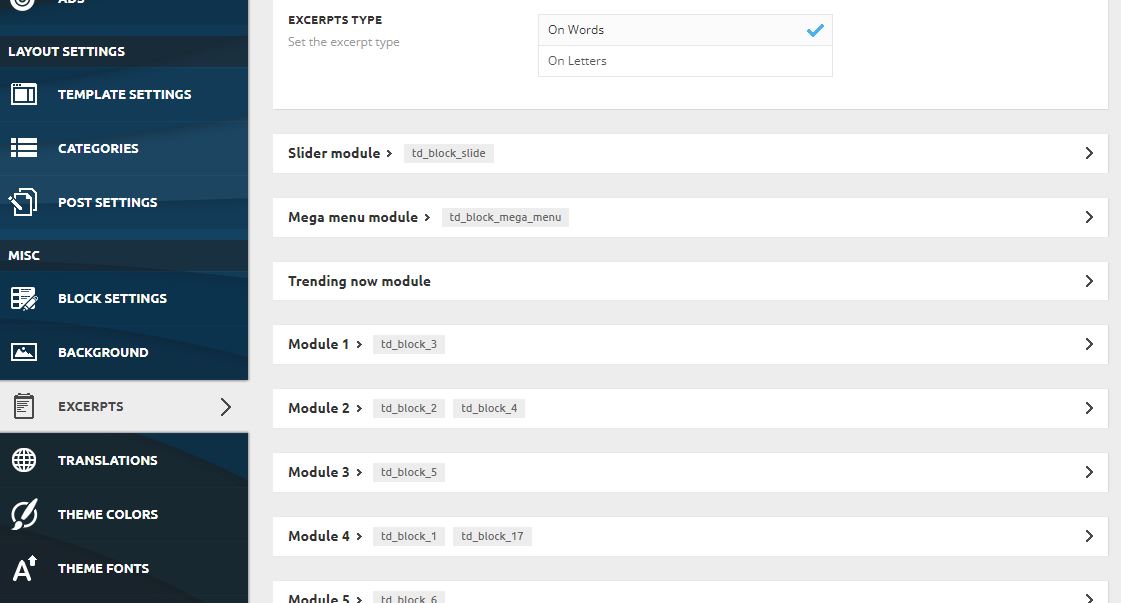
-II- which thumb, from the list of all thumbs available, should be enabled in Newspaper theme so that it’s used for generating image for 265×198 Module-MX6 if the 265×198 is not (it’s only for Module-M1 according to the description)?
-III- why the feature pictures in Module-MX6 are blurry and how to fix that?
Regards,
Matuser Hi
Thanks for the update but this problem is not related to Grid or Grid’s modules scalling / cropping but is releted to adjusting a (featured) image (by either cropping or proportionally re-scalling that image) by Newspaper theme, so that this picture fits into particular Newspaper theme module window: Module_MX5 in this case (from Grid_1)
—————————————————————–
https://forum.tagdiv.com/theme-blocks-modules/
Block        3/3 Row	               2/3 Row   1/3 row

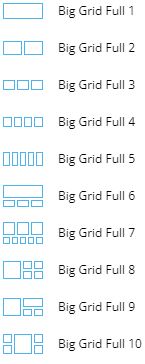
Big Grid 1   Module MX5 + Module MX6    –          –
—————————————————————–
Yes, your instuction was followed, meaning:
– 534×462 Thumb was enabled in Newspaper theme -> BLOCK SETTINGS https://ibb.co/gwgmJL9
(https://www.screencast.com/t/N18dR3qZrh)
– Regenerate Thumbnails plugin was installed and used (https://forum.tagdiv.com/using-the-theme-with-existing-content/)
After the featured image was actually modified as in the instructions, it’s fitting much better to MX5 Module window: https://ibb.co/GFN9Jzf.
Could you please elaborate why earlier you wrote that
“standard elements, already customized which you can not customize it” ?
while it looks like it was acctually possible to adjust (customize?) the feature image ?
Please axplain also:
what do you mean by “default template” here?
what do you mean by “old ones” elements?
Thank you
-
This reply was modified 5 years by
Matuser.
Matuser Hi
What do you mean by “default template” here?
What do you mean by “old ones” elements?
Thank you