

 mrozangir
 Okay, but why is Google showing a date on the homepage specifically? I also use the Yoast SEO plugin on my other websites, and their homepages do not display a date in Google search results.
mrozangir Hi Calin,
Okay, problem solved. It was an issue with the phone’s screen size. Thank you.
mrozangir Hi Calin,
When I check it on my phone, it appears full size. (https://masalokurum.com/wp-content/uploads/2025/07/Viz-Viz-Vadisinde-Bir-Macera-Masal-Oku.webp)
mrozangir I hope you understand my question well!
Example: https://masalokurum.com/viz-viz-vadisinde-bir-macera/
mrozangir I’ve set the aspect ratio to 696×0 for mobile, but the image appears full size. Why isn’t it appearing at 696×0? I need your answer. I’m also using a responsive theme for mobile, but it still doesn’t work.
-
This reply was modified 1 year by
mrozangir.
mrozangir Additional information: There is no problem in the desktop version, I only encounter this problem in the mobile version.
Example: https://masalokurum.com/viz-viz-vadisinde-bir-macera/
mrozangir Hello,
Cloud footer.
mrozangir Hello,
Since I edited the theme entirely via the Theme panel without installing any cloud template, I cannot edit it with Tagdiv Composer. I want to do this via the Theme panel.
 mrozangir
 Hello Anamaria,
Thank you. TD Composer working now.
-
This reply was modified 1 year by
mrozangir I have opened a help topic regarding the same problem.I have the same problem. I want you to solve this problem urgently with a new update!
mrozangir Hello,
Version: 12.6.8 (Last version)
mrozangir Unfortunately it didn’t work. I started using php version 8.1 but it still didn’t work.
mrozangir It still gives a 404 error.
Help me please!
mrozangir I deleted the site and started over. Now when I run the Tagdiv composer plugin it gives the following error: Internal Server Error
mrozangir Now I am getting an error like this:
Please resolve this problem in the new update of Newspaper.
-
This reply was modified 7 years by
mrozangir Sorry my problem was not resolved even though I submitted the login information.
mrozangir Although I’ve tried different devices, I’m still having trouble.
Site is slowing down or crashes when you search with a live search box

However, there is no problem when searching with the other search box

-
This reply was modified 7 years by
mrozangir Hi,
Can you try again by typing a long word? For example: Hello I’m here.
Thank you.
mrozangir Hello !
You don’t understand what I mean. Please read carefully the message I wrote yesterday. The site’s live search box has a problem and consumes a lot of resources when searching. You will solve the problem by changing the code in the live search box. I want you to help me with this.
mrozangir Hello,
Theme requirements have been adjusted according to the requirement guide. However, the site crashes shortly after the search.
After searching, the status of the site can be seen in the following screenshot:
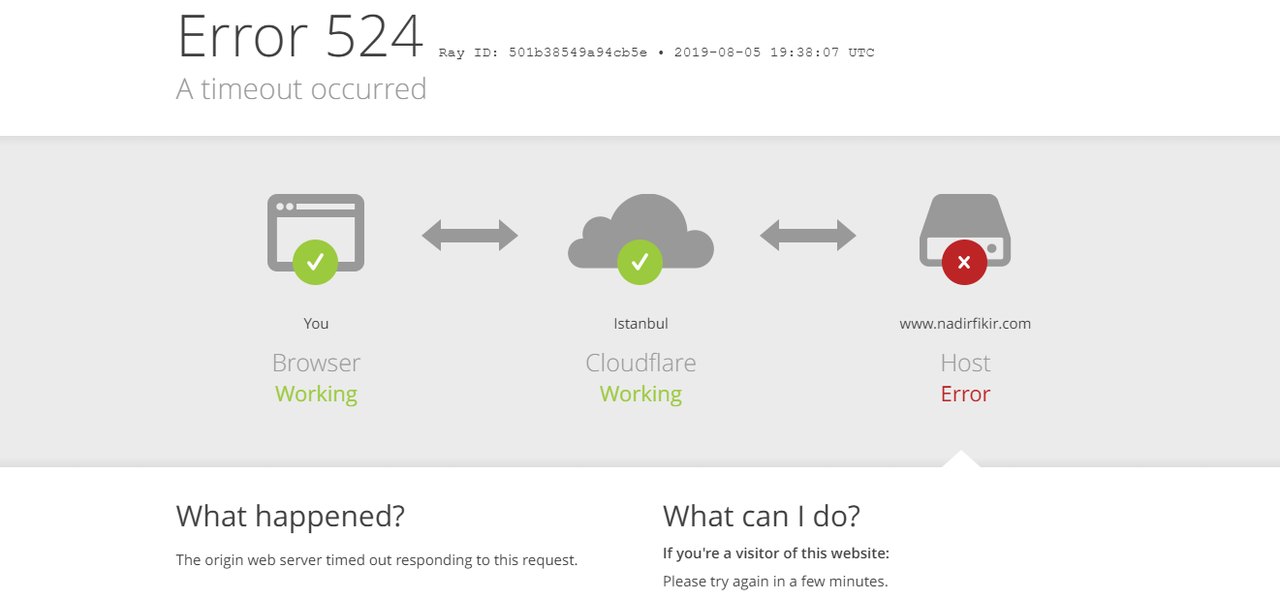
Note:
Site crashes when you search with a live search box
However, there is no problem when searching with the other search box
Both search boxes are currently active on the site. You can try it.
mrozangir Hello there,
I cleared the cache. I’ve disabled all non-theme plug-ins, but the problem continues. I also searched from different computers. Again my website crashed for a short time. Can you check again.

