

 pepperandplatinum
 Thank you that worked! I always forget to active one of the div plugins.
pepperandplatinum UPDATE: FIXED
pepperandplatinum Thank you so much. That fixed it!
pepperandplatinum Can you please translate that response for me. Thank you.
pepperandplatinum I did yes, I have a page that is just images with links- not posts. So I didn’t want to create posts for that page, so I reverted back to my original menu.
Not sure how I can show just linked images in a menu on a page instead of posts.
if you know a way that would be awesome!
Thank you!
pepperandplatinum Is there an easy way to get custom code for that area of my page? Are there any sites specifically for TagDiv that I can find code for?
Thank you.
pepperandplatinum Thank you!
pepperandplatinum I am resetting the theme entirely at this point, but cannot figure out why TD composer is not enabled on posts page.
How do I enable this so that I can edit my site?
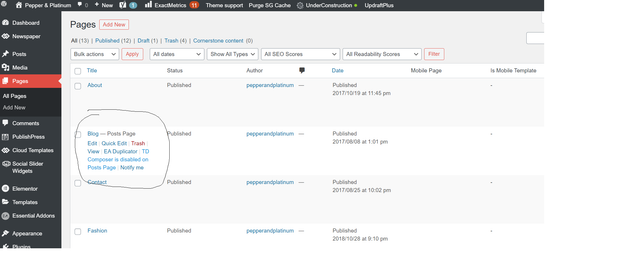
pepperandplatinum Here are the errors I am getting in Console:
 <br />tracemyip duplicate remover<br />
pepperandplatinum Thank you Anamaria – It however did not work.
Everything is updated.
I deactivated all the plugins except TagDiv, purged cache.. nothing.
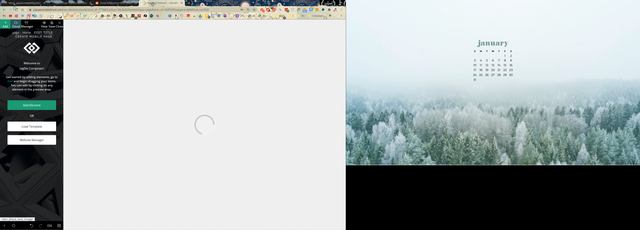
It just won’t let me edit the site when I select Edit with Tagdiv.
When I hover my mouse over the page that is loading, it knows the website is there.. but I cannot see it.
What it is doing currently:
pepperandplatinum I am emailing them now, I will keep you posted!
pepperandplatinum OMG you are a godsend Studentmedia!! It worked. I have had like a foot of random rows at the bottom of my page for so long, thank you so much.
Since I have you here, do you know what is happening with the header issue since the latest Newspaper update? It is completely gone, and a lot of people are having this issue.
I have tried purging cache, reuploading logo etc. Nothing. Any other options?
Image: https://ibb.co/qsrcCHq
pepperandplatinum Need help with this also. Header image is completely gone and replaced with the default text and reuploading Logo and Favicon does nothing. I assume Tagdiv has a broken element when I updated.
See screenshot: https://ibb.co/qsrcCHq
-
This reply was modified 5 years by
pepperandplatinum.
pepperandplatinum thanks, Bettina- I however have no trash option for this and deleting doesn’t help.
See the video below:
pepperandplatinum Hi there, I did all of the above and no change whatsoever.
my website is pepperandplatinum.com
Please let me know a solution. Thank you!
pepperandplatinum I am having the same problem, my header image is entirely gone and it says “discover the art of publishing” instead.
I have gone into theme panel settings > header > logo upload and reuploaded my image, no change.
