xbass
xbass Does not work here, is there anything else I need to do then add code+save?
xbass You could create a new account for these with a neutral name you assign to these posts.
xbass That’s good to know.
regarding the first part of my question, is there an option to make the lower button size the same as the upper one?
Thank you.
xbass Aha that’s easier than expected, thanks a lot!
Is it possible to make it the same size as the upper row of buttons?

Related to this, another question: when activating ‘tweet’ (in the same row) I only get a small word ‘tweet’, is this not supposed to be a button?
Actually I planned to move to a custom made theme for a more corporate identity, but I discovered there’s so much freedom of customization that I and decided to stay with Tagdiv, and soon also my second blog. Thanks to the outstanding support as well.
xbass Aha it’s never too late to learn, thanks a lot.
xbass Because posted in weekend hours. The few support guys are doing an awesome job here and deserve a break too right.
xbass Have you considered using Tagdiv Composer instead? It’s so much better than the Visual Composer crapware.
xbass Additional, it seems a bit odd how the logo needs more time to load than the rest of the header (desktop)
xbass Now it’s disappeared on tablet view only… any tips?
Thanks
xbass Update- somehow it seems to be fixed now, did nothing else than reupload.
xbass Awesome thanks a lot for all your valuable feedback, I’m learning a lot here.
xbass Thank you very much, fixed.
xbass Oh wait I had to hit that blue Composer button. Guess some things are going to be fixed here… 😀
xbass xbass Thanks!
I did not remove the featured category (why would I) but is wasn’t there also. So I created one and assigned to a few posts, but nothing happens so something missing.
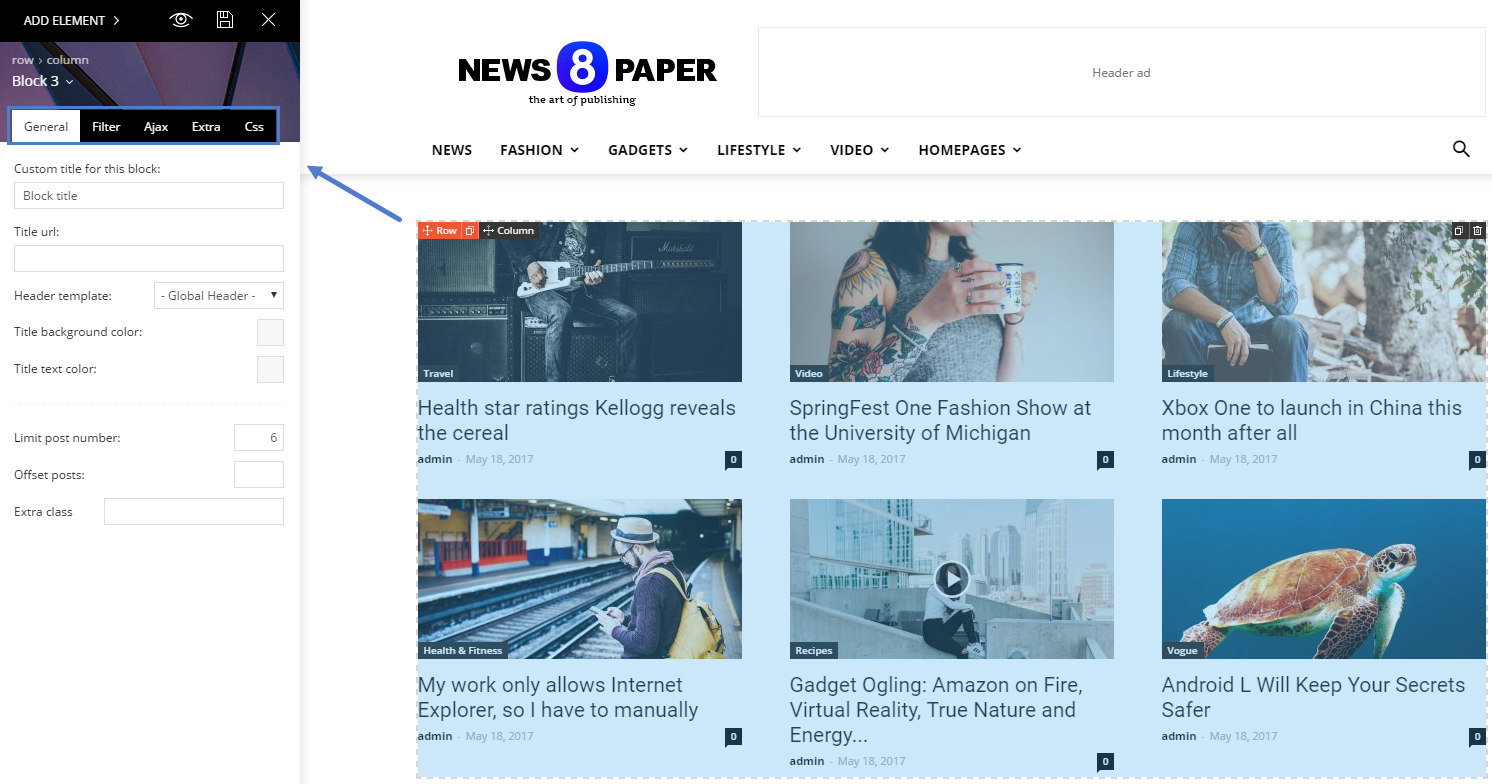
Trying to discover the block settings, explained in the ‘Block settings tutorial’, showing ‘How to access the block settings area’ but lacks explanation where to find it. A poor and incomplete tutorial by people who don’t understand how to explain things clearly for everyone.
‘Block settings’ not in ‘theme panel’ and not in the ‘live editor’ either. In ‘theme panel’ is a tab ‘block settings’ but it not has this: https://forum.tagdiv.com/wp-content/uploads/2017/05/block_settings_1.png
xbass Thanks.
Unfortunately the information on https://forum.tagdiv.com/featured-posts-2/ is incomplete. It gives the impression that the featured category is already built-in, which apparently is not. I can create a featured category myself and assign to the post, but nothing happens.
Still no idea how to control the posts in the feat section, remove the posts I don’t want there and show some older posts there.
xbass How? Just creating a category ‘featured’ and assigning to posts does not get them on top.
Where are the settings to manage those blocks?
-
This reply was modified 8 years by
xbass.
xbass I just found it, in visual editor -which I never use- is a formatting button, that’s what I did not see yesterday.
Cheers!
xbass That’s about buttons, not shortcodes. I’m also having an issue with missing shortcodes.
xbass What this has to do with the theme?
xbass Thanks for the support. Just not clear which documentation I need? I just want to activate the theme that I purchased just as it looks like. On the video it looks not that hard anyway. Below there’s wtitten ‘Required plugins: Visual Composer’??? Why is this crap requiered? I need nothing fancy or complicated, just a simple blog. Is there any way to manage this theme without that horror plugin?