
 marcsellier
 Hello Vlad,
thank you, but this isn’t what I need. Maybe I didn’t explain well.
What I need is to remove only the “More from author” tab and not the entire “Related articles” box. Please, see here: https://imgur.com/a/vhOecQY
Thank you
 Calin
Calin Hi,
If you are referring to author page -> https://i.imgur.com/TiOsfR2.png then yes, in this way is should be display, the author box should be at the top.
If you want to change it at the bottom, you need to change it in theme files wp-content/plugins/td-standard-pack/Newspaper/author.php -> https://i.imgur.com/DajYOi9.png or you can use a cloud template from tagDiv Cloud Library and you can edit it using tagDiv Composer.
Thank you!
 susu
susuI have recently found an issue with Newspaper theme and the newest version (14.5) of Yoast SEO. Things were working as intended until recent update this past weekend. The issue is that any users who are not in the role of administrators or Editor (ex: contributors, authors, etc) cannot access Posts any longer on the WP admin section when the plugin is activated.
Environment:
WP v5.4.2
Newspaper Theme v10.3.5
Yoast SEO v14.5
Steps to replicate error:
1) Login to WP as an user who has role of Contributor or Author
2) Click on Posts in left navigation
3) Instead of seeing the list of posts you see the error:
“There has been a critical error on your website. Please check your site admin email inbox for instructions.”
Debug steps
1) Deactivate Yoast Plugin and follow steps above and step 3 works as intended
2) With Yoast Plugin activated, deactivate Newspapaer Theme and follow steps above and step 3 works as intended
3) Change the role of the same user used above from Contributor or Subscriber to an Editor or Administrator and follow steps above and Posts work as intended
Please let me know if you need additional information
marcsellierHello,
I need to remove the “More from author” box from the “More article box”. How can I do that?
Look here: https://imgur.com/a/IQMtHxE
Please, let me know.
Regards
Marc
 adnanlsbf
 Thanks as you mentioned i did it, its working but only problem is it showing author box on top.
Bdnewstrend.com you can check it if you want to.
Calin Hi,
Yes, you can remove it, but first you need to check if you are using a standard post template or cloud.
For standard post template you can remove this author box using the options from theme panel -> https://i.imgur.com/IOHtOkB.png
For single post template from tagDiv Cloud Library, you need to use tagDiv Composer to edit the cloud template and use the right click on the element you want to remove -> https://i.imgur.com/8yHchGa.png -> https://i.imgur.com/MU8V1dZ.png
Hope this will help you!
Thank you!
Calin Hi,
Unfortunately for the moment the rel=”noopener” can be set only manually in theme files, the code need to be set in wp-content/plugins/td-cloud-library/shortcodes/single/tdb_single_author_box.php -> https://i.imgur.com/8XxsEqS.png ->
Thank you!
 marcelo.berwanger
Hello,
In the Single Post Author Box, the author’s social media links do not have the property rel=”noopener” or rel=”noreferer”.
How can we add this property to this element?
Thanks,
 niky23
Hi,
it’s really great to work with your theme. Just a few smaller questions. My site: https://www.dfz21.at/dfz/
– Duplicate content. I simply want to show no post twice espacially on the home. ‘The offset post’ ist only a work arround as i have to set categories only for the home and use everywhere the same cat. Unique articles is not shown in posts… Can i sidewide prevent content to be shown more than once?
– How can i change to block-look of widget boxes in the post-sidebar like more aritcles or featured posts (with smaller picture, eg)?
– whatsapp icon in articles is only shown mobile but not desktop.
– can i make a page that is also in the main menu a megs menu? (i saw only cats in the dropdown)
– More articles below post: how can i NOT show more from author tab?
– thirst block in my default sidebar is the social counter. if i don’t use a header it just shows empty space instead. and so the counter ist not on the same height as the block on the left side.
– can i show something like a more/featured article box in an post with putting some (short)code in a text block?
Thank you for your help, Niky
Calin Hi enzomusto77,
Yes, you can remove it, but first you need to check if you are using a standard post template or cloud.
For standard post template you can remove this author box using the options from theme panel -> https://i.imgur.com/IOHtOkB.png
For single post template from tagDiv Cloud Library, you need to use tagDiv Composer to edit the cloud template and use the right click on the element you want to remove -> https://i.imgur.com/8yHchGa.png -> https://i.imgur.com/MU8V1dZ.png
Hope this will help you!
Thank you!
 sentierol
Hi Calin,
hope you and Tagdiv staff are all well and healthy!
My question is: is it possibile to move up the comments, right below the author box?
I haven’t found a way in the “Theme Panel” to change this setting.
Now in order:
1. post
2. share buttons
3. author box
4. related articles
5. comments
Desired:
1. post
2. share buttons
3. author box
4. comments
5. related articles
Please help, thank you very much!
 Marcelo Mandaji
It’s possible to create author’s box ajax pagination like the flex block have?
I have a lot of author’s in a blog (more than 10) and the list is too big.
thanks
 bjames1000
Hi, the “Author” select menu in the post editor seems to be broken.
I have 3 authors in my WP setup – Herald Reporters (admin), NNT (author) and TNA (author). No matter which author I choose, however, it reverts back to the same one (Herald Reporters).
This occurs on first publish and updates.
The only way I can change the author is to go to “all posts” and use the Quick Edit to select the correct author from the menu there.
Bug?
 aristake
This feature was working yesterday. Now it just says “AUTHOR NAME” with a blank image. Check it out here. I removed the original author’s WordPress account and replaced it with a new username, which is my guess on why it’s now broken.
Any ideas as to what’s going on? Thanks.
 redaktionlumao
Hi all,
is it possible to not use the gravatar image as the author picture on the author page. I have added the Co-Author-Plus plugin and there I can manually upload a picture for the customized author box. But when I click on the authors name I will see a gravatar image and I just want to change it to the picture used for the author box. Here are links for your understanding.
Author box with the correct image at the bottom of: https://lumao.de/ostsee-probstei/
Incorrect image at the author page: https://lumao.de/author/caroline-schmidt-gross/
Thanks for your support,
Tim
 zibi
zibi Thank you for the description, but that’s not what I meant. I have enabled the translation for the word author in the dictionary:
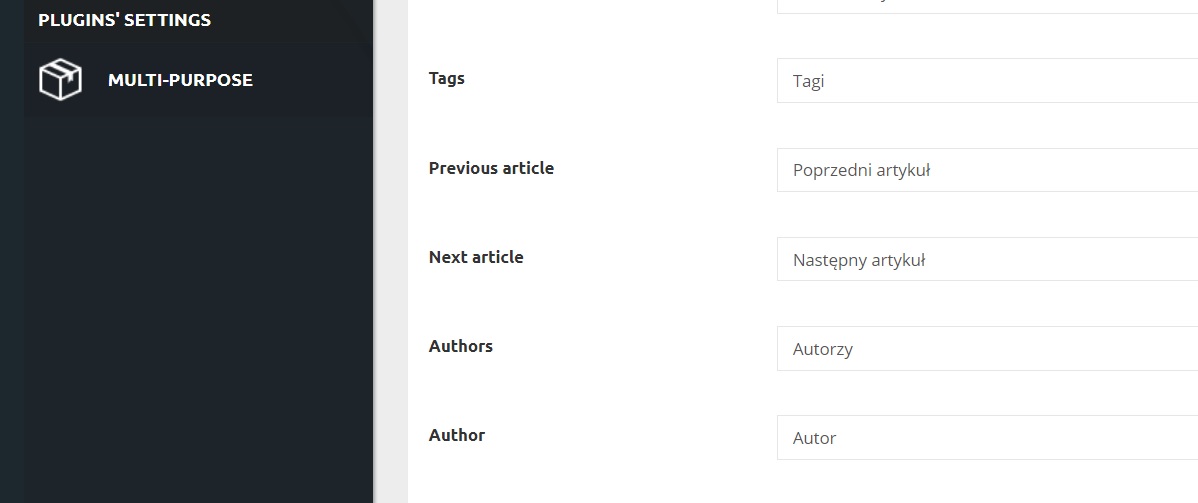
but the box is still in English.

And I want to keep the box but with polish word 🙂
Calin Hi,
If you want to change the translation, you can do it from here -> wp-content/themes/Newspaper/translation/pl_PL.po -> https://i.imgur.com/OcktGqS.png
If you want to remove the author box you can do it from theme panel for default post style -> https://i.imgur.com/d24gsk2.png or if you are using cloud templates (PRO Demo or a single post template) those can be edited with tagDiv Composer and use the right click to remove the elements you do not want to have.
Thank you!
 CBTNews
A few months back my author images just disappeared. The author box and bio are still present, but the image is not. https://www.cbtnews.com/coalition-of-caring-dealers-providing-support-during-pandemic-recovery/
zibiHi,
on the dictionary list are the words author and authors correctly translated into Polish. However, in block Author Box the word is not translated. It may be worth adding them to the dictionary database so that it can also be translated.
In the meantime, I have a request to help remove it.
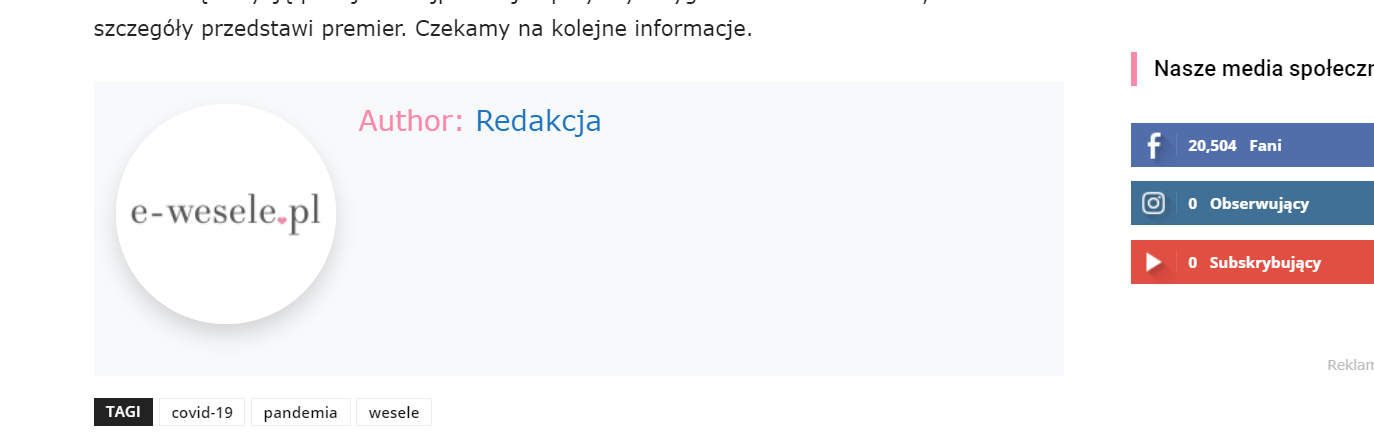
 asmsblog1
under post Setting -> Post & Custom Post Types (in NewsPaper X Theme V 10.3.4 default pro)
we have turned off “SHOW POST VIEWS”, “SHOW COMMENT COUNT”, “SHOW AUTHOR BOX” and “SHOW NEXT AND PREVIOUS POSTS” but it still showing the same in the website posts.
Please help us to solve this issue.
Regards
 Twolle
Hi support,
How can I remove italic text-decoration on description on td_block_auhor?
Not just on one, but on all td_block_author boxes.
Url: https://servicenews.dk/servicevirksomheder/
Scroll a little bit down and you will see the italic descriptions below the icons/images – marked with A.
See this images as well: 
And how can I remove or change the tooltip when hovering the icon/image – marked with B.
Thanks 🙂
/Twolle
 Lww316
I have disabled the Author Name and Date settings for posts. However, the Author Photo still shows in the block for each post on the “Home” page of Classic Blog.
How can I hide the author photo on the Home page while keeping it in the author box (sidebar) on post pages.
Thanks,
Lawrence

 50minds
Hi,
I currently have author avatar in the author box and comments avatars showing.
I would like to turn off comment avatars (from WP admin panel) without losing the author avatars. I had contacted WordPress.org support but I was told I should contact my theme providers, I really would like to actually stop the comment avatars loading into the DOM.
Any ideas?
Thanks
 jbyrnes
I’d like to remove certain elements in the article pages, but it seems that the panel where you could do that (as I understand), doesn’t work. I’d like to remove the comment section, page views no., author box, must read on the left side.
Thanks,
 ttz
ttz Hi
Thank you for the code. The author box looks much better.
Thank you!



