
- NewspaperFlex Block Builder and Flex Loop Builder
- NewspaperHow to use the Flex Blocks cache option
- NewspaperHow to edit modules for Flex Block X
- NewspaperHow to insert a block inside the content of a post
- NewspaperFlex Block Settings Guide
- NewspaperMeta Info on Modules and Blocks
- NewspaperTheme modules and blocks
- TutorialsDefault Block Settings Guide
- NewsmagBlock settings tutorial
- NewsmagCategory tag on modules/blocks
- NewspaperThumbnails – Fix strange looking images on blocks
- NewspaperBlock settings tutorial
- NewspaperCategory Tag on Modules/blocks
- ApiPractical example – How to add a new Block and Module
- Apitd_api_block::delete
- Apitd_api_block::update_key
- Apitd_api_block::update
- Apitd_api_block::add
- ApiAPI – Blocks – Introduction
- NewspaperWP Rocket and Newspaper Theme: Optimization Guide
 gouravgola
 @alin Thanks for replying, i contacted my host provider, i am using dedicated server from 24shells.net.
they says when ever huge traffic come to my website, for example 7k people online at 1 time, it create an multiple requests on server and hence create a load on server by increasing cpu usage and server goes down!
so he says, this is the reason we block admin-ajax for other to access using htaccess file.
he send me that links that explain better:
http://www.webhostinghub.com/help/learn/wordpress/heartbeat-admin-ajax-usage
he also says, all wordpress sites with high traffic have this problem, this is some kind of “wordpress issue” not from their server side..
can you please help me out with this? i am sure there must be a solution of it, as million of people using wordpress!
 pulsarstudio
 Hi!
That line is no on the file – Please advice!
<?php

/**

 * Category page BIG GRID

 *

 * the way it works

 *

 * - if the current current category have posts then display those posts

 * - if the current category does't have posts then check the subcategories of this (current category)

 *          - if the subcategories have posts then those posts will be displayed

 *          - if the subcategories does't have posts then an empty area will be displayed

 *

 * - if the current category does't have post or subcategories then, the area where the subcategories links will be displayed + the area of the big grid will be removed

 *

 **/
//category list
// $global_flag_to_hide_no_post_to_display - is a flag to hide the 'No posts to display' message if on category page there are between 1 and 5 posts
global $cur_cat_obj, $loop_sidebar_position, $loop_module_id, $cur_cat_id, $paged, $global_flag_to_hide_no_post_to_display, $wp_query ;
$buffy = '';
//get the option to show or not the big grid
$td_disable_big_grid = td_util::get_category_option($cur_cat_id, 'tdc_slider');
//get the link of this category
$category_link = get_category_link($cur_cat_id);
//if we are on a cat without subcats
$td_cat_without_subcats = 0;
//the subcategories
if (!empty($cur_cat_obj->cat_ID)) {
$td_sub_cats = get_categories(array(
'parent' => $cur_cat_obj->cat_ID,
'hide_empty' => 0
));
//if the current category dose't have subcategories then get all the categories from the same level as current category
if (empty($td_sub_cats)) {
$td_cat_without_subcats = 1;
if($cur_cat_obj->category_count == 0) {
$td_disable_big_grid = 'yes';
}
//exclude uncategorized category
$Obj_cat_uncategorized = get_category_by_slug('uncategorized');
$id_cat_uncategorized = $Obj_cat_uncategorized->term_id;
//exclude featured category
$Obj_cat_featured = get_category_by_slug('featured');
$id_cat_featured = $Obj_cat_featured->term_id;
$td_sub_cats = get_categories(array(
'parent' => $cur_cat_obj->parent,
'exclude' => array($id_cat_uncategorized, $id_cat_featured),
'hide_empty' => 0
));
}
}
if (!empty($td_sub_cats)) {
$buffy = '<div class="td-category-header">';
$buffy .= '<ul class="td-category td-category-page-subcats">';
foreach ($td_sub_cats as $td_sub_cat) {
if (!empty($td_sub_cat->name) and td_util::get_category_option($td_sub_cat->cat_ID,'tdc_hide_on_post') != 'hide') {
$tax_meta_subcat_color = td_util::get_category_option($td_sub_cat->cat_ID, 'tdc_color');
$td_cat_color = '';
/* if (!empty($tax_meta_subcat_color)) {
$td_cat_color = ' style="background-color:' . $tax_meta_subcat_color . ';"';
} else { */
if($td_cat_without_subcats == 1 and $td_sub_cat->cat_ID == $cur_cat_id) {
$td_cat_color = ' style="background-color:#222222;color:#ffffff;"';
}
/*} */
$buffy .= '<li class="entry-category">cat_ID) . '">' . $td_sub_cat->name . '';
}
}
$buffy .= '';
$buffy .= '<div class="clearfix"></div>';
$buffy .= '</div>';
}
//get the filter_by URL ($_GET) variable
$filter_by = get_query_var('filter_by');
$td_category_big_grid_drop_down_filter_options = array(
array('id' => 'latest', 'value' => $category_link, 'caption' => __td('Latest')),
array('id' => 'featured' , 'value' => add_query_arg('filter_by', 'featured', $category_link), 'caption' => __td('Featured posts')),
array('id' => 'popular', 'value' => add_query_arg('filter_by', 'popular', $category_link), 'caption' => __td('Most popular')),
array('id' => 'popular7' , 'value' => add_query_arg('filter_by', 'popular7', $category_link), 'caption' => __td('7 days popular')),
array('id' => 'review_high' , 'value' => add_query_arg('filter_by', 'review_high', $category_link), 'caption' => __td('By review score')),
array('id' => 'random_posts' , 'value' => add_query_arg('filter_by', 'random_posts', $category_link), 'caption' => __td('Random'))
);
// is a flag to hide the 'No posts to display' message if on category page there are between 1 and 5 posts
$global_flag_to_hide_no_post_to_display = '';
//this flag is checked in the loop.php file to hide the No posts to display message if we have the big grid on the page and there are between 1 and 5 posts
$global_flag_to_hide_no_post_to_display = $wp_query->post_count;
//if there are post to display add also the drop down category filter
if($td_disable_big_grid != 'yes') {
echo $buffy;
//create the drop-down filter on category pages
echo td_util::generate_category_pull_down($td_category_big_grid_drop_down_filter_options, $filter_by);
//print_r($global_flag_to_hide_no_post_to_display);
//only show the big grid on first page
if($paged < 2) {
//parameters to filter to for big grid
$atts_for_big_grid = array(
'limit' => '5',
'category_id' => $cur_cat_id
);
//add the sorting option to the big_grid
if(!empty($filter_by)) {
$atts_for_big_grid['sort'] = $filter_by;
}
//show the big grid
echo td_global_blocks::get_instance('td_block_big_grid')->render($atts_for_big_grid);
}
}
 Alin [tagDiv]
 Salut,
Foloseste acest css in Theme Panel > Custom Css: http://screencast.com/t/Mq7Afe976
.post .entry-comments-views {

display: inline-block !important;

}
Mersi!
 Emil G
 Hi,
Access to the admin-ajax.php file is blocked by the server, try to talk with the host server administrator about this, it may be a false positive on their security module.
Thank you, Emil G.
Alin [tagDiv] Hi,
Unfortunately there is no option to change font for caption from Theme Panel. You can do this only with custom css: http://screencast.com/t/koug1KS9aKsl
.td-doubleSlider-1 .td-slide-item .td-gallery-slide-copywrite{

color: red;

font-family:sans-serif;

font-size: 15px;

background-color: blue;

}
Widgets Title font can be changed from Theme Panel > Custom Typography: http://screencast.com/t/HMMjUebIwcU
Also excerpt’s font for blocks: http://screencast.com/t/APrux2v7IK
Result: http://screencast.com/t/DkLGGjP4S7
But this will be apply also on blocks from the Sidebar. There is no option only for Sidebar’s widgets, sorry for inconvenience!
I think that you have installed the theme right, your Custom Typography looks well. The other screenshot that you posted is from Newsmag theme.
Let me know if you still have issues related to the theme!
Thanks!
Alin [tagDiv] Hi,
I have checked your site and found that you have errors in console: http://screencast.com/t/r0tlqnpO9dit
admin-ajax seems to be blocked, please contact your server administrator and explain the situation.
Thanks!
Alin [tagDiv] Hi,
@shoutershub You can try Chris solution, something like this: http://screencast.com/t/ccFZWQ8qpCzi
Feel free to try and split the row for your necessity.
Also from Widgetised sidebar block setting you can set sidebar to display: http://screencast.com/t/zJ2t6B3R
Also if you want to create a custom sidebar you can do this from page edit(only for that page): http://screencast.com/t/7GYe7FAeIdY or from Theme Panel > Template Setting: http://screencast.com/t/4XEMh0VjTo
After that you can add widgets to that custom sidebar: http://screencast.com/t/3pJB6XeQ – http://screencast.com/t/uofLv0CWTD
And show it like above in a Widgetised block.
Hope this helps!
-
This reply was modified 11 years by Alin [tagDiv].
Alin [tagDiv] Hi,
You can use “Article inline ad” and set somethig like this in Theme Panel: http://screencast.com/t/Lq2gfePjCm
Result: http://screencast.com/t/btCSnsIKT
Or you can use a custom ad, please paste your code in Theme Panel > Ads > Custom Ad1: http://screencast.com/t/re6OL9DQN
Find out the shortcode of the ad box:
http://screencast.com/t/FOX4mOAwI738
http://screencast.com/t/mPB1czwcLa
[td_block_ad_box spot_id="custom_ad_1"]
This shortcode you have to use in post edit: http://screencast.com/t/GrCXcQC9i
And use this custom css:
.td-post-content .td-a-rec-id-custom_ad_1{
margin-right:0px !important;
}
Result: http://screencast.com/t/5Y5wiHgBhQW
Hope this helps!
-
This reply was modified 11 years by Alin [tagDiv].
Alin [tagDiv] Hi,
Unfortunately there is not an option to do this like on page, but you can use css code in Theme Panel > Custom Css: http://screencast.com/t/svk23mzYzg0
If you want to change margin to all blocks from sidebar you can try this css: http://screencast.com/t/Nejq6EKTO2
.td-ss-main-sidebar .td_block_wrap{

margin-bottom:40px !important;

}
Or you can target blocks individual from sidebar: http://screencast.com/t/x5igr7T7Vv
.td-ss-main-sidebar .td_block_social_counter{

margin-bottom:40px !important;

}

.td-ss-main-sidebar .td_block_4 {

margin-bottom:40px !important;

}
Please provide your site URL, if you can’t managed this and provide more detail.
Thanks!
 orlando
 Hi Crist,
did I mention that I
1. deleted the old plugin via FTP
2. deactivated all plugins present
3. then installed the new version of the plugin via charge Plugi missing,
but as soon as I post wordpress slows and stops.
Since 4 years working with wordpress but it is the first fly that happens to me this kind of problem.
The problem is not the error page. but that freezes everything wordpress, until gate via FTP plugin.
on the same server but with another site the plugin and the thema works fine and I do not hatto this problem
So I do not know the reason for this problem.
Then error can not remember if it’s 505 … but it is a mistake that block all wordpress
-
This reply was modified 11 years by
orlando.
 simchris
 For existing posts, you would need to use the “regenerate thumbnails” plugin (this info used to be in theme docs… not sure where that is now) to rebuild all the thumbs to the size you want to use. You can get plugin from wordpress.org plugin repository.
Also see the theme panel for modules/blocks to activate the thumb sizes you wish the theme to generate for the site.
 kestasve
Hello,
I have a question what is wrong with on my website’s frontpage images why its so small? Im using block 3. I tried to regenerate thumbnails still same issue.
Any help?
Website http://www.beast.lt/
And another issue with images alingment between featured image and post images please check screenshoot.
http://prntscr.com/62posm
 DavisBeatz
 To add a sidebar, goto the Theme Panel —> Template Settings
Then when in that tab click on Archive Template and then you find the words
CUSTOM SIDEBAR + POSITION
Sidebar position and custom sidebars
The box that says Default Sidebar, click on it and and a drop-down menu should pop up, In that drop-down menu it will display a text box with the words Create a new sidebar, In that box type SidebarB and press enter.
Then goto widgets and bam you have another sidebar you customize etc.
-
This reply was modified 11 years by
DavisBeatz.
DavisBeatz Are you asking how to create another sidebar or how to show it on a page?
2 completely different questions..
To add a sidebar, goto the Theme Panel —> Template Settings
Then when in that tab click on Archive Template and then you find the words
CUSTOM SIDEBAR + POSITION
Sidebar position and custom sidebars
The box that says Default Sidebar, click on it and and a drop-down menu should pop up, In that drop-down menu it will display a text box with the words Create a new sidebar, In that box type SidebarB and press enter.
Then goto widgets and bam you have another sidebar you customize etc.
 MrOrsh
 I might just be half-blind but I can´t seem to find the setting for changing the font of the paragraphs and titles on the posts displayed in the sidebar or in the different Block-sections across the page either? The whole Custom typography does seem a bit under documented in what option that changes what font… :/
 salocharly
 Thanks I will go over that, something interesting that happen for them record
I turned off BWM
I turned off Several options of speed buster
I turned off strings
all that in the newspaper theme, and activated speed booster with your code.
as a result I got 69/91. Witch really satisfy me.
did the same with newsmag (in my other site) and I get 63/83 witch is not bad but was doing better without mod_pagespeed.
I am getting a ton of error in the mobile version
Remove render-blocking JavaScript:
Optimize CSS Delivery
ptimize the following images to reduce their size by 115.2KiB (43% reduction).
also images are not optimized, is wird also becuase bith instalation are in the same vps…..
good news is that mobile is working now but grades are not so hot….
I tryed truning all off but is pretty much the same.
Alin [tagDiv] Hi,
In this theme’s update we have renamed some shortcodes:
– td_ad_box -> td_block_ad_box
– td_authors -> td_block_authors
– td_homepage_full_1 -> td_block_homepage_full_1
– td_popular_categories -> td_block_popular_categories
– td_video_vimeo -> td_block_video_vimeo
– td_video_youtube -> td_block_video_youtube
– td_text_with_title -> td_block_text_with_title
– td_slide -> td_block_slide
– td_social_counter -> td_block_social_counter
So the renamed widgets have to be re added to each sidebar after this update. Make sure that you backup your database and if possible get the widget list from your sidebars.
Rename the short codes via SQL: https://forum.tagdiv.com/update-newsmag-to-1-5/
The shortcodes shouldn’t be a problem, they will just appear on page as a code, you have to locate them and manually modify them to the new format: http://screencast.com/t/Da8k0HHtSD or use the SQL query (in phpmyadmin) to automatically replace them in the database – http://screencast.com/t/G1SwZNDb
Thanks!
-
This reply was modified 11 years by Alin [tagDiv].
-
This reply was modified 11 years by Alin [tagDiv].
Alin [tagDiv] Hi,
Please use Theme Panel > Block Settings > “Category tag on Modules/Blocks” to show category tag: http://screencast.com/t/s4ygZtDxL1L7
Thanks!
-
This reply was modified 11 years by Alin [tagDiv].
 blogatrompa
Hello
Another difficulty…how to activate the category information in blocks?
Like this: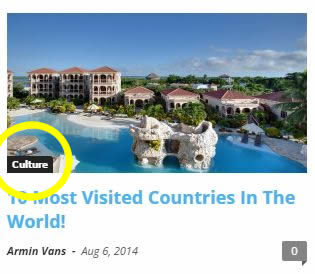
Thank you
Rui
Emil G Hi,
Blockquote center desn’t come with a class – http://screencast.com/t/tCAho3HVD
You can target it with custom css:
.td-post-content blockquote p {
...
}
The others come with the following classes – td_quote , td_quote_box and td_pull_quote
Thank you, Emil G.
-
This reply was modified 11 years by Emil G.
Alin [tagDiv] Hi,
@newsguy
The sidebar that you use is for Latest Articles, you need to use Widgetised Sidebar block for page template ” Pagebuilder + Latest Articles + Pagination”(page template that you use) if you want sidebar bellow Big Grid like this: http://screencast.com/t/Pxesu9Kc
Also you can set sidebar to display(Default or your custom sidebar): http://screencast.com/t/5t7i5HxWWDO
To make it sticky please add td-ss-row class to the row where you add the widgetised sidebar: https://forum.tagdiv.com/topic/smart-side-bar-social-button-2/
Please post your issues about newsmag theme in the newsmag section!
Thanks!
-
This reply was modified 11 years by Alin [tagDiv].
-
This reply was modified 11 years by Alin [tagDiv].
-
This reply was modified 11 years by Alin [tagDiv].
 Lucian
 Hi,
You could try to back-up your current WordPress/theme installation and update WordPress if you don’t use the latest version (4.1). Updating it could solve your issue. In all my tests I haven’t encountered an issue similar to yours so it should work for you also.
The image need to be at least 745x483 which represents the big image thumb size and the image needs to be of that width to fill the whole container. Regenerating thumbnails should solve it unless the image you use it’s smaller that the dimensions needed because WordPress doesn’t enlarge images.
So please check if the image you use is large enough and if so and still it doesn’t work edit the post remove the featured image then try to upload and set another one to test if this happens to all images then revert back to the one you need, you can remove it and upload it again.
If it doesn’t bother you that the image is stretched you could also do this via css and use this custom css in theme’s custom css field in theme panel to solve this: http://screencast.com/t/VvUGsST3e
.td_block_big_grid .td-big-grid-post-0 .entry-thumb {

width: 100%;

}
Thanks
 ajaffarali
I’m using a plugin that adds some css effects to text dynamically but it needs a css class to add these effects. I would like to try these effects on Block Quote but I can’t find what CSS class it uses. Can you please let me know what it is?
Lucian Salut,
1. Playlist-ul functioneaza, l-am testat folosdine ultima versiune a temi si nu am gasit nici o problema. Daca ai folosit codul de playlist asa cum ai mentionat mai sus: PLZmJSg6GtjpdtY32aRfC06WebzQGxDVVG inseamna ca nu iti merge pentru ca nu ai adaugat corect codurile video-urilor, ele trebuie sa fie cu “virgula” intre ele, in felul urmator: PLZmJSg6Gtjpd, GtjpdtY32aRf, WebzQGxDVVG
Poti folosi si documentatia nostra pentru a afla cum se configureaza corect: https://forum.tagdiv.com/video-playlist/
3. Poti folosi urmatorul css pentru a face logo-ul sa arate bine pe mobile: http://screencast.com/t/RVcAR9FJ
@media (max-width: 767px){

.mobile-logo-wrap img {

top:0px!important;

}

}
4. Unele ID’uri pot lipsi din cauza ca script’urile sau stylesheet’urile lor au fost incarcate dupa ce functia a fost executata iar pentru a prevenii asta poti adauga functiei parametrul $priority pentru a fii executata mai tarziu: http://screencast.com/t/7fhfjttAT8
Poti citi mai multe aici: http://codex.wordpress.org/Function_Reference/add_action
Deasemenea poti gasi mai multe informatii despre cum sa iti imbunatatesti viteza site-ului urmarind acest tread: https://forum.tagdiv.com/topic/pagespeed/
Iti sugerez sa urmaresti si recomandarile celor de la google: https://developers.google.com/speed/docs/insights/BlockingJS ..pentru fiecare problema.
6. In ceea ce priveste forumurile e nevoie sa adaugi reclamele direct in sablonul(template-ul) pentru pagina de forum, categorii s.a.m.d
Pentru paginile de tag-uri sau categorii e nevoie sa editezi fisierul loop.php si sa adugi codoul pentru reclama, poti urmarii acest topic pentru asta: https://forum.tagdiv.com/topic/how-to-add-ads-in-category-pages/#post-21940
Multumesc!
Lucian Hi,
You can use theme’s block 10 to build your pages, it display just the title of the post, without an image, like this: http://screencast.com/t/nRperDqcS4Mj
Thanks
