
- ApiPractical example – How to add a new Block and Module
- Apitd_api_block::delete
- Apitd_api_block::update_key
- Apitd_api_block::update
- Apitd_api_block::add
- ApiAPI – Blocks – Introduction
- Apitd_api_thumb::update_key
- Apitd_api_thumb::update
- Apitd_api_thumb::add
- ApiAPI – Thumbnail – Introduction
- Apitd_api_category_top_posts_style::update_key
- Apitd_api_category_top_posts_style::update
- Apitd_api_category_top_posts_style::add
- ApiAPI – Category top section style – Introduction
- Apitd_api_module::update_key
- Apitd_api_module::update
- Apitd_api_module::add
- ApiAPI – Modules – Introduction
- ApiUsing the Theme API in plugins
- ApiThe Theme API
 hpy2bsal
 Bogdan, after becoming so frustrated, I uninstalled the theme and installed another (Photography). I discovered that it was happening on that theme as well. I just now realized that the problem has to do with the Thumbs on Modules/Blocks section. If and when I turn on the retina button for Block 24, the image enlarges to the extent that it is indecipherable. Turning off the retina button corrects that problem. I have all of the other retina buttons turned on for all modules/blocks and the images are at the correct scale in all instances.
Whew! I’m glad that I solved my own challenge here…it was driving me crazy.
Thank you for your attention to this issue.
 g00dnews
Hi,
You have an example of the Woocomerce frontpage here: https://demo.tagdiv.com/newspaper_tech/shop/
It doesn’t seem possible to replicate this as the tagdiv composer blocks don’t change the content of the page output.
The composer edit screen shows an error warning at the top of the page:
Errors happened during tdcIframeData.init() -> bindViewsModelsWrappers()!
I get the same testing editing of the shop homepage on 2 different servers and a localhost so this seems to be something specific to the shop homepage.
To get around that, I edited a standard page and added an image block to the top to try and replicate the demo, then copied the code from the editor into the page for the shop home. Nothing showed up.
So how do we create a shop homepage like the one that shows on the demo site?
 Bogdan B.
 Hello,
Now I understand. That is block 15 on 1 column, but only the 1 column version will be able to show 2 columns on mobile. You have to place it on a single column on desktop for it to show 2 posts on mobile.
Thank you!
 Simion C.
 Hi,
You can style the blockquotes using theme options
– https://demo.tagdiv.com/newspaper/blockquotes-pullquotes/
– https://forum.tagdiv.com/post-formats-for-tinymce/
Font properties of the blockquotes can be changed in the theme panel as well
– https://www.screencast.com/t/r1yG8Qu5
You could even set a color and background color while creating the quote
– https://www.screencast.com/t/7clZ0lI9euh
Only then if you require additional customization you would need to use CSS. Use the browser inspector to identify the elements and create or adapt the code
– https://forum.tagdiv.com/create-custom-code-using-the-browsers-inspector/
Thanks
 tagdivstar
hi
I have added below codes into the “Custom CSS” but it doesn’t work…
———————————————————
blockquote {
position: relative;
padding: 10px 15px 10px 50px;
box-sizing: border-box;
font-style: italic;
background: #efefef;
color: #555;
}
blockquote:before{
display: inline-block;
position: absolute;
top: 10px;
left: -3px;
vertical-align: middle;
content: ““”;
font-family: sans-serif;
color: #cfcfcf;
font-size: 90px;
line-height: 1;
}
blockquote p {
padding: 0;
margin: 10px 0;
line-height: 1.7;
}
blockquote cite {
display: block;
text-align: right;
color: #888888;
font-size: 15px;
}
———————————————————
What do I need to change??
 fenomeno0chris
Hello,
how can I achieve this column layout for my mobile homepage?
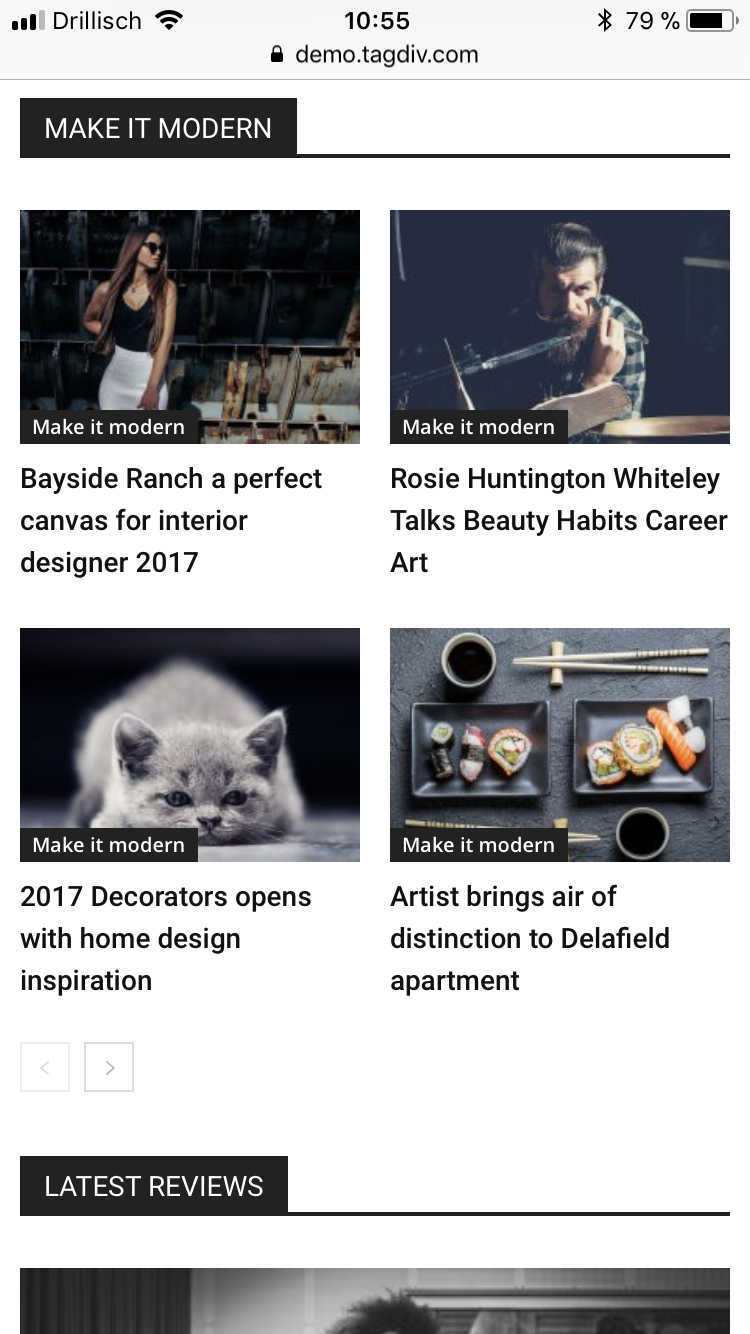
I already tried those Block settings, but none of them brought me the desired result:
Block 3, Block 5, Block 7, Block 11, Block 12, Block 15, Block 16
Simion C. Hi,
@BruceInLouisville
1. If the page contains no page builder elements (blocks, grids etc) regardless of composer used, the page title will be displayed. The page title will appear if the page contains content added through the default MCE editor.
A solution would be to enter this code in Theme panel->Custom CSS when using default page template
.page-template-default .td-page-title{

display:none;

}
2. You could target specific pages with the actual CSS code. So for example you would like to remove the page title on one specific page, with the code mentioned above
– https://www.screencast.com/t/OCrsCnUuJ13s
– https://www.screencast.com/t/187t2cwS5
@pildat
The author can be removed for pages in block settings
– https://www.screencast.com/t/H70ufYfxy
And for posts in post settings
– https://www.screencast.com/t/3D0eMOXyxqZ
Thanks
Bogdan B. Hello,
he excerpt limit is set for particular modules, not particular pages. For example You use module 2 in the search results (the module used on the search can be changed here: https://www.screencast.com/t/jw3SgZc0bR) You can then set the excerpt length for module 2 in the excerpts section of the theme panel: https://www.screencast.com/t/4Qi2r4DiC
This will not only affect the search results, but everywhere else you use module 2 like categories or blocks that also use module 2.
Thank you!
 haugao93
 My website: dothihoalac.vn
All blocks have this issue
hpy2bsal Images are not compressed/optimized via my web host; I optimize my images in Photoshop and they are all optimized in the same manner.
I disabled all of my plugins per your instructions and the problem remains. Please look at my home page again and note that the stretched images only appear stretched on Blocks 24 and 25 which are the two blocks that have been customized for this theme only. Those customized blocks were the sole reason I chose the Erotic theme; I loved their unique layout. I gave up on Block 25 entirely provided I could use Block 24 properly, but my images are completely distorted on Block 24. Could it be the way Blocks 24 and 25 were coded? (I’m grasping at straws at this point.)
As you can see from the other test blocks that I added, all of my images were shown correctly; those blocks are your standard blocks and show my images perfectly.
I don’t know how to correct this issue. I’m really hoping for your guidance at this point. Thank you for your consideration of this request.
 rachelrooi
Hi, when I use blocks, the featured image of my post doesn’t fill up the entire box. Please see my homepage: https://rachelrooi.com. Please advise.
Simion C. Hi,
That is what that setting is suppose to do. It allows you to customize the colors of the block titles. I have tested this setting and it is working properly
– https://www.screencast.com/t/CP43a5sFbjM
If it is not working for you please try to deactivate all plugins except theme plugins and clear all caching installed. Then check if it is working properly.
If you can provide a link to your website and mention a block or blocks where you have set a color and it is not applying, we will inspect it.
Thanks
Bogdan B. Hello,
You can choiose the categories you want to show in a grid by changing the block settings: https://forum.tagdiv.com/newsmag-block-settings-tutorial/
The only slider provided with our theme is revolution slider where you have advanced controls over the sliding content.
Please use this guide to install it: https://forum.tagdiv.com/how-to-install-revolution-slider-v5/
Thank you!
 defocusmedia
Greetings. How do I figure out the ideal size for the images with the various blocks? Is there a best size for all? Thank you. http://dev.defocusmedia.com/
Bogdan B. You seem to have image compression active and that is the cause for quality loss. Please disable all plugins except for theme plugins (social counter and tagdiv composer) and check the host for any optimization tools and disable any image optimization.
As you can see block 24 on our end works properly and does not lose image quality. https://demo.tagdiv.com/newspaper/block-24/
Thank you!
 srikanth
Hi Team,
i want to convert all H3 tags from home to page to H1 tags.
i am using many blocks ,is there any way we can do this only for the home page http://www.techiexpert.com
Regards,
Srikanth.
 JessieT
 After I inserted the CSS code you gave me, the text did wrap around the pictures in the text blocks on the mobile device like it was already doing on the desktop. My issue now is that several of my pictures that have text wrapped around them on the desktop are too big for text to wrap on the mobile, so it looks weird on the mobile because only one or two words are wrapped around the picture. The problem is that I want the pictures to appear on the right with text wrapped on the desktop but centered with no text wrapped on the mobile. Is there CSS code I could insert to make images that are larger than a certain width be centered on any mobile screen instead of having the text try to wrap around them?
Also, will inserting CSS code cause any potential problems when WordPress does automatic updates?
Thanks!
Simion C. Hi,
The author can be removed in the block settings here
– https://www.screencast.com/t/G08nbAp2H
The ajax filter can be customized in terms of what categories will be displayed. You can enter category IDs here
– https://www.screencast.com/t/joZV48auy9GM
If no categories are entered there, all will be displayed. But if you enter category IDs only those will be shown. Like in this example
– https://www.screencast.com/t/Fno2sKUv
– https://www.screencast.com/t/cH0lCB6kTJ
All the available block settings and options are mentioned in this guide
– https://forum.tagdiv.com/block-settings-guide/
Thanks
Bogdan B. Hello,
We provide different blocks and modules for users to choose from in different sizes. The user can choose the block he/she prefers on the site. This means providing different sizes for thumbs as well so users have a choice. I;m not sure what you mean about the titles. you can change the font size for each title and have it as big as you want. I cannot see any issues with the titles. Sorry.
Thanks.
 Gvadalahara
Hi, I have a strange issue with Newspaper theme – when I use WPBakery page builder on blog posts, the layout breaks and the part of the post built with the builder looks like ‘full width’ even with sidebar layouts. It looks like that:

http://geckopress.codingmom.com/list-standalone-mysteries-cait-time-bookstore/
In this case, smart list post layout was used.
This one here – just a row and a text block in it:
http://geckopress.codingmom.com/halloween-gecko-press-whos-afraid-big-bad-wolf/
This one here: just a try to use the two-column layout in the builder, which is a disaster:
http://geckopress.codingmom.com/curiously-good-contests/
On this full-width page I have another issue – when I try to use the 4-column layout in the builder, the page breaks and each block becomes 100% width, so I end up with one long column of images.

Currently, 3 column layout used and it works:
http://geckopress.codingmom.com/play/
I have used WPBakery builder with other themes on many occasions and have never had issues like that – it usually is quite good at fitting things into any page and responsive. So I am at a complete loss.
I tried to deactivate all 3rd party plugins, but it didn’t help, so it’s definitely not a plugin conflict story.
I have the latest versions of WordPress and Newspaper installed.
And finally, I bought the license for Newspaper for my work project in October this year, but can not either register on the forum with the purchase code or add the code to my account – the system says the code is used with some other account.
So I am writing using my personal account that says that support for my item expired. However, I do have a valid for support theme and the purchase code for the site with issues described above.
Any help would be priceless!
 bmorgan
Hello,
I am looking to render some HTML code inside module blocks when a certain tag is assigned to a post.
I’ve gotten this snippet working inside loop-single-2.php by adding:
<?php if ( has_tag( 'promoted-content' ) ) : ?>
			<h3 class="promoted-txt">Promoted Content</h3>
		<?php endif; ?>
However, when I add this same snippet to td_module_2.php right under the <?php echo $this->get_title();?>, I get nothing outputted to the screen, even though the ‘promoted-content’ tag is assigned to that post.
How do I get the has_tag() condition to work on these td_module_X.php files? What is the correct syntax to trigger it to work?
See attached screenshots. The first shows the modules blocks I need to render the conditional HTML, and the second screenshot shows a very simple example of how I want it to look just so you know understand my goal.
Note: I am not asking you to help me with the HTML or CSS. I simply need the correct syntax for the has_tag( ‘promoted-content’ ) snippet that will trigger the HTML to output on the frontend.
Thank you for your help.


 homzik
 OK, got it now in Block settings.
hpy2bsalWhile I do understand that a featured image will be cropped when the image block has a different aspect ratio from the original image, Block 24 of the Erotic theme is enlarging the image to the extent that it is unusable. What little is visible is shown in very low resolution. This is a photography website so image quality is critically important. The image below the screenshot block is the original image.

This is only happening when using Block 24 no matter what post I use and the image quality is also compromised. I don’t want to give up using Block 24…that block design is only reason I used this theme.
(Sorry…I don’t know how to post my image here…I have my website hidden because I am still designing it. Hopefully you can see my attached image.) I regenerated all of my thumbnails but it didn’t help. Your assistance is greatly appreciated.
 Bolumstar
Please I need help on how to restrict the categories that show up in block header titles. I want to make sure that it is only the related categories in the block title appear. I’ve tried everything I could possibly try but no headway.
Am using the default Newspaper 8 theme demo on Local host but there is a problem when I hid the author, it keeps displaying. Is there a way to remove it?
Please help!!!
I attached a picture circling what i exactly mean it in case I didn’t express it correctly.
 hellohumans
Hello TagDiv,
I’m working on a redesign of my website (on a separate server) and I’m a little curious why you don’t have blocks or modules using the same image ratios.
With social media and scrolling readers, having a big title on artwork is a lot more noticeable than the written title. I’m curious if there is a way to maintain a consistent artwork ratio for optimizing how images appear on social media and the website so the full artwork displays properly. It’s not much of a visual design constraint (just look at apple news app).
Another (bigger issue) is the written titles aren’t displaying properly. you can see the issue at http://kennethbushman.com/hellohumans/
Looking forward to your help. Your platform is beautifully done and looks very promising. Looking forward to building the new website off of it.
Best,
Sam Lamott (hellohumans.co)
