
- NewspaperWP Rocket and Newspaper Theme: Optimization Guide
- TutorialsFrom WPBakery to tagDiv Composer
- TutorialsDefault Block Settings Guide
- TutorialsHow to use custom fonts
 Catalin
 Hello anand2027,
If you want to make your featured images to be unclickable, you should use a bit of CSS rule to disable this effect. Try the code below and place it in Theme panel->Custom CSS area.
The code is ->
.td-post-featured-image{

pointer-events:none;

}
Thanks for the message!
 Simion C.
 Hi,
If you want to change these colors – https://www.screencast.com/t/II2NTobm you could do it directly in the demo stylesheet – https://www.screencast.com/t/8xTMAWqH
Or use some Css code to change it – https://www.screencast.com/t/SUbh4IhJKIh
The demo is custom made and some options are predefined and cannot be changed through the theme panel. You can use Css to change theme when possible, or like I mentioned make the changes directly to the demo stylesheet.
This is the code I used if you want to add it
.td-magazine .td-header-style-1 .td-header-top-menu-full {

border-top-color: yellow;

}

.td-magazine .td-header-style-1 .td-header-gradient::before {

background-color: yellow;

}
Thanks
 Bogdan B.
 Hello,
Unfortunately the theme does not add any custom class or id for the links you add in the post content. As you know, css needs a class or an id in order to target specific elements if you want your code to not affect every element of the same type. The links inside the posts will need to have a custom class set to them when creating the link. This is the best case scenario. You can simply target the a tag inside the post content with a general selector like .td-post-content a{css code here} and it will work and apply the css to all links inside the post content, but there are however links that you probably do not want affected like widgets, plugins, or other content that has a link that does not need to be changed. This is where the class comes in. If your links get a class then you can target only those specific links using this selector:
.td-post-content .mycustomlinkclass {css code here}
I hope this helps.
Thanks
Simion C. Hi,
I did that but I did not save the file, everything works now however. I have inspected the website, and I have seen the problem. The menu on mobile is created and has elements that are directly dependent on a particular side. Probably these need to be reversed in order to work in this situation. Setting a different position value for the menu seems to fix this problem – https://www.screencast.com/t/4jVHpDso0Nv
Maybe you will need to make other modifications, like the menu and search icons that need positioning. I do not know exactly how they should be in this style.
Try entering this code for the menu in Theme panel->Custom Css and see if this works for you
#td-mobile-nav {

position: fixed;

}
Thanks
Bogdan B. Hi,
If you only want to remove the login from the mobile menu, you will have to use css to do it. Removing it from the whole site can be done from the theme panel: https://www.screencast.com/t/sRmRx3uh6g
For the mobile menu only, you will need to add this css code in the theme panel-> custom css box or if you use the mobile theme, add it in the mobile theme section of the theme paenl under custom code:
 @media(max-width:767px){

.td-menu-login-section{

display:none!important;

}}
Thank you!
Bogdan B. Hi,
The element is created custom for the dark demo version. In order to re-create it you need to create a tab element in visual composer and only use grids with style 1. Then you ned to add an extra class to the tab element: td-tab-color
Once you did this, you need to copy over the css from the black version into the main style.css file: http://screencast.com/t/2A3bCsQF
Thanks.
Simion C. Hi,
Please try this code, it will hide the elements that you mention on this particular post type
– https://www.screencast.com/t/HuhHbQdciMhb
Let me know if this not what you wanted or the code is not working properly for you. The code must be entered in Theme panel->Custom Css
.new-template .td-post-sharing,

.new-template .author-box-wrap,

.new-template .td-post-next-prev-content,

.new-template .td-category,

.new-template .entry-crumbs {

display: none;

}
Thanks
Bogdan B. Hi,
If you want to add a bar, not remove a bar like that, then you can add this code in the theme panel->custom css box:
.td-meta-info-container{

background-color:rgba(0, 0, 0, 0.4)

}
Thanks.
Catalin Hello Jose,
If you want to remove the header ad only for the homepage, you should use a bit of CSS code to do that. Try the code below and place it in Theme panel->Custom CSS area.
The code is ->
.home .td-header-rec-wrap {

display:none;

}
Thanks for the message!
 bemibel
Maybe what I’m going to ask is not included in the theme support. If that is the case, just let me know and there’s no problem.
I would like to customize the links inside my posts and pages content. ¡Only the ones that are in the content!
I want to give them a colored underline, a higher font weight, etc.
The problem is that I don’t know which is the element I have to use for it on the custom css.
Is there any element on the theme that only applies to the links inside the content of the posts and pages?
Thank you so much.
Bernat
 emperorzbigniew
Hi,
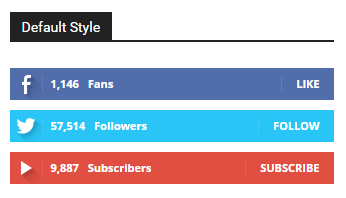
I want to play with Social Counter code and add LinkeIn followers. I’m using 3 other social media counters and could utilize any other not used just by replacing parts of the code.
Any ideas where to start? I mean php / css files.
Best,
Zbigniew
Catalin Hello wilfredo,
For more references about this problem, please check the following topic here -> https://forum.tagdiv.com/topic/how-to-deregister-js_composer-css-and-javascript-file-on-single-posts/
Thanks for the message!
Catalin Hello GregWasThere,
Unfortunately, please notice that our product does not have such an option for dynamic width and we do not recommend to do that through the custom CSS code because the layout of the theme will be damaged. If you want to change the width of the theme to be in full-width mode, please notice that is not a simple task and you will have to adjust the entire theme to the new width for better results.
Above, my colleague gave you an example from where you should strat to increase the theme width, but notice then you will have to make some additional customizations to adjust the other theme elements if you want to bring best results.
If you want to display more levels in our theme and you are not aware of the steps in this regard, please consider hiring a freelancer/developer to do this for you because we cannot provide customization services at the moment, sorry!
Thanks for your understanding!
 wilfredo
How to disable visual composer css input.
I think it causes a lot of weight in the visual css composer.
I want it is only enable for pages and disable for each post entries
 bobbymc
 Thanks, I’ll give it a try.
Just paste that in the custom css area in the theme panel?
Bogdan B. Hello,
There seems to be an issue with the background ad. We will fix it in the next theme update. until then please add this css in your theme panel-> custom css box:
body {

cursor: pointer;

}

#td-outer-wrap {

pointer-events: none;

}

.td-main-content-wrap, .td-container-wrap {

pointer-events: auto !important;

cursor: default;

}
Thank you!
Bogdan B. Hello,
You can create a htaccess rule if you do not want people to access your style.css and redirect the link to your homepage maybe.
Thank you!
Bogdan B. Hello,
Sorry but our news ticker does not have that kind of layout as seen on the site you mentioned.
There are only 2 styles available for the ticker: https://www.screencast.com/t/W8zpJViil
Categories cannot be edited like static pages using visual composer so you cannot add block elements to them unless you add them through coding.
Here is an example of a trending now block added through a do_shortcode function in the category top post files https://www.screencast.com/t/k9zFLrYkEg
Here is the code used: <?php echo do_shortcode('[td_block_trending_now tdc_css=""]'); ?>
Thank you!
Catalin Hello Golffyk,
I have inspected your website and I saw that the layout is broken, as you can see here -> https://www.screencast.com/t/naEL0M1QYc The CSS style is not applied. My recommendation is to make a new clean install from scratch via FTP way, clear all your caches and install only the plugins that come bundled with the theme core files and rule out any conflicting plugins. Try to follow these steps and check the results.
Hope this helps and let us know how it goes!
Thanks for the message!
Bogdan B. Hello,
Unfortunately thumbs cannot be altered with css. You can change the height with css but the image will still remain the same size. I recommend choosing another grid as the theme block layouts are not editable.
You can try big grid 10 for example as it gets close to the layout you are looking for.
Thank you!
 TomasCabezuelo
 I fixed it. It was a style problem from child theme css.
Im tryng to add the credentials for the Facebook section on social tab in home page.
It returns me 0 but i added the Facebook App Id and Facebook Security Key and when I clik in “Facebook Access Token ‘Get Access Token'” does nothing.
Sry for my english.
 cre8
cre8Hello, we tried to access a post page from the Facebook Mobile in-app browser from two different Android devices, one has Lollipop 5.1.1 the other KitKat 4.4 and both of them hasn’t rendered properly the page. Lollipop mobile has FB version 122.0.0.17.71 and KitKat has FB version 105.0.0.23.137.
The thing is that on Chrome, Firefox, and Android browser from the same mobile phones the site renders fine no problem! Only Facebook’s Mobile in-app browser renders it incorrect. We use style 10 and have customized a bit the section with the image and the post title, and we use css media queries to check if someone has accessed the site from a mobile/tablet/desktop, which up until now everything worked without any issues…
Here’s the url were in the Mobile Facebook in-app browser the page looks funky:
And here’s a screenshot how the site looks like:

Any help?
 haqemcom
Hi, how to hide wp-content/themes/Newspaper/style.css
hide to 403 Forbidden
Please help me
Thanks
Haqem
 aeronyc
Hi there,
I would like to create a poll from time to time for my audience. The poll will use a custom post type and I can create a special layout template from Visual Composer for all poll posts.
I want to remove these elements from the poll posts:
– social share buttons (top and bottom)
– author card
– next and previous post
– category and tag
– breadcrumb
Note that these elements are standard for other posts and I would like to keep them. I will use ‘Custom CSS’ plugin to insert custom codes to remove the above for ONLY poll posts.
Can you provide the codes that I can add in ‘Custom CSS’ to remove the above elements? Or is there any other better way to do this, ie custom css for only certain type of post?
Thanks in advance
 alderion
 2. problem is solved by your custom css code;
.td-stretch-height {
height: 100%;
width: 100.03%;
margin: 0;
position: relative;
}
.wp super cache problem continues…
