
 armagri
Hello from Colombia
Implementing Newspaper in one site with thousands of videos just a couple of days ago…Nice theme, using the video demo without data (let´s see how it behaves with SEO).
It happens that once I set up the featured video and video format for a post, the top sharing buttons appear placed over the video (at it´s top).
With the setting of the Video Format, for the video link I have tried entering the https url version directly from Youtube, the short url version youtu.be, others and it present the same result: Top sharing buttons goes from the bottom of the featured image (when post format), to be placed over the video (once the Video Format is enabled).
Checking the code we have this:
<div class=”fluid-width-video-wrapper” style=”padding-top: 93.3333%;”>
and then we have this CSS:
.wpb_video_wrapper .fluid-width-video-wrapper {
padding-top: 0 !important;
position: relative;}
Playing with the code we see that
<div class=”fluid-width-video-wrapper” style=”padding-top: 60%;”>
and removing the “padding-top: 0 !important;” from that css declaration, solves the problem
Please help us on fixing this. Thanks
 simchris
 Note we had this issue with client using another theme for an ecommerce setup, and the layout blocks for the home page used “ad” in them and so the shop home page had no products when viewed in browser with ad blocker.
For that particular project last year, I had to do a search/replace using Dreamweaver (any programmer text editor can do this too) to do a full search/replace of the entire theme folder.
e.g.,
home-adblock-one
had to do full search/replace
to change to something like
home-showcase-one
Then it worked. Bit of a pain. But it worked in this case since on that project the elements on front page of store were NOT ads.
Of course, with “real” ads, the adblocker will look at where the ad unit is coming from, the name of the image, the folder it loads from (eg., /ads/myadone.jpg would be an ad), etc. — so the CSS class alone might not solve issues with ad block stoppage.
Just food for thought.
 Bogdan B.
 Hello,
There is no option in the theme to remove the gradient, but it can be done with a css trick.
It can be removed with this custom css:
.td_block_big_grid_2.td-grid-style-1.td-hover-1 .td-module-thumb a:last-child:before{

display:none!important;

}
you might also want to follow this guide if you updated from newspaper 4: https://forum.tagdiv.com/thumbnails-fix-strange-looking-images-on-blocks/
Thank you.
 srampia
 Hello Catalin,
Thanks a lot for your support. Your given CSS code has helped me to get my desired result.
I would like to know also whether I can expect your offer for my suggestion in near future or I should wait for long.
https://forum.tagdiv.com/topic/suggestion-scroller/#post-98241
 Catalin
 Hello danimian,
Unfortunately, our theme does not have such an option to resize the Big Grid and also, this kind of feature cannot use with the Sidebar layout, sorry! Please notice that this kind of feature has a too sensible layout and if you want to do some change to it structure, the layout will be damaged. If you want to customize your Big Grid, please notice that is not a simple task and if you do not have a solid knowledge of PHP/HTML/CSS you will not have good results. If you want to display more levels in our theme and you are not aware of the steps in this regard, please consider hiring a freelancer/developer to help you because we cannot provide customization services at the moment, sorry!
Thank you for your understanding!
Catalin Hello danimian,
Please try the code below and place it in Theme panel->Custom CSS area.
The code is ->
.td_social_type :nth-child(2){

display:none!important;

}
The result -> http://screencast.com/t/UNT4JhJI
Thanks.
Bogdan B. Hi,
Unfortunately css cannot do that. Css cannot grab another element’s css. That is done through other means (hard-coding). Unfortunately the theme has no setting to grab the styling of the post title for it’s modules and blocks. you can change the general styling though from the fonts section: http://screencast.com/t/gK0JinUtj
Thank you!
 danimian
 Hello Bogdan,
css code is not working and i don’t know why but i have fixed the problem with simply renaming the page as you suggested.
Thanks for your assistance
Best Regards
Adnan
 Andrei L.
 Hi
Use this css in theme panel > custom code > custom css:
@media (max-width: 767px){

.td-visible-desktop {

    display: none!important;

}

}
Thanks!
Catalin Hello rodmvin,
If you want to hide the post views counter for a certain post, you have to use a bit of CSS to hide it by a certain post ID, like this -> http://screencast.com/t/DqmlZAgvI
The code is ->
.postid-146 .td-post-views {

display:none;

}
Thanks.
 emalgumlugardomundo
SORRY, FORGET THIS POST! I SOLVED THIS!
Hey, I am trying to insert a custom CSS on Newspaper to embed a mailchimp subscriber form in the site, still in localhost. The code is: http://snag.gy/Nj5jg.jpg. In the first moment everthing worked fine, but I all site now are not showing the images. I deleted the code and still having problems http://snag.gy/GcVd7.jpg .
I lost menu, logo, images in the blocks, just because the code bellow in custom CSS (again):
in {
background: #efefef;
border: 1px solid #ccc;
padding: 20px 15px;
text-align: center
}
#optin input {
background: #fff;
border: 1px solid #ccc;
font-size: 15px;
margin-bottom: 10px;
padding: 8px 10px;
border-radius: 3px;
-moz-border-radius: 3px;
-webkit-border-radius: 3px;
box-shadow: 0 2px 2px #ddd;
-moz-box-shadow: 0 2px 2px #ddd;
-webkit-box-shadow: 0 2px 2px #ddd
}
#optin .name { background: #fff url(http://localhost/wordpress/wp-content/uploads/2016/04/name.png) no-repeat 10px center; padding-left: 35px }
#optin .email { background: #fff url(http://localhost/wordpress/wp-content/uploads/2016/04/email.png) no-repeat 10px center; padding-left: 35px }
#optin [type=”submit”] {
background: #f7ed64;
border: 1px solid #fff12e;
color: #fff;
cursor: pointer;
font-size: 18px;
font-weight: bold;
padding: 8px 0;
text-shadow: -1px -1px #495259;
width: 100%
}
#optin input[type=”submit”]:hover { color: #495259 }
The code help the embed code of the mailchimp naked form to be better (aesthetically). How can bring the images, menu, logo back?
This is the second time that I have problems with code. At first time I puutted a facebook developer code for the facebook page pluging and a error was showing, still waiting for your answer about it.
Thanks.
Catalin Hello srampia,
If you want to get rid the border-bottom for each block title, you have to use a bit of CSS code. Please try the code below and lace it in Theme panel->Custom CSS area.
The code is ->
.block-title {

border-bottom: 0;

}
If is not what you mean, please provide more details about your desired changes so I will be able to provide a more accurate response.
Thanks.
Catalin Hello janamtrup,
Please try the code below and decrease the padding-bottom with a bit of CSS code.
The code is ->
.td_block_9 .block-title {

margin-bottom: 0px;

}
The result you should see here -> http://screencast.com/t/EnYF1nmf8H
If is not what you mean, please provide more details about your desired changes so I will be able to provide a more accurate response. Also, you can provide me more useful screenshots for a good understanding.
Thanks.
Andrei L. Hi
Use this css in theme panel > custom code > custom css to display the banner on mobile: http://screencast.com/t/bXyhzHFIS
@media (max-width: 767px){

.td-header-top-menu {

    display: block;

}

.td-header-top-menu .td-a-rec-id-custom_ad_2{

    margin-bottom: 0px !important;

    margin-top: 0px;

}

}
Thanks!
 Patrick
 Ok thanks Bogdan, it worked fine.
And about the 2nd question, is it possible to change the css of the intro grabbed from the post text ?
@+
Andrei L. Hi
That happens because the css from theme panel it’s loaded after the main theme’s css. To avoid that delay you can insert your custom code directly in style.css file so it be loaded with the main css: http://screencast.com/t/UNKrfH0Zg
Thanks!
Catalin Hello svsanchez,
If you want to add to your header logo an image you have to use a bit of CSS to implement this. To achieve as you want, please try the code below and place it in Theme panel->Custom CSS area.
The code is ->
.td-header-sp-logo {

background-image: url('http://wowslider.com/sliders/demo-5/data/images/saarschleife.jpg');

background-repeat: no-repeat;

background-size: 1903px 130px;;

}
The result you should see here -> http://screencast.com/t/3oREeh8QcbR
For more information about background-image property in CSS, please check this link here -> http://www.w3schools.com/cssref/pr_background-image.asp
Thank you for the message!
Andrei L. Hi
You can achieve that by adding this line of code in menu-mobile.php file like here: http://screencast.com/t/bTeetwkylsu
locate_template('parts/header/top-widget.php', true);
Also you need this css in theme panel > custom code > custom css: http://screencast.com/t/y0OCloZqw
.td-mobile-content .td-header-sp-top-widget{

float: left!important;

background-color: red;

}
Thanks!
Bogdan B. Hi,
This question is best addressed to the bbpress author. Our theme does not alter the plugin in any way apart from a bit of css styling from our end. If you want to modify the plugin functionality it’s best to look for the plugin forums or support section.
Thank you!
 abitang
 Salut Cătălin,
Thank you. No, I wasn’t talking about selecting a template to display search result in but to display my own content (list of contents) in a template provided by the Newspaper theme. Meanwhile I solved my FacetWP issue by using the plugin’s other displaying method, but my question remains open.
Let’s assume I have my own plugin that generates a list of posts and displays that within a content using a shortcode (like a teaser for other contents). Obviously I would like my list to match the look of all the other Newspaper generated lists. Of course I could generate my own html with CSS classes to replicate the selected Block, but it doesn’t seem to be right way to do it. Does the theme provide a function to display a list of posts in a selected Block or Module template (provided by the Newspaper template)?
Best regards,
Tibor
Catalin Hello danimian,
As I explained you above, this is not a simple task that involves custom work. Below I gave you an example on how could you change the size of the Slider but please notice that you need some additional customizations in order to achieve best results, it is just a hint.
The code is ->
.td_module_slide {

width:580px!important;

height: 580px!important;

}

.td-theme-slider {

width:580px!important;

}
If you want to change the size of the Slider for each device, you have to use @media queries and set the size of the code for each one. For more information about this attribute, please consult here -> http://www.w3schools.com/cssref/css3_pr_mediaquery.asp As a hint, after you finished your changes you should use the Thumbnails Regeneration to regenerate your thumbnails.
If you are not aware of the steps in this regard, please consider hiring a freelancer/developer to help you because we cannot provide customization services at the moment, sorry!
Thank you for the message!
Andrei L. Hi
Renaming the ad-spots is not an easy task because their structure is based on the actual names. The html structure it’s generated by php and depends by each ad spot’s unique id. Also you will need to change all css classes from style.css.
This is a complex task which involve many customizations and unfortunately I can’t provide a solution now. If you’re not aware of the steps you need to take in this regard please consider hiring a freelancer from sites like: http://studio.envato.com/ to do this for you as we can’t offer customization services at the moment.
Thanks for your message!
 rodmvin
Hi, is there any css to avoid / hide the amount of views of certain posts?
thanks!
Rod
simchris Best bet is to make back up of dbase, backup of all site data via FTP, export theme settings from theme panel, export data from WP export panel, copy/paste anything from custom css panel to text file, etc. — these are all normal backup/safe keeping procedures.
Upload new theme over old one. Make note if you changed any templates you will need to reapply them. Remember to also update plugins.
Envato toolkit sometimes does not work, resulting in mix of broken pieces — hence good to have backup where you can simply re-upload via FTP to put eveeything back vs site being down.
 Finland
hi guys, first sorry for my bad english.
i edit my menu liner. from the top to bottom. but when i refresh this page, i see 1 second top and after bottom. i just want everytime bottom how can i fix ? like this
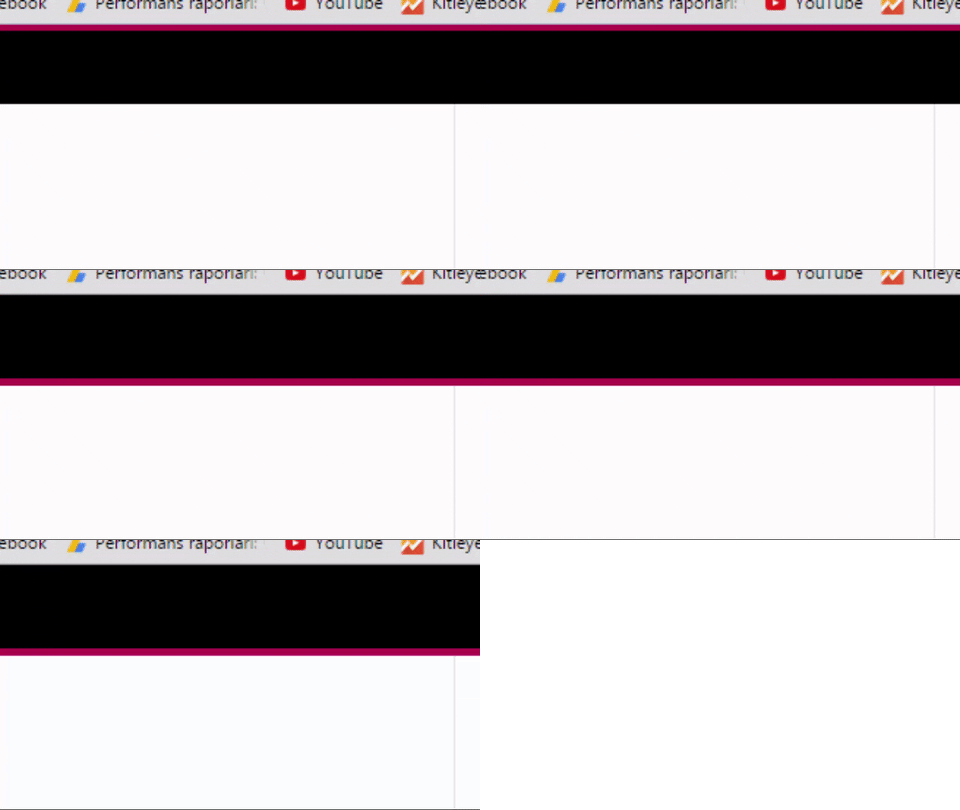
my custom css code
.td-header-border:after {

content: "";

background-color: #b80451;

display: block;

height: 4px;

}

.td-header-border:before {

display: none;

}
.td-header-menu-wrap {
height: 57px !important;
}
.td-header-main-menu {
height: 57px;
}
.sf-menu > .td-menu-item > a {
line-height:57px;
height: 57px;
}
.td-main-menu-logo {
height: 57px !important;
}
.td-header-border:after {
height: 5.4px !important;
}



