
- TutorialsDefault Block Settings Guide
 yopyop22
 Sorry forget my message or delete them i find 2 minuts after
<?php
if (!in_category(array(’47’,’48’,’49’))){
?>
<div class=”td-header-row td-header-header”>
<div class=”td-make-full”>
<div class=”td-header-sp-logo”>
<?php locate_template(‘parts/header/logo.php’, true, false); ?>
</div>
<div class=”td-header-sp-ads”>
<?php locate_template(‘parts/header/ads.php’, true); ?>
</div>
</div>
</div>
<?php
}
?>
yopyop22Hi,
i have remove the logo in one category
<?php
if (!is_category(‘Toile de la Floride’)){
?>
<div class=”td-header-row td-header-header”>
<div class=”td-make-full”>
<div class=”td-header-sp-logo”>
<?php locate_template(‘parts/header/logo.php’, true, false); ?>
</div>
<div class=”td-header-sp-ads”>
<?php locate_template(‘parts/header/ads.php’, true); ?>
</div>
</div>
</div>
<?php
}
?>
Is workgin great. But i want the logo was remove in all post in this category, how cna i do that ?
thanks
 Vilfredo
Hello!
I use the Newsmag Header Style 7.
Now I want to change the header image (full header logo) with each category. How can I do this?
Thanks for your help
Dirk
 Bogdan B.
 Hello,
Replace the code with this one:
@media (max-width: 767px){
.td-header-top-menu-full {
display: block !important;
}
.td-header-sp-top-menu {
display: block!important;
}
.menu-top-container {
display: block !important;
}
}
As for the images, please provide more details to how you add your images and provide a link to your website so we can inspect the issue directly.
Thank you!
Bogdan B. Hello,
1) the top bar was hidden by default in the mobile menu. You can activate it by using custom css:
@media (max-width: 767px){

.td-header-top-menu-full {

display: block !important;

}

.td-header-sp-top-menu {

display: block!important;

}

.menu-top-container {

display: none !important;

}

}
This code will provide this result: http://screencast.com/t/jxljko5scU8T
2)I do not understand your issue. i assume you are talking about the loading effect of images. The lazyload animation can be deactivated from here: http://screencast.com/t/5i5me0oPV
Thank you!
 Andrei L.
 Hi
Please check this topic, I’ve posted a solution here: https://forum.tagdiv.com/topic/different-header-ads-according-to-category/
Thanks!
 louist
Hello,
I couldn’t find this in the options or anywhere here but is there a way to stop the theme from defining the Adsense sizes? I know the theme automatically resizes Adsense. But I need to disable the theme from doing it.
Basically I want Adsense ads and custom ads to be recognized as the same type of units.
Thanks,
Louis
 nicolaslavado
Hi.
I want to have a different header for a specified category. Is it possible? How can I do?
Thanks
 Catalin
 Hi zdepth,
I cannot provide a safe explanation about why ABP ad blocker do not block the header and footer ads because this thing comes from the structure of this blocker algorithm, sorry. What can i tell you precisely is that the ads have the same type of coding.
Glad that i could helped. Thank you!
Andrei L. Hi
First you need to edit ads.php file and add this code like here: http://screencast.com/t/fuxJVOF4Q1K
<div class="left-img">
<?php echo do_shortcode('[td_block_ad_box spot_id="custom_ad_1"]')?>
</div>
<div class="rigth-img">
<?php echo do_shortcode('[td_block_ad_box spot_id="custom_ad_2"]')?>
</div>
Then add this css in theme panel > custom code > custom css:
.left-img, .rigth-img{
display: inline-block;
}
.td-header-ad-wrap{
height: auto!important;
}
You need to insert your ad code in custom ad 1 and custom ad 2 from theme panel: http://screencast.com/t/2IncMW3yH2 or if you want a different ad spot just change the shortcode from ads.php file. The result should be like here: http://screencast.com/t/sym9GLVY
Hope this help.
Thanks!
-
This reply was modified 10 years by Andrei L..
 ardia
ardiaHi, can i change the header main menu to have horizontal submenu like this :
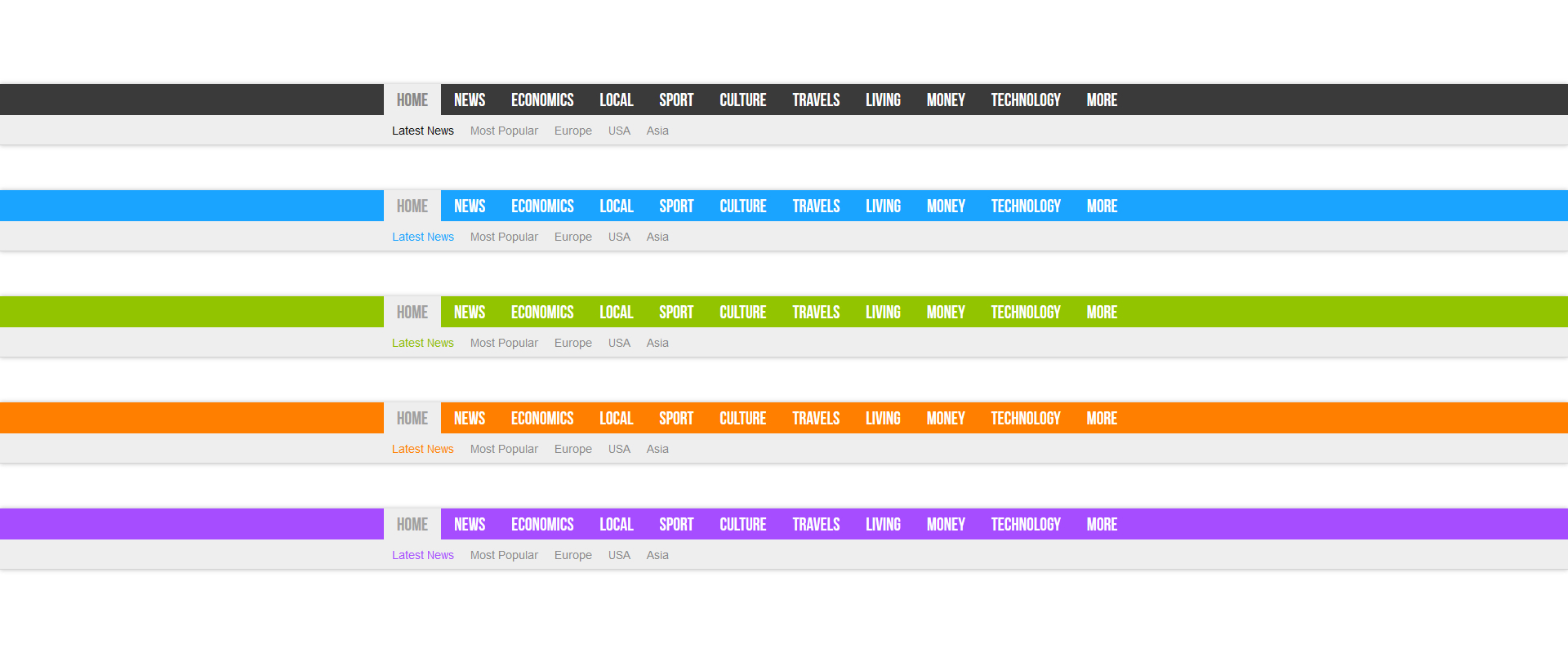
recently, i’m using header main menu 9 right now.
 zdepth
 Hey Catalin…
Thank you for you help and Please read below:
1. On the ad dissappearing issue, you are right.. its a ad blocker on my Chrome called ABP (Ad blocker plus) which is a highly popular ad blocker for Chrome users. When I put my domain name in the ad blocker’s whitelist, the ads appeared. Now this come to another more important issue for your theme because ABP is widely used by chrome users and its pretty bad if they block those ads on Chrome users that has that plugin cos advertisers are paying top dollars for their ads & expect their ads to appear across all platform, browsers & bypassing all ad blockers. But the ABP ad blocker didn’t block the header & footer ads though, so maybe there is some way to make custom ads on newspaper theme to have the same type of coding as the header & footer ads so that they cant be block?
2. On the ad resizing issue, you are right as well… I disable all plugins and the ad size appear normal again. Further check on this & I found out that its the jetpack plugin that is causing this and I cant disable Jetpack because my news ticker on top would go missing if I disable jetpack. Any suggestion on this?
Anyway thank you so much for your support… God bless and cheers!
-
This reply was modified 10 years by
zdepth. Reason: added comments
yopyop22Hi,
i use header style 6 and i want to put 2 picture in header
each picture have size 364×90, we can add one picture 728×90, but when i try to add 2 picture 364×90 i see only on ?
Can we do this ?
 ferdyjakal
Hello,
on my site http://www.esperia.it color header in the mobile version is black while the desktop is the correct color, why?
Thank you
Catalin Hi jsup,
Our theme has not been designed to show Sign in/Log in on mobile version. Please try the code below to fix it in your mobile side. Place the code in Theme panel->Custom Css area, like this: http://screencast.com/t/BzV7Wpof
@media (max-width: 767px){

.td-header-top-menu {

display: block!important;

}

.td-header-sp-top-menu .td_data_time, .td-header-sp-top-menu .menu-top-container, .td-header-style-1 .td-header-sp-top-widget{

display: none;

}

.td-header-sp-top-menu{

display: table!important;

margin-left: auto;

margin-right: auto;

float: none!important;

}

}
The result you should see here: http://screencast.com/t/rmHYIJX9zh
Hope this helps and let us know how it goes!
Thank you!
 sjlabar
 Whenever i try something wp-admin panel, below error is appearing
Notice: wpseo_pre_analysis_post_content filter/action is deprecated since version WPSEO 3.0! Use javascript instead. in /home/urdunet/public_html/wp-includes/functions.php on line 3406
Warning: Cannot modify header information – headers already sent by (output started at /home/urdunet/public_html/wp-includes/functions.php:3406) in /home/urdunet/public_html/wp-includes/pluggable.php on line 1207
 UC
UC Thank you for your quick response. Here is the link of my website. http://computergeek.pk/
1 – Currently, the blog have only 1 post in R-T-L language, but, Please note that I am considering running this blog permanently in R-T-L language, so permanent fixing is also welcomed.
2 – I don’t want to change the header text, categories, page name into R-T-L language, but Right alignment is welcomed.
Your help in this regards is highly appreciated.
Regards,
UC
Bogdan B. Hi,
The top menu for the mobile version was hidden by default. You have a code in your custom css that displays it. If you want it to only show social icons on mobile, you need to remove this code from your custom css box:
@media (max-width: 767px)

.td-header-sp-top-menu {

    display: block!important;

}}
Thank you!
 Krlok
KrlokNecesito de vuestra ayuda, pues migré el sitio a un nuevo servidor con el plugin duplicator.
Anduvo todo bien hasta que cambié los DNS’s para apuntar el nombre a la IP del nuevo servidor.
A partir de ahí desaparecieron los Header, Footers y Sidebars de mi portal.
Aún cuento con el portal original en otra máquina, podrían ayudarme indicándome cómo puedo restaurar estas configuraciones?
Gracias!!!!
 Arafat
How to hide date and sign/Join text on mobile version its only show computer version. Also don’t hide header social button on mobile and computer. How to do this: http://postimg.org/image/ol0386f7r/
 mboydnv
 Thought I’d share my redirect code in my htaccess file for having an SSL site. I am redirecting www, http:// etc to https://
RewriteCond %{HTTP_USER_AGENT} libwww-perl.*

RewriteRule .* ? [F,L]
Header set Strict-Transport-Security "max-age=31536000" env=HTTPS
RewriteCond %{HTTP_HOST} ^90\.28\.006\.21 [OR]
RewriteCond %{HTTP_HOST} ^www\.yourdomain\.com
RewriteRule (.*) https://yourdomain.com/$1 [R=301,L]
RewriteCond %{SERVER_PORT} 80
RewriteRule (.*) https://yourdomain.com/$1 [R=301,L]
zdepth Hi Again…
I tried again on my side & the 2 ads that are in between the content still doesnt appear. Only the header & footer ad appeared. I cleared my Chrome history & problem remains. However it appeared on my Firefox & also on another computer. I could have sworn I seen all the ads appearing my my chrome the other day. Are there any other cache to clear aside from the chrome history?
I’m on newspaper version 6.6 now. On another question, I notice on your screencapture, the ad was scaled down to 640 x 79. The actual ad image is 728 x 90. How do I set the ad size, so that it is the same as my actual ad image size?
 sgt_carbonero
Help!
I just updated to the newest newspaper through the envato wordpress toolkit and the site has broken. It appears that possibly visual bakery is broken or css somehow?
Instead of graphics this is the code I see:
[td_slide_big limit=”4″ sort=”” category_id=”23″ category_ids=”” tag_slug=”” autors_id=”” installed_post_types=”” autoplay=”” offset=””]
[td_block2 category_id=”14″ limit=”4″ custom_title=”LATEST NEWS” ajax_pagination=”next_prev”][td_ad_box spot_id=”custom_ad_1″]
[td_block2 category_id=”3″ limit=”2″ custom_title=”FEATURED”]
[td_block4 category_ids=”18″ limit=”3″ header_color=”#2b2b2b” custom_title=”COCKPIT RECORDINGS” ajax_pagination=”next_prev”]
[td_block2 category_id=”17″ limit=”6″ header_color=”#82b440″ custom_title=”VIDEO” ajax_pagination=”next_prev”]
[td_ad_box][td_block8 category_id=”19″ limit=”3″ custom_title=”ESCAPE & EVADE! DOCUMENTS” show_child_cat=”all” ajax_pagination=”next_prev”]
Here is a screen shot 
here is what it should look like 
I tried to disable and delete the latest visual bakery plugin but that didnt work and I am stuck with the oldest versio, 4.7.4 and somewhow cant find the newest, so if you can provide a link to that i would appreciate it.]
thank you!!!
Catalin Hi JFoulger,
Please try the code below and place it in Custom Css area: http://screencast.com/t/eWmnyaf1
.td-header-style-1 .td-header-sp-recs {

margin-top: 12px;

}

.td-header-style-1 .td-header-sp-logo {

margin-top:15px!important;

}
The result you should see here: http://screencast.com/t/pOREfvaUlGe
Hope this helps and let us know how it goes!
Thank you!
 JFoulger
Hi there. Could you please provide some custom css that would reduce the space between my top menu and header. As you can see from my site: http://www.empiricalfitness.com the space above the header ad to the top menu is more than the space below the header ad to the main navigation menu.
I would like the same amount of spacing above and below the header ad to the menus.
Thanks in advance
Jin
