- TutorialsDefault Block Settings Guide
 Alin [tagDiv]
 Hi,
That is happens because the code is included in @media for mobile. If you want to change category title for all views just put the } above:
@media (max-width: 767px) {

#td-top-menu .sf-menu {

display: none !important;

}

.blog-stack #td-top-search{

right: -50px;

top: -75px;

}

.header-search-wrap .dropdown-menu {

left: -56px!important;

}

.header-style-3 .td-logo img {

width: 30px;

}

}

.category .td-page-title span {

font-size: 20px !important;

font-family: Vollkorn !important;

}
Thanks!
 fixthisbuildthat
Hi, I am trying to figure out how to use on header on my homepage (Header 7 – full logo and ads suppressed on desktop with toggle). And then use the default header with ads enabled on all other pages.
Different Headers on pages
http://screencast.com/t/xUFzgXJyLS
The above post and screenshot was very useful, but the header.php is not setup this way in Newsmag. Where could I implement the if-else statements in Newsmag to do this?
thanks!
 Blackpads
Hello,
I’ve set header ad sample on the stem, then the only header ad has been shown twice. One is the right header position, but another one coming at middle of center position on the home page. Will you help, please? Other ads properties have been figuring out correct.
 DavisBeatz
 Goto the theme panel so
WP-Admin > Theme Panel > Header > Top Menu > SHOW DATE
Enable it.
 Afterglow
 The subject of date and time in the top left corner above the header are nowhere to be found in the documentation. Pleas advise why am I not seeing them on pavlikeni.com and how to get them to display. Thank you for your help.
 vexx
vexx Heya,
Ya, I solved it..sorry for getting back that late. Basically, the theme has the schema.org attributes all over the sidebar, in every link from the list. If you enable rich pins on Pinterest, it will scan your article page, and it will get the first link from your sidebar and get that.
The solution is simple, you must edit td_block.php and remove the itemprop attributes and add open graph to your article page. You can do that manually by addning the meta to your header or just install a plugin that does that for you.
 RedKobra
I am sorry if this has been asked before, but can I changed the main menu tag from H4 to H2. If so, can tell me the location of file I need to change.
Thanks
 MrOrsh
I´m using Block 8 on my front page and on a computer screen it looks great. However if reduzing the window size to where the thumbnails are starting to slide down in size with the actuall window (or viewing the page on a tablet or a phone in landscape mode) the thumbs get blurry to the point where the look like, well, shit 😛 (sorry)
I understand this is because the thumbnails used is being maginfied due to the responsive-ness. However I was thinking there must be a way (guessing via custom css) to load a larger size of the thumbs into the default thumb-container so that when they enlarge the images doesn´t go so blurry.
Se this picture for refrence of how it looks:

My second question is if there is a possiblity to change the header background color for just one of the widgets used withing the sidebar. I know it´s possible to change the regular blocks by just chosing Header Color, however this option does not seem to be present when using Blocks as widgets on the sidebar.
 nias
nias Nice, that works! 🙂
One further question (sorry 🙂 ) Do you have custom css for header style 1 and 2?
Tried – but at the moment it doesn’t change … (f.e.: http://www.dinge-die.de/man-sehen-muss/der-igel-marutaro-stiehlt-ihnen-allen-die-show-einfach-zauberhaft-der-kleine/)
.single_template_1 .header-content-rec .td-a-rec-id-header{
top:5px !important;
margin-bottom:5px;
}
.single_template_2 .header-content-rec .td-a-rec-id-header{
top:5px !important;
margin-bottom:5px;
}
Have a nice weekend!
Kind regards
Alin [tagDiv] Hi,
You can try something like this: http://screencast.com/t/iypfdBseavb but you have to find a solution for tablets and mobile view, because you will have to make another custom modification.
.td-header-sp-ads{

width:470px;

margin-right:0px;

}

.td-header-sp-logo{

width:550px;

}
Hope this helps!
 rnbjunk
 Hi Emil, when i load source of my site, i see a lot of codes coming from newspaper theme that actually i don’t use, and that are heaving codes on every page: view-source:http://www.rnbjunk.com/
<!– Style compiled by theme –>
<style>
.block-title a,
.block-title span,
.td-tags a:hover,
.td-scroll-up-visible,
.td-scroll-up,
.sf-menu ul .current-menu-item > a,
.sf-menu ul a:hover,
.sf-menu ul .sfHover > a,
.sf-menu ul .td-menu-item > a:hover,
.td-rating-bar-wrap div,
.iosSlider .slide-meta-cat,
.sf-menu ul .current-menu-ancestor > a,
.sf-menu ul .current-category-ancestor > a,
.td-404-sub-sub-title a,
.widget_tag_cloud .tagcloud a:hover,
.td-mobile-close a,
ul.td-category a,
.td_social .td_social_type .td_social_button a,
.dropcap,
.td-forum-category-title .td-forum-category-name,
.td_display_err,
.td_block_mega_menu .td-ajax-next-page:hover,
.td_block_mega_menu .td_ajax-prev-page:hover,
.post-via span,
.td_wrapper_video_playlist
.td_video_controls_playlist_wrapper
{
background-color: #6e61b0;
}
.block-title,
.sf-menu li a:hover,
.sf-menu .sfHover a,
.sf-menu .current-menu-ancestor a,
.sf-menu .current-category-ancestor a,
.header-search-wrap
.dropdown-menu,
.sf-menu > .current-menu-item > a,
.ui-tabs-nav,
.woocommerce .product .woocommerce-tabs ul.tabs,
.td-forum-list-head,
.td-login-panel-title
{
border-color: #6e61b0;
}
.widget_price_filter .ui-slider-handle,
.td_wrapper_video_playlist .td_video_currently_playing:after
{
border-color: #6e61b0 !important;
}
.author-box-wrap .td-author-name a,
blockquote p,
.page-nav a:hover,
.widget_pages .current_page_item a,
.widget_calendar td a,
.widget_categories .current-cat > a,
.widget_pages .current_page_parent > a,
.td_pull_quote p,
.page-nav-post a:hover span,
.td-forum-last-comment-content .td-forum-last-author,
.td-topics-title-details a,
.td-posted-in a
{
color: #6e61b0;
}
.woocommerce .button,
.woocommerce .form-submit #submit,
.widget_price_filter .ui-slider-handle,
.jetpack_subscription_widget input[type=”submit”],
.pp_woocommerce .pp_close,
.pp_woocommerce .pp_expand,
.pp_woocommerce .pp_contract,
.pp_woocommerce .pp_arrow_previous,
.pp_woocommerce .pp_arrow_next,
.pp_woocommerce
.pp_next:before,
.pp_woocommerce .pp_previous:before,
#bbpress-forums .button
{
background: #6e61b0 !important;
}
.woocommerce .woocommerce-message,
.woocommerce .woocommerce-info,
.bbp-template-notice,
.td-reply-list-header
{
border-color: #6e61b0 !important;
}
.woocommerce .woocommerce-message:before,
.woocommerce .woocommerce-info:before,
.td-login-button
{
background-color: #6e61b0 !important;
}
.buddypress #buddypress div.dir-search input[type=”submit”],
.buddypress #buddypress .message-search input[type=”submit”],
.buddypress #buddypress .item-list-tabs ul li.selected a,
.buddypress #buddypress .generic-button a,
.buddypress #buddypress .submit input[type=”submit”],
.buddypress #buddypress .ac-reply-content input[type=”submit”],
.buddypress #buddypress .standard-form input[type=”submit”],
.buddypress #buddypress .standard-form .button-nav .current a,
.buddypress #buddypress .standard-form .button,
.buddypress #buddypress input[type=”submit”],
.buddypress #buddypress a.accept,
.buddypress #buddypress #activate-page .standard-form input[type=”submit”],
.buddypress #buddypress .standard-form #group-create-body input[type=”button”],
.post-password-required input[type=”submit”]
{
background: #6e61b0 !important;
}
.buddypress #buddypress .groups .item-meta,
.bbp-forum-title:hover,
.td_login_tab_focus,
.block-mega-child-cats a.cur-sub-cat
{
color: #6e61b0 !important;
}
.page-nav .current,
.page-nav-post span
{
background-color: #6e61b0;
border-color: #6e61b0;
}
.wpb_btn-inverse,
.ui-tabs-nav .ui-tabs-active a,
.post .wpb_btn-danger,
.form-submit input,
.wpcf7-submit,
.wpb_default,
.woocommerce .product .woocommerce-tabs ul.tabs li.active,
.woocommerce.widget_product_search input[type=”submit”],
.more-link-wrap,
.td_read_more {
background-color: #6e61b0 !important;
}
.header-search-wrap .dropdown-menu:before {
border-color: transparent transparent #6e61b0;
}
.td-mobile-content .current-menu-item > a,
.td-mobile-content a:hover
{
color: #6e61b0 !important;
}
.category .entry-content,
.tag .entry-content,
.td_quote_box
{
border-color: #6e61b0;
}
.td-timeline-block-title {
background-color: #6e61b0 !important;
}
.td-timeline-wrapper-links {
border-color: #6e61b0 !important;
}
.td-timline-h1-link span {
background-color: #6e61b0 !important;
}
.td-page-title .td-search-query {
color: #6e61b0;
}
.td-sbig-title-wrap .td-sbig-title,
.td-slide-item-sec .td-sbig-title-wrap,
.td-big-grid-title .td-sbig-title-wrap
{
background-color: rgba(110, 97, 176, 0.7);
}
::-moz-selection {
background: #a093e2;
color: #fff;
}
::selection {
background: #a093e2;
color: #fff;
}
a, .widget_recent_comments .recentcomments .url {
color: #6e61b0;
}
.cur-sub-cat {
color:#6e61b0 !important;
}
.blog-stack .sf-menu .current-menu-item a,
.blog-stack .sf-menu .current-menu-parent .current-menu-item a,
.blog-stack .sf-menu .current-menu-parent > a,
.blog-stack .sf-menu > li:hover > a,
.blog-stack .sf-menu ul li:hover > a,
.blog-stack .td-post-text-content .more-link-wrap:hover a,
.blog-stack .sf-menu ul .td_mega_menu_sub_cats a.cur-sub-cat,
.blog-stack .sf-menu ul .td_mega_menu_sub_cats a.cur-sub-cat:hover,
.blog-stack .td-mega-menu .block-mega-child-cats a:hover,
.blog-stack .td_mod_mega_menu:hover .item-details a,
.blog-stack .sf-menu .current-menu-ancestor > a,
.blog-stack .sf-menu .current-category-ancestor > a
{
color:#6e61b0;
}
.blog-stack .sf-menu > .current-menu-ancestor > a,
.blog-stack .sf-menu > .current-category-ancestor > a
{
color:#6e61b0 !important;
}
.blog-stack .sf-menu ul li {
background-color: #6e61b0;
}
.blog-stack .td-post-text-content .more-link-wrap a:hover {
outline-color: #6e61b0;
}
a:hover,
.widget_recent_comments .recentcomments .url:hover
{
color: #ed4fef;
}
.td-menu-header .td-sp,
.sf-sub-indicator{
background-image: url(‘http://cdn.rnbjunk.com/wp-content/themes/Newspaper/images/header/elements-menu.png’);
}
@media only screen and (-webkit-min-device-pixel-ratio: 2),
only screen and (-moz-min-device-pixel-ratio: 2),
only screen and (min-device-pixel-ratio: 2) {
.td-menu-header .td-sp, .sf-sub-indicator{
background-image: url(‘http://cdn.rnbjunk.com/wp-content/themes/Newspaper/images/header/elements-menu@2x.png’);
}
}
</style>
<!– JS generated by theme –>
<script>
var td_blocks = []; //here we store all the items for the current page
//td_block class – each ajax block uses a object of this class for requests
function td_block() {
this.id = ”;
this.block_type = 1; //block type id (1-234 etc)
this.atts = ”;
this.td_cur_cat = ”;
this.td_column_number = ”;
this.td_current_page = 1; //
this.post_count = 0; //from wp
this.found_posts = 0; //from wp
this.max_num_pages = 0; //from wp
this.is_ajax_running = false;
this.header_color = ”;
this.ajax_pagination_infinite_stop = ”; //show load more at page x
}
var td_ad_background_click_link=””;
var td_ad_background_click_target=””;
var td_ajax_url=”http://www.rnbjunk.com/wp-admin/admin-ajax.php”;
var td_get_template_directory_uri=”http://www.rnbjunk.com/wp-content/themes/Newspaper”;
var tds_snap_menu=”snap”;
var tds_header_style=””;
var tds_mobile_swipe=””;
var td_search_url=”http://www.rnbjunk.com/search/”;
var td_please_wait=”Please wait…”;
var td_email_user_pass_incorrect=”User or password incorrect!”;
var td_email_user_incorrect=”Email or username incorrect!”;
var td_email_incorrect=”Email incorrect!”;
var tds_more_articles_on_post_enable=””;
var tds_more_articles_on_post_time_to_wait=””;
var tds_more_articles_on_post_pages_distance_from_top=”0″;
var tds_theme_color_site_wide=”#6e61b0″;
</script>
Woocommerce, Buddypress, are some example and stuff like that. I cannot disable them from the theme panel, i need to know how can i customize the theme so use only the things that are really important for my site, without codes of stuff that are not working on it.
Do you have a guideline to have a lighter version of the theme, in order to load only the essentials?
Fabian
Alin [tagDiv] Hi,
Please try this custom css: http://screencast.com/t/kUEpEPgf
@media(max-width: 767px){

.td-menu-header {

height: 54px !important ;

}

}
Hope this helps!
Alin [tagDiv] Hi,
Please copy the code exactly how I gave it to you:
@media (max-width: 767px) {
#td-top-menu .sf-menu {
display: none !important;
}
.blog-stack #td-top-search{
right: -50px;
top: -75px;
}
.header-search-wrap .dropdown-menu {
left: -56px!important;
}
.header-style-3 .td-logo img {
width: 30px;
}
.category .td-page-title span {
font-size: 20px !important;
font-family: Vollkorn !important;
}
}
You forgot to close an } that’s why it bellow codes are apply on mobile.
Paste the codes in Theme Panel > Custom Css: http://screencast.com/t/ZLX09QoP
Thanks!
-
This reply was modified 11 years by Alin [tagDiv].
Alin [tagDiv] Hi,
Please try this custom css in Theme Panel > Custom Css: http://screencast.com/t/qfv9Bdanp8RT
@media (max-width: 767px){

.header-style-3 .td-logo img {

max-width: 50px;

}

}
Result: http://screencast.com/t/unO3MoxKg
Hope this helps!
Alin [tagDiv] Hi,
Please go trough the header styles and set the full width logo: http://screencast.com/t/ieg3JlpOjbb3 this will also set the header ad to full width: http://screencast.com/t/utUsLyqiGyy
Hope this helps!
AfterglowHello, I have a problem with the size of the header logo. I want it bigger (wider) than the 272×90, so I have selected smaller ad 468×60 on the right (instead of 728×90), HOWEVER, the smaller ad on the right does not allow for bigger logo. Can you please help resolve this? Thanks.
nias Hi, that works.
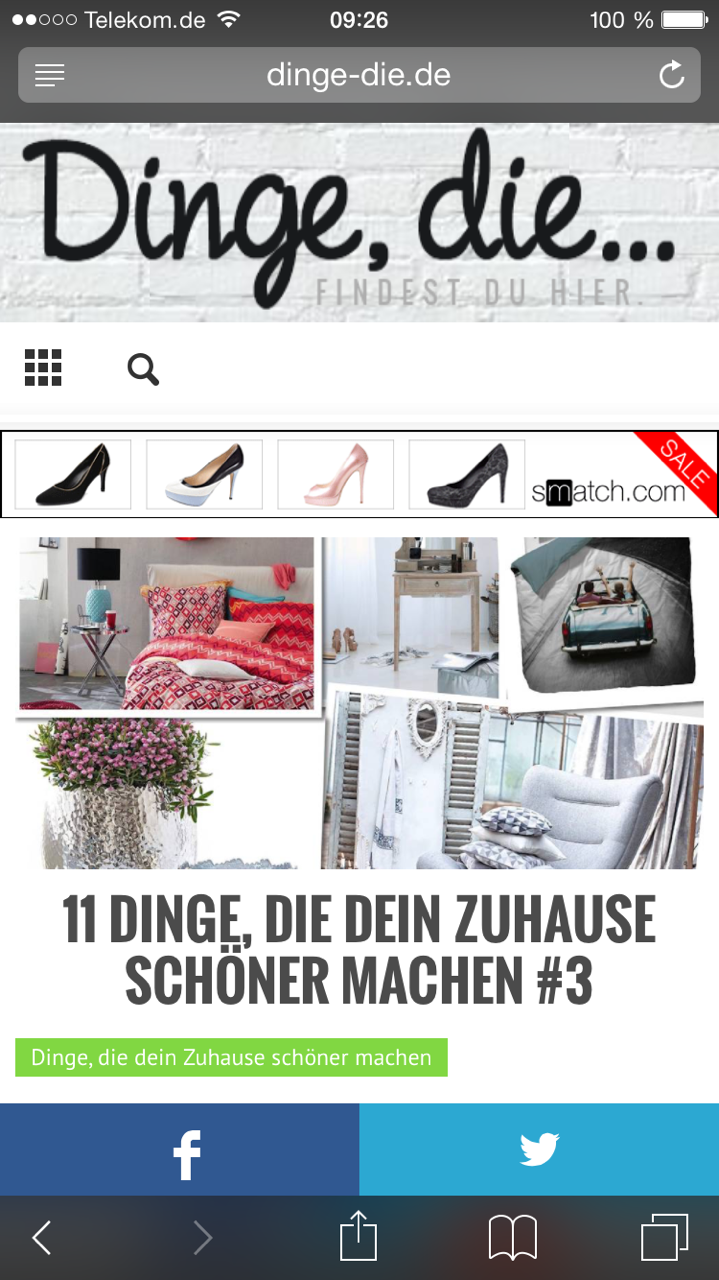
But now i recognized another Problem with the ads. The top ad works fine on the frontpage an on desktop. On other article / posts like this: http://www.dinge-die.de/dein-zuhause-schoener-machen/11-dinge-die-dein-zuhause-schoener-machen-3/ the header ad is not clickable on mobile devices.
http://www.dinge-die.de/wp-content/uploads/2015/02/IMG_9811.png Screenshot Iphone
Thanks a lot and kind regards!
 Sayeed
Hi…
I am new this forum and i need help regarding these few things
1. How can make the top, bottom and main navigation menu in full width (http://imgur.com/F4liVxT)
2. How can we remove the underline from the Post titles and links when we hover it?
3. How can we had categories on single post page?
4. How can we add shadow in post thumbnails As is on this site or may be a box http://www.magscroll.com
5 How can we make the header navigation menu in solid instead of transparent.
Thanks!
 simchris
 Easiest way to do this is actually using the YOAST WordPress SEO plugin. That’s what we use. Also allows you to insert verification elements for Bing, Alexa, etc., and manage the title and description tags for all the category and tag pages. Much easier than doing all that yourself.
Alternately you could try editing the header.php file in the theme folder and insert the code there.
eg. put it right after this line
<link rel="pingback" href="<?php bloginfo( 'pingback_url' ); ?>" />
 JDF
JDF Ok I see it. The font only displays on mobile because of the first code.
@media (max-width: 767px) {

#td-top-menu .sf-menu {

display: none !important;

}

.blog-stack #td-top-search{

right: -50px;

top: -75px;

}

.header-search-wrap .dropdown-menu {

left: -56px!important;

}

.header-style-3 .td-logo img {

width: 30px;

}

.category .td-page-title span {

font-size: 20px !important;

font-family: Vollkorn !important;

}
I tried to separate each with a <style></style> but it seems this is not the proper way to do it.
Sorry I’m such a noob !!
 idansx
 I saw your screenshot from the mobile view and I really don’t like it.
I want it to look exactly as the mobile view of ‘header style 4’ and as you can see it’s not the same.
 orionspants
Just starting to find my way around this feature packed theme and have a few questions and issues:
1. (A)When using the animated image slider if I select “medium” as display size it doesn’t work, all images are blown up very big and lose their resolution. It does work once I enter px*px height and width but that ends up zooming and cropping images. I’d like to display them close to org. dimensions. (B.) The slider image buttons (little dots) appear inside the image frame which doesn’t look good, this is solved by using NAVI slider BUT, I don’t want the title to appear on the bottom, is there some code to move the dots below the frame as in Navi?
2. Is there a way to get search results thumbnail previews? I only get text results.
3. I can’t get the custom ad to work in header or elsewhere. I don’t understand why we must use Google code or how to alter the code. Usually for ads you selected the image, paste the URL and done, this adsense code is confusing.
4. Using the default template, I’ve selected ‘blue’ as menu border colour but it doesn’t show up.
5. Using the homepage builder I’m trying to assign 2 plugin widgets; ‘Newsletter sign up’ and ‘events calendar’ to the side bar but there is no option to select them. How do I get them to appear on my homepage?
Thanks!!
BlackpadsHi,
Can I set two small ad banners at left and right side on header section as follows?
<Ad banner> WEBITE TITLE <Ad banner2>
This style similar as New York times website.
 sidsmut
 Reinstalled the td speed booster plugin and the problem seems to of gone away for my readers.:)
However, the header continues to load incorrectly if I am logged in?
I am ok with that for now because I don’t have any users who log in, but there’s obviously something going on.
Regards,
Sid
-
This reply was modified 11 years by
sidsmut.
sidsmut Just to add…..
I am using the child theme for some very small colour changes but they are not related to the header. If I remove the child theme the site is still broken in the same way.
Problem also occurs when all other plugins are turned off.