
- TutorialsDefault Block Settings Guide
 kibiribi
 thanks, it clear, But I’m trying reach a row Tab on the top of element because the same top header menu intersect my mouse click.

 mMedia
 Hello !
Problem #1 has been solved, thanks!
Problem #2 is still happening, WP Bakery is not installed. In edition mode, I have a proper header (panda image, breadcrumb, category title) but it does not work when I display the page.
I tried to add a specific class to the “Category Background Element” since I could not find it in the code, and it’s actually not here at all.
Any ideas ?
(Everything is updated. Theme & Plugins)
 Vlad S
 Hello !
You will have to use a cloud library template and the header manager as you can see here: https://forum.tagdiv.com/header-manager/
Thank you !
 Calin
Calin Hi,
If you want to use a custom page for register you can do it, you need to assign this page url to a button or if you want to set it on the login pop=up you need to set the url on these files:
For cloud header -> wp-content/plugins/td-cloud-library/parts/tdb-login-modal.php -> https://i.imgur.com/b7aMNDu.png
For standard header -> wp-content/plugins/td-composer/legacy/Newspaper/parts/header/td-login-modal.php -> https://i.imgur.com/MQ6Sh9I.png
For mobile theme plugin -> wp-content/plugins/td-composer/mobile/parts/register.php
But please note that the only td-login-modal.php can be set in child theme, the rest of files can not be set in a child theme, therefore will be lost when you’ll make a theme update.
Thank you!
Vlad S Hello !
Please follow our documentation regarding ads here: https://forum.tagdiv.com/header-ads-adsense/
Thank you !
Calin Hi,
I think that you are referring on these arrows -> https://i.imgur.com/pMNqm3r.png these can be change with custom css or if you are using a cloud header, you can edit it with tagDiv Composer -> https://i.imgur.com/rIfKiI1.png you can change the icons -> https://i.imgur.com/TJhrGlT.png -> https://i.imgur.com/Y7TWPTY.png and you can change pagination color from here -> https://i.imgur.com/cVJxHQ3.jpg If you are using a standard header style, you can use also the settings from theme panel -> https://i.imgur.com/Mq4zliJ.png
Thank you!
 Amit
Amit Hello @kibiribi
1. Goto theme panel >> Analytics/JS Codes >> Paste <script src="https://scripts.sirv.com/sirv.js"></script> in Header script code section. This will add script for all pages and posts on the site.
Refer: https://prnt.sc/se5nxq
2. To add it on selected pages you can consider adding it by custom functions to theme’s functions.php file or plugin like SOGO Add Script to Individual Pages Header Footer
Hope you will find this helpful.
 Media_Ex
Hello,
How I can fix the problem with TOP Header banner on Romania NEWS PRO…?
 Twolle
Hi support,
How do I change the font size for author in Flex Block 4?
Url: https://servicenews.dk
Header: Seneste nyheder
Maybe the same problem is also in Block 10 and other Blocks.
Thnaks 🙂
/Twolle
 Jinxer
I’ve imported header template of Gadgets Pro and selected it from theme panel
But it’s not working – https://i.imgur.com/Vk51p9K.jpg
 mehul
mehulI went to Newspaper->Theme Panel->Header and uploaded a new logo but it’s not reflected on the website.
 chicky365
Hi
i ran the automatic upgrade 10.3.3 tonight and it has caused an issue with my website. I now have the error message below. Last time I ran an upgrade I had the same error and the fix was to make the image logo smaller than the theme recommends Upload your logo (272 x 90px) .png or .jpg
I have tried uploading a smaller logo again but it did not work. Please do not suggest I turn off all plugins or check recommended settings as I have wasted time doing this last time I had this issue and again tonight and its still broken and these suggestions did not resolve the problem.
Please can you help to fix this urgently, as it is a crucial time for news and I really need my website to look professional. Every time I upgrade your theme it breaks my website and its becoming a real problem.
Warning: getimagesize(): SSL operation failed with code 1. OpenSSL Error messages: error:1416F086:SSL routines:tls_process_server_certificate:certificate verify failed in /www1/acd/www.kentnews.online/web/wp-content/plugins/td-cloud-library/shortcodes/header/tdb_header_logo.php on line 792
Warning: getimagesize(): Failed to enable crypto in /www1/acd/www.kentnews.online/web/wp-content/plugins/td-cloud-library/shortcodes/header/tdb_header_logo.php on line 792
Warning: getimagesize(https://www.kentnews.online/wp-content/uploads/2020/04/kentnews_logo_small1.png): failed to open stream: operation failed in /www1/acd/www.kentnews.online/web/wp-content/plugins/td-cloud-library/shortcodes/header/tdb_header_logo.php on line 792
 BruceInLouisville
Hello! I used TD composer to put an ad shortcode above the header on my home page (custom home page), and it worked. However, it doesn’t show up on an individual post page. (I’m using the post templates that came with v. 9 for the most part, and not cloud headers or page templates.)
So, I tried putting the shortcode in the Header Ad box in the theme panel. The ad showed up, but below the header and not above, and left-aligned and not centered.
Thoughts?
kibiribiI want to add in Header section Javascript code to demonstrate Sirve 360 product
<script src="https://scripts.sirv.com/sirv.js"></script>
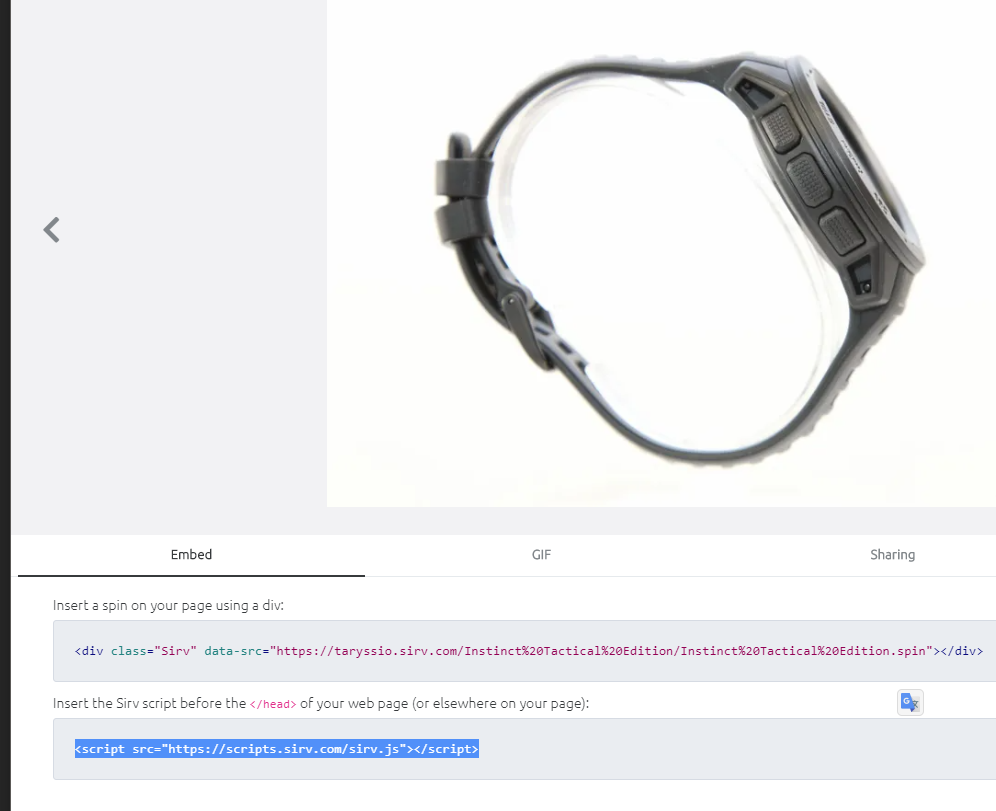
I want to add it with help pf custom code – but this section wants another Javascript format – URL is not allowed:
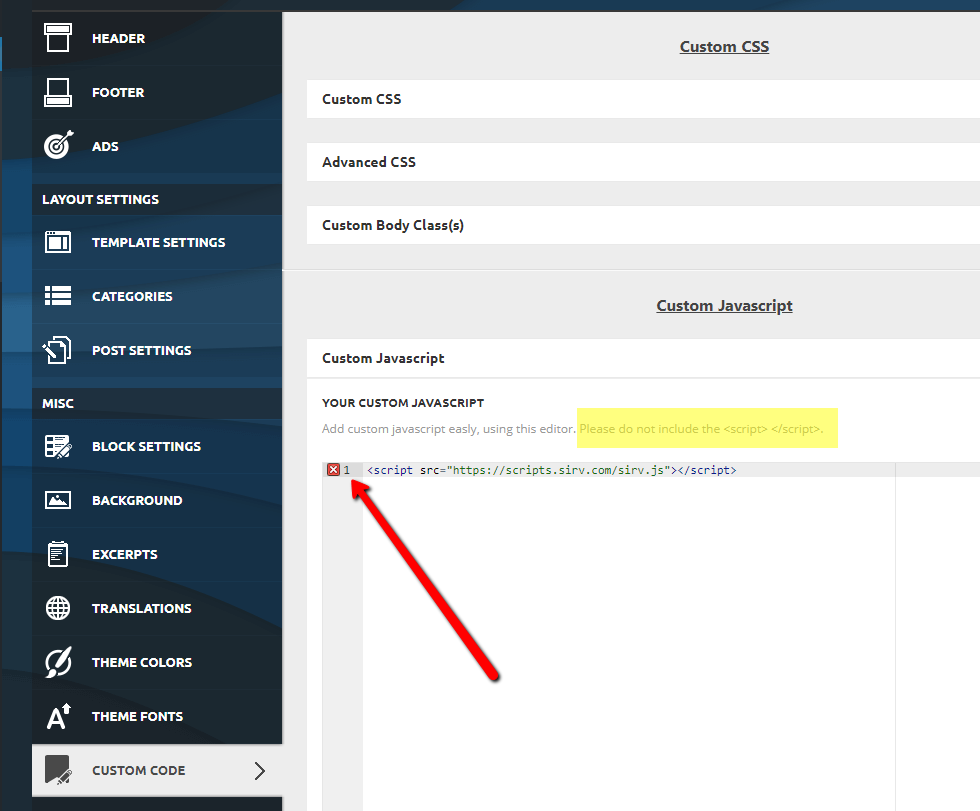
Questions:
1. Is it possible to add all code of https://scripts.sirv.com/sirv.js into this section ?
2. I want to load JS script only for selected pages. Is it possible to control this include method by page\post URL or ID?
 osigndev
Hi,
I want to use dynamic header image for single post. Currently we can set background image in edit template section, but this is static. I want to use feature image or any other image which can be edit from post admin section while adding/updating new post.
Please let me know if there is any option to set dynamic header background image(featured) for each post.
Thanks
 itmentor38
how to setup local date time in top menu like this site >>https://www.setopati.com/ website check the top left site of header and bottom the post . i want to ade the local time with local language on all post and top header .i am using newspaper x https://kanekhusi.com . i have this widget code for local date and time . where to ade this for local time and language see below
<iframe scrolling=”no” border=”0″ frameborder=”0″ marginwidth=”0″ marginheight=”0″ allowtransparency=”true” src=”https://www.ashesh.com.np/linknepali-time.php?time_only=no&font_color=333333&aj_time=yes&font_size=14&line_brake=0&api=910157j523″ width=”334″ height=”22″></iframe>
 Hoku Marketing
I have clicked everywhere and cant find how to change the background image. All types of menus for icons, menus etc, but no place to upload a new header image. Please tell me where this options is, thank you.
Media_ExHello, Where I can replace a Header image in Romania Theme?
 CityCampus
 Thank you but this is not the part I ment. It is de part in the header between Top menu and Main menu. Here is the logo in the middle centered and I cannot adjust it with tagDiv composer. Tried the color settings in Theme panel but this has no effect on this in-between part.
 turma99
Hi! Where should I put the Adsense code? Header script code?
kibiribi Honestly, when mousec on image (on hover – I can see Row, Column menu), but when I move to those tabs Header menu will be opened itself instead or Row click. 🙁
kibiribiDoes anybody knows how to create page layout for Title, subtitle and image like this ?
screen – 
I tried to do it via TagDiv constructor – But couldn’t reach such layout 🙁
Watch video – I’ve created such layout – https://drive.google.com/file/d/10Rc7ADwInxVpgYwhwxvDQg0OrnG5kYe1/view?usp=sharing
But it’s not possible to move down image coz row attribute is not reachable – watch video – https://drive.google.com/file/d/14SU4-qfFzK2uq9femyH0qaIqGT5qweBL/view?usp=sharing

Twolle Have you tried to remove the check-mark in “Show search form” in the template?
row > column > inner-row > inner-column > Header live search

/Twolle
 ArtRights
Hi support,
During last updating, I had a problem with the header and footer in english, as I am running a multilingual blog.
While the main pages are ok, the blogposts are not displaying the correct footer… how can I change the footer and the header on the english blogposts?
Thank you
 ttz
ttz It’s working, Thank you!
Would you please look into why the header date element does not update the date only if I sign in the wordpress?
I started this topic with that problem: ”I have a header date element in the Header Template 5 and it does not update the date only if I sign in the wordpress. Is this a cache problem? How can I fix it? I only use the WP Super Cache with the recommended settings.”
https://www.screencast.com/t/EeH49sXp1Hq
atn2.000webhostapp.com
Thank you!



