
- Apitd_api_header_style::delete
- Apitd_api_header_style::update_key
- Apitd_api_header_style::update
- Apitd_api_header_style::add
- ApiAPI – Header style – Introduction
- Apitd_api_top_bar_template::update_key
- Apitd_api_top_bar_template::update
- Apitd_api_top_bar_template::add
- ApiAPI – Top Bar Template – Introduction
- Apitd_api_single_template::update_key
- Apitd_api_single_template::update
- Apitd_api_single_template::add
- ApiAPI – Single Template – Introduction
- Apitd_api_footer_template::update_key
- Apitd_api_footer_template::update
- Apitd_api_footer_template::add
- ApiAPI – Footer Template – Introduction
- Apitd_api_smart_list::update_key
- Apitd_api_smart_list::update
- Apitd_api_smart_list::add
 tiffanyclarkwriter
 Also, which specific blank header template should I import?
 Anamaria
 Hello,
You can edit the header menu, sticky header menu, mobile menu and mobile menu sticky -> https://i.imgur.com/4MRak3x.png -> https://i.imgur.com/UWn7dDe.png -> https://i.imgur.com/nkrKMnl.png
Thank you!
Anamaria Hello,
Go to Newspaper -> Theme panel -> Header -> Sign In/Join and disable that option.
For menu, go to the mobile viewport, click on the menu icon and check if you choose a menu from this dropdown: https://app.screencast.com/kXblv69NkhU60
Thank you!
Anamaria Hello,
Go to Newspaper -> Theme panel -> Header -> Sign In/Join and disable that option.
Thank you!
Anamaria Hello,
Please let me know what types of ads. Does the code need to be added to the header?
Thank you!
Anamaria Hello,
Please let me know how you added the image; please ensure you have uploaded full size.
Also, to add a menu at the top, you need to edit with tagdiv Composer, and set the header menu or list menu and assign the menu you want -> https://i.imgur.com/yAfD03k.jpeg
Thank you!
Anamaria Hello,
Please check with the tagDiv Composer and disable the H1. For example, H1 from logo(header, footer, mobile, sticky): https://forum.tagdiv.com/topic/6-h1-tags-on-front-page-bing-have-deindexed-my-site/
Thank you!
 cherryannwilliams
I am able to update the logo and site title, etc but I do not see a place to update the header background image as seen here: https://www.dailyscoopslu.com/
 AuroraCattery
My website is bugged somehow. My header css’s appeared in my site as text. Then i removed the Top header menu but now ı cant enable the Top header menu. Any idea about how to solve this problem guys? Screenshots are below as links.
 zuberkz
Hello,
I reinstalled plugins, but error is not resolved.
Dashboard Page is’t working and get error:
Anamaria Hello,
We don’t have a guide, but you need to add the shortcode for the switcher on the menu using the column text element. Edit the header template with tagdiv Comnposer, and there you can add the shortcode.
Thank you!
 kibiribi
 Thanks for your comment – it helps for post – https://prostobzor.com/uk/garmin-8-braclety-dovgyna/
But in this case, I need to fix the menu – acc. to this page –
But it doesn’t work for Template menu header
I’ve added lang. switcher to menu – it doesnt show in the header –
screenshot – 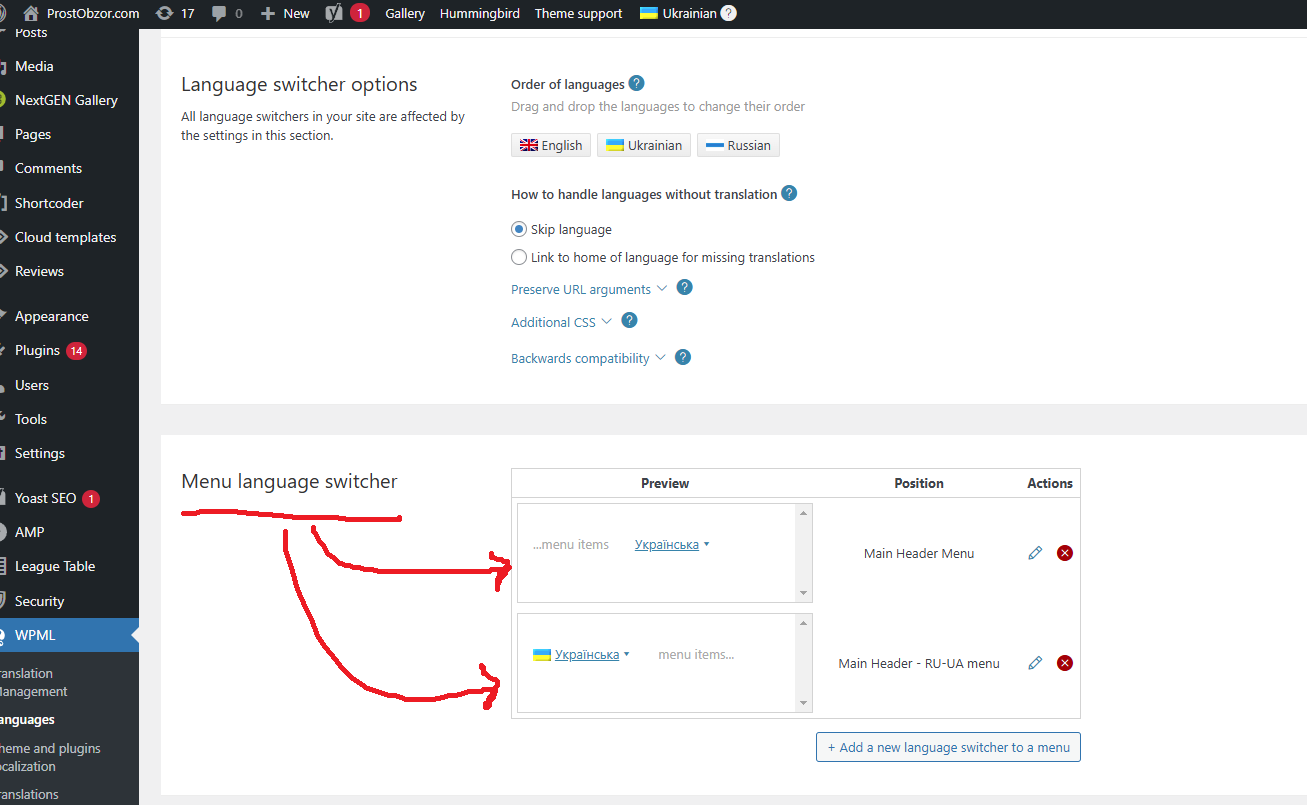
Do you have Tagdiv step-by-step instruction how to add WPML switcher to the Header menu?
Anamaria Hello,
This option is available for each header, so you need to have two headers. Please check this video -> https://we.tl/t-84ju4ePKnF
Thank you!
Anamaria Hi,
Please recreate the header template, set the image as a background, and use only the logo on the image.
Thank you!
Anamaria Hello,
Please select the header menu sticky section and set it to smart snap -> https://i.imgur.com/TrPinL5.png
Thank you!
 Atithya
 I tried, but if I am turning off the Main menu sticky in separate header then it is turning off from whole website. I needed a seperare Main menu sticky for a separate header/
kibiribiHi, colleagues!
Could you advise how to add WPML language switcher to the NewsPaper Template?
Do you have step-by-step manual how to do it?
I’ve got 3 languages in WPML.
site – https://prostobzor.com/uk/
I’m talking about this header layout – 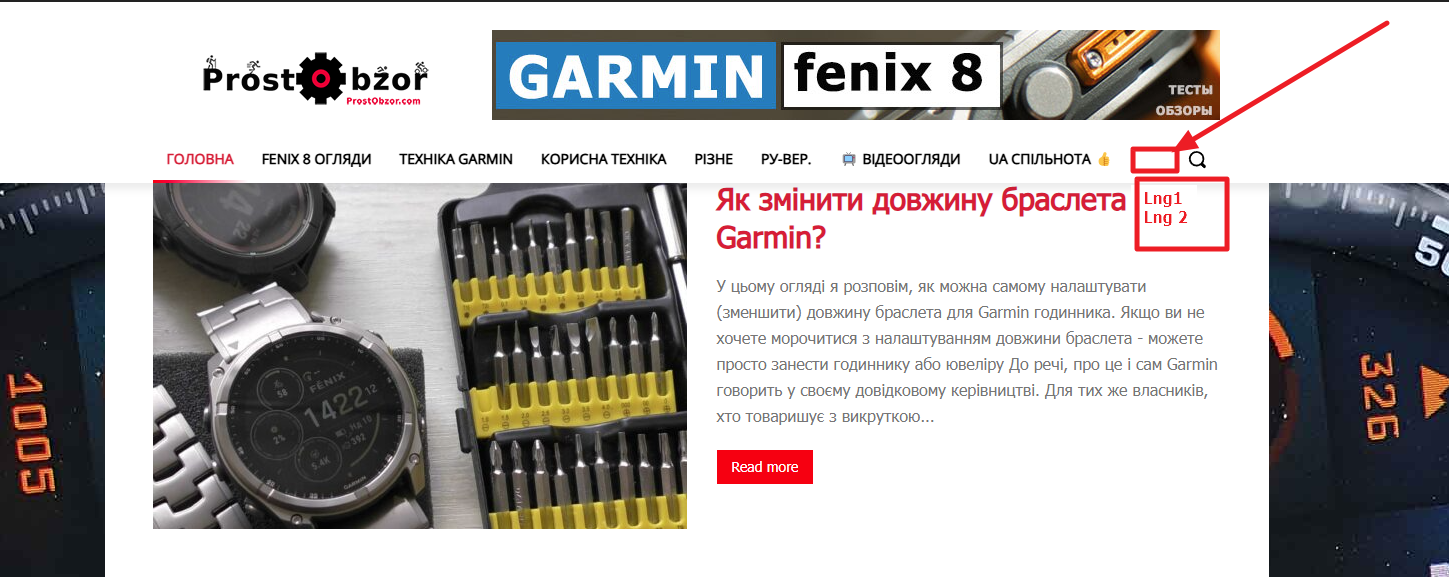
 David
DavidHi, how can the sticky cloud header be set to display only when a user scolls back up? I remember that this was somehow possible (at least the none cloud headers were able to display on upscroll via smart snap).
Thanks!
 Hellpress
Hi, I have updated the Newspaper theme and got into a mess. Before the update all the content images that appeared in categories were the same size, and now each one appears cropped differently, without keeping the same ratio / proportion between them.
My webmaster died two months ago and all I do is experiment without success. This is a screenshot: https://imagizer.imageshack.com/v2/385x425q70/r/922/PYRCB5.jpg
My webmaster also had a modified functions.php that he uploaded every time he updated the theme, which solved a lot of things, although I don’t know about this. For example I have lost the header and footer “wordpress-driven” I had before and I have redone them as I could with Cloud Templates. I do not know how to recover the old ones (maybe uploading the modified functions.php instead). I also don’t know how to remove these empty columns to make everything more compact:
https://imagizer.imageshack.com/v2/991x340q70/r/922/fVPDfG.jpg
Anamaria Hello,
You need to edit with tagdiv Composer, the logo, menu and so on -> https://forum.tagdiv.com/header-manager/
Thank you!
AtithyaHi I wanted to add sticky menu which is enabled on my whole website to a page with different logo and menu. When the sticky is not working, my separate logo and menu shows up but as the users scrolls down, the same global header shows up. Can I set a separate sticky menu for this page. The settings is within theme panel and there is only one option to change logo and other things
https://www.electronicsforyou.biz/premium-content-page-news-hub-pro/
 Phil Creighton
I have an issue on my planned site cheeselogs.co.uk that I can’t seem to resolve easily regarding the header.
I have installed the header REEL NEWS PRO on the site, it displays fine on desktop but on mobile view there is no white space between the end of the header and the start of the post (as seen on the left).
Using the Inspect function on the website, I can force it on the .tdi_3 tag.
The CSS would be:
@media (max-width: 767px) {
.td-container, .tdc-row, .tdc-row-composer {
width: 100%;
padding-left: 20px;
padding-right: 20px;
padding-block-end: 18%;
}
}
But I can’t seem to make this work on custom code.
Have got myself into a right tizzy with this header … have added custom code to force display of the SVG to none, and have probably added additional unlogical code to try and get it to do what I’m intending.
Some pointers would be appreciated. Thank you!
(For a future update, please consider adding more customisation to the header to make it easier to adapt)

 ilouie
 I’m sorry, but I don’t understand what you’re showing me, and unfortunately I don’t know how else to explain this simple task I’m trying to accomplish. Here’s my last try. I need to create a header that transitions. It scrolls into another section. Please look at this and tell me if you can help me. Thanks.. https://demo.tagdiv.com/newspaper_living_pro/header/
 bluedot
Hello,
We are implementing a new cloud template header on BluedotLiving.com. Everything looks fine in the tagdiv editor, but once the header is on a page, the header main menu disappears. After some testing, this seems to be related to the Ad Box element we have in the header. If the ad box is deleted, or the menu is moved above the ad box, the menu shows up. We have tried deactivating all plugins and have not found a clash. Other cloud template headers are displaying the menu and Ad Box without issue.
Thank you,
Bluedot
 rachel.brandlective
Hi, I am having trouble getting my header to show on the live site. I can see it is there when I am editing, but it displays as a black line when I look at the webpage. Any suggestions, please?



