
- TutorialsDefault Block Settings Guide
 Simion C.
 Hi,
Well it should work if the code is valid, there should be no reason for it not to, if the only requirement is to insert the code in the header. Try clearing any caching you have installed, maybe it is preventing the code from taking effect.
Thanks
 utzgurx
I have another website using Visual Composer. I want o use it in another new web, I know I have to pay another license but when I try to install the plugin I see this error:
The plugin does not have a valid header.
Downloading install package from http://gerardx.dev/wp-content/themes/Newspaper/includes/plugins/js_composer.zip…
Unpacking the package…
Installing the plugin…
Destination folder already exists. /app/public/wp-content/plugins/js_composer/
Plugin install failed.
I’m working on local. The website where I want to install it is gerardx.dev and it says that it was installed here already but it’s a new folder with a new name of website, then I don’t understand how can it be already existing.
Thanks for your help.
 Solstyce
Enabling ab testing with Google Content Experiments requires editing the theme, header.php iirc.
I’m wondering if you have any recommendations for best practices for implementing it?
 Zakkery
Hi, some pages are banned in Google?
https://www.google.ru/search?q=info%3Ahttps%3A%2F%2Fratatum.com%2Fgel-lak-na-korotkie-nogti-100-variantov-dizajna-na-foto%2F
This page have hidden informations
<meta itemprop=”headline ” content=”Гель-лак на короткие ногти 2017 года: 100 вариантов дизайна на фото”>
<span style=”display: none;” itemprop=”author” itemscope itemtype=”https://schema.org/Person”><meta itemprop=”name” content=”Cryx”></span>
<span style=”display: none;” itemprop=”publisher” itemscope itemtype=”https://schema.org/Organization”><span style=”display: none;” itemprop=”logo” itemscope itemtype=”https://schema.org/ImageObject”><meta itemprop=”url” content=”https://ratatum.com/wp-content/uploads/2016/11/logo-header.png”></span><meta itemprop=”name” content=”Рататум”></span>
Is it Rule violation? https://support.google.com/webmasters/answer/2604824?hl=ru
 mhendiz
Hi al, i am using lastest Newspaper theme.
I saw today, someone add hacklink in my wp-blog-header.php.
i am using All plugins and themes are uptaded and licensing not warez.
Is the theme a backdoor?
added code:

 vishesh999
1) I have Installed BuddyPress & BBPress
2) I want to use the registration page provided by BuddyPress
3) I want to redirect the ‘Create New’ user link on the ‘Sign in / Join’ option on top menu bar and redirect it to registration page provided by BuddyPress i.e. ‘www.yourdomain.com/register’
Reasons for doing this:-
1) Once a user registers using the default link provided by the newspaper theme, the user gets an email to activate their account and change the password, in that case the user is redirected to the wordpress backend.
2) On the other hand, the BuddyPress registration form, allows the user to pick a password during signup, and the link activation email send the user to the main website, and not the backend.
 kenny17995
How can you hide the header, menus and footer on a specific page? (homepage). I just want it to be content. Thanks
 amphol77
Sign in menu on header not work.
I try sign in my website but it open wordpress login page.
Why?
 MarketExpertise
Hi. I changed my header and footer to full width but can’t for the life of me figure out how to make them go back to normal. I have uploaded a background image but the header and footer are still full width.
Would appreciate your help.
 albertocle
Hi,
i add in header.php in the <head> section:
<meta name=”apple-itunes-app” content=”app-id=123456789”>
but it doesn’t work.
Can please help me with this? Thank you very much!!
 cmistico
Hi staff,
I have two problem on my site (with newsmag theme):
1. Login on header of my site don’t work (no pop up) – here https://www.analisidelsangue.net/
2. The editor of bbpress forum on my site is disappared, I don’t see it more here for example -. https://www.analisidelsangue.net/forum-inserisci-domanda/
can you help me two solve this two problem? thnkx a lot
alessandro gennari
 fenomeno0chris
 Thank you very much for your fast and extensive response!
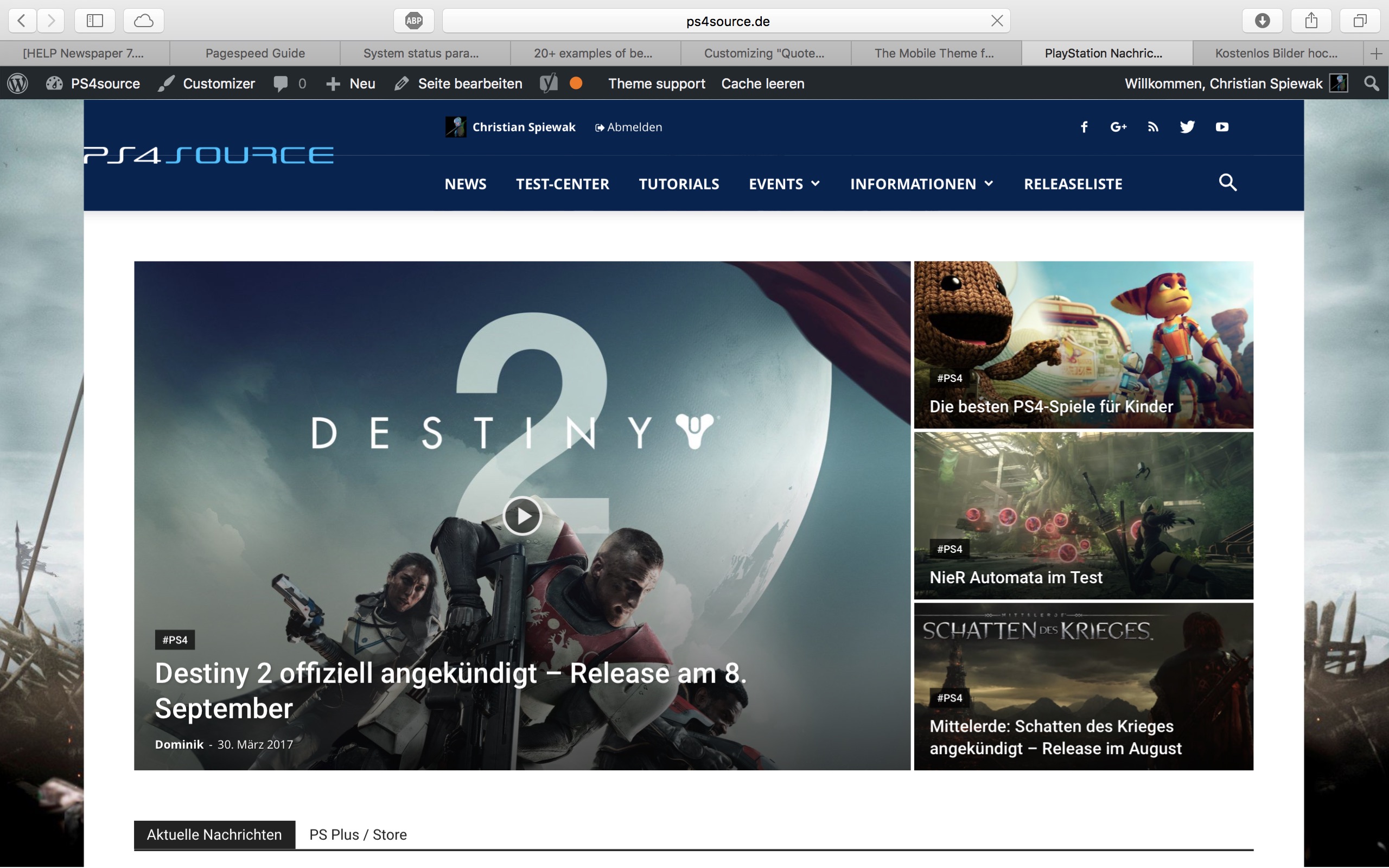
1) The line appears after you visit some articles and scrolling up and down. I don’t know if its just my mac, but that would be weird, since all macs are using same safari browser.
Another weird thing I noticed: If im using Google Chrome browser, the big grid at the top of the site has this great animation (image gets zoomed in), if I move the mouse cursor over one article. On safari there is no animation at all. 🙁
2) I know that your theme has a custom login build in and Im already using it, as you can see (by the way it looks awesome). My problem is, that a user gets an email notification from WordPress after he registered on my site. In this email, he gets a link to set a new password. By clicking the link he gets redirected to this unpleasant site:
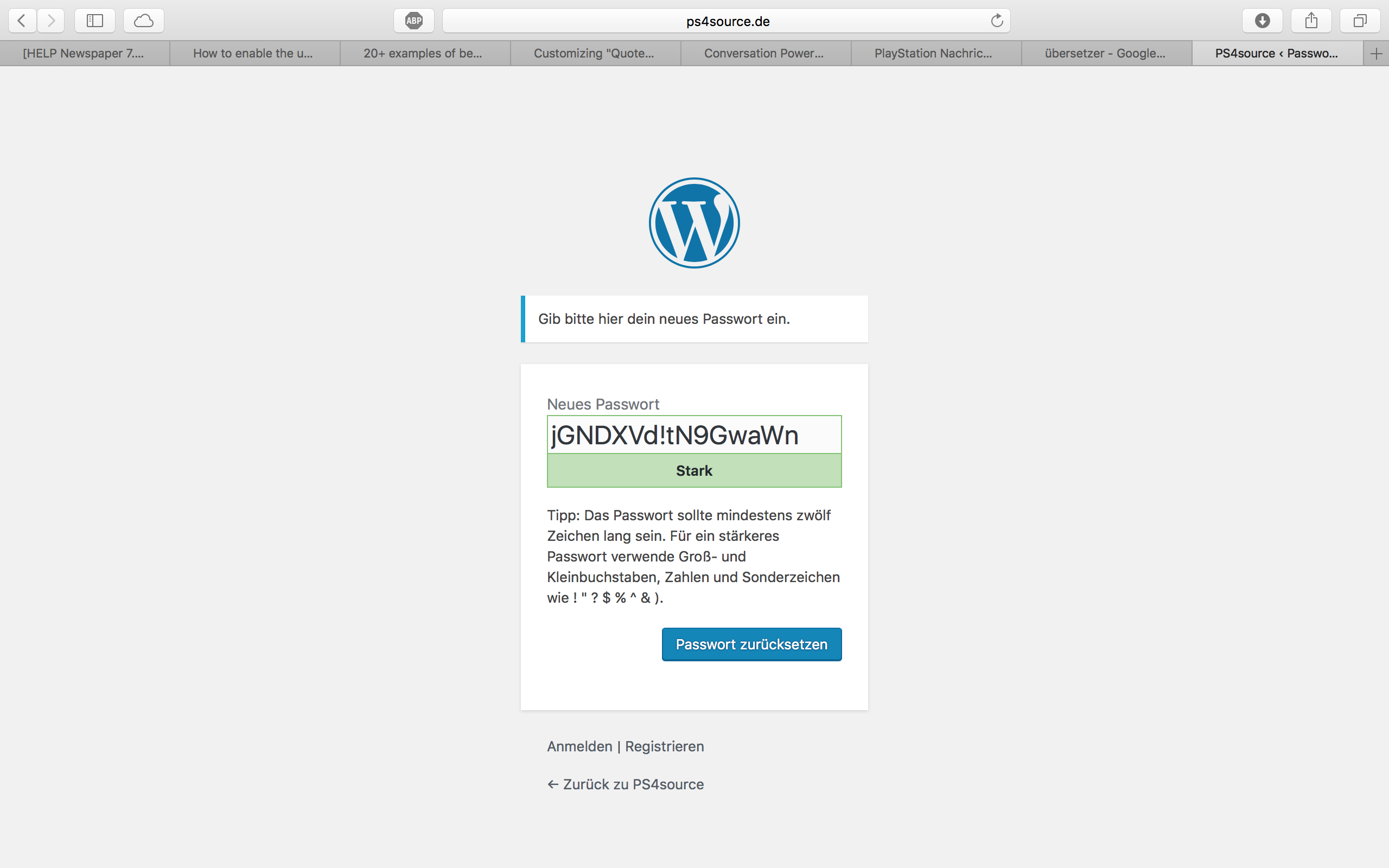
How can I change this registration process? Which plugin do you recommend?
2.1) Also Im using Disqus Comment System, as I mentioned before. Ive used my own button to let the users register without having to use a social media account. Unfortunately I don’t know the link address to open the beautiful login/registration window of newspaper7.
Right now it looks like this, which is not very beautiful:
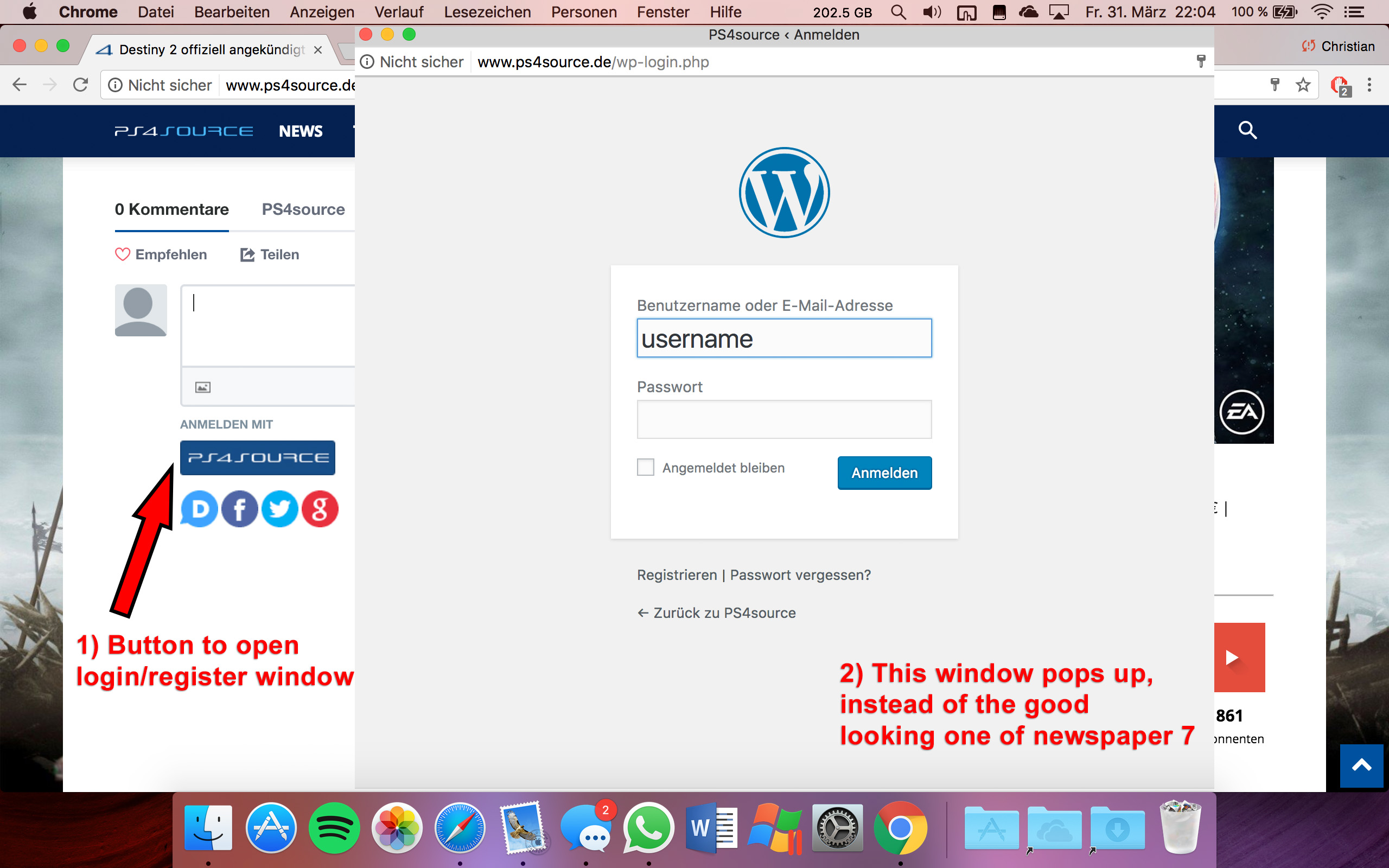
Disqus Button Code:
// Single Sign-on Integration

function dsq_sso_login() {
    global $current_site;
    $sitename = get_bloginfo('name');
    $siteurl = site_url();
    $button = get_option('disqus_sso_button');
    $sso_login_str = 'this.sso = {
          name: "' . esc_js( $sitename ) . '",
          button: "' . $button . '",
          url: "' . $siteurl . '/wp-login.php",
          logout: "' . $siteurl . '/wp-login.php?action=logout",
          width: "800",
          height: "700"
    };';
What should I enter at the url line, which is obviously responsible for the window?
3) CHECK
4) CHECK
5) Which Font do I have to use to get this vertical line on my quotes?
6,7,8) I do not know if I lost so many readers because the pagepeed has dropped or something else, but obviously I really want to get the numbers back to the state before I transferred to Newspaper7. Ive managed to increase the google pagespeed by reducing nearly all uploaded images. And I also read the Newspaper7 documentation to set the status parameters, the cache plugin and booster plugin as instructed. Unfortunately there are still some warnings, which should be solved as you can see here. Could you please help me, to get the best page speed as possible?
Should I change something on my .htaccess file?
# BEGIN WordPress
<IfModule mod_rewrite.c>
RewriteEngine On
RewriteBase /
RewriteRule ^index\.php$ - [L]
RewriteCond %{REQUEST_FILENAME} !-f
RewriteCond %{REQUEST_FILENAME} !-d
RewriteRule . /index.php [L]
</IfModule>

# END WordPress

# Deflate Compression by FileType
<IfModule mod_deflate.c>
 AddOutputFilterByType DEFLATE text/plain
 AddOutputFilterByType DEFLATE text/html
 AddOutputFilterByType DEFLATE text/xml
 AddOutputFilterByType DEFLATE text/css
 AddOutputFilterByType DEFLATE text/javascript
 AddOutputFilterByType DEFLATE application/xml
 AddOutputFilterByType DEFLATE application/xhtml+xml
 AddOutputFilterByType DEFLATE application/rss+xml
 AddOutputFilterByType DEFLATE application/atom_xml
 AddOutputFilterByType DEFLATE application/javascript
 AddOutputFilterByType DEFLATE application/x-javascript
 AddOutputFilterByType DEFLATE application/x-shockwave-flash
</IfModule>

# turns cache on for 1 month
<IfModule mod_expires.c>
ExpiresActive On
ExpiresDefault "access plus 1 week"
ExpiresByType image/jpg "access plus 1 week"
ExpiresByType image/jpeg "access plus 1 week"
ExpiresByType image/png "access plus 1 week"
ExpiresByType application/x-shockwave-flash "access plus 1 week"
</IfModule>

# gzip Compression if availiable
<IfModule mod_gzip.c>
 mod_gzip_on       Yes
 mod_gzip_dechunk  Yes
 mod_gzip_item_include file      \.(html?|txt|css|js|php|pl)$
 mod_gzip_item_include handler   ^cgi-script$
 mod_gzip_item_include mime      ^text/.*
 mod_gzip_item_include mime      ^application/x-javascript.*
 mod_gzip_item_exclude mime      ^image/.*
 mod_gzip_item_exclude rspheader ^Content-Encoding:.*gzip.*
</IfModule>

php_value memory_limit 256M
php_value max_input_vars 5000
php_value max_execution_time 300
php_value post_max_size 50M
php_value upload_max_filesize 50M
8) CHECK
9) 
(link)
10) CHECK
11) [Newspaper->System status->php.ini configuration] I have this PHP Version 5.6.29-nmm1 (5.6 CGI). Is this ok?
-
This reply was modified 9 years by
fenomeno0chris.
Simion C. Hi,
If the code needs to be added between the head tags, you must enter it in the header.php file found in the main theme folder – https://www.screencast.com/t/pJLx76GibF and if the code is valid it should work as intended. Try clearing any caching installed after you add the code.
Thanks
 eivindert
Hi,
I have a advertising company that I have settled an agreement to show ads on my page.
I have got a script code from them that should be placed between <head> and </head>
I tried both to implement the code in header.php and in the themes specificed custom code – script function.
None of the solutions work. Any tips where i Should impelement the code?
CODE:
<script>
var unruly = window.unruly || {};
unruly.native = unruly.native || {};
unruly.native.siteId = ********
</script>
<script src=”//video.unrulymedia.com/native/native-loader.js”></script>
Simion C. Hi,
You can place that code here – https://www.screencast.com/t/iGefS9jwHpKJ in the header.php file found in the main theme folder.
Thanks
Simion C. Hi,
This is how it looked before the code was added – https://www.screencast.com/t/PhPrI0vBpGc
I am guessing that you mean that after the code was applied the pointing element specific to this block header style is still the old color. That can be fixed using this code – https://www.screencast.com/t/xpX6oEtmEe
.td-footer-wrapper div .td_block_template_4 .td-block-title > *:before{

border-color: #b50f0f transparent transparent transparent;

}
Thanks
 Catalin
 Hello Alfredo Mendoza,
The Header Style 11 uses a full width logo. If you want to have a bigger logo than your, you should simply load a bigger logo.
Thanks for your understanding!
Simion C. Hi,
The header.php file is located in the main theme folder – https://www.screencast.com/t/HsDvyWipv as well as the functions.php file – https://www.screencast.com/t/qUrzeBtv3rmL if there is where you need to insert the widget code in the theme.
If you want to modify the current header that you are using and insert a paragraph you can find the file here – https://www.screencast.com/t/ypzSqGOpO
Thanks
Catalin Hello arbabrizvi,
I have inspected the both websites and I saw that your example site is made with Newspaper and your website is made with Newsmag. Notice that is two different themes and that why you bring two different styles. The Newsmag theme has some header styles which are on full-width, as you can see here -> https://www.screencast.com/t/IU4RDDARrgi but the footer section is only on boxed layout.
Thanks for your understanding!
 Richard
 Thank you Bogdan, the color changed worked with the CSS you provided, but the titles seem to have lost the curves/callout etc of block header 4 as shown in this screenshot
Can you suggest anything to add to correct that.
Thanks in advance
Richard
 Alfredo Mendoza
Hi:
I’m using the Demo ‘Politics’ with the header ‘Style 11’ and I want to change the size of the logo to 600×120.
I added this custom CSS to try to increase the size:
.td-main-logo img{width:600px} – but the sites is resizing it and the resolution is not working.
How can I change the size of the Logo?
Thanks!
 arbabrizvi
Hi,
I have searched the forums and I noticed people had a similar problem and the fix was to make sure that there is no color set on the background. I’ve followed those instructions yet I still cannot make it full width.
My website is | Samarly.com
I want the top header to go all across the page and the top menu as well. Also, I want the same for the footer. I would like the color of the full width to be black. Similar to this: https://wealthygorilla.com/
 floranto22
 No, yo queria poner otro widget, que dice la temperatura de una ciudad especifica. Ese ejemplo que me pasaste ya lo conocía, peor lo que necesito yo es una intervencion algo mas avanzada para que se pueda ver correctamente.
Tambien quisiera agregar un parrafo en el header pero tampoco se a donde dirigirme
Espero tu respuesta, gracias.
Simion C. Hi,
Unfortunately there is no theme setting to show the social icons on the menu affix. The socials are part of the top header menu, not the main header menu. That can only be done through modifications to the theme files and it could prove to be a difficult task, and require coding skills.
Thank you for understanding!
 matpl
matplHi,
Few months ago I change background on my site in header with no problem.
Now I can’t find where to change it?! Im not sure if something is not shown corectly after update in theme panel? Or Im just blind and cant find it?
Could You help me?
Where to change main background of header?
Please have a look on wczasomaniak.pl – I mean image with beach (in default demo it was image with camel).
Regards

