

Hello to the whole Newspaper/Newsmag team!
First I want to say, thank you very much for creating such great themes.
After 3 years I decided with my team to change the overall design of my homepage, by buying Newspaper7. The reaction of our readers and users are mostly positive. So thats a good sign.
Of course such a huge change is not that easy to handle and thats why I still have some problems and question, which should be solved.
All problems occur on the latest version of Newspaper 7.8
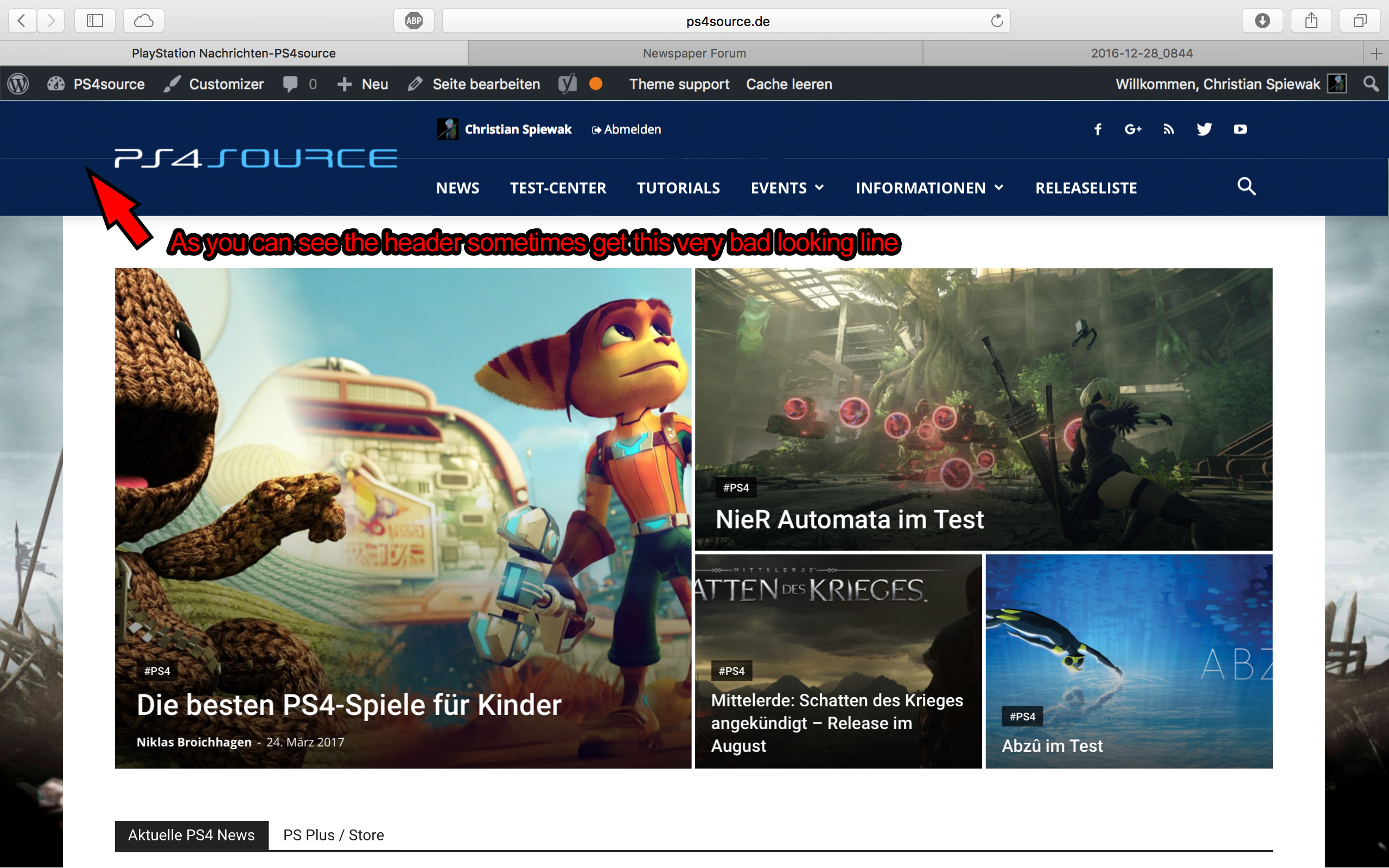
1) On my MacBook with the default Safari browser, I often get this annoying and bad looking line through the whole header section. How can I solve the problem?
2) Which register plugin should I use? I don’t want to let new users to set a new password on the bad looking interface of WordPress. Im sure you guys know what I mean and have a good recommendation for that. Beside that, what should I use to prevent registrations from bots?
3) Is it possible to have a gradient header and footer, instead of just one color? It looks a bit boring.
4) How can I change the menu just for the mobile page, without using td-mobile-plugin?
5) How can I change the the font style and size of quotes? At default settings it looks way too big (see here)
6) Is it ok too use the responsive options, to create one site with different blocks and grids for mobile and desktop? Im asking cause I don’t know if my site will load much longer, if it has to load information even though there are not displayed. (see details here)
7) My current page speed is a disaster (see here). Why is it so bad, since Im using kraken.io image optimizer and WP Super Cache? How can I improve the score?
8) How can I use td-speed-booster, without uninstalling my plugins? (Disqus Comment System, TablePress, TotalPoll…) I really need those plugins, but I still want to have a fast homepage!
9) If I set [Template Setting->Force Full width->Header Menu] to “No Stretch”, the logo of my site is not at the correct position.

10) validator.w3.org shows, that my page has 33 errors (see here). How can I fix them?
-
This topic was modified 9 years by
fenomeno0chris.
-
This topic was modified 9 years by

Hello,
Thank you for your appreciation.
1) I have tested your site on mac but could not see the line you mention. https://www.screencast.com/t/kHdvVpdbcJUN
2) Our theme has a custom login already which can be accessed on the front-end: https://forum.tagdiv.com/login-how-to-enable-user-registration/ – https://www.screencast.com/t/D0BiMNXRTqyG
3) sorry but there is no gradient color section for the header and footer but you can add a footer background image: https://www.screencast.com/t/rKgVA4TL
For the header it can only be done with custom css.
4) Sorry but only by using the obile theme can you have a separate menu for mobile devices.
5) The quotes can be changed from the fonts option: https://www.screencast.com/t/tcwLRz4daHU
6) and 7) It is ok as there are no restrictions in this regard. It will load all of the elements, yes, but you should not experience drastic loading speed drops. It is recommended to increase your overall loading speed by using this guide: https://forum.tagdiv.com/how-to-make-the-site-faster/ and increase your system status parameters like so: https://forum.tagdiv.com/system-status-parameters-guide/
lease only use wp super cache and these settings: https://forum.tagdiv.com/cache-plugin-install-and-configure/ if you plan on using a cdn server: https://forum.tagdiv.com/cloudflare-cdn/
8) This topic explains how to use speedbooster together with other plugins: https://forum.tagdiv.com/topic/tinymce-advanced-and-other-various-disabling-speed-boster/
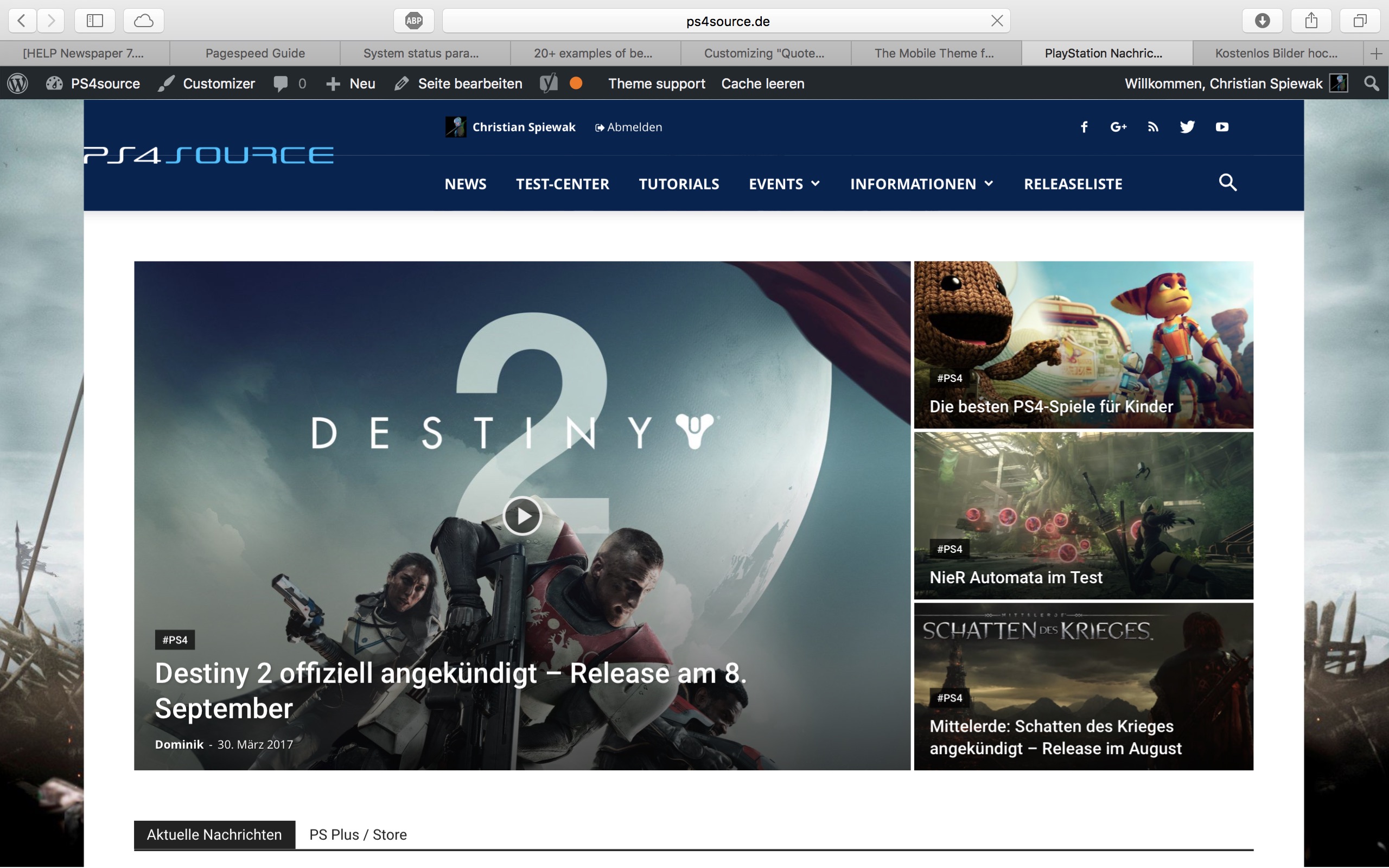
9) Please provide an example as the image is not working
10) The validator also provides errors for ALL of the well known sites including google, facebook, Amazon, Yahoo, etc. We have stopped trusting it 🙂
Thanks
Thank you very much for your fast and extensive response!
1) The line appears after you visit some articles and scrolling up and down. I don’t know if its just my mac, but that would be weird, since all macs are using same safari browser.
Another weird thing I noticed: If im using Google Chrome browser, the big grid at the top of the site has this great animation (image gets zoomed in), if I move the mouse cursor over one article. On safari there is no animation at all. 🙁
2) I know that your theme has a custom login build in and Im already using it, as you can see (by the way it looks awesome). My problem is, that a user gets an email notification from WordPress after he registered on my site. In this email, he gets a link to set a new password. By clicking the link he gets redirected to this unpleasant site:
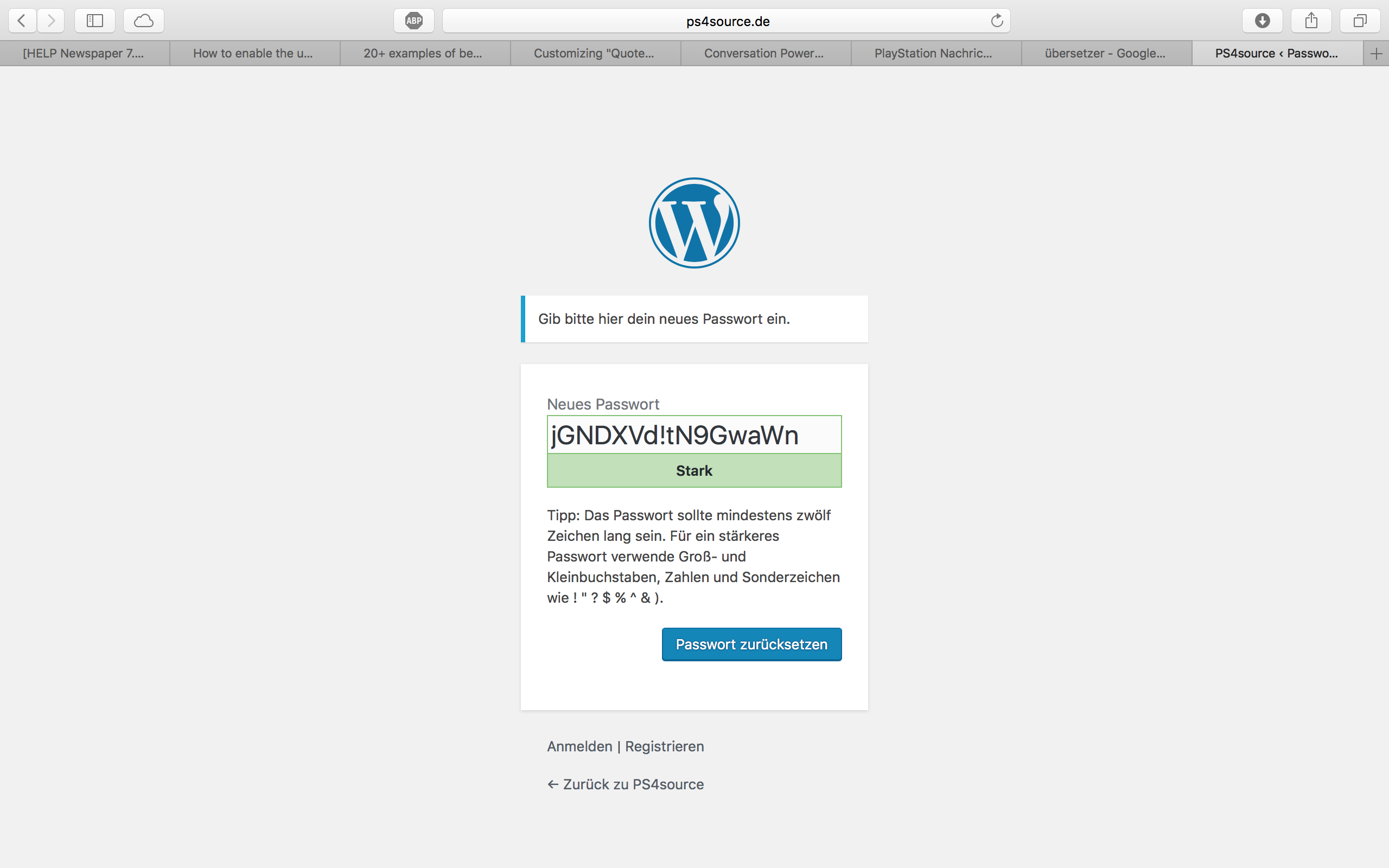
How can I change this registration process? Which plugin do you recommend?
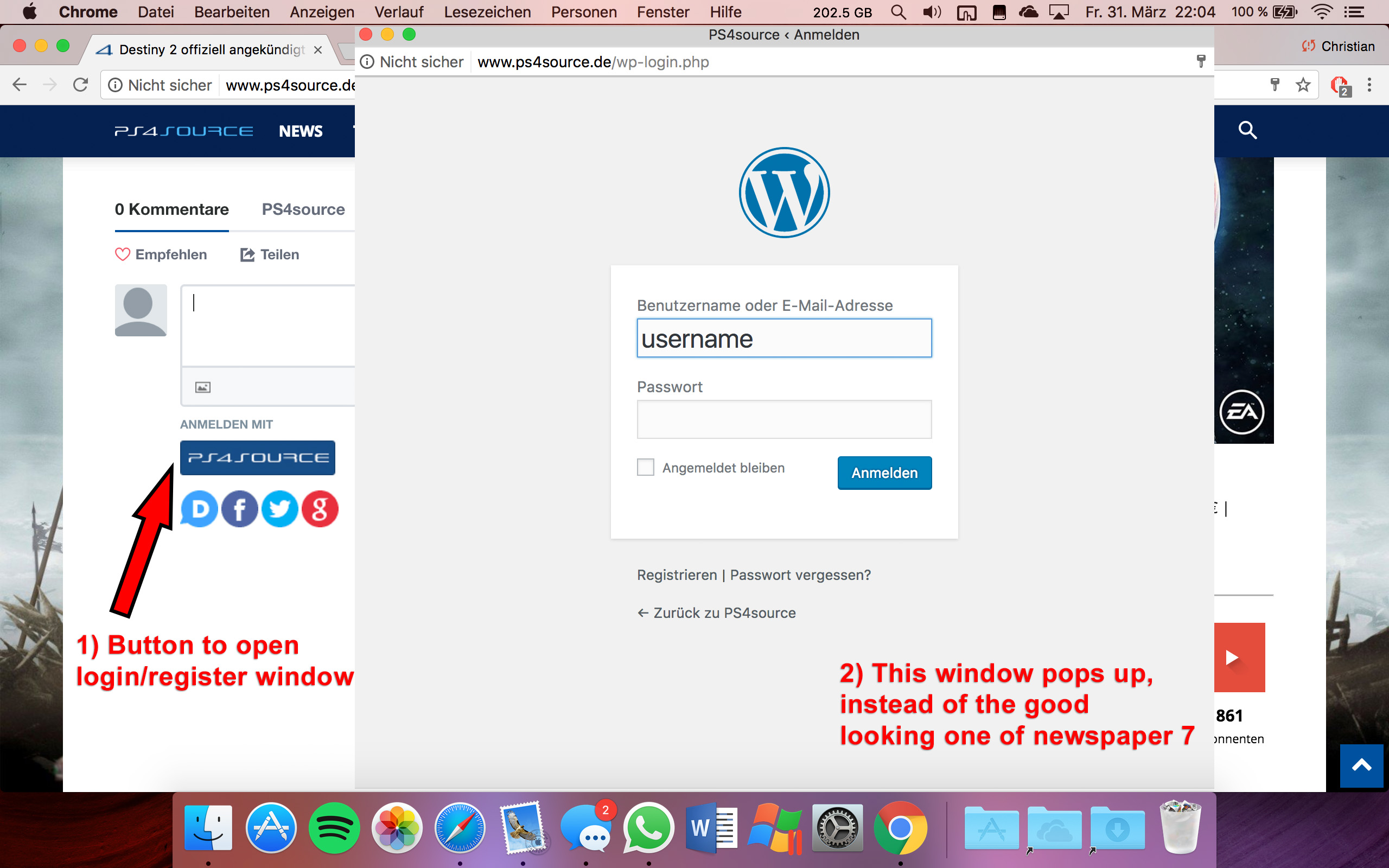
2.1) Also Im using Disqus Comment System, as I mentioned before. Ive used my own button to let the users register without having to use a social media account. Unfortunately I don’t know the link address to open the beautiful login/registration window of newspaper7.
Right now it looks like this, which is not very beautiful:
Disqus Button Code:
// Single Sign-on Integration

function dsq_sso_login() {
    global $current_site;
    $sitename = get_bloginfo('name');
    $siteurl = site_url();
    $button = get_option('disqus_sso_button');
    $sso_login_str = 'this.sso = {
          name: "' . esc_js( $sitename ) . '",
          button: "' . $button . '",
          url: "' . $siteurl . '/wp-login.php",
          logout: "' . $siteurl . '/wp-login.php?action=logout",
          width: "800",
          height: "700"
    };';
What should I enter at the url line, which is obviously responsible for the window?
3) CHECK
4) CHECK
5) Which Font do I have to use to get this vertical line on my quotes?
6,7,8) I do not know if I lost so many readers because the pagepeed has dropped or something else, but obviously I really want to get the numbers back to the state before I transferred to Newspaper7. Ive managed to increase the google pagespeed by reducing nearly all uploaded images. And I also read the Newspaper7 documentation to set the status parameters, the cache plugin and booster plugin as instructed. Unfortunately there are still some warnings, which should be solved as you can see here. Could you please help me, to get the best page speed as possible?
Should I change something on my .htaccess file?
# BEGIN WordPress
<IfModule mod_rewrite.c>
RewriteEngine On
RewriteBase /
RewriteRule ^index\.php$ - [L]
RewriteCond %{REQUEST_FILENAME} !-f
RewriteCond %{REQUEST_FILENAME} !-d
RewriteRule . /index.php [L]
</IfModule>

# END WordPress

# Deflate Compression by FileType
<IfModule mod_deflate.c>
 AddOutputFilterByType DEFLATE text/plain
 AddOutputFilterByType DEFLATE text/html
 AddOutputFilterByType DEFLATE text/xml
 AddOutputFilterByType DEFLATE text/css
 AddOutputFilterByType DEFLATE text/javascript
 AddOutputFilterByType DEFLATE application/xml
 AddOutputFilterByType DEFLATE application/xhtml+xml
 AddOutputFilterByType DEFLATE application/rss+xml
 AddOutputFilterByType DEFLATE application/atom_xml
 AddOutputFilterByType DEFLATE application/javascript
 AddOutputFilterByType DEFLATE application/x-javascript
 AddOutputFilterByType DEFLATE application/x-shockwave-flash
</IfModule>

# turns cache on for 1 month
<IfModule mod_expires.c>
ExpiresActive On
ExpiresDefault "access plus 1 week"
ExpiresByType image/jpg "access plus 1 week"
ExpiresByType image/jpeg "access plus 1 week"
ExpiresByType image/png "access plus 1 week"
ExpiresByType application/x-shockwave-flash "access plus 1 week"
</IfModule>

# gzip Compression if availiable
<IfModule mod_gzip.c>
 mod_gzip_on       Yes
 mod_gzip_dechunk  Yes
 mod_gzip_item_include file      \.(html?|txt|css|js|php|pl)$
 mod_gzip_item_include handler   ^cgi-script$
 mod_gzip_item_include mime      ^text/.*
 mod_gzip_item_include mime      ^application/x-javascript.*
 mod_gzip_item_exclude mime      ^image/.*
 mod_gzip_item_exclude rspheader ^Content-Encoding:.*gzip.*
</IfModule>

php_value memory_limit 256M
php_value max_input_vars 5000
php_value max_execution_time 300
php_value post_max_size 50M
php_value upload_max_filesize 50M
8) CHECK
9) 
(link)
10) CHECK
11) [Newspaper->System status->php.ini configuration] I have this PHP Version 5.6.29-nmm1 (5.6 CGI). Is this ok?
-
This reply was modified 9 years by
Hello,
1) I suggest using a different machine or a different browser as we do not seem to be getting these issue son our end.
2) People usually use ‘mailchimp’ for changing the default WordPress email
2.1) Sorry but we have not tested linking our login modal to a plugin. This represents customization and falls beyond what the theme support can offer you. Sorry.
5) The line does not come from the font but rather the quote style you choose: https://www.screencast.com/t/SpwC5Yr59
6,7,8) Unfortuantely it seems you did not follow this guide properly: https://forum.tagdiv.com/how-to-make-the-site-faster/
Here is what google mentions should be improved: https://www.screencast.com/t/J5OmhLPTf
You need to follow the guide and use google’s instructions on how to make the recommended changes.
9) Yes there seems to be an issue in the theme regarding the logo on header style 8. I added this to our bug list and we wil fix it in the next version of the theme.
11) If you have the latest version of the theme we recommend PHP 7.0 as it.s faster that the previous versions. DO NOT however install version 7.1 as you will face errors that will not go away even after rolling back to 7.0
Thank you!

Since i installed the latest update, this is happening to my header. I have to go back to the old version to have it shown correctly.
Please help
1) CHECK
2) CHECK
3) Too bad you can’t help me with that. It is just one line to edit -.-
4) CHECK
5) Since my team has written a lot of news before I changed the theme, can I somehow edit the default Quote-Style to “Quote box left”?
6,7,8) I have edit my functions.php file with the code from your pagespeed tutorial. Those are the css and js files, which appeared on the top of the page:
registered scripts

common | /wp-admin/js/common.min.js

farbtastic | /wp-admin/js/farbtastic.js

admin-bar | /wp-includes/js/admin-bar.min.js

jquery-ui-sortable | /wp-includes/js/jquery/ui/sortable.min.js

utils | /wp-includes/js/utils.min.js

svg-painter | /wp-admin/js/svg-painter.js

wp-auth-check | /wp-includes/js/wp-auth-check.min.js

td_social_counter | http://www.ps4source.de/wp-content/plugins/td-social-counter/js/td_social_counter.js

yoast-seo-admin-global-script | http://www.ps4source.de/wp-content/plugins/wordpress-seo/js/dist/wp-seo-admin-global-460.min.js

media-editor | /wp-includes/js/media-editor.min.js

media-audiovideo | /wp-includes/js/media-audiovideo.min.js

mce-view | /wp-includes/js/mce-view.min.js

image-edit | /wp-admin/js/image-edit.min.js

td_wp_admin | http://www.ps4source.de/wp-content/themes/Newspaper/includes/wp_booster/wp-admin/js/td_wp_admin.js

td_wp_admin_color_picker | http://www.ps4source.de/wp-content/themes/Newspaper/includes/wp_booster/wp-admin/js/td_wp_admin_color_picker.js

td_wp_admin_panel | http://www.ps4source.de/wp-content/themes/Newspaper/includes/wp_booster/wp-admin/js/td_wp_admin_panel.js

td_edit_page | http://www.ps4source.de/wp-content/themes/Newspaper/includes/wp_booster/wp-admin/js/td_edit_page.js

td_page_options | http://www.ps4source.de/wp-content/themes/Newspaper/includes/wp_booster/wp-admin/js/td_page_options.js

td_tooltip | http://www.ps4source.de/wp-content/themes/Newspaper/includes/wp_booster/wp-admin/js/tooltip.js

td_confirm | http://www.ps4source.de/wp-content/themes/Newspaper/includes/wp_booster/wp-admin/js/tdConfirm.js

thickbox | /wp-includes/js/thickbox/thickbox.js

gadwp-backend-ui | http://www.ps4source.de/wp-content/plugins/google-analytics-dashboard-for-wp/admin/js/ui.js
registered styles
farbtastic | /wp-admin/css/farbtastic.min.css
admin-bar | /wp-includes/css/admin-bar.min.css
zilla-popup | http://www.ps4source.de/wp-content/plugins/zilla-shortcodes-2.0/assets/css/admin.css
colors | 1
ie | /wp-admin/css/ie.min.css
wp-auth-check | /wp-includes/css/wp-auth-check.min.css
seedprod_plugin | http://www.ps4source.de/wp-content/plugins/ultimate-maintenance-mode/inc/css/admin-style.css
wysija-admin-css-widget | http://www.ps4source.de/wp-content/plugins/wysija-newsletters/css/admin-widget.css
yoast-seo-adminbar | http://www.ps4source.de/wp-content/plugins/wordpress-seo/css/adminbar-460.min.css
yoast-seo-admin-global | http://www.ps4source.de/wp-content/plugins/wordpress-seo/css/admin-global-460.min.css
yoast-seo-dismissible | http://www.ps4source.de/wp-content/plugins/wordpress-seo/css/wpseo-dismissible-460.min.css
google-font-ubuntu | http://fonts.googleapis.com/css?family=Ubuntu:300,400,500,700,300italic,400italic,500italic,700italic&subset=latin,cyrillic-ext,greek-ext,greek,latin-ext,cyrillic
td-wp-admin-td-panel-2 | http://www.ps4source.de/wp-content/themes/Newspaper/includes/wp_booster/wp-admin/css/wp-admin.css
wp-color-picker | /wp-admin/css/color-picker.min.css
media-views | /wp-includes/css/media-views.min.css
imgareaselect | /wp-includes/js/imgareaselect/imgareaselect.css
thickbox | /wp-includes/js/thickbox/thickbox.css
gadwp | http://www.ps4source.de/wp-content/plugins/google-analytics-dashboard-for-wp/admin/css/gadwp.css
woocommerce_admin_menu_styles | http://www.ps4source.de/wp-content/plugins/woocommerce/assets/css/menu.css
I tried every single jss and css ID in the td-speed-booster.php file, but none of them could fix the missing errors which google pagespeed displays. So how can I put those 9 JS and 5 CSS to the footer?
JSS Error:
http://ajax.googleapis.com/ajax/libs/jquery/1.11.1/jquery.min.js?ver=1.11.1

http://www.ps4source.de/wp-includes/js/jquery/ui/core.min.js?ver=1.11.4

http://www.ps4source.de/wp-includes/js/jquery/ui/widget.min.js?ver=1.11.4

http://www.ps4source.de/wp-includes/js/jquery/ui/accordion.min.js?ver=1.11.4

http://www.ps4source.de/wp-includes/js/jquery/ui/tabs.min.js?ver=1.11.4

http://www.ps4source.de/wp-content/plugins/zilla-shortcodes-2.0/assets/js/zilla-shortcodes-lib.js?ver=4.7.3

http://www.ps4source.de/wp-content/plugins/background-manager/resources/js/functions.js?ver=1.2.5.2

http://www.ps4source.de/wp-content/plugins/background-manager/resources/js/flux.js?ver=1.2.5.2

http://www.ps4source.de/wp-content/plugins/background-manager/resources/js/pub.js?ver=1.2.5.2
CSS Error:
http://www.ps4source.de/wp-content/plugins/wysija-newsletters/css/validationEngine.jquery.css?ver=2.7.8

http://www.ps4source.de/wp-content/plugins/zilla-shortcodes-2.0/assets/css/shortcodes.css?ver=4.7.3

http://www.ps4source.de/wp-content/tablepress-combined.min.css?ver=6

http://www.ps4source.de/wp-content/plugins/wp-jquery-lightbox/styles/lightbox.min.css?ver=1.4.6

http://www.ps4source.de/wp-content/plugins/background-manager/resources/css/pub.css?ver=1.2.5.2
9) Im patiently waiting for the fix!
10) CHECK
11) I have changed my PHP version to 7.0. Everything seems to work faster.
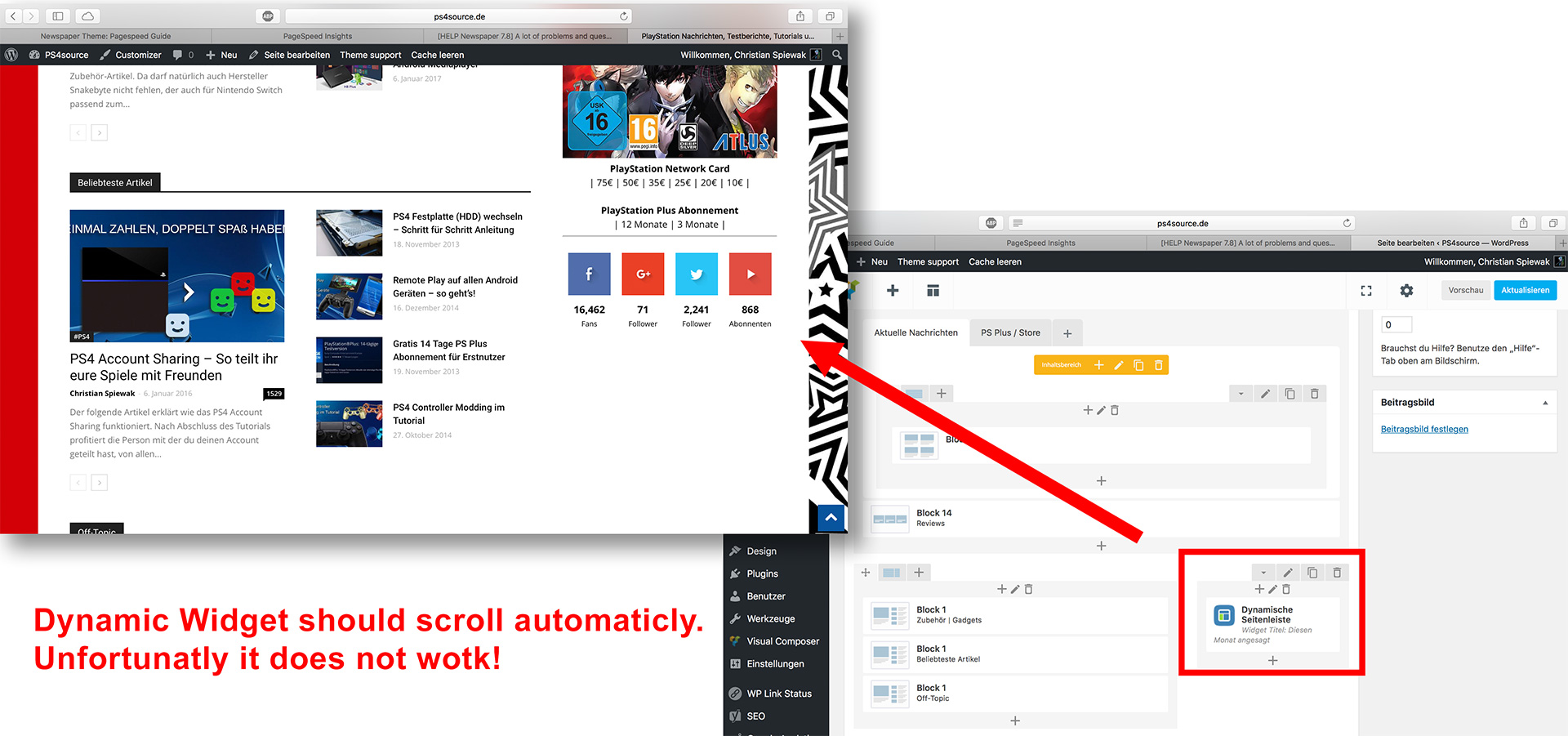
12) As you can see my dynamic widget on the homepage does not work:
Hi,
3) Sorry but we do not have a customization department. we try to help out where we can but we cannot tackle time consuming tasks.
5) The default quote style is added by wordpress. You cannot change the style itself but you can change the css for it making it look like quote box left. The css code for the quote box left is found here: https://www.screencast.com/t/fGnHY8237Py
6,7,8) Unfortuantely those js and css “errors” are plugins that speedbooster is not compatible with. Our plugin will not be abel to move all the plugin styles and js to the footer unfortunately. That is why originally it had the compatibility function included. I provided the solution so you can sue the plugin with other plugins active but that does not mean it will move the js and css for untested plugins. it mearly means it will run and move what it can. WIthout the modification speedbooster would have disbaled itself and not run at all.
12) did you add td-ss-row to the row in visual composer as this guide specifies? : https://forum.tagdiv.com/smart-sidebar-2/
Thank you
Thank you very much Bogdan for all your answers.
Nearly all problems I had are gone now.
Unfortunately there is still two bugs I can’t fix.
1) On my old theme it worked great, but now with newspaper 7 there is something wrong by using tabs in combination with tables.
As you can see here, the tabs don’t work correctly.
How can I solve the issue?
2) If I use a video thumbnail, the image will be cropped incorrectly. Instead of having a full image I get a bad looking grey bar, as you can see here:

Beside that, I like to use different structure things like Tabs, Accordion, Tour on my normal “articles”. Is there a way to use them, without creating new “sites” and the backend editor?
Hello,
1) Yes, tabs are very complex elements and they should not be used with other complex elements as they will not work properly. This is a known issue and unfortunately is hard to overcome as the tabs are not theme specific elements but rather visual composer elements.
2) You will have to regenerate your thumbnails using the force regenerate plugin is the video thumbnail is big enough to display in that grid. There is a chance the video thumb simply is not big enough to fit. Our theme will only crop images to fit the grids, The theme will not enlarge images.
Thank you!
