
- TutorialsFrom WPBakery to tagDiv Composer
 cemalozcelik
 I want add some details on this topic; Check-out my website at craycle.com
There is store zone on homepage. This zone is a fully black background. That’s I am talking about. I can change the color of this zone but I can make new collored rows or zones like this. How can i do that? When I trying to do this, it seems like https://craycle.com/about-us/ page’s Craycle Models Zone.
 Incrosnatu
Hi,
I want to remove the “Advertisement” tags from my homepage. It seems that the “Posts Loop” is adding it, even if I disabled or enable the “Enable video pop-up” function from Article Video.
This tag is bad for SEO and it should be removed.
This video https://www.youtube.com/watch?v=apGbYJ_8LSM is a great reference to what I’m talking about.
 Jit
JitHi, my feature images/thumbnails aren’t showing up on my blog’s home page. I’m using Block 1.
However, they only load when I refresh the page. How do I fix this?
 yeahthatskosher
hi – I’m editing the Cloud Templates for Magazine PRO and the mobile header/menu will not change, particularly for the homepage on mobile. For nearly all other pages the edits take effect, but not the homepage.
 tzimis0tigris
Hello, I want the mobile page to be just a responsive version of the homepage, how can I delete/disable the mobile page from being active?
 stular9
 Hi,
Those are sidebar screenshots. The code is added in “sidebar ad” via theme panel and then selected in “Ad Box” element in Widget. It shows nothing.
Homepage problem is similar. Codes are in Ad Box, even two different ad sizes, but nothing is showing.
Thanks
stular9Hi,
I have a problem with ads implemented via theme panel and TagDiv Composer. I want an ad in a sidebar and on my homepage. It used to work just fine when I had ads from AdSense and Ezoic, but now I’m on some other (local) network and the ads are not showing.
I put their code in the code that is provided by Newspaper (THIS ONE: <div class=”td-all-devices”>
<!– Your NON AdSense code here – this ad will show on all devices –>
</div>), but the ads are still not showing.
What is the problem? Is that a theme problem or an ad network problem?
For the record, ads in the post placed via AdInserter plugin work just fine.
Thanks!
 stonedsociety
 Hmm yeah you could be right that it’s a caching issue.
I made a slight update to the homepage and now it does show the right one again (triggered cache).
Now the desktop version is showing on the mobile though. But that’s less of an issue than vice versa.
Thanks anyways!
stonedsocietyHi!
I’m running into this issue more than I would like to.
Pretty often it goes wrong for my website cannabisindustrie.nl that the wrong homepage is shown.
This happens on both mobile and desktop.
Often when browsing on mobile still the wrong desktop is shown, even though I connected and created a separate homepage mobile as to your documentation.
Today for the first time I went to my homepage and instead of seeing the regular desktop homepage, I see the stretched mobile homepage.
Is this a common issue?
 Calin
Calin Hi,
If your website looks like this https://imgur.com/Cbz5DMk then is not a theme problem. The situations that I can think are that you are using a share IP address, or you recently deleted an made a new website on the same address, or maybe that page was not indexed.
Here is also a similar case:
-> https://www.siteground.com/kb/default-server-vhost-nothing/
-> https://forum.directadmin.com/threads/default-vhost-server-homepage.5915/
I hope it will help you!
 Tughan
 Thanks a lot, everything is fine right now and working great!
May I request guidance in one thing too? Sorry if I missed it in any of these guides, I checked them twice but I’m not a native speaker.
When I type /?amp, it works great but homepage has a different design than the mobile page I created for homepage. Am I not allowed to customize the amp for now or am I missing something again?
Thank you for your patience and support! Amazing theme!
 CenterfoldNews
Hello,
I created a “Home” page, but this appears to be different than the initial page I am navigated to when entering my website. I would like the “Home” page to actually just be a button the user can click to return to the original homepage when entering the website. Is there a way for me to do that?
Is there a way to tagdiv compose the initial homepage as well?
Thank you!
 srpskiposlovniimenik
Theme is broke again from no reason, homepage and category is ok and mobile too but article page showing me error with td composer a try to reinstall but still is error here 
 Bettina
 Hello!
Please edit the homepage with the TagDiv Composer, the News Ticker element and there you can set up the element to match the lines from its settings: https://www.screencast.com/t/CZ04nJ7D94o
Thank you!
 Anamaria
 Hello,
Unfortunately, you can’t change the blog format, but you can create a separate page for the blog (or you can create a homepage with blocks) and assign it here => https://i.imgur.com/q2cIebB.png
Thank you!
 PeteMason
Hi all,
Can we show draft or scheduled posts on a draft home page prior to publication?
I see this issue was unresolved in 2017 – just wondered if this has been looked into since?
I would suggest that for newspaper publications on a weekly or monthly schedule, this would seem to be an essential requirement of a website theme.
We’ll work around it if not, but pointers would be welcome as to where to look if we can do a coding fix. Somewhere in the code there’s currently a setting to show only published posts on a published page.
I just need a setting for all to see unpublished posts on an unpublished draft page, or, what might be more technically difficult, for admins and editors only to see unpublished posts on the live homepage.
Many thanks again for what is still a wonderful product.
 Mark Gilbert
I activated AMP plugin and tried to activate tagDiv Mobile Theme and got this message:
“Fatal error: Cannot declare class Mobile_Detect, because the name is already in use in /homepages/24/d715855802/htdocs/jazzjournal/wp-content/plugins/td-mobile-plugin/Mobile_Detect.php on line 28”
What next?
Thanks
Mark GilbertHello – On advice of Google AdSense I activated AMP plugin (Version 2.1.4) and tried to activate tagDiv Mobile Theme (Version 1.3) but got this message:
“Fatal error: Cannot declare class Mobile_Detect, because the name is already in use in /homepages/24/d715855802/htdocs/jazzjournal/wp-content/plugins/td-mobile-plugin/Mobile_Detect.php on line 28”
What can I do?
Thanks
 lpro
lproHi,
How i show grid 3 featured posts in the homepage mobile theme?
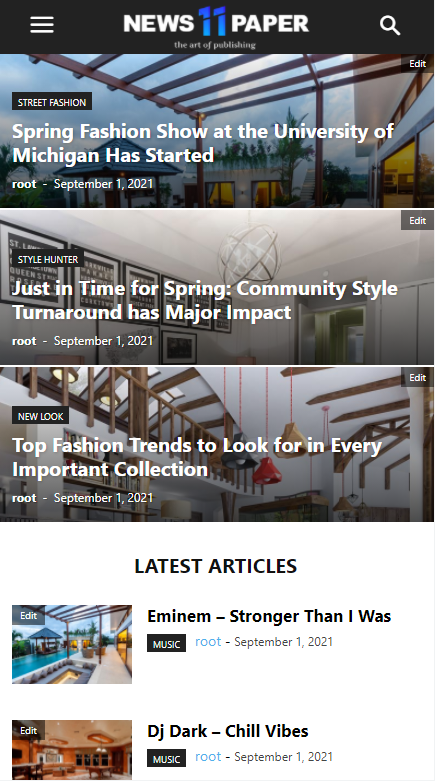
I have only latest articles…

Thx
 maaikewind
 You’re looking at the homepage. The problem occurs on blog posts.
See for example here: https://www.fuckdiestudieschuld.nl/tegenslagen/
Bettina Hello!
This issue has been discussed already here: https://forum.tagdiv.com/topic/homepage-bug/
Thank you!
 lemads
Hi
I have an uneditable block at the on ther homepage (https://www.struernyheder.dk/) It is the block called Latest News.
I wat to get rid of it, secondly change the headline and content.
Regars Leif
 melihkotbas
 Hello Bettina; I also tried the solution suggested in the link you provided. As soon as you compress the js code, the mobile page disappears. I also tried the other links you mentioned below. I’ve been dealing with these for a week. They will work if the homepage does not have a mobile version. But if it has a mobile page, it gets corrupted.
https://www.screencast.com/t/Vc6GqYxtJ Is this a mobile page? Or is it responsive design?
Bettina Hello!
You can edit the homepage with the TagDiv Composer and delete the element you don’t like there. From what you describe, I do not understand exactly what is the issue.
Please provide more information about your issue, screenshots or a video in order to help you efficiently and avoid misunderstandings.
A solution for sending a screenshot/video is this:
Download, capture, send: https://www.techsmith.com/jing-tool.html
After making the screenshot, you will have a link, paste it here.
Thank you!
melihkotbasHello, I am compressing javascript and css codes using “Autoptimize” plugin to optimize the theme. However, after this process, the mobile page I created is canceled and switched to the non-mobile version. I tried many plugins and they all gave the same result. What should I do about this issue?
1. Mobil Homepage;

2. 
3. Broken;

Other question;
What plugins are you using in the theme on this https://demo.tagdiv.com/newspaper_pro/ demo page? Even though I pulled the demo to my site with its contents, I can’t get the same speed scores.

