- ApiUsing the Theme API in plugins
- ApiPractical example – How to add a new Block and Module
- ApiAPI – Smart Lists – Introduction
- ApiAPI – Category top section style – Introduction
- ApiAPI – Category top section template – Introduction
- Apitd_api_module::update
- Apitd_api_module::add
- ApiAPI – Modules – Introduction
 PAltish
my site windowphone ru
In the mobile version (IOS) not work some block:
[td_block_trending_now limit=”5″]
[td_block_big_grid_8]
How can I fix this?
Thanks
 Catalin
 Hello gubedel,
I suppose that you do not understand very good how mobile theme works, right? So, please notice that this theme concept intend to display a Big Grid feature at the top of homepage which shows the posts which are included in Featured category, then will show a text which you added in Mobile Editor in Visual Composer from backend and at the very bottom of the page you will bring the Latest Articles module. So, for more information about our mobile theme, please check the documentation here -> https://forum.tagdiv.com/the-mobile-theme/ If you are unhappy with this layout and if you want to have the similar structure with our demo mobile, you will simply turn off the mobile plugin and the theme will be automatically switched to the general responsive mobile mode.
Thanks for your understanding!
Catalin Hello manovee,
1)Try the code below and place it in Theme panel->Custom CSS area.
The code is ->
.td-mobile-footer-wrap .td-footer-description .block-title{

display:none;

}

.td-mobile-footer-wrap .td-footer-social .block-title{

display:none;

}
2)You will have to do some additional customization through code in order to achieve the Facebook Classic for the mobile version. Try the following steps in order to bring good results. The code which you should add to your core file is here -> http://pastebin.com/TXzLgz2X , like this -> http://screencast.com/t/95vJsDI3r0W Also, for more references in this regard, please check here -> https://forum.tagdiv.com/topic/mobile-theme-like-share-buttons-pictures/
Thanks.
 Bogdan B.
 Hello,
The mobile theme will not allow any blocks to be added on posts. It only uses on grid created specifically for the homepage and the rest are modules again created specifically for the mobile theme. The theme blocks you can see on desktop cannot be used on the mobile theme as it;s a totally different theme. You must think of the mobile theme as a separate theme that does not have those elements. You cannot use an element from one theme on another. If you want to have the default blocks from our theme on mobile, simply deactivate the mobile theme and use the standard responsive version. That way the mobile version will be able top provide the blocks you need if you add a block to the post template with a do_shortcode function.
As for the social icons, there is no easy way of adding a new social network. They are hard-coded and can only be altered from the theme files.
Here are a couple of examples:
https://forum.tagdiv.com/topic/add-a-linkedin-button/
https://forum.tagdiv.com/topic/so-i-added-a-stumbleupon-sharing-button/
Thank you!
Catalin Hello gubedel,
I have checked your website and I saw that you are using the Mobile Theme for mobile mode, right? So, please notice the mobile theme has a different behaviour than the general responsive theme. If you want to display more ads to your mobile version, you will have to add you ads into the specific fields from Mobile section, like this -> http://screencast.com/t/9GBnWT7c0P
Thanks for your understanding!
 Nano
Nano And by the Andrei,
You missed one very important point, you checked the homepage but usually, Google or real people visit individual homepage quite often. And on the individual posts, the same .js and .css file ( One Akismet .js files and other 5 css file 2 from Google API and 3 from a tomatoheart plugin VC and style.CSS .
Have a look at the Google Pagespeed Insight for one of the post : http://tomatoheart.com/webjockey/facts-about-bb-ki-vines-bhuvan-bam/ at https://developers.google.com/speed/pagespeed/insights/?url=tomatoheart.com%2Fwebjockey%2Ffacts-about-bb-ki-vines-bhuvan-bam%2F&tab=desktop
Here, mobile and desktop score is almost same: 66/68 ( Snapshot here: https://i.snag.gy/GEvA1z.jpg )
Render blocking Codes from Desktop are:
Remove render-blocking JavaScript:
http://domain.com/wp-content/plugins/akismet/_inc/form.js
Optimize CSS Delivery of the following:
http://domain.com/…in/public/css/facebook-login.css?ver=7.3
http://fonts.googleapis.com/…0,700|Amiri:400,700|Lora:400,700&ver=7.3
http://fonts.googleapis.com/…italic,700,900,500italic,400,300&ver=7.3
http:/domain.com/…r/assets/css/js_composer.min.css?ver=7.3
http://domain.com/…ntent/themes/Newspaper/style.css?ver=7.3
You can check it for any posts of my website and you will find the same thing. SO, the issue is not only with Mobile version.
You may want to look at it again.
-
This reply was modified 10 years by
Nano.
 gubedel
How do I can do the picture
1 – HomePage Block : http://prntscr.com/cn3qiy
2 – I Want this Mobile Theme : http://demo.tagdiv.com/newspaper/wp-content/uploads/2016/05/mobile-theme.png
(My Mobile Theme http://i.hizliresim.com/40W8Oq.png)
Im Activated Static page : http://prntscr.com/cn3xym But not active 3 grid
And Not See Mobile Editor : http://prntscr.com/cn40lk
How Do Im activate new mobile theme
 RochdaleHerald
 I’m aware of the reasons for the mobile theme not supporting widgets and shortcodes, but it des render blocks, which is why is like to include some below the post body. I’m not familiar with how the defaul styles applied in the theme panel are implemented. I had hoped that Composer would allow me to clone and modify them.
A few things seem to be hard coded into the theme, which does hamper customisation somewhat. Take for example the sharing buttons. There is no obvious way to add, for example, a “Reddit this” button without delving into code.
Am I missing something obvious?
 Andrei L.
 Hi
1,3: Please provide your site url so we can have a closer look and get back to you with a more accurate answer.
2. To achieve that you will need some customization in theme’s core files. If the plugin generate shortcodes then you can use do_shortcode() function to achieve that: http://screencast.com/t/lJ4w3ayLi and for mobile here: http://screencast.com/t/NiQwXWenYrO
' . do_shortcode('shortcode-goes-here') . '
Note that the plugin is not tested and we can’t guarantee that it will work fine with Newspaper theme.
Thanks!
 Alin [tagDiv]
 Hi,
The Mobile Theme is an optional plugin and it doesn’t support and/or render the Visual Composer shortcodes(including tagdiv shortcodes). It comes with its own templates and elements.
If you use Mobile Theme and you want to place something above/bellow Related Articles here you can find the code(post template) – http://screencast.com/t/aFPxTbrQA
Thanks!
Alin [tagDiv] Hi,
The Mobile Theme plugin is an optional plugin and it comes with its own templates. It was not created for Visual Composer support and also you don’t have an option for sidebar. Even if you modify the code and you load the sidebar, it will not render the theme shortcodes and also other widgets – https://forum.tagdiv.com/the-mobile-theme/
If you want to have the same content like on desktop I suggest to disable the Mobile Theme plugin and use the default responsive theme.
If you want to alter the mobile search(using Mobile Theme plugin) here you can find the code – http://screencast.com/t/R0faPnQa
Thanks!
RochdaleHeraldIs it possible with either of these tools to edit the layout of a single post page to put arbitrary blocks below (or indeed in) the post? I know the footer is configurable, but I want to place something alongside ‘Related posts’ that will also display on the mobile theme, as widgets and short codes won’t work on mobile.
 mattlaurence
Having looked through almost every thread and discussion about this – nobody seems to have found a solid answer/fix.
My problem is that;
1) The site looks rubbish with the mobile theme plugin activated SO,
I de-activated the mobile plugin and the site looks great HOWEVER,
Now my menu will not appear and instead when you click the menu button, the page just zooms out (as though something is meant to slide in)
See image – 
I have tried all suggestions such as disabling all plugins etc and nothing has worked.
I really don’t want to use the mobile theme plugin as the site looks so much better without it, but am being forced to as I can’t have an un-usable menu bar.
Any help/suggestions?
Related site URL – http://www.thesprawlmma.com/eng-us/
 manovee
I liked the mobile theme very much.
I use a custom post type where it requires certain widgets to be on sidebar for its complete fucntionality.
I have received a reply from your staff member that it is not possible load the Sidebar in mobile.
In such case whether I can change the content of the mobile search option.
I want to load a few shortcodes in the pop up that throughs search and want to change the search icon also.
If it is not possible please give me a solution to load the sidebar.
 nbiga samir
 Thanks i can use it as RTL, just some trick to change in the theme panel; turn some sidebar from right to left and its done; you can check my website http://www.albanate.com, i just need to make float to left for some elements; but its ok; it work just perfect. My only issue is with Mobile theme, it need some adjustment you can check my website to see if you can give me some assistance please; the theme can work as RTL easily without adding anything to css. For the header i switch to center logo and it work fine, please can you help me to make it work with the mobile theme; i am preparing a tutorial on how to build an RTL website with newspaper; i just need your help with Mobile.
Thanks a lot
nbiga samirHello;
I just install my RTL website; when i activate the Arabic language; the mobile theme doesn’t work with mobile phone like iphone 4 and iPhone 4s; it show only background image with the menu.
My website is http://www.albanate.com
Andrei L. Hi
There was a conflict between Mobile theme plugin and SEO By Yoast plugin. Try delete the mobile theme plugin and install this version: http://cdn.tagdiv.com/wp-content/uploads/2016/09/td-mobile-plugin.zip clear all caches then test the site again.
Let us know ho it goes.
Thanks!
Catalin Hello cesarapodaca,
What type of error do you have using the Mobile version? So, I have inspected your website and I noticed that you are using the Mobile Theme (mobile theme plugin are activate) for mobile mode. Please notice that this theme concept intend to display a Big Grid feature at the top of homepage which shows the posts which are included in Featured category, then will show a text which you added in Mobile Editor in Visual Composer from backend and at the very bottom of the page you will bring the Latest Articles module. So, for more information about our mobile theme, please check the documentation here -> https://forum.tagdiv.com/the-mobile-theme/ If you are unhappy with this layout and if you want to have the similar structure with our demo mobile, you will simply turn off the mobile plugin and the theme will be automatically switched to the general responsive mobile mode.
Thanks for your understanding!
 devpreet
Hello, Recently i purchase newspaper theme from you. its amzing but i have some issue to use this theme.
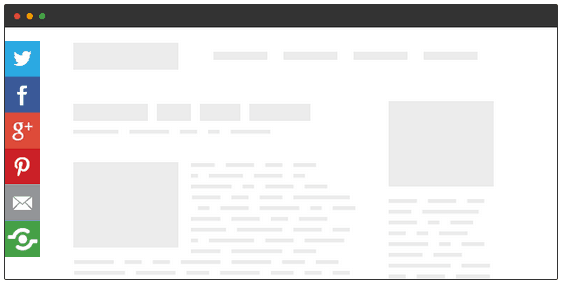
My question is i want to add social plugin in side bar as same as this website techviral.com and when i open this website in mobile view social plugin auto adjust in footer area in mobile view.
PLEASE OPEN THIS URL FOR REFERNCE :
https://blog.shareaholic.com/wp-content/uploads/2014/03/Example-of-Floating-Share-Buttons.png
Please tell me how i integrate social media plugin in side bar. PLEASE CHECK THIS URL I WANT SOCIAL MEDIA PLUGIN IN SAME AREA.
REGARDS
SH. PD
Bogdan B. Hello,
Please disable all plugins except visual composer, clear cache and reset cnd files if you use it.
If you use wp super cache, please use this method for a temporary fix until they update the plugin:
https://forum.tagdiv.com/topic/mobile-theme-problems-3/
If you still have trouble with this, please contact us via email at contact@tagdiv.com and provide wp-admin so we can login and investigate.
Thank you!
 Leofitz
 Catalin,
Thank you for your reply. I’m not sure that I understand your comment concerning not being able to compare the two sites?
On my laptop and external monitor the http://newstest.meta-morphos.es/ home page looks the same when the mobile plugin is turned on or off. The only difference I see is when I view the site from my mobile phone. The mobile plugin reduces the front page to a vertical stack of scrolling blocks.
I’ve now removed all CSS fron the ‘newstest’ site and only have the Visual Composer and Slider Revolution plugins activated. The one customization is that I replaced the original top left column block with one Revolution slider block. One a large monitor the front page looks AOK and displays the same on Firefox and Chrome. When I view it on the mobile phone it almost displays correctly but the left margin is shifted left and crops off some of the text. The right column doesn’t display well.
It appears that one solution is to use it with this one customization and with the mobile plugin turned on. On mobile viewing it abbreviates the front page content but at least displays a usable vertical scrolling stack of info blocks.
-
Is it possible to turn off the Magazine themes default effort to transform the standard site into a responsive version?
That is, to have the complete site page (without mobile plugin) displayed on mobile screens and simply scaled down to fit the mobile or tablet window? I have this option with a framework theme and the mini display of the complete web page works fine. One simply zooms in to select the menu or view areas of the page.(Please see; http://www.kaufmanndesign.com)
This would provide a simple solution for several issues. The pages could still handle iframes, and there would be no surprises for any pages customized with CSS. If a page look good on a normal screen, then it would look fine on a mobile screen. Maybe this setting option is somewhere in the theme settings?
It’s a bit of a surprise that with 50+ Visual Composer elements and blocks as standard tools on the Newspaper theme that it’s not possible to shift a few around without breaking the theme. In the Magazine/Newspaper theme, is it primarily the first top left column block that’s critical to hold the page together as originally intended?
Thanks, Lon K
 kibiribi
 Confirmed.
It works.
I’ve disbled Mobile theme plugin and now I can see clear page withput shrocodes. 🙂
Thanks for an advice, Catalin!
 thelastpoet
I am a great fun of Newspaper theme. I love the theme and would recommend it to anyone who wants a theme so perfect. Though I have concerns, my website does not work as expected on Opera Mini Browser. For any user this will be ok, but for me, 80% of my traffic is on mobile and the largest part of that comes through Opera Mini.
I have been trying to find a reason for the High Bounce Rate only to discover that the website does not display content on Opera Mini browser. Please I don’t want to look for another theme. Someone kindly look at this and give me a viable option on how to resolve the problem.
Thank you in advance
Catalin Hello itourisme,
If you are using the mobile theme you will have to set your main menu as you like from the panel, like this -> http://screencast.com/t/Sth6v2EunKYc Otherwise, if you are using the general responsive mobile version, please notice that you will have to do one more change, like this -> http://screencast.com/t/3EEpNn2jJMX
Thanks for your message!
Alin [tagDiv] Hi,
We know about these issue with Wp Super Cache plugin, there is a plugin issue and we already reported it to the plugin’s author. Please check this topic for more details – https://forum.tagdiv.com/topic/mobile-theme-problems-3/
Thanks!