- TutorialsFrom WPBakery to tagDiv Composer
- TutorialsWhat is Ajax preloading?
 vittoriogiusti
 Thank you Bettina. I’ve followed your instruction but now the mobile browser shows a very big empty space before the inner row. How can I reduce it?
https:prnt.sc/flYgDZ0ODPI8
 hbrc21
Hi, I’ve tried everything from reinstaling the theme to contacting godaddy where i used managed wordpress to see where was the problem. I’m using the latest version of “newspaper” theme, the theme panel won’t save, it stays loading forever after you hit save, the mobile site is not working, i’m able to create the page for mobile but the theme doens’t use it when you visit the page, can you guys help me ?
 Bettina
 Hello!
I’ve checked your website and it seems to load pretty fast in desktop and mobile mode.
It could be a network connection issue.
Thank you!
Bettina Hello!
There should be an image: https://prnt.sc/Umsv8ypDGVmD, scroll down and delete the text: https://prnt.sc/kttaHzUTj0oP
Make sure it is deleted on every viewport: desktop, tablet, mobile.
Thank you!
Bettina Hello!
Please make sure you assign the mobile pages correctly to your cloud templates.
We have 3 options of mobile versions that you can use:
1. Responsive version: A responsive version of your website is looking similar like on desktop, edit the page with TagDiv Composer, click on the mobile viewport: https://www.screencast.com/t/XDQJedlggSB ; there you can see your mobile version and you can edit the elements there or adjust them to look better.
2. Mobile pages: https://tagdiv.com/newspaper-10-3-7-update-brings-customizable-and-fast-mobile-pages/
3. Mobile theme plugin: The Mobile Theme is a performance optimized theme included in the Newspaper main theme and it loads only for mobile devices. It comes with its own templates/design for page, post, category, etc so your current templates from the desktop theme will get converted to the mobile theme layout. For more details, please take a look here: https://forum.tagdiv.com/the-mobile-theme/ and https://forum.tagdiv.com/mobile-theme-introduction/
A full explanation you can find here: https://www.youtube.com/watch?v=SpGkOnJeNZY
You can choose to use which one is more affordable and useful for you.
If anyone doesn’t fit as you created, then make a test and deactivate ALL plugins except tagDiv ones, also if you are using a cache plugin, deactivate it, clear all cache and try again.
Note: If you want to use version 1 or 2, then you need to deactivate the Mobile theme plugin and see the results.
Thank you!
Bettina Hello Vittorio!
Please edit the homepage with the TagDiv Composer, select the mobile viewport and uncheck this setting from the top inner row: https://prnt.sc/DzfRJuf4iVcY
Save and view the results!
Thank you!
 Atithya
Next posts are loading very slow and sometimes the posts are not loading totally, the spinner just keeps spinning.
 Anamaria
 Hello,
If you have the Mobile theme plugin installed and active, then you use the Mobile theme version. In order to display the responsive version, you need to uninstall the Mobile Theme plugin.
Also, please check this topic where I explained each mobile version -> https://forum.tagdiv.com/topic/mobile-version-not-working-properly-2/ and choose what mobile version you want.
Thank you!
 joannatruncali
Hi, I need some help locating this line of code that is still generating the “All About Parenting(dot)com” demo (pictured below). I’ve set a global header and a mobile version, and have disabled the mobile plugin, but some mobile pages (not articles) are still displaying the “all about parenting.com” next to my logo. I’ve searched the theme panel and all the elements in the header and deleted all demo content. I cannot find what is generating this. I’d like to just delete it since several pages are still displaying this next to my logo. Can you please help with which file might be generating this so I can erase it?
It appears in two places in this element under Inspect. Again, I’ve left all my text logo spaces blank and erased demo content in both the theme panel and the individual elements in the global header and global mobile header in TD Composer, and also selected “Hide” under Show Text and Show Tagline. https://drive.google.com/file/d/1EpEl0UIhHvckc1q1h1J6ACKoew97UAQg/view?usp=sharing
Example of mobile header being generated: https://drive.google.com/file/d/1zoxwyZczM9jZZjAQrY-8Mz4Ph4rAft5e/view?usp=sharing
 wambango
When I go to the theme via the appearance section, it says that the theme is broken and missing the ccx styling sheet. Since this issue started there have been several other issues, such as wp will take a long time to load or come back with an error code. The pictures only load in Firefox, with the mobile version of Chrome, you have to scroll down a bit for the pictures to load but on the desktop version, the pictures don’t load. I was having other issues but they were corrected after I bought and installed the theme. I was hoping that it would fix everything…
How can I get the ccx styling sheet and upload it?
 Markus
Hey Team,
I am looking for a solution to select different Featured Image to be shown ONLY on mobile phones.
How can I do that?
Thanks in advance
 Pratt0490
Hello I downloaded them and i have tried everything but my mobile page will not appear for some reason? what am i doing wrong? https://nearyounews.com/
vittoriogiustiHi there
I have a problem with the home page of the Blockchain theme I have installed, on any mobile browser on iPhone.
The issue is present also on the demo (https://demo.tagdiv.com/newspaper_blockchain_pro/)
When the page is loaded part of the hero section does not appear.
When it is scrolled down, the hero section appears, but the upper part is cut (the label “invest in crypto the smart way” is not visible).
Any suggestion on how to fix this?
Thanks
Vittorio
 azinus
 Ok Anamaria, thank you.
But that is not write way… because, I have one design that I want on desktop and mobile. I’m really sorry that I cannot use TagDiv system to create mobile pages…. (Yes, when I have mobile plugin activate)
Look at these example: http://www.vigilare.info/doniraj – check it on desktop and check it on mobile…
Bettina Hello!
You can have a mobile page only for a cloud template. You should have a global template if you need it for the whole website.
For more information, please check the guides provided above or check this video: https://www.youtube.com/watch?v=SpGkOnJeNZY
Thank you!
 Carel
Carel Sory but i dont understand.
How can i assign a cloud template for mobile page to the whole website without going global ????
Bettina Hello!
The mobile page is assigned on a cloud template and not on a default one. If some pages are using default templates, then you need to assign manually the cloud template with the mobile page assigned.
You should edit the posts with the WordPress Editor and be sure you choose a cloud template.
I’ve checked both links from your last reply and I can see the same mobile header.
Thank you!
 karlinex
 SUBJECT OF THE MAIL : overflow-of-content
For mobile, I haven’t set it – https://paste.pics/H5D6Q
Anamaria Hello,
Please tell me the subject of the email. Also, for mobile, please check if you have not set margin and padding on elements or row/column -> https://i.imgur.com/MmVh7j6.png
Thank you!
azinus Hi, i really don’t understand you’re advice…
On your screenshoot there is no any code, here is the screenshot of mobile version: https://vigilare.info/wp-content/uploads/2022/06/Screenshot_20220603-085132_Chrome.jpeg
and screenshoot of page edit: https://vigilare.info/wp-content/uploads/2022/06/Slika-zaslona-2022-06-03-u-08.51.42.png
Anamaria Hi,
If you use the mobile theme you need to set the code in Theme Panel -> Mobile Theme -> Mobile Ads => https://www.screencast.com/t/mQocyijRM or if you have only AMP then in Mobile Theme ->AMP ads => https://www.screencast.com/t/qF305ryH
Thank you!
Anamaria Hello,
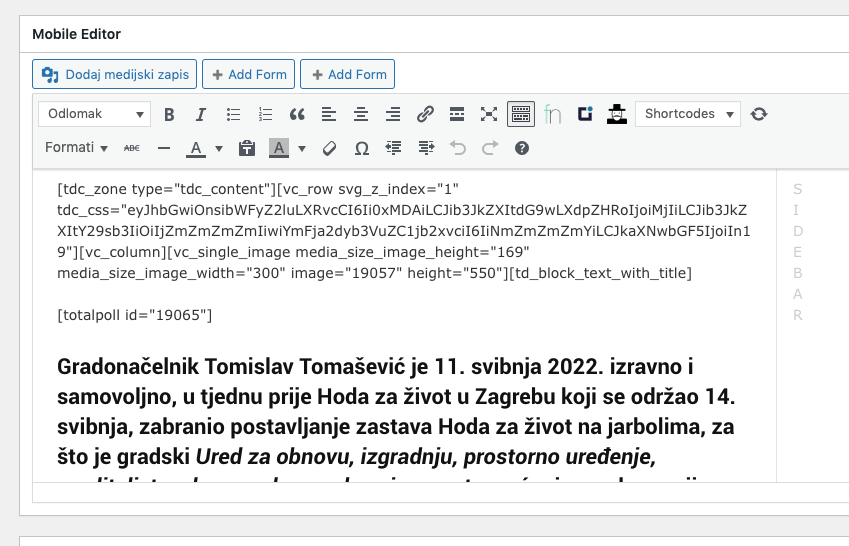
If this is a page, then please edit the page and check if in the mobile editor you have set this code -> https://i.imgur.com/ip4FnC7.png
Thank you!
Anamaria Hello,
Seems you have the mobile theme plugin activated please deactivate it, clear all cache and check after the mobile version, if you don’t want to use the mobile theme plugin.
Also, please check this topic where I explained each mobile version -> https://forum.tagdiv.com/topic/mobile-version-not-working-properly-2/ and choose what mobile version you want.
Hope this helps you!
Thank you!
 kaisan
 The problem has been solved, it is activated after the update OFFSET in the mobile theme settings, marking 3. It has been removed and left at 0, showing the latest updates.
kaisanWhen deactivating plugin the latest posts are shown.