- ApiPractical example – How to add a new Block and Module
- ApiAPI – Smart Lists – Introduction
- ApiAPI – Category top section style – Introduction
- ApiAPI – Category top section template – Introduction
- Apitd_api_module::update
- Apitd_api_module::add
- ApiAPI – Modules – Introduction
- ApiUsing the Theme API in plugins
 Bestuzhev
 I also have the Ad Inserter plugin and some articles do not have ads in the mobile version. Installed Single Post Template – Magazine PRO
Bestuzhev I also have the Ad Inserter plugin and some articles do not have ads in the mobile version. Installed Single Post Template – Magazine PRO
 mikevanmoonlight
 3. I increased font on desktop version but not on mobile page. Can you please refer me where to look at? I need to increase text size on mobile post template. Thanks
 slimster8
I watched this tutorial and followed the advice. At first it worked perfectly.
My goal is to use the TagDiv composer to control my mobile page.
I deleted the AMP plugin and TagDiv Mobile plugin.
Then, on my mobile device, I was able to see my mobile page theme (minty). It was beautiful.
Then, automatically, the page showed the responsive version of my web theme (pulses pro) on mobile devices. It was not beautiful.
Then, automatically, it went back to the mobile page theme on its own on mobile devices. Nice.
Now, automatically it’s back to the responsive version of the web theme on mobile devices. Not nice.
Why does it change by itself for mobile devices?
Site: theseoulite.com
 ivkoit79
 I see. This would be a great experience for many Newspaper theme users, and a very useful one. Hopefully TagDiv coders will enable customization in future Newspaper theme updates. Another thing to improve is to add different div positions and open/close effects for mobile menu because we have only one effect, it is very recognizable. Thank you.
 Bettina
 Hello!
Please check if you have a mobile page assigned to the homepage.
For more information about mobile pages please check this article: https://tagdiv.com/newspaper-10-3-7-update-brings-customizable-and-fast-mobile-pages/
Let me know about your results!
Thank you!
Bettina Hello!
Unfortunately, for that mobile menu you can only have some settings there, so you can not add elements there or customize it with TagDiv Composer.
Thank you!
Bettina Hello!
Please check this article which describes mobile pages:
https://tagdiv.com/newspaper-10-3-7-update-brings-customizable-and-fast-mobile-pages/
From what you describe it seems you have installed Mobile theme plugin. If you created the mobile pages with TagDiv Composer, then when you install Mobile Theme plugin, your pages will be overwritten by the plugin.
The Mobile Theme is a performance optimized theme included in the Newspaper main theme and it loads only for mobile devices. It comes with its own templates for page, post, category, etc so your current templates from the desktop theme will get converted to the mobile theme layout. For more details, please take a look here: https://forum.tagdiv.com/the-mobile-theme/
Please note that you can not edit the AMP pages or Mobile Theme with TagDiv Composer plugin.
If you want a responsive version of your website which is looking similar like on desktop, then you need to deactivate Mobile Theme, edit the page with TagDiv Composer, click on the mobile viewport: https://www.screencast.com/t/XDQJedlggSB ; there you can see your mobile version and you can edit the elements there.
Thank you!
Bettina Hello!
It seems the table isn’t responsive that’s why the design on your mobile version is not displaying correctly.
Unfortunately, in our theme there is no design implemented to achieve that.
Thank you!
 marcorroma
Hi, I recommend you to insert an option to hide “Show SoundCloud overlays” from soundcloud podcasts in mobile version.
Currently on mobile devices it displays the words “Play on soundcloud” and “listen in browser”.
By adding “show_teaser=false” to the iframe url you can hide this writing, and immediately display the player for listening.
What do you think about it?
Thanks.
PS. just edit tagdiv composer’s td_audio_support.php file.
 esadd93
 I have fixed the issue on desktop. Also mobile homepage works to… only problem is i try to edit mobile page with tagdiv composer and when i set header template “global” it doesnt affect on mobile. when i check pages,posts on mobile its pre-edit version. my site: neneden.co
 patrickschua
 Hi Bettina,
So I’ve figured out that I have to enable to mobile page and the header look ok already. I created a mobile page for the page but it doesn’t show it the same in mobile. Do I have to do anything to link the page to the mobile page or does it do that automatically? As the mobile page and the page that appears on mobile is not the same.
I have attached the screenshots for your reference.
https://imgur.com/AqnUn3v – The mobile page where I created
https://imgur.com/9DKOhDw – The mobile page I created
https://imgur.com/KPoE4J9 – The actual mobile page in Safari just showing two ads.
Again, thank you for your kind support regarding this matter.
 Anamaria
 Hello,
The tagDiv CSS Analyzer works only for pages, but not works for posts (templates) and mobile theme plugin.
You can find more information about tagDiv CSS Analyzer in this article => https://tagdiv.com/whats-new-in-the-newspaper-theme-10-4-update/
A tutorial on how to use this tool will appear soon.
Also, please send us screenshots of your issue.
Thank you!
 Archerix
Hi, i have one question
Should i activate “Mobile device support” in WP Super Cache if i use the Mobile Theme only for amp?
 siteownser
Hi there,
I have two requests.
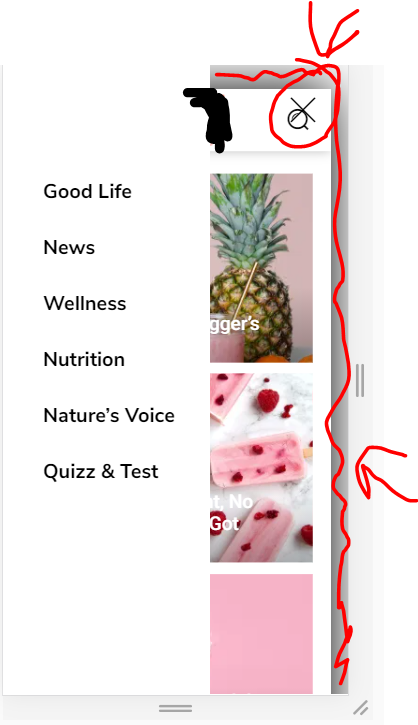
1. How to make the mobile menu to take only half the space instead of the entirety of the screen?
I already changed the (.td-menu-background class) width to 50% and the background to white. But the X button is still on the far right. How to put close icon closer, and also remove the animation of the page on the background, which becomes smaller when the menu is opened?
https://i.ibb.co/fHtP3Cf/image.png
2. The same thing for the search thingy. I want to completely remove the transparent white so it is completely transparent with no color.
 solarlatinclub10
 Santhiago Souza
 Hi Bettina,
when I click on the mobile to edit, it appears this menu:
https://www.screencast.com/t/5YQGVHGJL
…
when I access the site on a mobile, it appears in this menu:
https://www.screencast.com/t/BSupiAY7
…
I want to leave my mobile site with the mobile menu, but I can’t
ivkoit79Hello. I am trying to find out how to customize mobile menu. When I say ‘mobile menu’ I think about the menu that users’ get when they click on hamburger icon, not the main menu screen. I would like to customize the inside look completely. Is it possible to add elements and organize them? Any suggestions? Thanks.
Anamaria Hello,
For mobile, we got about the same score => https://demo.tagdiv.com/newspaper_pro/
The tagDiv CSS Analyzer works only for pages (mobile responsive and mobile page), but not works for posts (templates) and mobile theme plugin.
You can find more information about tagDiv CSS Analyzer in this article => https://tagdiv.com/whats-new-in-the-newspaper-theme-10-4-update/
A tutorial on how to use this tool will appear soon.
Thank you for your kind words!
Have a lovely day!
Anamaria Hello,
Unfortunately, for the moment you can’t remove the unused CSS for the mobile theme plugin.
Thank you for understanding!
siteownserHi all,
I have a footer which has a row with three columns. Inside one of these columns I have a menu list. On desktop, I want the menu list to be right aligned, while on mobile I want it to be center aligned.
When I click on the mobile icon and switch to center align, it switches for everything (desktop, tablet, mobile). This means I can either have one align for both mobile and desktop.
https://i.ibb.co/Wg47YgW/image.png
How can I achieve this?
Note that I do not want to use a mobile template.
 Revive the Netherlands
Is it possible to remove the unused css for mobile theme?
With the css analyzer
Anamaria Hello,
The problems about categories/tags/404 pages and social share on the mobile theme are fixed, all you have to do is to deactivate the tagDiv Composer, delete and re-install it again from Newspaper plugins => https://www.screencast.com/t/WLy01lbc
Thank you for understanding!
 Matija
 yes I get that now thanks 🙂
The mobile editor is just for simple things, not for “builder code”…
Anamaria Hello,
If you activated the mobile theme plugin, then your pages will be overwritten by the plugin (the mobile theme comes with its own templates for page, post, category, etc so your current templates from the desktop theme will get converted to the mobile theme layout, the page content is made without builders in mobile editor => https://www.screencast.com/t/xbgZG8kH ) also, the options that are provided to edit the mobile theme version are limited (this keeps the things simple).
If you want to adjust the mobile pages, then you need to use a mobile responsive or mobile page, as in the above video.
Thank you!