No search results were found in Documentation!
 artimag
 Hi Simion,
Thanks for your fast reply.
1. Sorry, I forgot to say that the gray box is only visible in grid style 4 – bottom box.
Here is a screenshot
https://drive.google.com/file/d/1pmh47DcQRdPd5gLIq2WV_SagYvNWYKA-/view?usp=sharing
Have you ever had such a case?
2. WP and plugins are up to date. If I turn off WP debug in the config file is the error just hidden?
3. I have already found this page and tried the suggestions but unfortunately without success.
Thanks and regards,
Arti
 Catalin
 Hello prahaaronline,
Check the official documentation from here -> https://forum.tagdiv.com/sharing/
Thanks for your understanding!
 afterKa
 really thanks!
my site is http://www.afterKa.com, I’m working to change the home page, below two screenshots about first rows for the new Home page (still not online)
https://drive.google.com/file/d/1LQos5q3NNasBwbqd7HV–g9_VGSq6Q2s/view?usp=sharing
https://drive.google.com/file/d/1_jTufOfoRzg-YbsbWfnhkBNZ_G_KXJeo/view?usp=sharing
(hope you can open them).
The rusult I would like to achieve is something like the http://www.greenmedinfo.com box. I would like to display “Search a Topic” on the bar but with a trasparent style (as in the above screenshots) or with a white backgroud but with a little % of opacity (too white is shocking 🙂 ). I tried to copy the “codes” from greenmedinfo and the results was not bad but the search command doesn’t work, of course.
To not download another plugin, in my opinion, I can create the search box with the widget section, as you suggested me.

 mercure961
Hello to you all,
On the website I manage (www.bytheeast.com) using the theme Newspaper, I have a recurrent problem. When I try to share a post clicking on the Sharing Button, I always got the same message: Impossible d’afficher l’aperçu du lien. Vous pouvez le publier tel quel ou essayer un autre lien.
I tried using different browsers (Chrome, Safari), I did some maintenance (cache…), I don’t know why sharing on Linked does work. Would you got an idea? It would be super great.
Best regards,
Dave
 Simion C.
 So you mean this one – https://www.screencast.com/t/YfWGsuGBOVxd
That whole sharing section seems to be added there by the social warfare plugin you have installed.
Maybe that plugin has settings to control the positioning of the sharing buttons, the theme has no control over it.
Or you could try other plugins which can add a Pin options for images. Some topics I found here
– https://wplift.com/pinterest-pin-it-buttons
– https://www.wpbeginner.com/wp-tutorials/how-to-add-pinterest-pin-it-button-in-your-wordpress-blog/
 Viju
Viju How to remove space above logo in mobile while scrolling up? Click here to view image
Catalin Hello imatei,
Unfortunately, the theme does not have any such an option that allows you to add a new button for the Sharing section, sorry! This implementation involves doing such custom work and we are not available for this, sorry! Usually, we recommend the developers from studio.envato.com.
Thanks for your understanding!
 imatei
Hello,
Please tell me how to add +1 button for google in Post Settings > Sharing > Top or/and bottom article like !
Thanks!
Simion C. You can still use the inspector I mentioned – https://www.linkedin.com/post-inspector/
The theme by itself will not add any og data necessary for sharing. Only through a SEO plugin will that work properly. We tested with Yoast which worked, so we can recommend it.
Other SEO plugins may work as well, as long as the og meta is present in the page source. LinkedIn specifies this in their documentation
– https://www.linkedin.com/help/linkedin/answer/46687/making-your-website-shareable-on-linkedin?lang=en
When I try to share the post you mention with LinkedIn there is a 500 error if you check in the browser inspector console, linking to the LinkedIn server it seems. Could be a temporary problem.
Facebook seems to work when debugging the post you mention
– https://www.screencast.com/t/N7iJ9oXo5
 Edward
 Try this (info 2012 year, disable sharedaddy):
From the Jetpack section of your blog’s Dashboard, click “Learn More” on the Sharing module. The “Configure” button to the right will change to a “Deactivate” button so you can deactivate the Sharing module.
 Bader
BaderHello,
On the current website I am working on (https://flockaero.blog/) there are the “Share this:” with Twitter, Facebook and Google icons underneath it and it just shows on the middle-left side of the page and I do not know how to disable it!
Please let me know if there are any settings that I can use to disable these buttons! Thank you in advance!
Simion C. Hi,
Try inspecting the post with the LinkedIn post inspector, see what it detects
– https://kb.yoast.com/kb/linkedin-sharing-not-working/
If there are any problems with the post they will appear there.
Thanks
 deanysus
Hi tagDiv team,
I’ve just updated the Newsmag theme to its latest version, and we’re having a few issues. Could you possibly help?
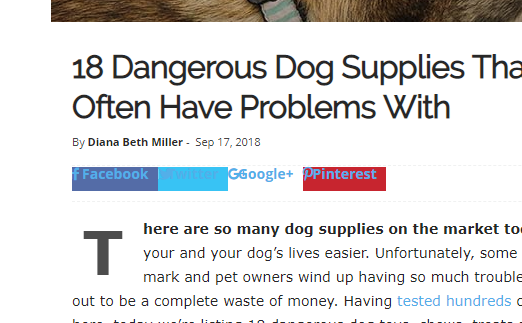
1. “Sharing” social media icons are not displaying properly: https://i.gyazo.com/af00b0bc835c09dc1f36dddd781bc46a.png
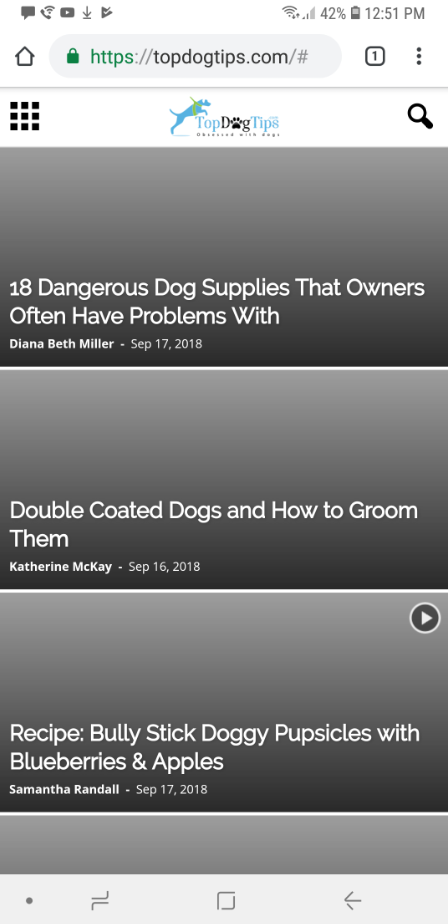
2. On mobile, featured images on homepage are not displaying: https://i.gyazo.com/5e113038ef3f3e27f865e92d45ce7e8c.png
3. On mobile, “search” icon/function does not work. It only gives a “domain/#” (like in screenshot) link and doesn’t allow to search. We’ve had many people email us that they’re unable to search our site.
Any help on how to fix this would be appreciated!
Thank you.
Dean
 H14
H14Hello,
I have a problem with the theme, all network sharing works except Linkedin who refuses to load the article, can you give me a solution please? thank you.
Here is the screenshot.
[url=http://zupimages.net/viewer.php?id=18/38/scsm.jpg][img]https://zupimages.net/up/18/38/scsm.jpg[/img][/url]
Also, is it possible to change the advertising banners (ads) according to the page category?
Thanks for your feedback 😉
Jimmy
Simion C. Hi,
WhatsApp and other mobile socials will only be displayed on mobile. When used on a mobile the mobile WhatsApp application will launch and you can share the post.
If you want this social to appear as a sharing option on desktop as well, you could make it visible with a code like this
– https://www.screencast.com/t/sGA8pfmMuWb
@media (min-width: 767px) {

.td-social-whatsapp {

display: inline-block;

}}
Enter it in Theme panel->Custom CSS section if you want to use it.
Thanks
 tlcwebsolution
Dear Support, How can I get Whatsapp Sharing icon active on iPhone and DEsktop on my website?
Many thanks.
Catalin Hi,
Unfortunately, notice that only these social sharing are available at the moment, sorry! If you want deeper customizations you should do it yourself through the code or if you are not aware of the steps which are needed to take in this case, please consider hiring a freelancer/developer to help you because we cannot provide custom work at the moment, sorry!
Thanks for your understanding!
 juniorcalazansdcsj
 Print from the page editing screen. Link: https://drive.google.com/file/d/1NrBfTSLl2kbU4cPtsrbqck_EDKw-fMLl/view?usp=sharing
Simion C. Hi,
The posts can indeed be shared on WhatsApp and Viber. When for example reading a post and you decide to share the post, click on the share button of WhatsApp and the app will open on your mobile allowing you to share it.
So there is no need to set it up before sharing. I believe this is what you are referring to.
Thanks
 ojsatstudyinjapan
  Calin
Calin Hi,
In order modify the padding near the facebook like button and social media sharing icons
you need to add an css ( example https://www.screencast.com/t/hohPnadj6ukS )
Here is css cod, if you wish you can change the parameters.
.td-post-sharing-top {
margin-bottom: 10px;
}
.td-post-sharing-classic + .td-post-sharing {
margin-top: 20px;
}
Thank you.
ojsatstudyinjapanHi Support
We face some problems with plug-in shown as “Shortcode”, and we don’t know how to fix it. Please advice.
(refer to the link below)
https://drive.google.com/file/d/1HuoJAhtheSySaMTVOSbUN4K4a3ZMS-ZN/view?usp=sharing
Thankyou
OjsatStudyinJapan
 kosolrama
hi, may I know how do I set up WhatsApp and Viber account to my site. I have found that we can set up post to share on these platform from post sharing section. but how do I set up those account prior to that in social sharing menu. please help me to set up this.
 Ryansmccain
Can I modify the padding near the facebook like button and social media sharing icons? I’d like to decrease the padding (space) between the social sharing icons and the post text, and increase the padding (space) in between the Facebook like button and the social media sharing icons.
https://ibb.co/h2awAU
https://ibb.co/d1qUVU
You can see my website here. Just click on any post:
https://InterestingAnswers.com
Catalin Hello studio7,
Please update the theme to the latest version of it, remove all of your untested plugins, clear all the caches and check the results. After you have made these changes, you should consult the guide from here -> https://forum.tagdiv.com/sharing/
Thanks for your understanding!