
- NewsmagSharing buttons
 Iryna IMN
Hi,
Is it possible to activate Whatsapp sharing also for the PC in Newspaper demo (TagDiv)?
Thanks
 Calin
Calin Hi,
Unfortunately for the moment our theme do not have this option to use the users/visitor applications for sharing.
Thank you for your understanding!
 Ludwig Arcache
 I noticed the problem is coming when AMP is activated, if AMP is active and someone share an article on Twitter using the sharing tools, the shared URL have additional parameter AMP=1.
if you want to try it, please open our twitter page : https://twitter.com/BeirutDaily
and open any our the posted articles, and see how the article open in a special template instead of the template of our website.
Screenshots here :
https://imgur.com/a/onPorlu
All the best,
Calin Hi @signale, thank you for sharing with us your experience!
Hi @Karol24, let as know the results after you made the optimizations suggested by Satwik.
Thank you!
Calin Thank you for sharing with us the results!
If you have other questions/problems, let us know!
Have a nice day!
 aristake
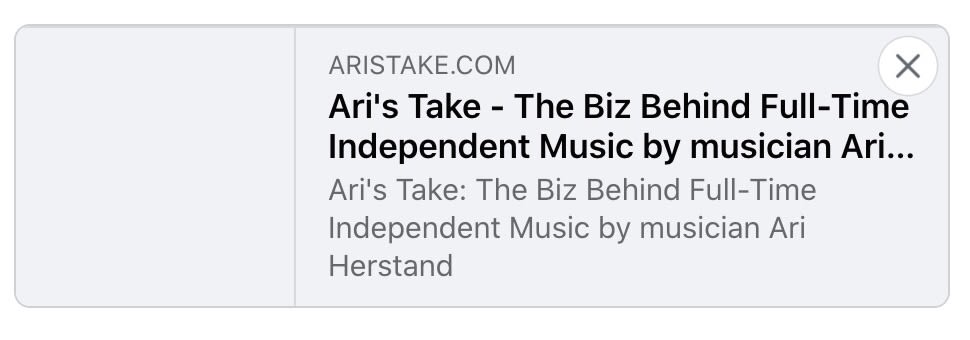
Hi, trying to share this page on Facebook: https://aristake.com
And get no image as a preview. The question is how to set an image which will be shown as a preview of the page when sharing it on Facebook
Now, when it’s posted on Facebook, it looks like this:
 Hassan24
 I created a theme on WordPress, but the image does not appear when I stand on the category
Attach a picture to you
https://drive.google.com/file/d/1jwrPjIcLAZrjbT0F9LNwmn_oQyOFTfzT/view?usp=sharing
 BLAY
BLAY Hi,
I confirm that the setting of share buttons are like in the guide
This is a capture of what I see in composer.
https://drive.google.com/file/d/1qvz5NEzAmHefEO73e2-o2VU-Vc58d5cu/view?usp=sharing
 Calin
Calin Hi,
You could try some solutions that worked for other users, and some similar topics
– https://forum.tagdiv.com/topic/strange-chinese-symbols-replaced-icons-and-arrows/
– https://forum.tagdiv.com/topic/font-blocked-from-loading-by-cross-origin-resource-sharing-policy-no-access-co/
– https://stackoverflow.com/questions/25577981/font-from-origin-has-been-blocked-from-loading-by-cross-origin-resource-sharing
– https://webmasters.stackexchange.com/questions/71630/font-blocked-from-loading-by-cross-origin-resource-sharing-policy-no-access-co
– https://w3guy.com/solution-font-origin-http-cdn-domain-blocked-loading-cors-policy/
Thanks
 divyansh7770
 Please see the link below to understand my problem.
Here is the link to the video – https://drive.google.com/file/d/1PREOxfMcYD2-7etospcN4WVGmIIsc93M/view?usp=sharing
divyansh7770  edmondcroes
http://www.solodipueblo.com
when copy article link, paste into facebook page / and whatsapp, does not show picture.
newspaper theme x
 Pixel Cities
 Hi Calin, thanks for the response
Sorry but that doesn’t really answer my question. I’m confused.
Do I ignore the WordPress setting > Media Settings ??…
I have read…that a feature image size of 1200 x 630 is most commonly used, for responsive purposes and sharing a post etc ??
Also I have all the settings switched on under theme block settings including the retina … is the correct?
I am also creating my in post images at 1068 x 712 … is this a good size ?
Kind Regards
Mark
 nicolaparente
 Good evening. I thank you for your prompt reply.
This instead is the code of td_blok_3:
<?php
// v3 – for wp_010
class td_block_3 extends td_block {
static function cssMedia( $res_ctx ) {
// fonts
$res_ctx->load_font_settings( ‘f_header’ );
$res_ctx->load_font_settings( ‘f_ajax’ );
$res_ctx->load_font_settings( ‘f_more’ );
// module 1 fonts
$res_ctx->load_font_settings( ‘m1f_title’ );
$res_ctx->load_font_settings( ‘m1f_cat’ );
$res_ctx->load_font_settings( ‘m1f_meta’ );
}
public function get_custom_css() {
// $unique_block_class – the unique class that is on the block. use this to target the specific instance via css
$unique_block_class = $this->block_uid;
$compiled_css = ”;
$raw_css =
“<style>
/* @f_header */
.$unique_block_class .td-block-title a,
.$unique_block_class .td-block-title span {
@f_header
}
/* @f_ajax */
.$unique_block_class .td-subcat-list a,
.$unique_block_class .td-subcat-dropdown span,
.$unique_block_class .td-subcat-dropdown a {
@f_ajax
}
/* @f_more */
.$unique_block_class .td-load-more-wrap a {
@f_more
}
/* @m1f_title */
.$unique_block_class .td_module_1 .entry-title {
@m1f_title
}
/* @m1f_cat */
.$unique_block_class .td_module_1 .td-post-category {
@m1f_cat
}
/* @m1f_meta */
.$unique_block_class .td_module_1 .td-module-meta-info,
.$unique_block_class .td_module_1 .td-module-comments a {
@m1f_meta
}
</style>”;
$td_css_res_compiler = new td_css_res_compiler( $raw_css );
$td_css_res_compiler->load_settings( __CLASS__ . ‘::cssMedia’, $this->get_all_atts() );
$compiled_css .= $td_css_res_compiler->compile_css();
return $compiled_css;
}
function render($atts, $content = null) {
parent::render($atts); // sets the live atts, $this->atts, $this->block_uid, $this->td_query (it runs the query)
if (empty($td_column_number)) {
$td_column_number = td_global::vc_get_column_number(); // get the column width of the block from the page builder API
}
$buffy = ”; //output buffer
$buffy .= ‘<div class=”‘ . $this->get_block_classes() . ‘ td-column-‘ . $td_column_number . ‘ td_block_padding” ‘ . $this->get_block_html_atts() . ‘>’;
//get the block js
$buffy .= $this->get_block_css();
//get the js for this block
$buffy .= $this->get_block_js();
// block title wrap
$buffy .= ‘<div class=”td-block-title-wrap”>’;
$buffy .= $this->get_block_title(); //get the block title
$buffy .= $this->get_pull_down_filter(); //get the sub category filter for this block
$buffy .= ‘</div>’;
$buffy .= ‘<div id=’ . $this->block_uid . ‘ class=”td_block_inner”>’;
$buffy .= $this->inner($this->td_query->posts); //inner content of the block
$buffy .= ‘</div>’;
//get the ajax pagination for this block
$buffy .= $this->get_block_pagination();
$buffy .= ‘</div> <!– ./block –>’;
return $buffy;
}
function inner($posts, $td_column_number = ”) {
$buffy = ”;
$td_block_layout = new td_block_layout();
if (empty($td_column_number)) {
$td_column_number = td_global::vc_get_column_number(); // get the column width of the block from the page builder API
}
$td_post_count = 0; // the number of posts rendered
$td_current_column = 1; //the current columng
if (!empty($posts)) {
foreach ($posts as $post) {
$td_module_1 = new td_module_1($post, $this->get_all_atts());
switch ($td_column_number) {
case ‘1’: //one column layout
$buffy .= $td_block_layout->open12(); //added in 010 theme – span 12 doesn’t use rows
$buffy .= $td_module_1->render($post);
$buffy .= $td_block_layout->close12();
break;
case ‘2’: //two column layout
$buffy .= $td_block_layout->open_row();
$buffy .= $td_block_layout->open6();
$buffy .= $td_module_1->render($post);
$buffy .= $td_block_layout->close6();
if ($td_current_column == 2) {
$buffy .= $td_block_layout->close_row();
}
break;
case ‘3’: //three column layout
$buffy .= $td_block_layout->open_row();
$buffy .= $td_block_layout->open4();
$buffy .= $td_module_1->render($post);
$buffy .= $td_block_layout->close4();
if ($td_current_column == 3) {
$buffy .= $td_block_layout->close_row();
}
break;
}
//current column
if ($td_current_column == $td_column_number) {
$td_current_column = 1;
} else {
$td_current_column++;
}
$td_post_count++;
}
}
$buffy .= $td_block_layout->close_all_tags();
return $buffy;
}
}
This is the code for sharing social icons:
<?php if (function_exists(“essb_custom_position_draw”)) { essb_custom_position_draw(positionID, alwaysShow); } ?>
my question is: in which position should this code be inserted?
 HeyhoMedia
Hi Team
I can’t get my email client sharing the link when I use the emailto? social share function.
The client (Outlook) starts a new email send dialogue with the subject inserted but not the url for the blog page. As seen in example
mailto:?subject=Must%20Have%20Beauty%20Kits%20&%20Palettes&body=https://coolclear.blog/must-have-beauty-kits-palettes/
Obvioulsy the link is generating but &body fails. Is it my mail client blocking or antispam or do I have the incorrect setting in the tagdiv configuration?
Regards
 Aradav
 Hi,
I wanna add social sharing buttons but I have only never on the list.
https://ibb.co/L6thfqH
divyansh7770Hi,
I really like the slider revolution plugin but it is asking for a purchase code the one that came with theme doesn’t work. Please help.
I recorded a short video. Please check.
link to the video – https://drive.google.com/file/d/1PREOxfMcYD2-7etospcN4WVGmIIsc93M/view?usp=sharing
 digiventure0909
 Hi Calin, I am not comfortable sharing the credentials of all the platforms. It would be great if you can take the remote access of the system or provide me with an email on which I can assign access.
 Vlad S
 Hi,
I think that you are referring to the featured image from the sharing button, for this please use our guide for Facebook share -> https://forum.tagdiv.com/facebook-share/
If this is not what you mean, please provide some more details.
Hope this will help you!
Thank you!
 rahuls60
I am not able to update them,
nicolaparente Hi Calin,
Maybe I did not say it clear enough. Basically he would like to insert the social sharing buttons in the previews of the home page blocks (block 3). I would like to insert them here where there are arrows —— https://ibb.co/db6frcJ
link Home page— http://www.ilgiornaleditrani.net
Calin Hi,
So you want to use a social sharing that can share page too, I think that the best way it will be to find another plugin that you can use without making changes in theme files, if you do not find one there you can try these from here -> https://bloggingwizard.com/top-wordpress-social-sharing-plugins-2014/ I personally recommend the first one Social Snap.
Hope this will help you to achieve what you need.
nicolaparente Hello Calin.
I asked the support of the Easy Social Share Buttons plugin for the question of social icons to be included in the preview of the articles and they answered me in this way:
“—-Thanks for reaching us. The plugin offers a variety of options for custom integration. But all that will require to deal with code. The Newspaper theme and its modules do not allow extending with ease. All they require code editing in theme source files.
The most used method of integration is with custom positions -> https://docs.socialsharingplugin.com/knowledgebase/creating-custom-displays-positions-for-share-buttons-and-how-to-use-them/. Those custom positions you can easily call in a theme source file (if you know the place).
So if you are aware (or ask theme support) where you can add code to execute in the display of posts on the homepage you will be able to integrate the share buttons with the plugin using the above feature. Otherwise, it is not possible.
If the Newspaper builder and modules are changed to allow filters and actions for easy code adding we have another option that you can use.”
Note: I am a beginner. can you please help me? Can you tell me what to do? thank you. 🙂
 anweshak_10
I can only see the option for Social Sharing. How do I add Faceboo, Twitter etc.?
 godwintl
Hi my home page featured image is not showing correctly in mobile view
See image: https://drive.google.com/file/d/1ctrhuVUrc7-cw5R69CVSffi0ifI9_TOO/view?usp=sharing
Pls advise what I should do. Thanks!
