No search results were found in Documentation!
 pozitron21s
how can i edit next-back button in smartlist
pozitron21ssmartlist06 ads
i want change place ads in smartlist06
i want show the ads between next and back button
 thraxlol
 I fixed it! For some reason something had changed (though I have no idea how or what) and H3 was being used elsewhere in the page template which threw it all out. I changed my smartlists to use H6 and re-formatted the post which solved everything (and re-formatted my previous posts of lists too).
YAY me! 🙂
 MrKeerthan
 Hello Catalin, I think you understood it wrong, https://www.screencast.com/t/9WFEHZGZB I added the smartlist end code to the post, now thw post is perfectly fine, but in amp the shortcode is visible https://sidedtech.com/best-emoji-app-for-android/amp/ http://prntscr.com/ijwdu2 How to fix that?
MrKeerthanHello there have a look at this post, and have a look at this image https://prnt.sc/ii841l , I have selected title tag h3 as smart list, but after the smart list is done, i write conclusion with h2 tag but the line which should be after smartlist is done, displays after the whole post is done.
 AntonioGM
Hi.
The images in smartlist amp are displaced. Attachment captures.

 th3genie
guys when i did split my post into 10 parts and i choose the smartlist the paragraphs dont show up.it only shows the title and image then no paragraphs then the next and back button
how can i fix this please
 rsenzon
Hello, I am currently trying to code in custom ad #3 into Smartlist 7.
In smart list 7 the default ad is referenced as
$buffy .= td_global_blocks::get_instance(‘td_block_ad_box’)->render(array(‘spot_id’ => ‘smart_list_7’, ‘spot_title’ => $tds_smart_list_7_title));
How would i call custom ad #3? I haven’t come across the code anywhere.
Thanks
Rob
 meri
meriDear Simion,
I’m make a top 100 and I want to cut it in 5 different pages.
So I’d like my raking to go from 100 to 80 on the 1st page and then from 79 to 60 on the 2nd one…
Is there a way to specify by which number the smartlist should start?
Thanks for your help
 Catalin
 Hello haroldparis,
Does not exist any such a condition with is_smart_list, sorry! If you want to display a certain code only if you will use the smart list you will have to add the following code in your smart list template and then, before {} you should add your own desired code.
<?php  $td_smart_list = td_util::get_post_meta_array($td_mod_single->post->ID, 'td_post_theme_settings');

    if (!empty($td_smart_list['smart_list_template'])) {

        echo 'Is smartlist';

}?>
Thanks for your understanding!
 usman
usmanHi Developers,
Is there a way to locate all posts that are using smartlists mode. I want to convert them in normal posts
 Balint
Am si eu o intrebare in legatura cu smartlistul din NewsPaper, cum pot sa setez ca bannerele sa apara in alt loc? La Smartlist 6 e dupa poza, dar daca eu as vrea sa apara dupa al doilea paragraf? In Smartlist 7 e la sfarsit, idem, cum pot sa setez sa apara la paragraful 2 sau 3?
 apastor
I’ve followed the instructions perfectly.
I’ve looked twice and the pagination or ordering works perfect but only the image of each list number displays. Not the text.
Any ideas?
AntonioGMHi,
Can the image size be changed in SmarList4 for the PC version?
I need it to be a little bit bigger.
Thank you.
 collinslad
 I’m not using this theme now, but from what I remember, I’d inserted the code into the wrong place. I was using smartlist 6 & when I put the code there, it worked.
meriHi, the buttons “previous” and “next” in the smartlist are too narrow in my language.
How could I modify the width to make them wilder?
Thanks
 productnation
Love the smartlist feature on Newspaper, but we are wondering if it is possible to change the permalink of the smartlist’s pagination.
This is our current permalink “www.domain.com/category/post_id/post-title/1”
What we wanted, was “www.domain.com/category/post_id/post-title?page=1”
Possible?
 amarilindra
Hi,
I’m using Table of Contents Plus WordPress Plugin (https://wordpress.org/plugins/table-of-contents-plus/)
When I enable Smart lists this plugin won’t work as heading tag id is available on the current page.
When using Smartlist 1 or Smartlist 3, It scrolls to the current heading but the UI of the smart list is distorted.
Does newspaper theme have open to use both table of contents and smart list?
Thank you
 Dougrek
Hey guys, loving the theme. But when I go to use blockquote shortcodes, I only see 5 shortcodes in my dropdown (smartlists and video playlists). I’ve seen this issue pop up occasionally over the years on these boards but haven’t seen any responses. Ideas or suggestions please? THanks!
AntonioGMHi.
Is it possible to resize the image in mobile using smartlist 4? It would be ideal to be able to see in full width.

Thanks.
 danna
danna Hey Simion,
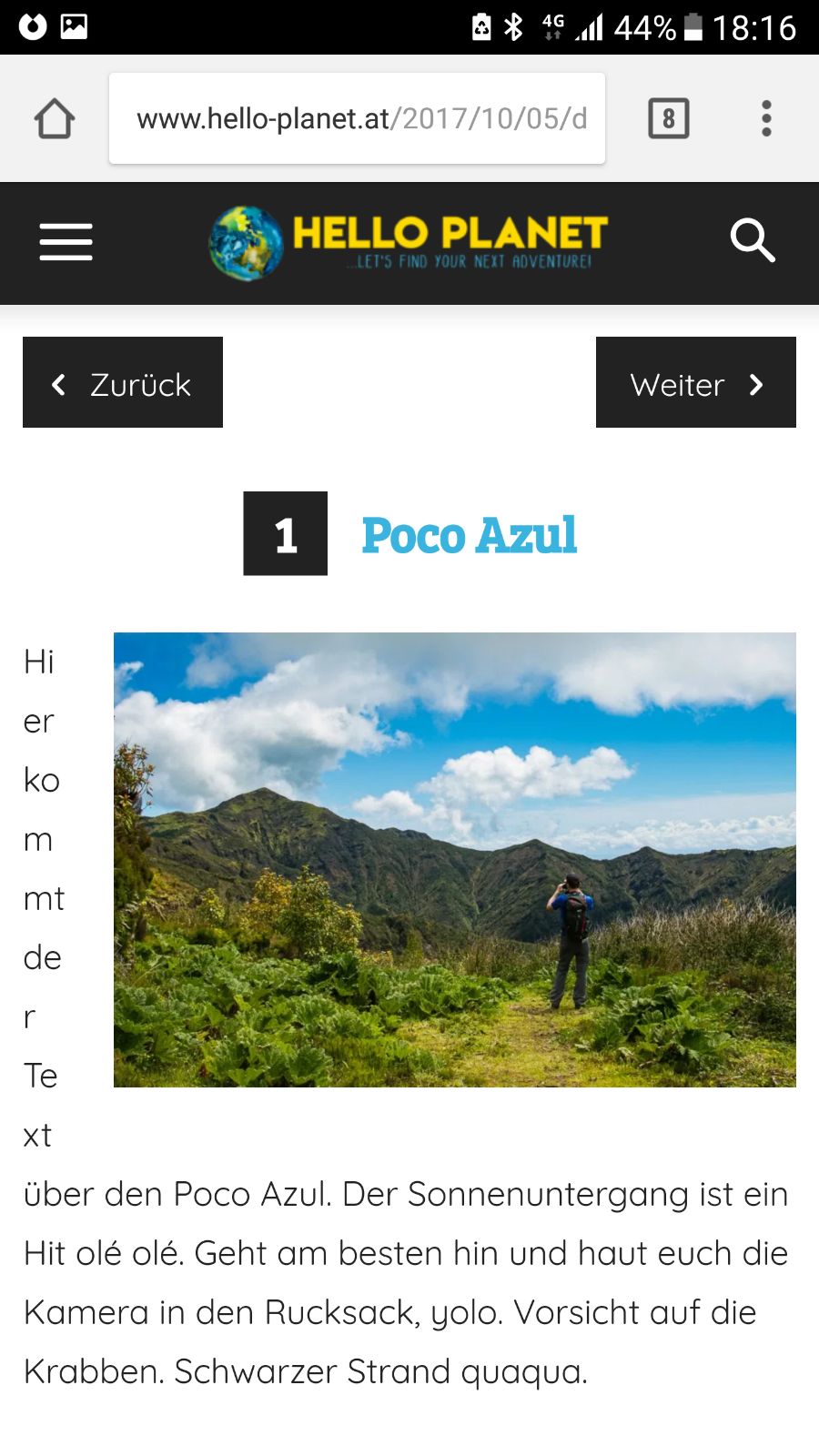
worked out fine, thx! There’s only one problem with the layout on certain Mobile Devices (like here on the Galaxy S6) – do you maybe have a CSS Code to fix that?
http://www.hello-planet.at/wp-content/uploads/2017/10/187bf660-4deb-492a-95be-17c5488396f8.jpg
Link to the Article is: http://www.hello-planet.at/2017/10/05/destination-post-mit-smartlist/
All the best and thanks,
Daniel
 servis23
 Has stopped working shortcode from the old version newspaper theme. Remained only some smartlist. How to restore normal work old shortcodes?
 barronlau
Hi, I’m creating a post which is a review of 10 different products. The idea is to post a short review of each with criteria in percentage format. Currently its is one big long post with all 10 products together. Can I somehow put the review criteria for each section of the post via shortcode? So it shows percentages after each section?
Can I do it in smartlist? Make each smartlist item a review?
Can I create an overview explaining what the list is before I start the smart list? I can’t seem to figure out how to introduce the list with a short overview.
What would you recommend for my situation using your theme? I have 10 short reviews, and I want to show the review criteria of each, and write an intro to the whole list. If there is no review shortcode, and smart lists won’t work, would you recommend create a seperate post for EACH review and then somehow bring them all together in one post? How would I do that?
 imambudianto5
 Hi Simion,
Thanks for your replay..
How to smartlist 1, 2, 3, 4 and 5
i have try on smartlist 5 and not work..
Please help
Thanks
imambudianto5Dear Team,
Why on smartlist ads for google adsense not show..
Please help,
Thanks