
 Calin
Calin Hi,
This problem is note on our issues list, and in coming updates will be solved.
Here is a quick fix, you need to replace the tdc_map.php from wp-content/plugins/td-composer/includes/tdc_map.php https://www.screencast.com/t/y18ntAOdrjS5 with the tdc_map.php from below link.
-> http://cdn.tagdiv.com/wp-content/uploads/2019/04/tdc_map.zip
Thank you for your understanding!
 HPVwordpress
Hi Team,
I want to use different header for each page, so i imported some header template from cloud library. I need to modify those template but i can do that using tdcomposer as it showing a blank screen with sidebar, cant able to add any element to that template. Please help me to sort it out. Thanks in advance.
Calin Hi,
You can use flex blocks, these have a lots of options, but if you still need to edit the gig grid you can find here all blocks from which modules are build -> https://forum.tagdiv.com/theme-blocks-modules/ for example for Big Grid 1 -> Module MX5 + Module MX6
In theme files td_block_big_grid_1.php is in wp-content/plugins/td-composer/legacy/Newspaper/includes/shortcodes/td_block_big_grid_1.php
and td_module_mx5.php is in wp-content/plugins/td-composer/legacy/Newspaper/includes/modules/td_module_mx5.php
-> https://www.screencast.com/t/dGqtUVXOuLH
Thank you!
 MiguelPat
 Thanks, but what I want is to add the modified date after the published date… not instead!
I got it! 🙂
I need to change this file: /wp-content/plugins/td-composer/legacy/Newspaper/parts/single/single_template_2.php
-
This reply was modified 7 years by
MiguelPat.
 Exxponent
 Nevermind. I found and modifed the files in td-Composer Legacy folder. Is there any easy way to allow GIFs as featured image? Just curious
Calin Hi,
Now you can find the single_template_2.php in wp-content/plugins/td-composer/legacy/Newspaper/parts/single/single_template_2.php -> https://www.screencast.com/t/jJTgMIXf8dX
Hope this will help you!
Thanks.
 VIRTUALCHRONO
Hello,
I set the header of my theme and the single post using cloud library.
When I set the header of my site in cloud library mode, I am no longer able to modify my custom single post (with td composer).
When I open this with td composer I get this error: Errors at columns: 2 (models): 8 (dom). The model does not match the content. (but the frontend of whole site works perfectly).
If I set the default header (no cloud library) I am able to edit with td composer my custom single post again, without any problems.
I also noticed that, when I use the icon box in the cloud library header, the site is stuck on the post page.
 newquayactivitycentre
 Hi
Yes I’m trying to use Td Composer now. That makes sense, but could you explain how to achieve a 5 column layout?
 Catalin
 Hi,
If you want to split your Header section into 6 columns, you need to use the Header Manager functionality and split your ROW into 3 columns and then, inside each column, you need to add an inner column which has to be split into 2 columns as you can see here -> https://www.screencast.com/t/HAhi4K5ER Also, notice that if you want to achieve these, you need to use our page builder. Also, for better theme results we recommend using Td Composer without WP Bakery because might appears some issues.
Thank you!
Catalin Hi,
If you want to customize the view on the mobile phone, notice that you can do it from TD Composer from here -> https://www.screencast.com/t/Lbhj17Z4U If is not what you mean, provide more details.
Thank you!
 DanielSage96
Hi,
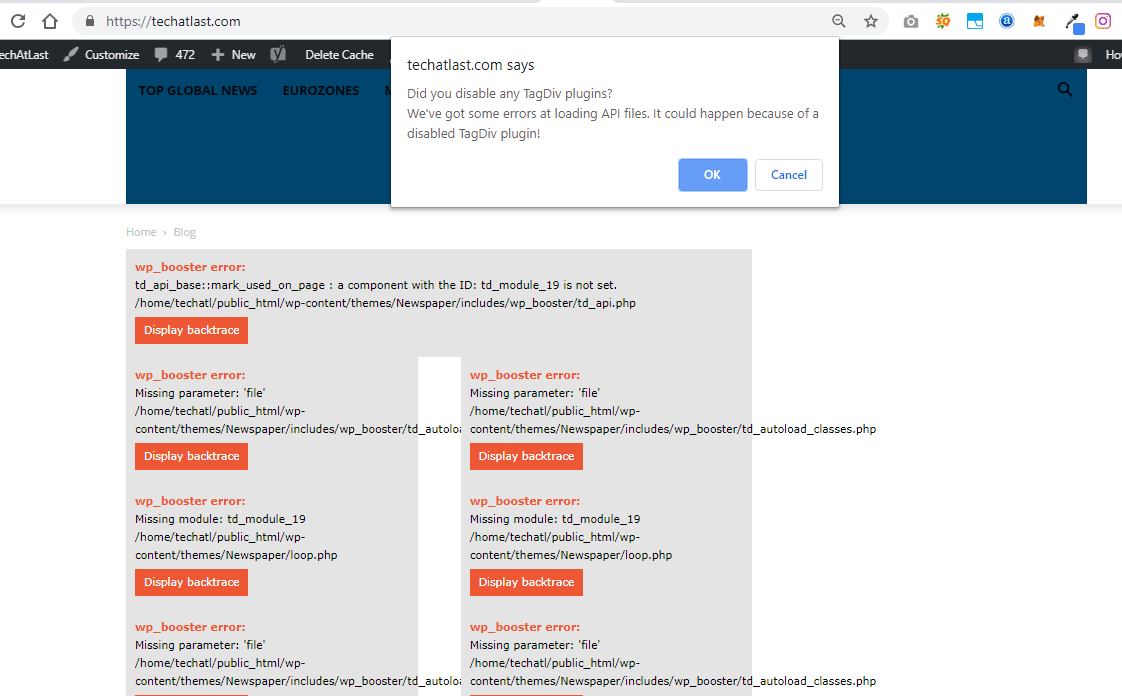
Since upgrading Newspaper to the latest version I’ve had nothing but trouble.
I now get messages saying
tagDiv Composer Outdated /
tagDiv Cloud Library Outdated /
tagDiv Social Counter Outdated /
I have disabled them, re-enabled & still same message, I have now removed them & re-installed the plugins and still get the same message – WHAT IS HAPPENING.
 MKJ
MKJThe update to 9.7 was a major disapointment. Our site was broken due to deactivated plugins. The wp-admin login url didn’t work anymore. So far so bad. The most ennoying problem, however, was the fact that many post templates were moved to the td-composer plugin folder. Many forum users reported problems, since the modified files in the child theme weren’t used anymore. While I understand that you had to do this due to Envato requirements, why didn’t you post a solution. Perhaps you did, but I couldn’t find any. Even plugin files can be overwritten. But you have to give us some information, since there is no standard procedure for this. Newspaper is a premium theme. It is absolutely not acceptable that you leave us out in the cold.
 raqy
raqy Come on guys, really. Stop repeating this mantra and start working on a reliable solution if you want to keep your operation going. Your credibility and reputation after this fiasco is going down the drain and you are not helping yourself one bit.
Is it the end of TagDiv? As I’m sure we’ll find other theme who can deliver.
Why don’t you listen to your clients? Or is it that you have decided in advance to give up on us? and any other prospects who would clearly decide on other themes after getting to know this.
Some customizations can’t be made through the TD composer, like coauthor integration, rtl adjustments etc. Elements that you also refuse to integrate yourself.
I’m really sorry now for choosing you over other themes that do support those things.
Really disappointing.
Thumbs down in all possible fora from now on.
I really hope you get back to your senses. ASAP!!!!
Calin Hi,
New the single_template_1.php can be found in wp-content/plugins/td-composer/legacy/Newspaper/parts/single/single_template_1.php -> https://www.screencast.com/t/Fu7JfEo6ctB
Unfortunately these files can not longer be set in child theme.
Most of the theme files were moved into the tagdiv composer plugin as per the requirements of envato: https://help.author.envato.com/hc/en-us/articles/360000472383-WordPress-Theme-Requirements.
We wrote an article on the subject here: https://tagdiv.com/updating-the-core-of-tagdiv-themes/
Moving forward with such requirements, a child theme will only work with functions.php, and style.css as there are very few files left in the main theme as envato requires all functionality to be added through plugins.
Hope this will help you!
Thanks.
 doctorresidual
I have been on my site since morning having issue installing the updated version of TD composer plugin.
It has crashed my website.
It has affected hundreds of other websites too.
Kindly fix this plugin.

Calin Hi,
To change the amp header color and hide the social shares you need to go in wp-content/plugins/td-composer/mobile/amp/functions.php -> https://www.screencast.com/t/m0ufXi3tuW
?>
<style>
    .amp-mode-touch .td-post-sharing-top, .amp-mode-touch .td-post-sharing-bottom {
        display: none;
    }
    .amp-mode-touch .td-header-wrap {
        background-color: red;
    }
    body [class^="td-icon-"]:before, body [class*=" td-icon-"]:before {
        line-height: unset ;
    }
    .single .td-social-network, .single .td-social-handler i {
        padding-top: 13px;
    }
</style>
Fell free to change the colors!
Hope this will help you!
Thanks!
 Simion C.
 Hi,
There will be a left and right padding on mobile, most elements will have it with some exceptions.
There are some things you could try. For the top form, edit the page with the composer and select the mobile mode
– http://prntscr.com/nfmnnd then set a negative margin left and right for the raw HTML element used – http://prntscr.com/nfmoe3 set a -20px value.
Or use a code like this one – http://prntscr.com/nfmox8 in the mobile CSS field of the Theme panel->Advanced CSS
.home .vc_raw_html {

margin-left: -20px;

margin-right: -20px;

}
For the column title lower down the page, you could try something like this
– http://prntscr.com/nfmw0e
.home .tdc-content-wrap .td-stretch-content:nth-child(6) {

padding-left:0;

padding-right:0;

}
Enter it in the same phones field – http://prntscr.com/nfmwdq
There may be other solutions, let me know if these work or I will think of a different way.
Thanks
Calin Hi,
We tried to get your attention for child theme in our article, for the moment that a lots of files was moved in tagDiv Composer plugin, these files that was moved will not work in child theme because now these are in plugin not in theme -> https://www.screencast.com/t/z5pqD3i116Uw -> https://tagdiv.com/updating-the-core-of-tagdiv-themes/
Unfortunately, the old td-api-plugin plugin does not work anymore and we recommend using this -> https://forum.tagdiv.com/developer-info/
You can create these modules that you made with that api using the flex blocks and you can save the element in a shortcode to can use it later in orders pages -> https://www.screencast.com/t/a2ikt4tq
Thank you for your understanding!
Catalin Hi,
All the theme core files were moved on the td composer plugin and the above screen was made with the new path of this folder -> Now, the td_block_authors.php will find in plugins/td-composer/legacy/Newspaper/includes/shortcodes/td_block_authors.php.
Hope this helps!
Thank you!
Calin Hi,
Unfortunately in Newspaper v9.7 the td-api-plugin will not longer work, sorry! you can achieve the modules that you made with that api using the flex blocks and you can save the element in a shortcode to can use it later in orders pages -> https://www.screencast.com/t/a2ikt4tq
Most of the theme files were moved into the tagdiv composer plugin as per the requirements of envato: https://help.author.envato.com/hc/en-us/articles/360000472383-WordPress-Theme-Requirements.
We wrote an article on the subject here: https://tagdiv.com/updating-the-core-of-tagdiv-themes/
Moving forward with such requirements, a child theme will only work with functions.php, and style.css as there are very few files left in the main theme as envato requires all functionality to be added through plugins.
Sorry for the inconvenience and thank you for understanding.
Simion C. Hi,
A list of the files that were affected by the 9.7 update can be seen here
– https://tagdiv.com/td_deploy/Newspaper/changed_files_9.6.1_9.7.html
Due to many theme files being moved in the composer plugin, a child theme now has limited functionality when it comes to making modifications to theme files. Prior to 9.7 there were many files that could be modified in a child theme – https://forum.tagdiv.com/the-child-theme-support-tutorial/
But now most files are in the composer plugin, so they cannot be used in a child theme.
Thanks
 travel1000places
Hi,
since the update to 9.7.1 I am having problems with the backend (http://domainname/wp-admin/ or any page from the backend… on SOME browsers:
Edge (solved after deactivating / activating TD composer plugin)
Opera
Chrome
Firefox: is ok
They throw following error:
Warning: Cannot modify header information – headers already sent by (output started at /path/20/d1111111/htdocs/aaaa/wp-content/themes/Newspaper/includes/wp_booster/td_util.php:1311) in /path/20/d1111111/htdocs/aaaa/wp-includes/pluggable.php on line 1251
Warning: Cannot modify header information – headers already sent by (output started at /path/20/d1111111/htdocs/aaaa/wp-content/themes/Newspaper/includes/wp_booster/td_util.php:1311) in /path/20/d1111111/htdocs/aaaa/wp-includes/pluggable.php on line 1254
A little weird is the fact that my other domain with NEWSPAPER installed does not have that issue.
I did clear browser caches, even installed e.g. OPERA freshly on another computer, and still get the error on all machines running OPERA or CHROME.
I reinstalled all THEME files and the Theme panel confirms I am running 9.7.1.
I deactivated the child theme but no difference.
Any help is appreciated.
Thanks,
Frank
 RajeshS
Hi.
I did post this in reply to someone who had the exact same error message but for a different problem but I thought it might be a good idea to post separately.
I’m getting this error code but only on BuddyPress pages automatically created by BuddyPress – /Members, /Activity and /Groups etc. The error is …..
Warning: array_key_exists(): The first argument should be either a string or an integer in /home/oldpalud/public_html/wp-content/plugins/td-composer/legacy/Newspaper/init.php on line 31583
Everything is completely up to date. I updated via ftp, cleared caches etc. Turning wp_debug to true shows the same message.
I can’t work out what the problem might be. I tested on a staging site – same version of BuddyPress 4.20, Latest WordPress but only v 9.5 of Newspaper and the error is not showing.
There is also no error if I switch to WordPress 2019. So I think it is an issue with something in the theme after v 9.5.
Any assistance would be very much much appreciated. I have to get this resolved but I’m stumped.
Cheers!
PS – I very much appreciate the work you do.
 13teen
 The last question is from the article “Updating the Word for Envato WordPress Requirements” I didn’t understand the following a bit – if I make changes in the files located along the path \ plugins \ td-composer \ legacy \ Newspaper \ includes, they will to roll back when updating a theme?
Catalin Hi,
If you want to add an Author element you need to add it with Td Composer when you edit your page. Regarding our update, we recommend the FTP method because this is the surest method in this case. Check here -> https://forum.tagdiv.com/install-via-ftp/
Thank you!
