
No search results were found in Documentation!
 jeanlucb
 Hi there
I can confirm my SEO software detects 121 errors (404s) because of the error indicated above, here is one example “http://whatsapp//send?text=Spanish+pop-up+dinner+at+The+Dobblers+Inn%20-%20http%3A%2F%2Fspanishwineries.co.uk%2Fpop-up-dinner-dobblers-inn%2F” – I tried to use the CSS to remove all reference to WhatsApp, but it doesn’t fix this issue. Can I also remove WhatsApp from the mobile site in the CSS?
Thanks
 Bogdan B.
 Hello,
Whatsapp is already present. Check from a mobile device.
As for other networks, please read this topic:
https://forum.tagdiv.com/topic/how-to-add-a-vk-sharing-button-on-your-posts/
or
https://forum.tagdiv.com/topic/add-linkedin-sharing-button/
Thank you!
 kywong85
Hi, may I know how do I add in new share button for Whatsapp, WeChat and Facebook messenger? Thank you.
 pedroarmindo1
 Hi. Add whatsapp, but don’t work. I receve 500 error.
//add whatsapp
if($icon_id == 'whatsapp'){
return '
<span class="td-social-icon-wrap">
<a' . $td_a_target . ' href="' . $url . '" title="' . self::$td_social_icons_array[$icon_id] . '">
<i class="whatsapp-icon">

</i>
</span>';
}
 Anshuminesh19
Hi,
I just Recently Bought a Newspaper Theme & Facing some Issue. I have applied a Pagination in one post & Everything is Working Fine till Page 1. When I go to Page 2, Sidebar is Not Working ( Not Showing Any Widget ). I am Just Posting a Link of My Site. Please Check & Help
http://www.ihindishayari.in/best-love-whatsapp-status-in-hindi/2/
 maialovalies
Hi, I have this issue where my view count isn’t working when we are using mobile and different PC.
To be specific, whenever we posted a content in our website, only certain PCs show the accurate number of views (viewers and social counter). In mobile and in other PCs, the amount of views is static and does not show any changes.
Here the screenshots:
https://deenamik.com/wp-content/uploads/2017/08/PC-1.png (view count)
https://deenamik.com/wp-content/uploads/2017/08/WhatsApp-Image-2017-08-10-at-11.27.31.jpeg (view count (mobile))
https://deenamik.com/wp-content/uploads/2017/08/PC-11.png (social counter)
https://deenamik.com/wp-content/uploads/2017/08/WhatsApp-Image-2017-08-10-at-11.52.46.jpeg (social counter (mobile))
 Catalin
 Hello i24gabon,
Sorry for this but please notice that our theme does not control this case, sorry! You should consult the Seo Yoast plugin’s documentation, maybe you will find some online solutions in this regard. For more references about this, you can check here -> https://yoast.com/social-previews-yoast-seo-premium/ -> https://wordpress.org/support/topic/image-tag-is-missing-in-whatsapp-share/
Thanks for the message!
 i24gabon
Hi
I add whatsapp to share item on whatsapp. But Featured image is not display on whatsapp. How do i do to display Featured image when i share item on whatsapp. I would like the share displays with Featured image.
 simchris
 If WhatsApp uses open graph or similar meta data, check your post to make sure the needed meta data is actually there — theme doesn’t control “sending” anything to WhatsApp.
 Santhiago
Hello, my theme is not loading the featured images when I share the reports in WhatsApp. Is it some configuration of the theme that I have to do?
Thank you
Santhiago Peres
 enterpr1se
Hi,
I found that the image size will enlarge to 640px if there’s a caption.
The original size of this picture should be 327×580
https://www.enterpr1se.info/wp-content/uploads/2016/01/Whatsapp-server-dead-327×580.png 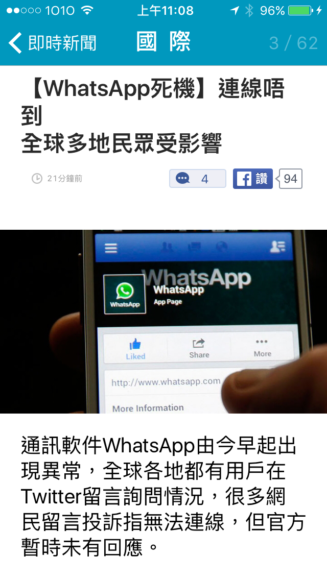
But the size become “full width” in the post
https://www.enterpr1se.info/2016/01/telegram-so-fun-and-safe/
How to solve this problem?
Thanks
Bogdan B. Hello,
Adding a whatsapp icon to the social share icons must be done through the theme code. THe change is simple enough though as the icon exists already so you only need to add this code:
'whatsapp' => 'Whatsapp',
Like so: https://www.screencast.com/t/wsQ3xFZ3vb
Thank you!
 22p
22pSorry for this question: how to add WhatsApp in “Social network block” (top header in the right)?
Really thanks.
 dcoliveira
 Do you have other networks like WhatsApp? You can not include other networks how do I remove these buttons?]

Bogdan B. Hello,
The code for these elements if you want to customize them is found here: https://www.screencast.com/t/8zUPjJfbGjo
There is a whatsapp button available but it only shows up on mobile devices. On desktop it does not work as you need the app installed on your phone.
Thank you!
 smartphile
 I also want to remove the google, twitter pinterest icons. I added the code you mentioned into the CSS through the theme panel, but it is still shown.
Also I want to remove the text from the facebook like and share tweet button and add a whatsapp and instagram button.
How to do this?
Post: https://snag.gy/xqAGLi.jpg
CSS:https://snag.gy/iKAr4v.jpg
-
This reply was modified 9 years by
smartphile.
 Adriano Terres
Hello,
Can you edit the description of the blocks manually?
See images:


Tks
 Simion C.
 Hi,
You could remove it from the code – https://www.screencast.com/t/e8lTwRKWocb or with a code like you wanted. To force it to apply try using it like this – https://www.screencast.com/t/rqhZF6gExdTq
.td-post-sharing-bottom .td-social-whatsapp {

display: none!important;

}
Thanks
 wuche
wuche Everything worked great! Sorry I wasn’t being clear about 2.4: I simply wanted to arrive at that conclusion as a result of the steps prior.
However, I do have one more question: how do I remove the Whatsapp button from the share menu? I tried this code below but it didn’t work for whatever reason:
.td-post-sharing-bottom .td-social-whatsapp {
display: none;
}
Simion C. Hi,
1. I do not know why you want to change the font properties for the text in the social sharing, and then remove it, maybe I am not understanding something.
For the comments section you could try something like this – https://www.screencast.com/t/rl5Cw0kz or separate the code in different styles for each of the elements
.td-comments-title.block-title,

.comment-reply-title {

font-style: italic;

font-weight: 800;

font-family: "Times New Roman", Georgia, Serif;

}
2.1 You could center the bottom sharing section with a code like this – https://www.screencast.com/t/8jCQFwf2
This is the code used, it must be entered in Theme panel->Custom Css
.td-post-sharing-bottom {

text-align: center;

}
2.2 To remove those sharing options please follow this topic – https://forum.tagdiv.com/topic/remove-some-social-icons-from-share-section-in-post/
2.3 If you would like to remove the text you could do it directly in the theme file mentioned in the topic provided above – https://www.screencast.com/t/FqWDoxZMUXY or with this css – https://www.screencast.com/t/LvHjm5GzWp
This is the code if you choose to do it this way
.td-post-sharing-bottom

.td-social-but-text {

display: none;

}
2.4 I do not know exactly how you want it to be. On smaller devices the only difference after making all the changes provided above, will be that the WhatsApp social. If you want it to display at all times you could do it like this – https://www.screencast.com/t/6KLjhtQVSaK
If you could provide more information about this last step, I will try to give you a solution.
.td-post-sharing-bottom

.td-social-whatsapp {

display: inline-block!important;

margin-left: 10px;

}
Thanks
Bogdan B. Hello,
The whatsapp button will share your post on your whatsapp from your mobile phone. The button works fine. You may have a plugin conflicting with it. Please disable all plugins except visual composer, clear cache and reset cdn files. Then test your site again.
Thank you!
 ben.hinc
 I understand. We are using one of the smart list styles on desktop that does not do this to images and we find that using a smart list is the best solution available for presenting this kind of information.
I have done a lot of customizations to both the main and mobile themes by tweaking the source code directly. All of these customizations have come from you and your colleagues’ assistance in this forum.
Are there any code changes I can make to the mobile smart list template that would stop this image replacement from happening?
Examples of changes I’ve already made to mobile:
- Remove pagination on homepage
- Change display of homepage block from “featured” to regular and offset the list below by three
- Remove display of sister categories on category pages
- Remove Whatsapp and Pinterest sharing options
As you can see, I’m not opposed to making changes when necessary and this smart list image issue is certainly one that has an impact.
Regarding using the responsive theme instead of mobile, this is not an option. We have promoted your mobile theme in particular as one of the reasons to visit our website and we won’t give up on that.
Any suggestions you can provide for modifying the code are appreciated. Thank you.
 Edward
 About whatsapp can not advise anything. Facebook – see here: https://forum.tagdiv.com/facebook-share/
 erfha
erfhaI’m having a problem sharing the news to social media, especially on facebook and whatsapp. When the news is shared, image / photo features one, and is not even out yet. Please help for this problem.
 gpm79
gpm79Content of the page is not shown with the plugin tagDiv Mobile Theme activated
Attachment screenshot site with plugin enabled
Currently the plugin is disabled, to avoid this error and you can see how the content is displayed well without the plugin



