

Hello
On our site http://www.virtualmagie.com/ when you are on the homepage there are a lot of blocks and menu a sub menus.
When you reduce the windows of the navigator you see the look on mobile… normaly.
But in fact, when you go on the site through a mobile (Android Chrome or FF), the homepage have only a list of the last artices and menu don’t have submenu anumore… except the 3 last ones (which are pages instead articles like the first ones).
Any idea why, solutions ?
Regards

Hello Thomas,
Please keep in mind that this is mobile theme concept. If you want to come back to the general default mobile you will have to turn off the mobile plugin and the theme will be switched to the general responsiveness mobile version. For more information about our mobile theme, please check here -> https://forum.tagdiv.com/the-mobile-theme/
Thanks.
Ok thanks for the reply.
I found some strange issues on mobile:
1/ In the list shop section, the products images show on computer but not on mobile:
http://www.virtualmagie.com/boutique
or http://www.virtualmagie.com/categorie-produit/tours/
2/ In quick edit, on 3 articles, I used the featured element checkbox and clean the cache.
But on mobile on the homepage, it is still the 3 last articles published which are on top.
3/ In the menu, I don’t have the sub elements for the articles.
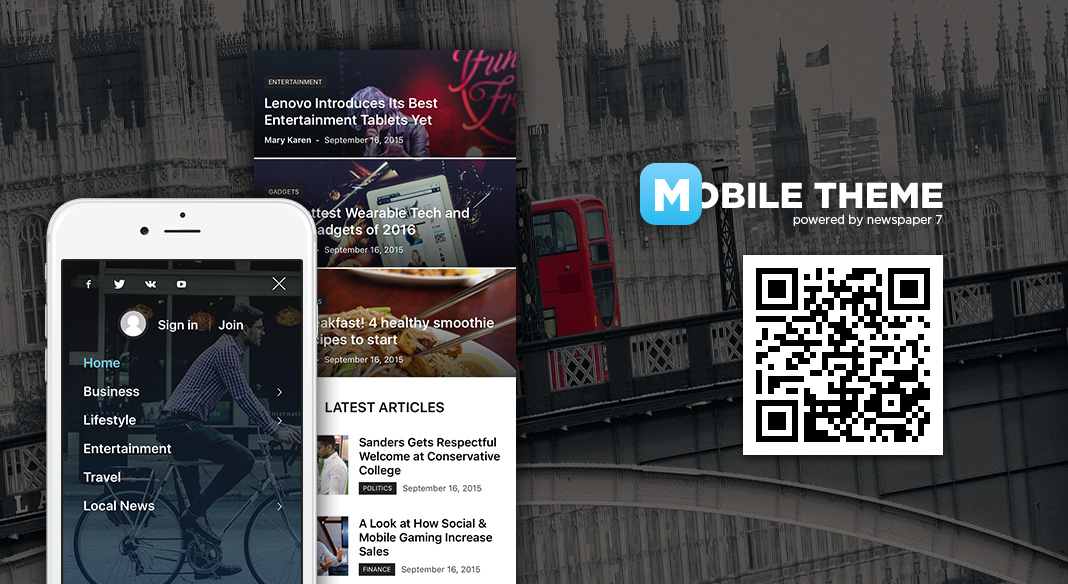
In the URL you give me, we clearly see that it is seems to work for you (see the image).
So I assume, it is a bug.
-
This reply was modified 10 years by
Thomas.
Hello Thomas,
1)Please keep in mind that the Mobile Theme has not been tested with Woocommerce, bb press, Buddy Press.l This concept intends to display only the Big Grid (posts from Featured category), some text which must be written in Mobile Editor and the Latest Articles module in the bottom of the page. If you are unhappy with the mobile version you can turn off the plugin and the theme will be switched to the general mobile responsiveness version. This is not a bug in the theme, this is just the theme behaviour with the mobile plugin. It has been designed to have very basic structure, clear and very easy to use.
2)Please notice that the posts from your Big Grid at the top of your homepage in mobile theme come from your Featured category, for more information about this, please check here -> https://forum.tagdiv.com/the-mobile-theme/
3)The mega menu not working in mobile theme, sorry! If you want to develop more levels in our theme and if you are not aware of the steps in this regard, please consider hiring a freelancer/developer to help you because we cannot provide customization services at the moment, sorry!
Thanks for your understanding!

Hello Thomas,
Please try the mobile theme without any untested plugins. Leave just Visual Composer to active, clear all your caches and install only the plugins that come bundled with our theme and rule out the conflicting plugins.
Thanks for your understanding!
Sorry guys but it is clearly impossible.
Like any serious site, we need to use a lot of plugin to manage members, newsletters, pop up, cache, security…
I cannot deactivate all to find the solution.
So you no solution, we dont’t the choice but deactivate your mobile plugin.
Hope you will manage to upgrade it quickly.
Regards
Hello Thomas,
Please ensure that you are using the latest version of the theme. Please try to download again the theme from the Theme Forest because we have fixed the issue regarding on Mobile theme (not showing the featured image) but the version of it has not been changed…it is still 7.3 version. Also, please notice that we recommend the FTP method because this is the surest one in this regard. -> https://forum.tagdiv.com/install-via-ftp/ Please check your result after this update and let us know how it goes. Your issue, it is possible to be from this case.
Thanks.
Hello Thomas,
Unfortunately, the mobile theme has not been designed to recognize all the Visual Composer shortcode because this concept has been thought to have very basic structure, clear, fast and use for using. Please notice that mobile theme is an optional plugin which can be used or not. If you are unhappy with it, you can simply disable the mobile plugin and the theme will be switched to the general mobile mode.
Thanks for your understanding!
