Hello there,
We’re having a problem moving a single page made in tagDiv Composer from one site to the other.
We have installed Newspaper theme on a test site to fine-tune it and once it’s ready to move it to the production website.
Unfortunately, the move was everything but easy and we haven’t succeded to do it.
We did export and import Newspaper settings using the provided tool in the Theme Panel,
but we couldn’t move a single page.
We’ve tried copying the tagDiv-created page manually through WordPress export/import system but to no avail.
And the same went with database export-import of that particular entry (page).
Once the page is moved, tagDiv Composer says that the page hasn’t been created with it, and we can’t edit it.
So how can we move that (one) page from one site to the other?
Is there some tool we could use?
Please advise.

Hi,
You should be able to copy the page content -> https://i.imgur.com/BbZccxc.png and paste it, in the second website, after that publish the page and open in TD Composer and hit the save button (you’ll get the message “the page hasn’t been created with it, and we can’t edit” because the page was publish/update using the WordPress button not from Composer).
Let me know the results!
Thank you!
Thank you for your answer.
I now see that the problem could be something different.
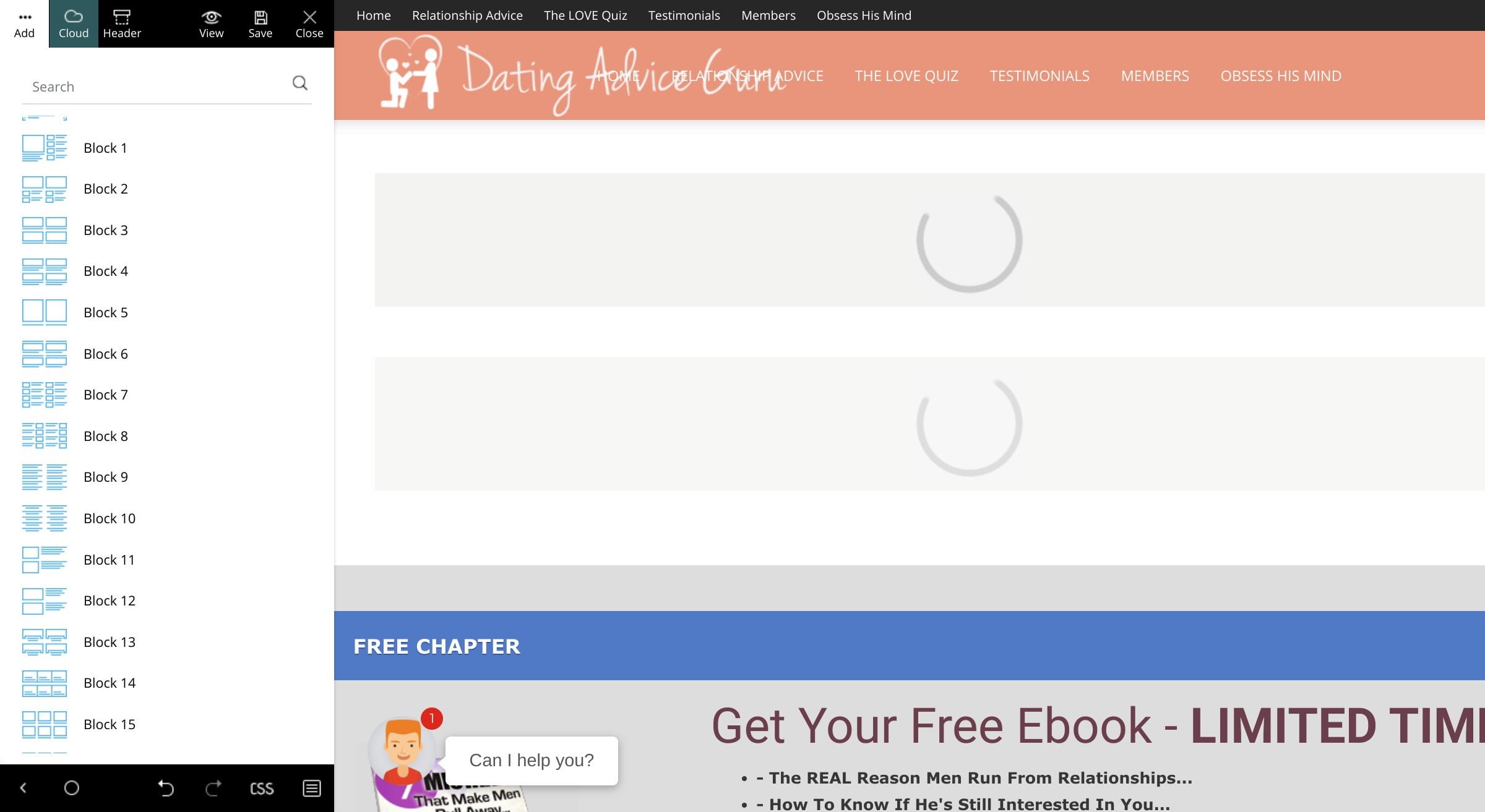
Once I copy the code I cannot save it from TagDiv.
Also I cannot add a single element to the page – not that nor the new one.
All I get is the loading icon. Example:
https://www.datingadviceguru.com/wp-content/uploads/2020/02/tagdiv-loading.jpg
To make things even weirder, I don’t see any errors in the console.
We use same plugins on two installations:
test.datingadviceguru.com
and
datingadviceguru.com
We’ve used the first site to prepare the site and then move it to the second one.
The hosting is different, though.
Do you happen to know what could be causing this – tagDiv Composer not to work?
Please advise. Thanks.
I’m trying to do it just the way you described it.
However, as I was saying – it seems that tagDiv doesn’t work properly on a different server. That’s InMotion Hosting’s WordPress hosting.
Are there are some requirements for tagDiv to work? Some features that should be turned on or off?
Please advise
Hi,
You’ll need to make sure that the theme requirements are set as in our guide from here -> https://forum.tagdiv.com/requirements-for-newspaper/
Please check this article for when tagDiv Composer is not working -> https://forum.tagdiv.com/tagdiv-composer-not-working/
If the problem persist, please provide some more details and some screenshots with the problems you are facing.
Thank you!
Still nothing.
I went through that article you suggested and even tried to deactivate a few plugins but to no avail.
tagDiv refuses to work and to make things worse, I don’t see any error messages in the console.
Whichever element I try to add, I see the loading circle which never ends.
Do you happen to know what could be causing this?
Hi,
Please send us an email at contact@tagdiv.com and provide admin login, as well as cPanel or FTP if possible. We will take a look. Include a link to this topic in the email.
Thanks
OK, my admin (Dusan Belic) will send you an email from dusan.belic@gmail.com.
Thanks.