Hi, I am a bit desperate after trying everything I guess, also I have not found anything like this in the forum or in google.
After installing the new version of Newspaper (followed instructions correctly I think, cleared cache, and installed plugings) my post pages are looking way too big, so the letters go out of the screen in desktop and tablet…
I have tried changing post templates, sidebar position, etc, but the problem persists.
Here is an example (sorry it is in Spanish, but you can see it´s too wide):
http://futurhobby.com/magaz/viajar-con-drones/

Hello Toni,
I have inspected your website and I did not saw any problems with your page. Everything seems to work as expected, as you can see here -> https://www.screencast.com/t/ddJYlkvK Try to clear all your caches, purge all CDN files if you are using the CDN system and check the results. If is not what you mean, please provide more details so I will be able to provide a more accurate response.
Thanks for the message!
Hi Catalin,
Sorry for my late reply and a million thanks for your reply,
Yes, after writing my post Y reinstalled the whole worpress, that I had previously backed up by Ftp.
I think the problem came for the following reason:
After upgrading Worpress version, and upgrading Newspaper theme, I disconnected and reinstalled the Visual Composer plugin, and was running therefore latest version.
Afterwards I read the post advising Not to upgrade (a bit too late),
and I installed a previous version of VC,
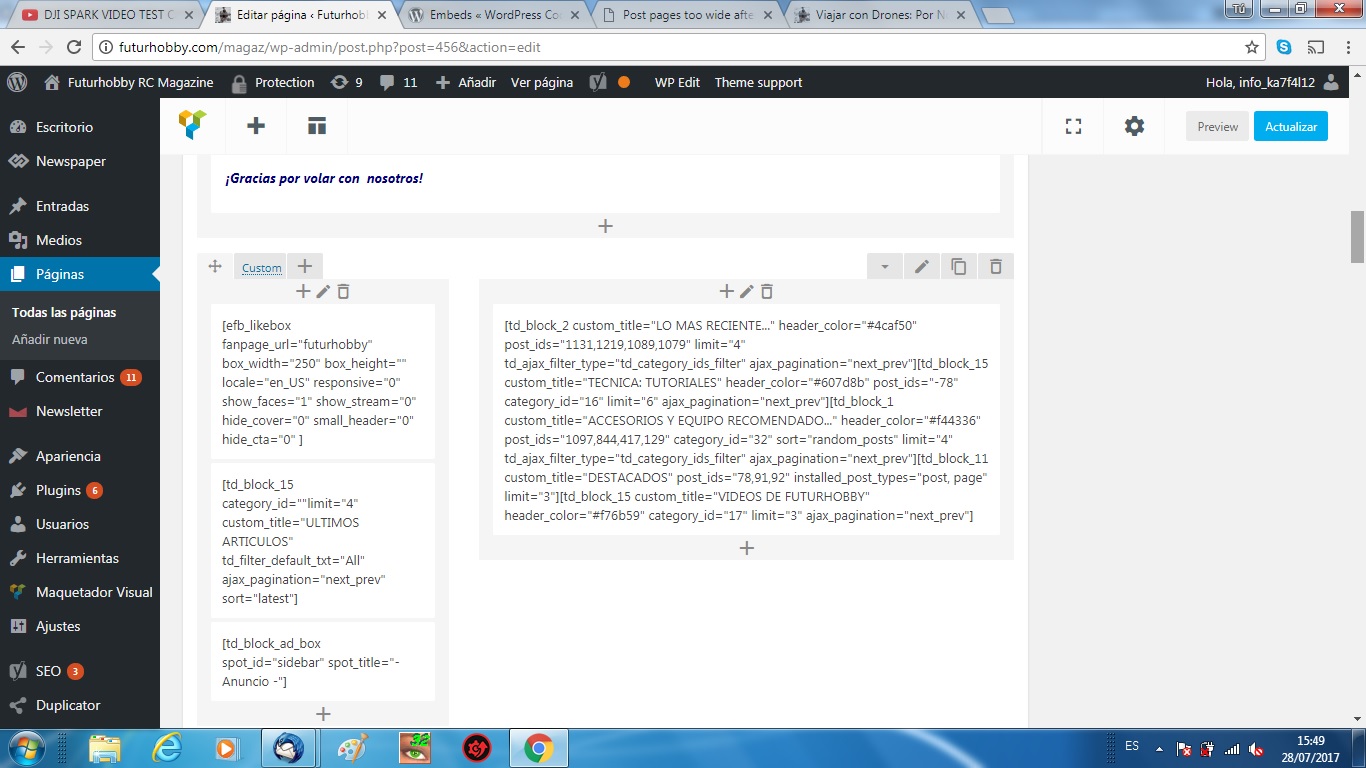
Now I cannot control the settings on pages, only code not so newbie-friendly:
PrintScreen VC
Shall I wait for a new version of VC to be released, or is there any thing I could do to get this working?
Many thanks for the time!


Hi,
It is strongly not recommended to update the Visual composer plugin directly from the author (option available for a purchased plugin).
– https://forum.tagdiv.com/how-to-update-visual-composer-plugin/
When an update is available for Visual composer, we will first test it and and then officially include it in the theme package. This will ensure full compatibility between Visual composer and the theme.
What you could try is to install the previous version that you had installed before updating (and try updating the page with problems). Installing the version that worked before could fix the issue.
You could consider updating the theme as well, as I see that you are using an older theme version at the moment
– https://forum.tagdiv.com/how-to-update-the-theme-2/
Thanks
Hi Simion C., and many thanks for the help…
I tried updating the theme fom 6.7.2 to 8.1… (I have it purchased and download from envato-themeforest site) and got the same issue:
The post pages are too wide for the screen, the text goes out of the screen in desktop and also in tablet, mobile…
The pages are displaying ok, but the posts are not readable…. so I had to go back to my old version with a backup.
I tried importing the settings from the newspaper panel, but didn´t help.
With this version I have some problems, so I would need to update the theme version…
Hi,
If you update the theme to the latest version or install it, the tagDiv composer will automatically activate itself
– https://forum.tagdiv.com/tagdiv-composer-tutorial/
Having both editors active could create problems in some cases. After updating please go to your plugins section and deactivate the tagDiv composer plugin.
If you use a child theme please switch to the main theme, as it may require adjustments to the new theme version. Custom code you might use may not work properly anymore.
Thanks