Hello there,
When creating a post, and trying to use Post Template 3 or 4, the picture comes up blank.
In the case of Post Template 3, as an example, the title comes up over a black rectangle.
Where are these two trying to pull the picture from (I’m assuming the featured image??)
Post Templates 6 and 7 work as expected, so we’re trying to figure out what we are doing wrong.
Any help would be greatly appreciated.
Best
Mike

Hi Catalin,
Here’s an older story where I’ve applied the default post template style 3: https://www.catholicweekly.com.au/former-senator-jacinta-collins-is-australias-new-national-catholic-education-chief/
The story has a feature image, which I thought would appear where the black rectangle is, behind the title.
Have I misunderstood how this template works.
Best
Mike

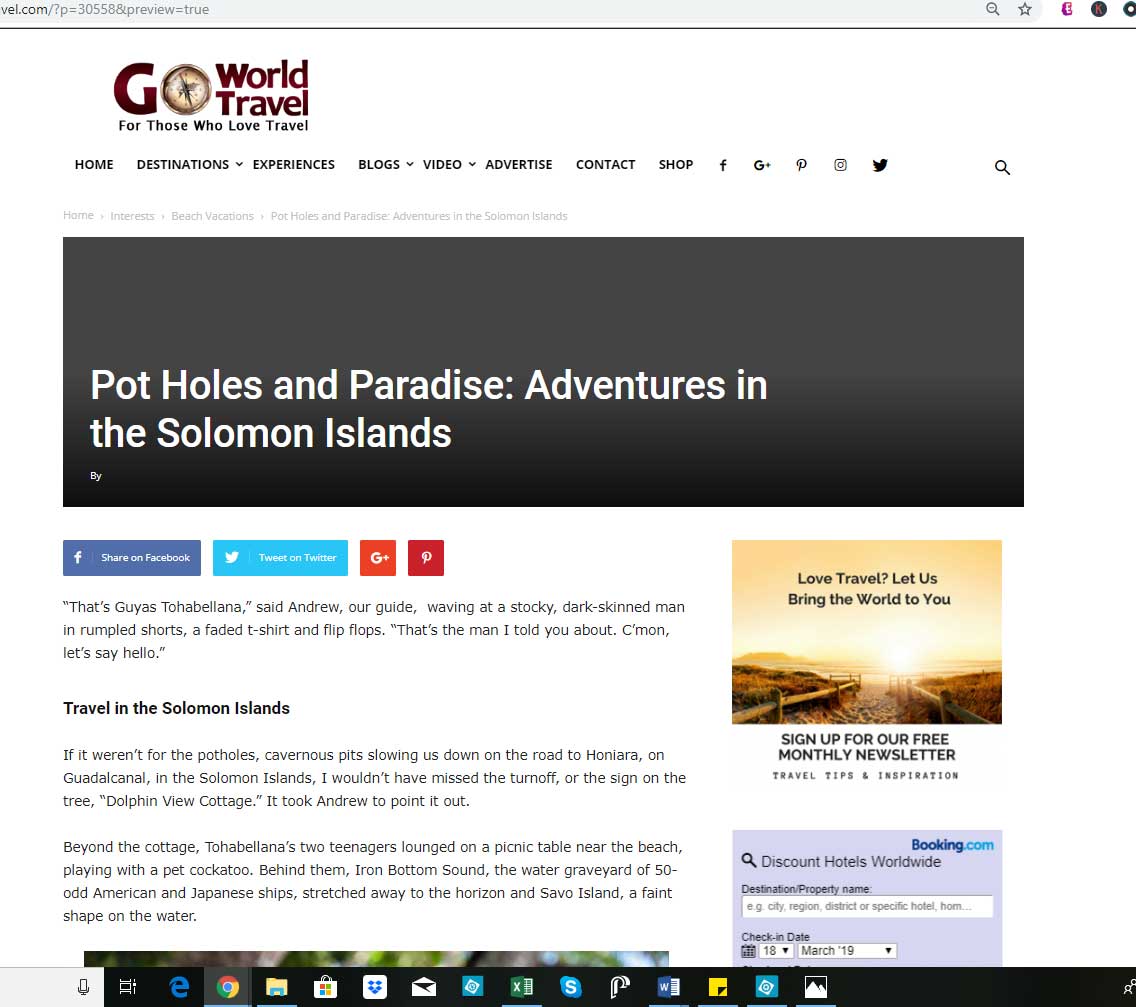
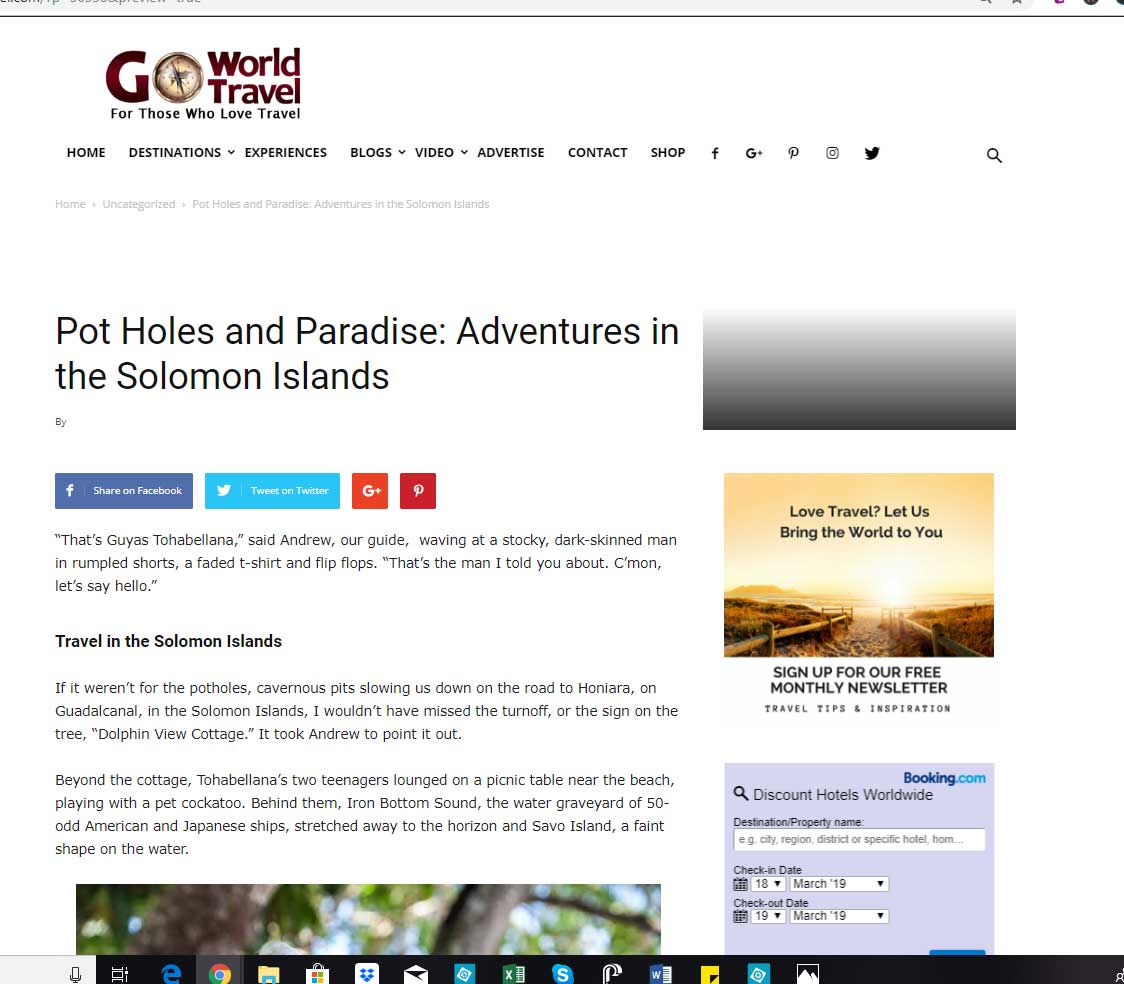
Hello, We are having the exact same problem. Post templates 3 and 4 display NO IMAGE. Post template 4 doesn’t even show the whole space.
Screen shots here: https://www.goworldtravel.com/wp-content/uploads/2019/03/newspaper-theme-error-style-3.jpg
https://www.goworldtravel.com/wp-content/uploads/2019/03/newspaper-theme-error-style-4.jpg
Post templates 6 and 7 work fine, as seen here:
https://www.goworldtravel.com/winter-quebec/
Hi,
I have made some tests on my side and all of these templates are working fine -> https://classicalbumsundays.com/banquet-records-in-kingston-behind-the-counter-episode-8-12/. Ensure that you are using the latest version of the theme, remove all of the untested plugins, clear all the caches and check the results.
Let us know how it goes!
Thanks for your understanding!
I’ve checked this in all browsers and get the same result.
To be honest, we noticed this when building the site, and have just not used these two templates.
I was hoping there was an easy fix.
Catalin – I’ve already done this on a cloned site to no avail.
M
I’ve updated to the latest version and still seeing the same issue.
jlgraber – in IE I’m still seeing the black bar at the top of the story with the white title on top.
Best
Mike
Hi all,
Sorry for my misunderstanding! Please notice that behavior appears when you are not set up any featured image to your post as you can see here -> https://www.screencast.com/t/cTqcpnNi6Ng Set up a featured image and you will bring well results.
Thanks.
Hi Catalin,
Thanks for your email. We definitely have the featured image set. Here’s an example of what we’re talking about. In this recent post, we have the post template set to Style 7 and it looks great! https://www.goworldtravel.com/travel-solomon-islands/ (Style 6 also looks fine)
But if we set the post template to style 3 or style 4 for same post, this is what happens:
https://www.goworldtravel.com/wp-content/uploads/2019/03/newspaper-theme-error-style-3.jpg
https://www.goworldtravel.com/wp-content/uploads/2019/03/newspaper-theme-error-style-4.jpg
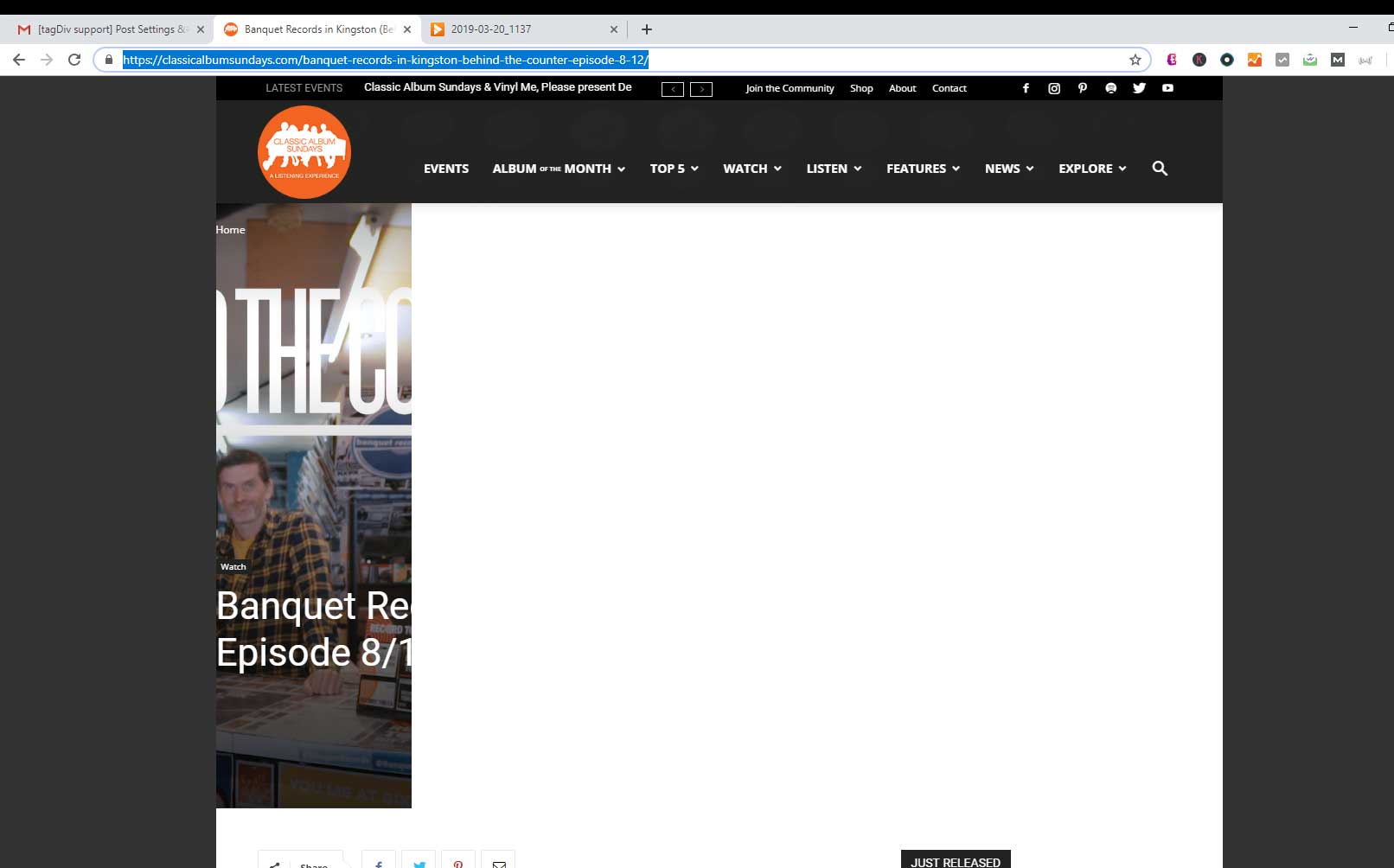
Also, FYI, this is what I see on the link you sent from classicalalbumsunday.com
https://www.goworldtravel.com/wp-content/uploads/2019/03/screenshot-classical-album-sundays.jpg Checked it from several different PCs on chrome
Any ideas on what may be causing Post template 3 and 4 to have these problems?
Thank you!
We are seeing the same results as jlgraber and have a feature image on all of our stories.
Mike
Hello,
@jlgraber, Unfortunately, that link was not from you. There are no problems with these post templates. Please send us an email at contact@tagdiv.com with your log-in information (wp-admin) so I can take a closer look at your setup page. I need to make some tests in this case.
Thanks for the message!
jlgraber – if you find a fix, can you kindly update this post for us.
thanks
Mike

Following the thread to know the answer.
Even I have some issues changing the post style to 3 and even 4
Hi All,
Was there an update to this issue?
Best
Mike
Hi Sydney Archdiocese,
There no issue in this case. Please send us an email at contact@tagdiv.com with your log-in information (wp-admin) so we can further investigate it closer your setup page configuration.
Thank you!
Hi Catalin,
I’ve sent you the deets to our site.
Best
Mike
Hi Gang,
Here’s the answer: (unfortunately this creates an unacceptable outcome on our site – forcing featured images at the top of every story.)
Hello,
You have the featured image deactivated in the theme panel: https://www.screencast.com/t/ohx9VE4XBn
Once i activated the option ,the featured images are properly shown again.
Thank you!
Bogdan B
Hi,
Unfortunately, in that case, you need to use another Pos Template which does not display you the featured image, like post template style 5,12 or you can create your own post template using the Cloud Library template. Check the documentation from here -> https://forum.tagdiv.com/footer-templates/ -> https://forum.tagdiv.com/tagdiv-cloud-library-plugin/
Thank you!
Hi Mike,
Thanks for sharing the findings. Yes, this is a problem for us as well. We cannot set every post to include the feature image, so unfortunately can’t use post templates 3 and 4 it seems.
Catalin, perhaps this is something you could address in a future update with Newspaper. It would be really nice to be able to use ALL the post templates, regardless of whether or not we choose to display the feature image in the post.
Thanks all!
Janna