

Tagdiv have updated the Newspaper Theme five (5) times between May 6, 2020 and August 10, 2020. On two of the five occasions, (May 20th and Aug 10th) several of my site’s settings have been deleted, disabled, or reverted to default. The time taken to reset the site to its original state on the first occasion it was broken (May 20th update) was very tedious and time consuming. Moreover, the thought of a similar breakdown occurring with my site being live is very scary. Thank God the site is in construction mode.
The specific problems are:
HEADER
All Top Bar settings wiped out
Header Ad settings wiped out
Logo and favicon entries wiped out
Logo for mobile wiped out
iOS bookmarklets wiped out
FOOTER
Style 5 setting reverted to Style 1
Instagram and wiped out
Footer Info Content wiped out
MISC
Theme Colors reverted to default
Social Network entries wiped out
Image thumbnails disabled
This is a major problem and concern to me, and I would love to have the problem identified and fixed so the site can meet its scheduled published date in late September. Please note that I know how to update the Newspaper Theme and am unaware of any plugin(s) that could be the cause of the problem.
Regards,
Jenny

Hello !
Please contact us via email at contact@tagdiv.com and provide the following:
– admin url and credentials
– cPanel url and credentials
– A link to this topic in order to identify you
Our team will take a look !
Thank you !
Thanks much. The relevant info has been sent to contact@tagdiv.com.
When can I expect to get a response to this case which I referred to contact@tagdiv.com on the 14th inst.?
Sincere regards
Hello !
We cannot find your e-mail.
Please make sure to update Newspaper theme manually as you can see in our guide here: https://forum.tagdiv.com/how-to-update-the-theme-2/
Make sure to update the plugins too: https://forum.tagdiv.com/newspaper-how-to-update-a-plugin/
Let us know the result.
Thank you !
Hi Vlad,
Disappointed to hear that my email to tagdiv contact was not found. I have resent the email because I want the technical staff to have a look and try to identify the source of the problem. I have not followed your suggestion re a manual update because if that is the solution, it means that I will feel compelled to go through that process every time there is an update. I hope this matter can be addressed in short order, given all the circumstances.
Regards
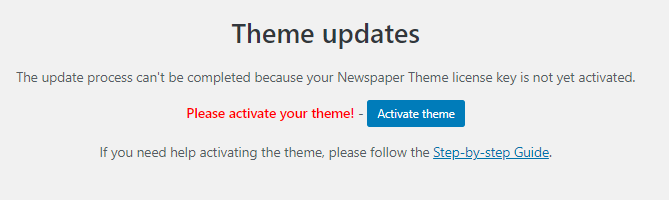

Hi Jenny,
Unfortunately you can not use this theme option until you activate the theme.
Theme activation -> https://tagdiv.com/how-to-activate-the-newspaper-theme/
You can manually activate the Newspaper theme from here: https://www.screencast.com/t/EL4k48Lq
If this is still not working go in Newspaper> System status and replace the url from: -> https://i.imgur.com/WlRnszw.png
admin.php?page=td_system_status
in
admin.php?page=td_system_status&reset_registration=1
And try after that to activate the theme.
Let me know the results!
Hi Calin,
Thanks for you help but if you read and understood the entire thread of my interaction with tagdiv, you would have realized that the issue re the Themes Update is merely a symptom of the real problem,first reported on August 13th inst. Why would I need to activate a theme, which was already activated two years ago, and which has survived numerous updates? Anyway, I have re-activated it as you suggested and the problems I reported on August 13th still remain to be addressed.
Best regards,
Jenny
Hi Jenny, I do not know can be the problem that the theme needed to be re-activate, there were few rapports about this problem, but these users uninstalled and reinstalled other demos and there was something in uninstall function that removed the entire settings from theme panel, but now this is not longer a problem. But in your case somehow the settings from theme panel that are related in databases were change.
If this problem reappear let us know!
Thank you for your understanding

