

 Atithya
 I am saying that the default sticky menu with logo is not found and if I am adding anything to empty column it is not coming perfectly like the default one.
Atithya I have deactivated and enabled it again, and making all changes you have suggested, for mobile it is working fine, but on desktop it is showing empty column.
https://drive.google.com/file/d/1V7KnxBCYT8JqNZ-C3QYgEnR445XHYtg9/view?usp=sharing
Atithya Hi Calin, I am the admin of this website. the template was set up and was working properly earlier. I have shared Nov month way back machine link: https://web.archive.org/web/20251123180938/https://www.electronicsforu.com/
Kindly check and you can see a sticky menu just below the wayback machine header: https://drive.google.com/file/d/1ubln-UnwUSOeJEfXRLXHzsj2a-pSpBxt/view?usp=sharing
Atithya The sticky menu is already enabled from the backened, but when I am re-enabling it again, it is showing empty column for desktop.
https://drive.google.com/file/d/1VEMpwCzT4c200V_W38F2LH234gIDz63x/view?usp=sharing
Atithya My website link is https://www.electronicsforu.com/
Atithya I have enabled both “Show Authors” in layout and module 2 but author name is not showing
Atithya When will your team be adding it?
Atithya I am asking why Microsoft Clarity is showing tdb_action=tdb_ajax in recordings but not to the user after the URL
Atithya If I am using Co authors plugin, if I use this plugin do all authors will be shifted from co-authors to this new plugin or do we have to add it manually again?
Atithya I have 3 websites, for 1st website the settings are showing but for 2nd website https://www.electronicsforyou.biz, header sticky menu is showing in left panel but no zone settings are showing.
Atithya Will the functionality be the same if we use an HTML block and paste HTML/Javascript code directly from Get response?
Atithya How to turn off lazy loading for the full website?
Atithya Atithya I had checked for both mobile and desktop, I had disabled from both places but still getting h1 in 2 places.
Atithya We were able to reduce from 3 H1 to 2 H1. I think the rest h1 are in sticly menu. Can you please tell me where to disable that?
Atithya Is there any chance we may get this feature in future updates?
Atithya I have sent email, please check.
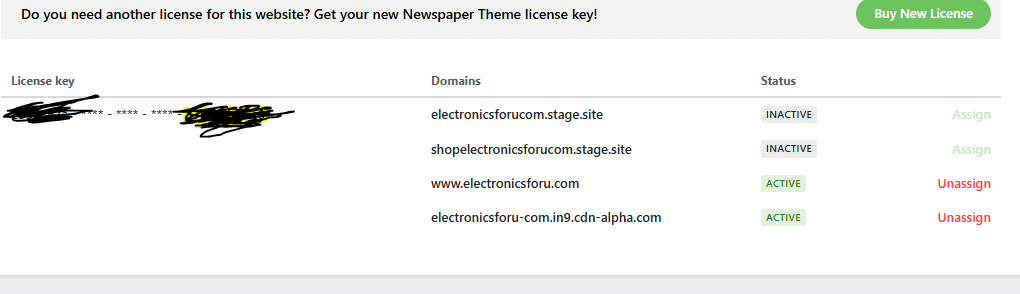
Atithya Hi You can see in the screenshot already. We have assigned to only 2 website. One is live website and one is staging website. The 1st two websites are not working and are unassigned.
Atithya I like the Flex Loop Sorting Options, but there is no option to set most popular articles sorting
Atithya I am using key in my 3rd website and you can check that 4th website is staging website. Even using valid key this issue is happening. And, it started happening after 12.7.1 update.
Atithya Yes I replaced the older one with new one which you gave me. Here is the screenshot of the assigned license.
Atithya Yes, I tried your version also. But still the same.
Atithya I want this highlighted feature for category pages: https://drive.google.com/file/d/1SlzHaxptztyFONSbziA3eQorga-dTHOD/view?usp=sharing
Atithya Awaiting response from tagdiv
Atithya I wanted the users to select the type of sorting, there was a separate clickable element on category pages on upper right corner to select the type of sorting. This flex type I am familiar
