

 haipo
haipo Hi Bettina,
Thanks for sharing the above intructions.
I did customize a default button, but it doesn’n change the default design of the design of components
When I load a component to the TAGDIV designer, it comes with its own button and header.
And they are always diverted to LTR.
I must have a solution for that because it is a very basic functionality when working RTL with your page builder…
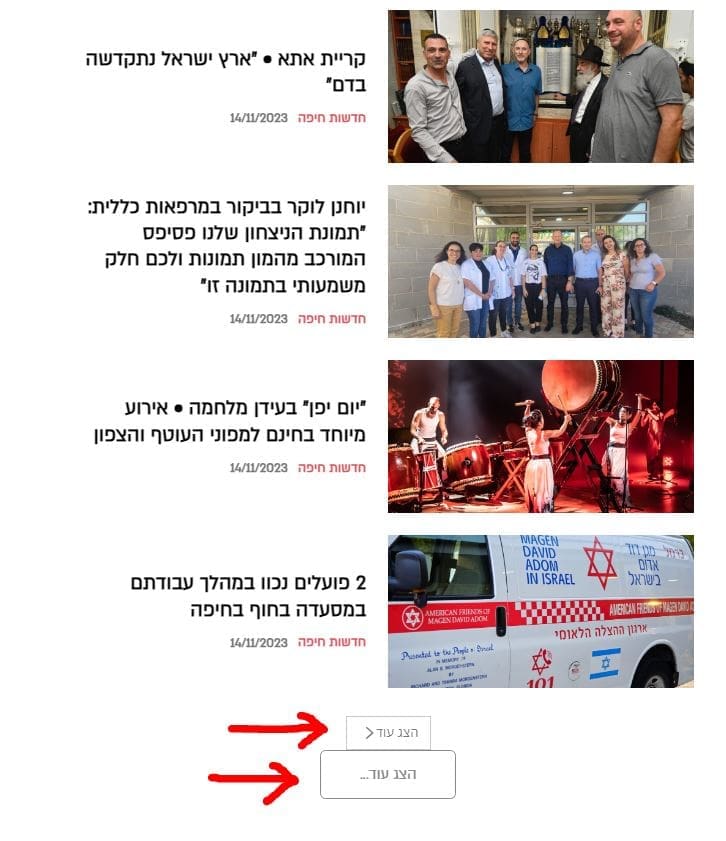
–
Thanks,
Yaron
haipo Thanks dear Bettina
You solved the problem
Yaron
haipo Hi
Sorry
I made some changes is my DEV2 system
Please check this url and try the dropdown menu on the right end
https://dev2.haipo.co.il/item/485841
–
It flies out of the site borders.
I expect it to align to the main menu node
–
Thanks,
Yaron
-
This reply was modified 2 years by
haipo.
haipo Hi
I managed to have a good progress with RTL after reloading the demo site:
RTL news manager.
Ne need for further asisstance at this point.
haipo Hi Bettina
Thanks for sharing your comment
The header is the RTL recommended by you: “Default RTL PRO”
But still it doesn’t work well
–
BTW, I purchased TAGDIV only because the RTL suppurt was announced as part of the solution.
So I really need some assistance to make the RTL stable.
Thanks,
Yaron
haipo By the way, I read all your istructions in the forum, but it simply doesn’t work:
https://forum.tagdiv.com/topic/rtl-issues-with-mobile/
https://forum.tagdiv.com/topic/reverse-sidebar-order-on-mobile/
No matter what I do, The order for mobile remains RTL
haipo Please see this post example:
https://dev2.haipo.co.il/item/485817
No matter hat I do with the inner row order… The left column always go over the right column when switching to mobile view.
haipo Resolved by raising the memory_limit to 1000 MB
haipo FastCGI sent in stderr: “PHP message: PHP Fatal error: Allowed memory size of 524288000 bytes exhausted (tried to allocate 35259384 bytes) in /var/www/vhosts/dev2.haipo.co.il/httpdocs/wp-content/plugins/td-composer/legacy/common/wp_booster/td_resources_optimize.php on line 171” while reading response header from upstream
haipo The server log:
PHP Fatal error: Allowed memory size of 268435456 bytes exhausted (tried to allocate 20480 bytes) in /var/www/vhosts/dev2.haipo.co.il/httpdocs/wp-includes/class-wpdb.php on line 2320″ while reading response header from upstream
