

 kubick
 That’s not good. I’ve been with you for over 10 years, but I’m already looking at competitors who are starting to use AI.
kubick Ok, no problem. Thank You 🙂
kubick I don’t want to uncheck this option. Full breakdown is a very nice option and I would like to have it on the page 🙂
Unfortunately, but I translated the word “Overall” in the place you indicated: Newspaper-> Theme panel-> Translations-> Translations. However, something is not working and the translation is not appearing on the front end.
All other words are translated and working. This one just won’t translate 🙁
kubick 3.
No, I created 10 criteria.
The first “Overall” is the functionality of the shortcode. It appears automatically. It is the sum of all the criteria.
kubick Example: https://tko.pl/review-test
Thank you for your help. Thanks to your tips, I managed to do it correctly and everything works.
I have additional questions:
1.
Is it possible to disable the title and description field of the review? I would like to leave only the score.
Currently, filling in the title and description of the review is mandatory.
2.
How can I add a field to accept the site’s rules, which must be mandatory in order to publish a review.
Do I have to do it via a custom field?
3.
I can’t find the option to translate the word “Overall” anywhere on the site.
Unfortunately, it is translated in the template, but on the frontend it still appears in English.
kubick Thank you for your reply, but I would like to clarify my question. My main issue is sorting the post with events by the start date, which is stored in an ACF field called “data_i_godzina_wydarzenia”. I would like to display only future events (those that haven’t occurred yet) and sort them by this field, not by the post creation date.
To give You a better idea, here’s a video that explains how to do it in Elementor: https://youtu.be/w-95BrIJyQA. However, I’m using Flex Block Builder i TagDiv Composer, so I would need similar guidance for that.
Could you please help me with adjusting the query or settings to achieve this?
Thank you for your assistance!
kubick Unfortunately, their template still generates meaningless functionality. If you have a large website with sudden increases in website visitors, the database and server load is guaranteed.
I couldn’t explain to support what was going on, so I outsourced it to an external developer. Unfortunately we have to update the changed code after each theme update 🙁
I have to pay for it.
kubick Yes and no 🙂
This custom css solved the video player thumbnail problem.
.wpb_wrapper .td-a-rec:not(.td-a-rec-no-translate) {
transform: none !important;
-webkit-transform: none !important;
}
However, a new problem has emerged with Adsense automated vignette advertising on mobile devices.
We are currently trying to solve this with support.
kubick Hello, I have a similar problem on the tko.pl website
The player thumbnail with ads does not appear (on the home page and in each article).
The service provider wrote that: “You have such a thing in your styles. You need to completely remove translateZ from the parent elements for the player”
.tdi_134.td-a-rec:not(.td-a-rec-no-translate) {
transform: translateZ(0);
}
-
This reply was modified 2 years by
kubick.
kubick I will add that this way you will only disable the view from the front end. In cms, impressions are still counting and the server is loaded.
kubick Ok, thank You 🙂
kubick Yes, very much. For two reasons:
1.
People logged in to cms who are not administrator or publisher can see it. This is data that can reveal too much information, e.g. in the context of advertising.
2.
I use your products on websites that generate large amounts of content and high traffic. If I have 26,000 articles in cms, the database and the server are unnecessarily loaded.
So I can disable this option or change the server. Either solution will cost me. Programmer or new machine 😉
kubick I don’t use any additional plugin. I’m just surprised that this feature still works and that’s why I’m writing to you. Maybe this is something to investigate and fix in a future template update?
I am looking for a solution on the forum, because you have helped me a few times with other problems 🙂
I did the test.
I have several pages with your template on different hosting with different plugins.
Counting views works on every page even though I have disabled all options and even disabled all plugins.
kubick Are you sure? My admin said it just hides the view, but the counting process is happening in the background anyway.
kubick tagDiv Standard Pack is disabled
ajax post view count is disabled
7 days post sortind is disabled
show post view is disabled
Unfortunately, it still counts post views in cms 🙁
kubick I have the same problem. Counting page views takes up too much server resources when the page has a lot of readers. I’m using a single post template. Single post view count element is deleted. Unfortunately, post views are still being counted.
How to block/disable it.
-
This reply was modified 3 years by
kubick Thank you for your answer.
I’ve noticed a few times after major updates that documentation or blog description is missing.
There is nothing on the blog about the update to version 12 to this day :/
kubick As I wrote. It does not appear in the “cloud template” home page or any other page.
There is clearly something wrong.
kubick I’m sending a screenshot and new feature suggestions. Maybe you can add it to the list.

Flex block displays “Tutorials” about traveling in different countries.
Each post now has two categories: “country” and “tutorial”.
Each post should be labeled with the country category it was assigned to. There is no point in showing up the “Tutorials” category label, because that’s the name of a section on the page.
There is no option for set primary category in flex block settings. This can only be done manually in the article settings.
Better would be the default setting for the block to automate the process.
kubick Ok thank you, but I wonder how to set not a category but a category label or exclude on a flex block, when post is asigned to more then one category.
example screen shot
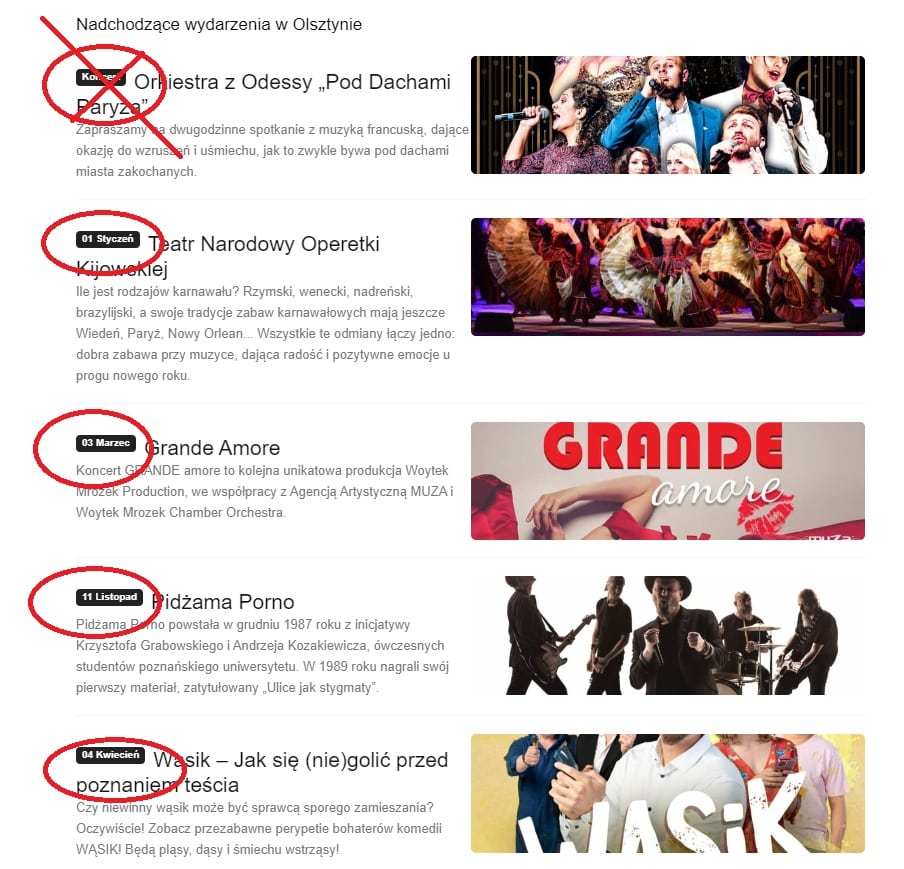
kubick OK thank you. I’ll write a message.
By the way, I will ask about the category labels.
Some posts or CPT are assigned to several categories.
How to set which category label should be displayed on the block, grid or loop? From what I noticed, they show up randomly. There is also an option in “Post setings” -> “Primary category”, but you have to do it manually for each post separately.
kubick I have the “Enable Filters on Mobile” option turned on.
It’s probably not a plugin conflict. I just turned off all but Yours. There is still the same problem.
Now I just tried a new solution.
I deleted the mobile version of the website. I turned off the “Enable Filters on Mobile” option. The website and filters work normally in the mobile responsive version.
This can now be seen on the website.
When I turn on the “Enable Filters on Mobile” option, the problem reappears.
kubick Cool. Thank you.
Do you plan to develop new functionalities so that you can create a calendar of events?
kubick Can a user who is not logged in add posts? Can I add posts from the front end without user registration?
kubick You can use this plugin
https://wordpress.org/plugins/post-expirator/
