

 LauraBV
 Thanks Bettina – I have actually tried that one already. You can see that despite being set to 30px, the text isn’t shifting!
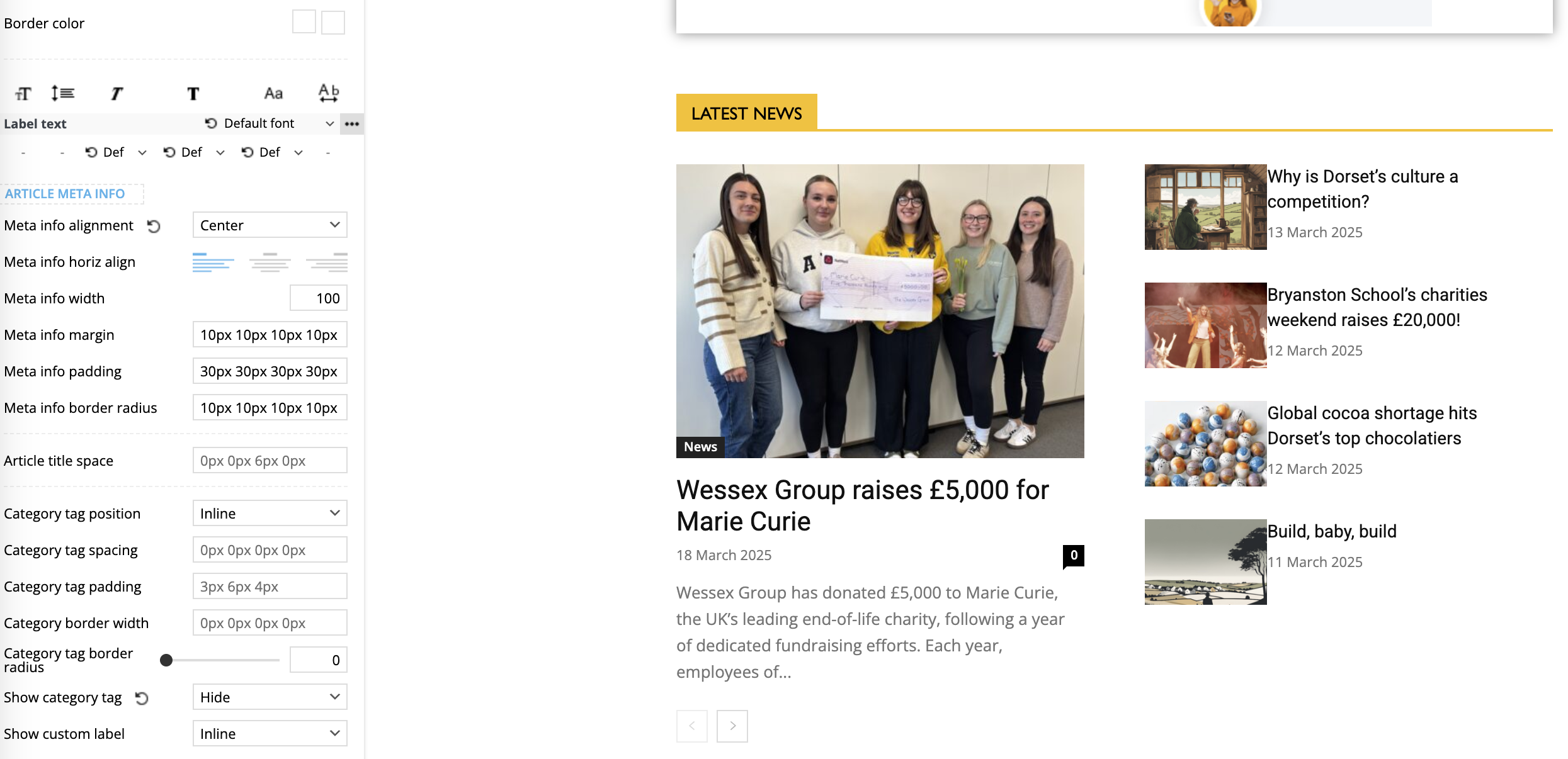
LauraBV THAT FIXED IT!
Thank you so much, I was going mad with this!
LauraBV I have removed the caching plugins entirely, and deleted my own browser cache. But the serif font remains!
LauraBV That was it! Thank you so much, I have been going round and round this for days!
LauraBV No – it’s not displaying the error right now because I have cleared the website cache and therefore it displays correctly.
Am I being stupid here?
The website should not revert to a broken, incorrect version on the home page when I create a new blog post.
That is not an error in someone’s browser.
They are not simply viewing a leftover unrefreshed echo.
It is a bug in the website itself – the home page template has zero connection to a new blog post going live.
Below are the two side by side – please explain how this occurs when I publish a new blog post, and how the source of the issue is the users browser?
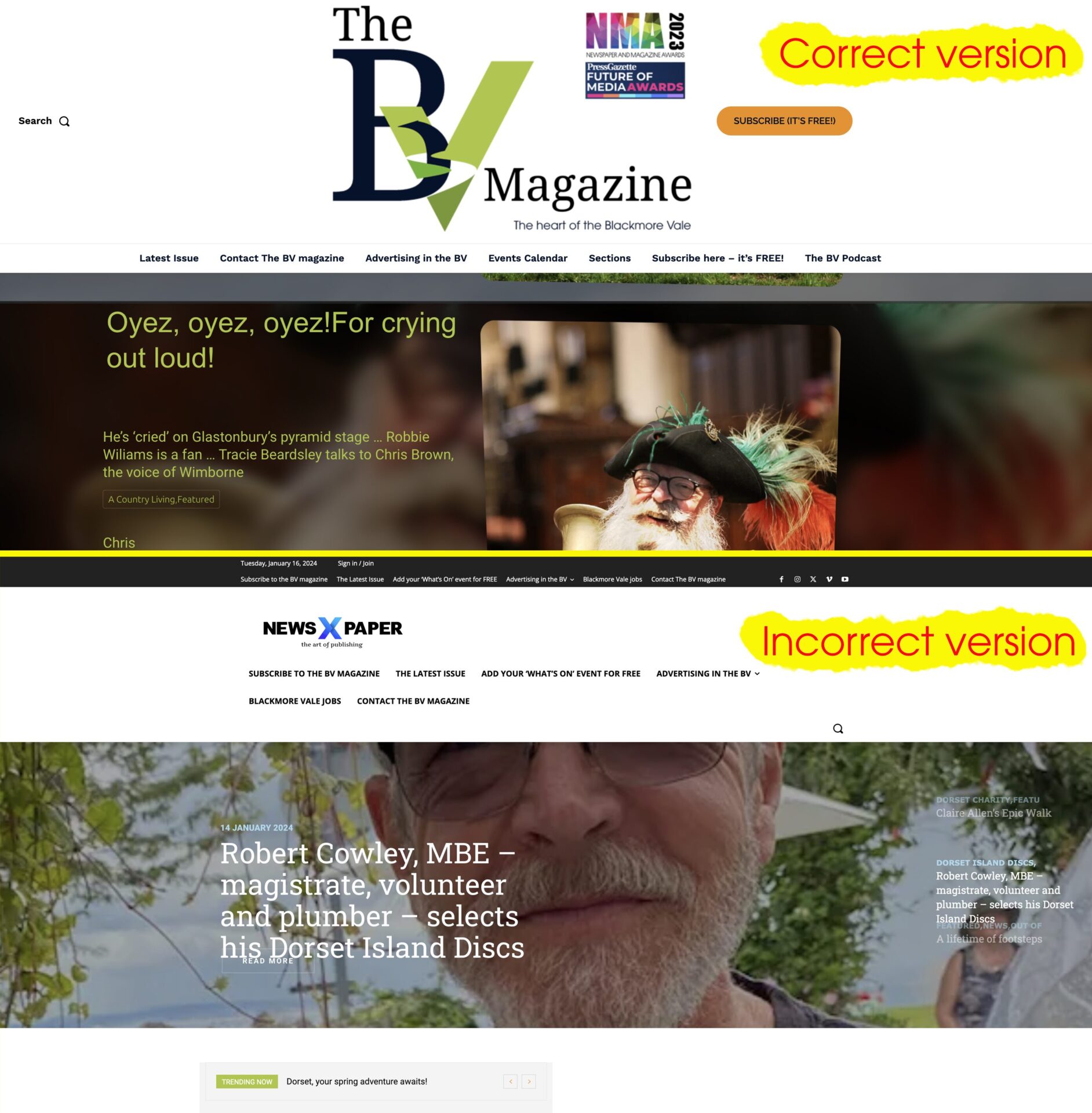
LauraBV I’m sorry, it’s clear one of us is confused – maybe it IS me.
The incorrect Newspaper X version of the home page that appears has nothing to do with any form of the website which I have ever used, nor is it any part of any of the changes made to the site which cause it. Publishing a new blog post should in no way affect the appearance of the header of the home page.
So if I read your reply correctly, are you in fact telling me I need to install an additional 3rd party plugin to force every visitor’s browser cache to refresh every time I make a change to my own website?
My own browser is not the problem – I use Chrome, and it never happens for me. But every time it happens I get notified by one of the thousands of people who do see it. It’s unprofessional, harming my business branding and at this point I either need to know how to make it stop or simply switch away from the tagDiv system.
LauraBV Yes, as I said, I know how to clear it, but how do I stop it happening? When posts publish on a schedule, I cannot always be on hand to manually refresh the cache, and most certainly shouldn’t have to.
LauraBV THANK YOU! That wasn’t the actual solution, but you pointed me the right way and I solved it from there. It was driving me mad, thanks so much for your help!
LauraBV Thanks for replying, but the video does not help. I am unable to get to that editor screen; I cannot see how to enter tagdiv composer on my phone, the optin doesn’t appear when in poetriat mode. If I flip my phone to landscape, the correct logo appears.
On my computer the minute I change the window size to convert it to a mobile display, the tagdiv edit option vanishes.
https://www.theblackmorevale.co.uk/2023/01/25/letters-and-houses-and-the-state-of-our-world-bv-podcast/
As soon as I drag the screen wider, the tagdiv option reappears at the same time as the correct header logo.
I know there is a simple fix here – I just can’t see it!
LauraBV (SOLVED – for others who have this issue and find the same lack of solutions I did, the cause was a plugin conflict, which Bettina swiftly found for me.)
LauraBV Yes, as I said, the red ‘delete here’ box does NOT appear!
See here – https://watch.screencastify.com/v/Sh3ZJhNh0uecpgPtGfJD
LauraBV I have just checked and it appears to display correctly in Firefox, so may be a Chrome issue.
