limitlessv
 Ok we found the reset button under the system – thank you you can closed the ticket
limitlessv Login link? or website?
Is this safe to submit UID and Password here?
Website is: https://parentsontheyard.com/
limitlessv It’s not working still the same issue
https://drive.google.com/file/d/1KFyReJebRAU6UDCoa5W5tNng2EIq16pM/view?usp=drivesdk
limitlessv Attached screenshoot
https://drive.google.com/file/d/1ww5E_W_OJMUgzTdyca9–_2iIAEx5gpD/view?usp=drivesdk
limitlessv Attached screenshoot
https://drive.google.com/file/d/1ww5E_W_OJMUgzTdyca9–_2iIAEx5gpD/view?usp=drivesdk
limitlessv After many tests, we found the main reason why its happened.
It is related to permalink setup. If you don’t want to show Category base in WordPress, replace it with “.” that works fantastic on the first level but 2nd,3rd, or 4th level with the theme and mega menu not working.
As soon as we remove the “.” we manage to fix most of our problems, but it creates a different situation.
we still want the site to map:
/parenting/
/level1
/level1/level-1
/level1/level-1/ /level1/level-1-1-2
One solution is to create a CPT:
Following the documents on:
https://forum.tagdiv.com/custom-post-type-support/
1. Test plugin can’t be downloaded.
2. How do you set up a mega menu for CPT / taxonomy?
Please advise what the best approach to solving this issue using a newsletter theme is.
limitlessv Password sent to contact@tagdiv.com
limitlessv No we didn’t made any changes, and it’s not working
Please check
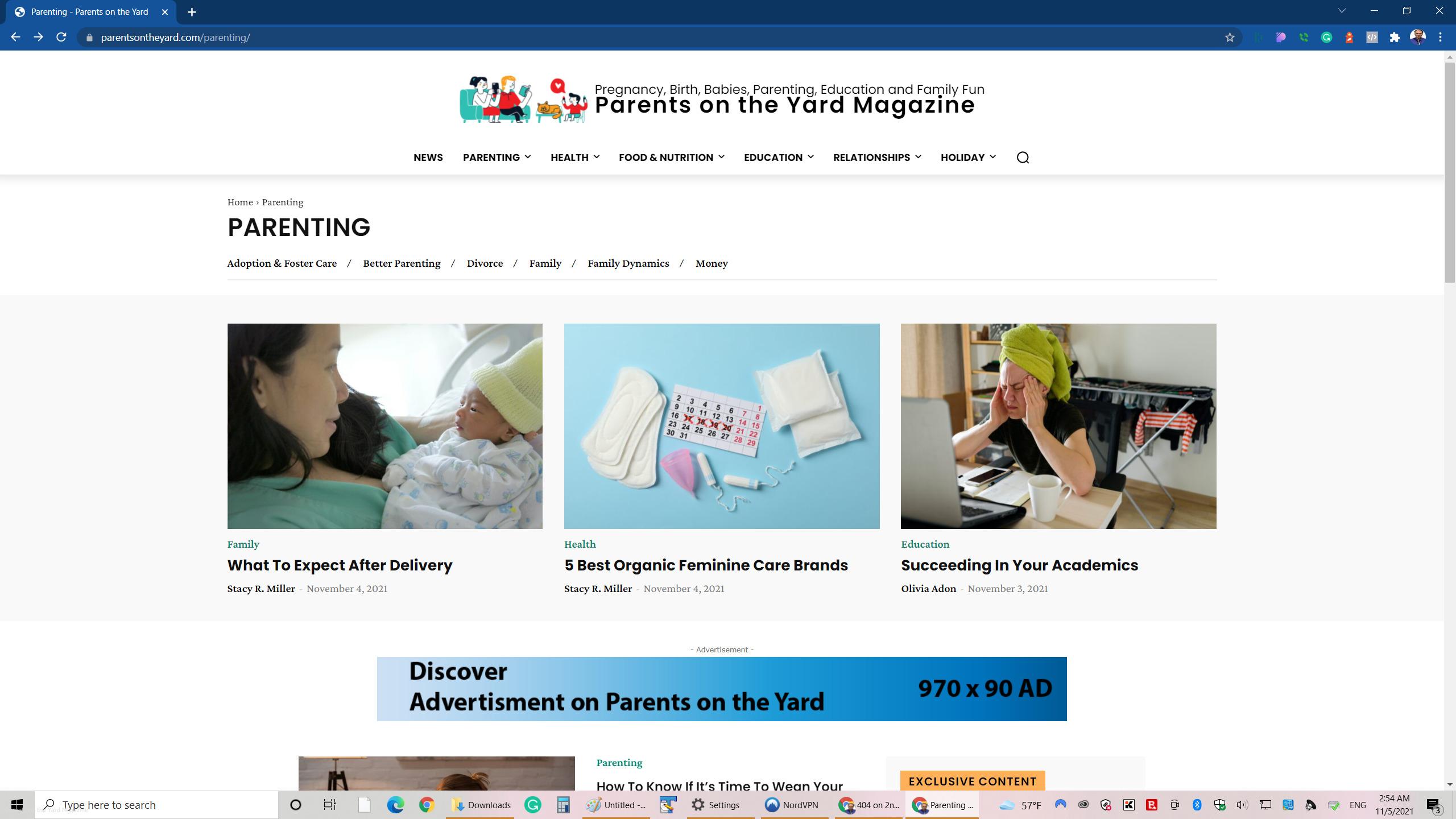
https://parentsontheyard.com/parenting/ <<== Works
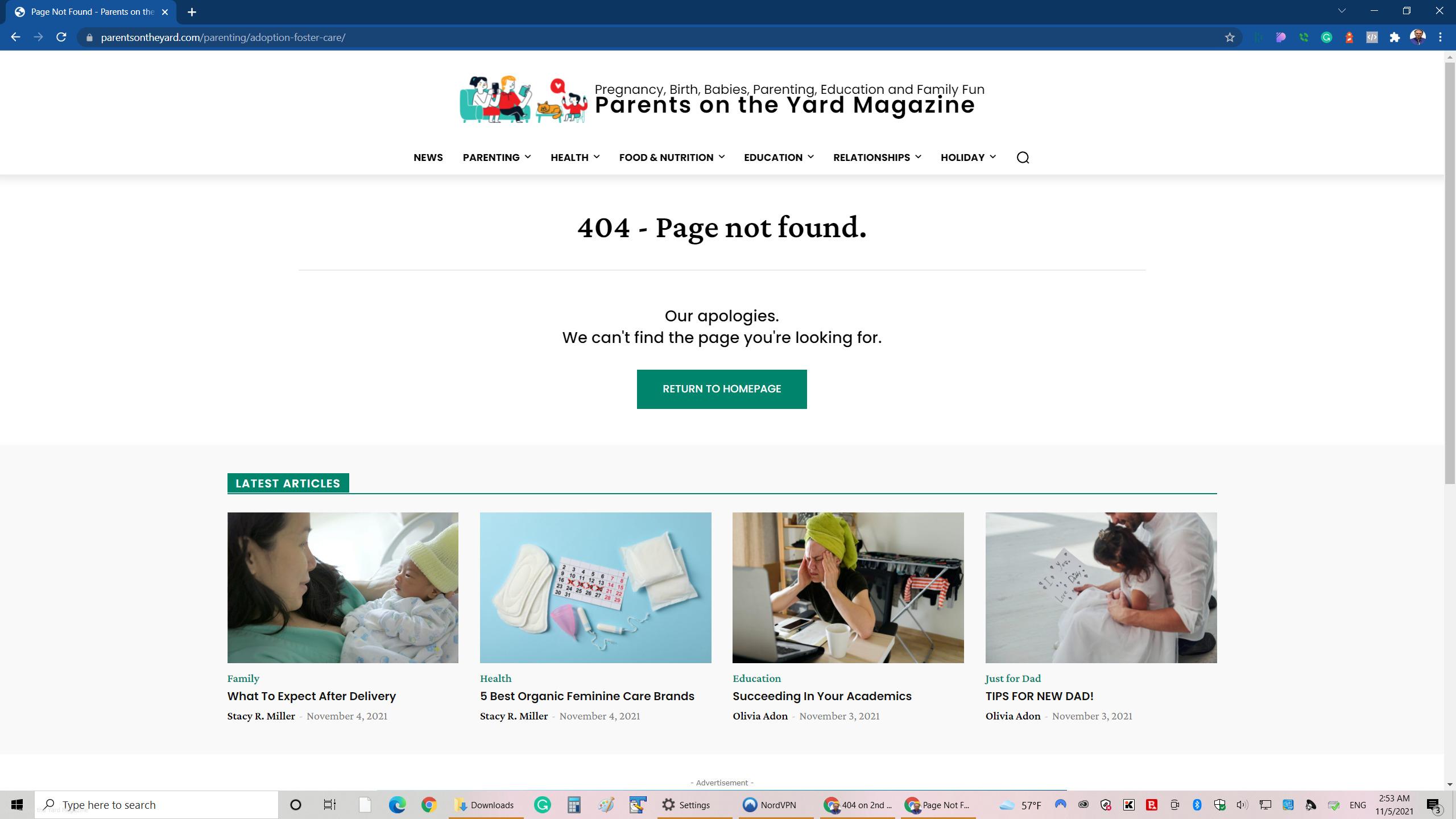
https://parentsontheyard.com/parenting/adoption-foster-care/ <<== Not Works
attached link to screenshot
https://assets.parentsontheyard.com/wp-content/uploads/2021/11/05025558/level-1-work.jpg
https://assets.parentsontheyard.com/wp-content/uploads/2021/11/05025609/level-2-error.jpg
limitlessv Can you share how you did it? We could’nt make it scroll corectly on diffrent devices
limitlessv Any update on ActiveCampaign?
limitlessv Thank we love the theme but active campaign is one of the main reason why we do not use this theme on more sites we have the forms design are not the same.
limitlessv any updates?
limitlessv I know it may sound simple but:
We import parenting templates – so we are using the cloud
We try to do it using chrome (our default), Safari, and last Firefox.
https://parentsontheyard.com/
The site is behind Cloudflare
We set the Cloudflare to development mode – which means “Temporarily bypass our cache”.
The drag and drop not working in all cases, for example:
Category works and Post date / Modify Date not working
Nothing Helped!!!
However, we added the following Cloudflare Page Rules it improve some of the problems. But not adding modify Date
Rule 1:
http://*parentsontheyard.com/*
Always Use HTTPS
Rule 2:
*parentsontheyard.com/wp-admin*
Disable Security, Security Level: High, Cache Level: Bypass, Disable Apps, Disable Performance
Rule 3:
*parentsontheyard.com/*preview=true*
Cache Level: Bypass, Disable Apps, Disable Performance
Rule 4:
*parentsontheyard.com/wp-admin/admin-ajax.php
Cache Level: Bypass, Disable Apps, Disable Performance
Enabled
Rule 5:
*parentsontheyard.com/ajax*
Cache Level: Bypass
Please advice
-
This reply was modified 5 years by
limitlessv.
limitlessv We are only using ActiveCampaign for our clients