

 merquart
 I was just about to write the e-mail right now – and while I took some screenshots to explain it I saw -> it’s working again! 😀
I don’t know why. Maybe the fault was at instagram for some days?
—
But since you said “In order to have a fully functional instagram you will have to follow the steps here to integrate the api” and “You can use only one instagram account on your website using the instagram api” I’ll attach 2 screenshots:
-> website.de/author/shatimemusic/ -> shows the instagram feed of the account “shat.aran”
-> website.de/author/ardy/ -> shows the instagram feed of the account “val_beatz”


Under “theme panel -> instagram account access configuration” we connected our main instagram account and we are able to show different accounts through the instagram widget. Isn’t that how it should work?
-
This reply was modified 6 years by
merquart.
merquart Hey Vlad,
it worked for over 6 months w/o problems, just entered some userid into the widget and I got the feed (e.g. entered the id “instagram” to get the feed of the account “Instagram”), so I don’t think that it was cache.
I integrated the api you mentioned, but yeah, now it still only works for the one account that I connected.
But okay, maybe Instagram changed something. I don’t know.
Too bad that it no longer works, I guess we have to remove it.
-
This reply was modified 6 years by
merquart Hey Vlad, thank you for your fast respond.
But I don’t really understand, why it was working until a few days ago.
Enter the ID as it appears after the Instagram URL (ex. http://www.instagram.com/myID)
I could easily use the instagram-widget with 2 different IDs, without even connecting any instagram account through the theme panel. Now – this doesn’t work anymore. I don’t understand why?
Best regards
merquart I guess I’ll just copy the whole “[td_flex_block_1 modules_on_row=….]” stuff over and over into every “Single Post Content”. It’s not that cool as using the [artistmoretag name=”x”] shortcode, but at least it works. =)
merquart Hey,
sorry I don’t really understand.
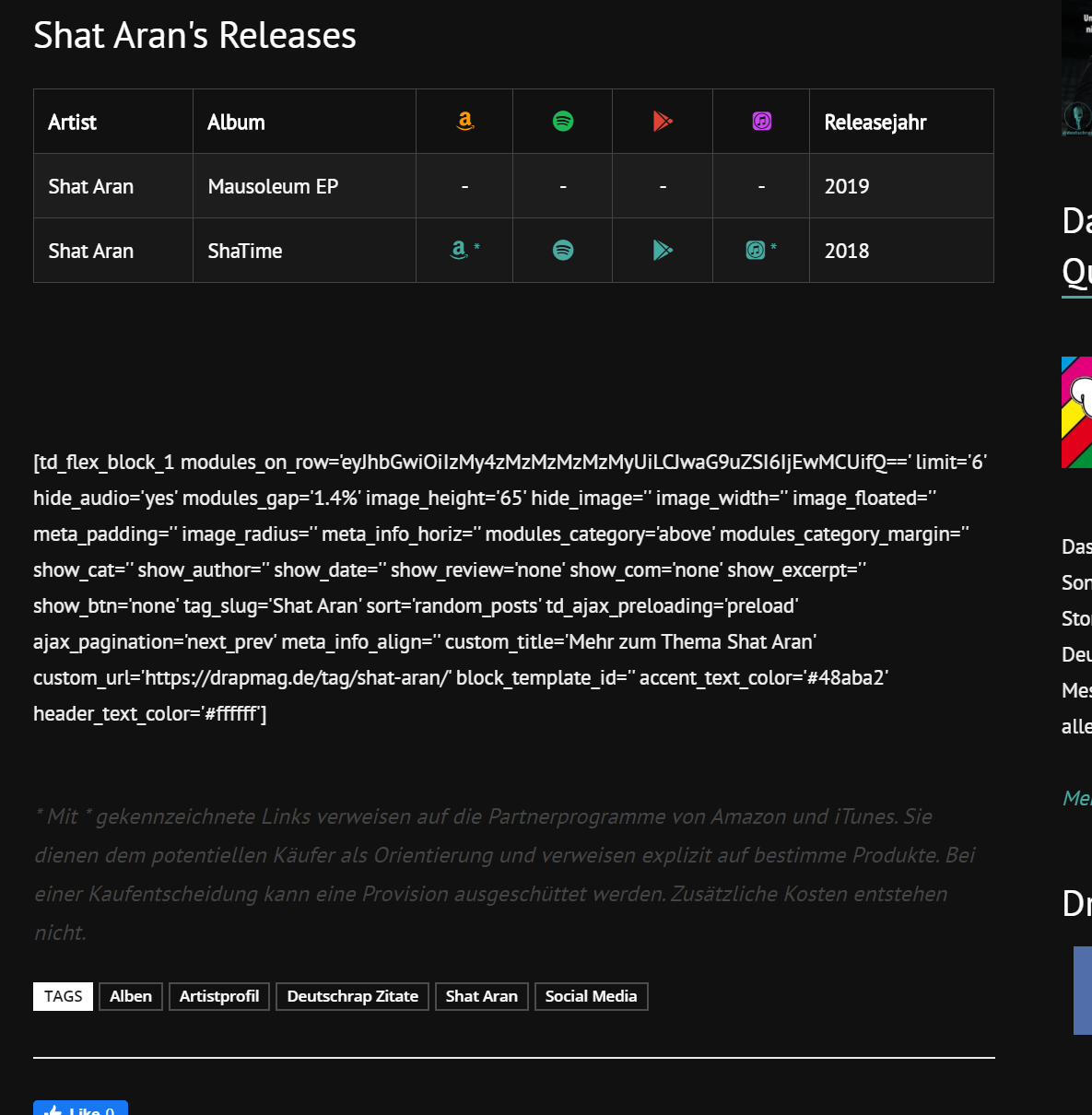
If I set the wordpress shortcode within the cloud template it just prints out the tag for the flex_block.
-> I could set the whole [td_flex_block_1 modules_on_row=…….] tag, that would work, but that way I won’t be able to change the tag_slug for every post.
merquart Hey,
so I’m not able to use the shortcode directly in ‘Single Post Content’? I’ve got one post template with about 200 posts, but every post needs a different shortcode ([artistmoretag name=”Artist 1″], [[artistmoretag name=”Artist 2″] etc), so I thought that would be the easiest way.
I tried to create a column text and put the shortcode in there, but get the same problem.
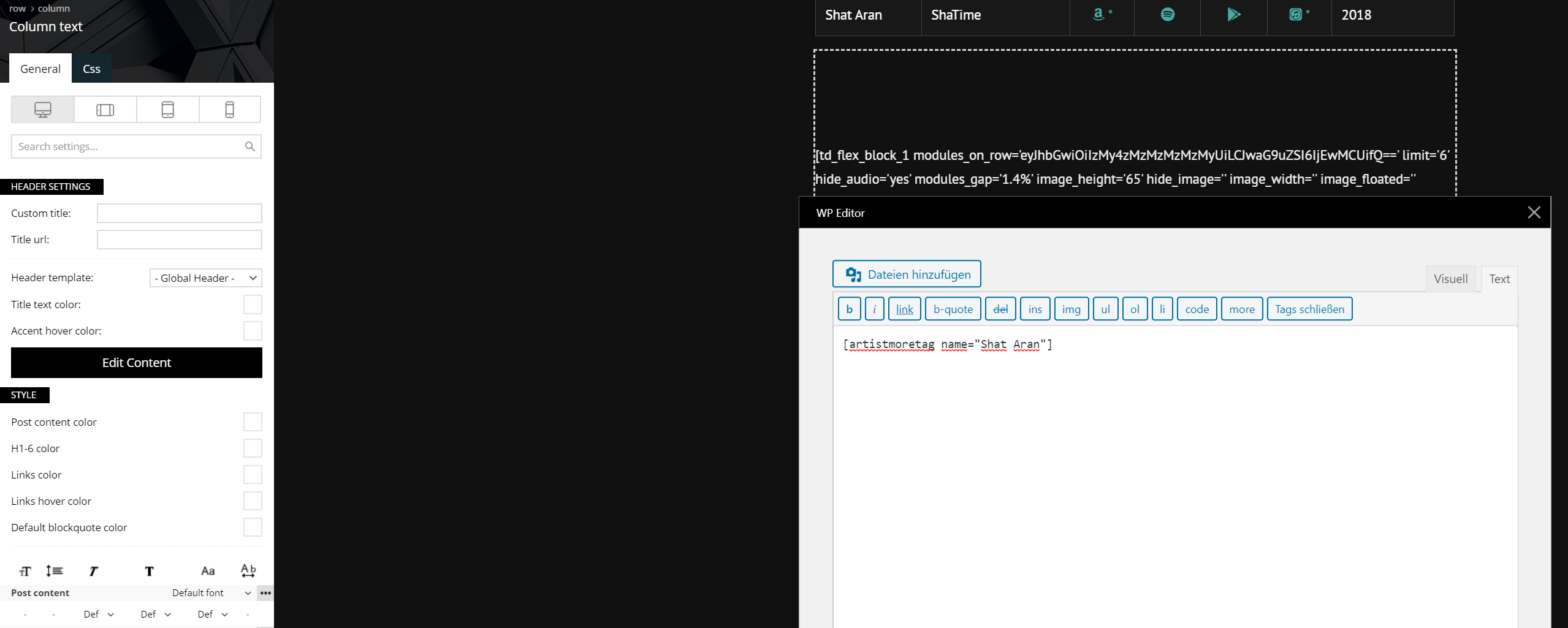
Column text:
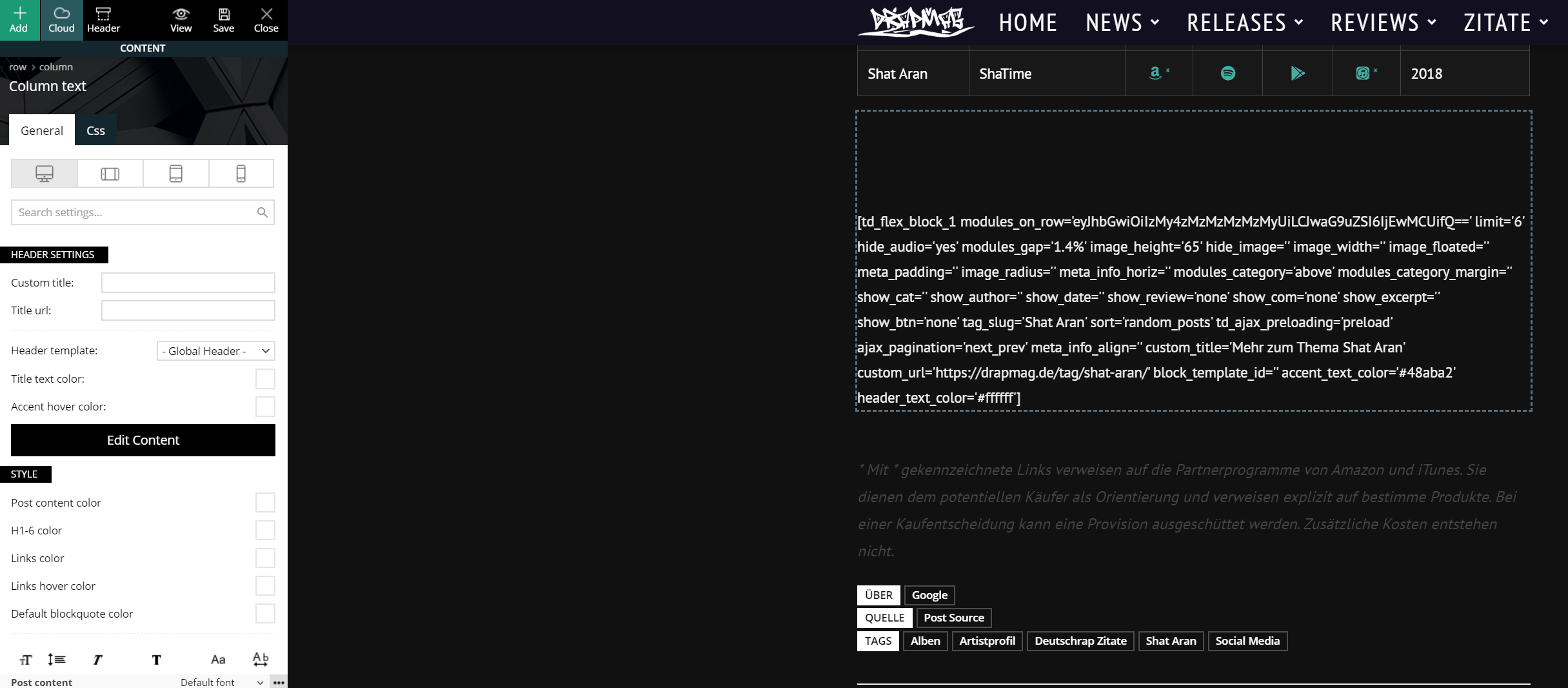
Content of column text:
Output on the post:
Best regards
merquart Android, standard-installed browser
Here’s a video of it working: https://imgur.com/SdUbIKE
merquart Hey, no support – just my 2 cents: It works fine on my phone. The pictures on your site open up as a lightbox and I can easily click through them.
Best,
