Motorpsycle
 Image here: what I want and how it is shown at the Google Adsense site (to the left). To the right what it then actually looks like on my site. I wish to make the necessary changes to get rid of certain ads within TagDiv Newspaper and/or TagDiv Composer.
-
This reply was modified 1 year by
Motorpsycle.
-
This reply was modified 1 year by
Motorpsycle They are all ads from Google Adsense.
Motorpsycle Ok, Anamaria!
Motorpsycle There are no differences. Awaiting support.
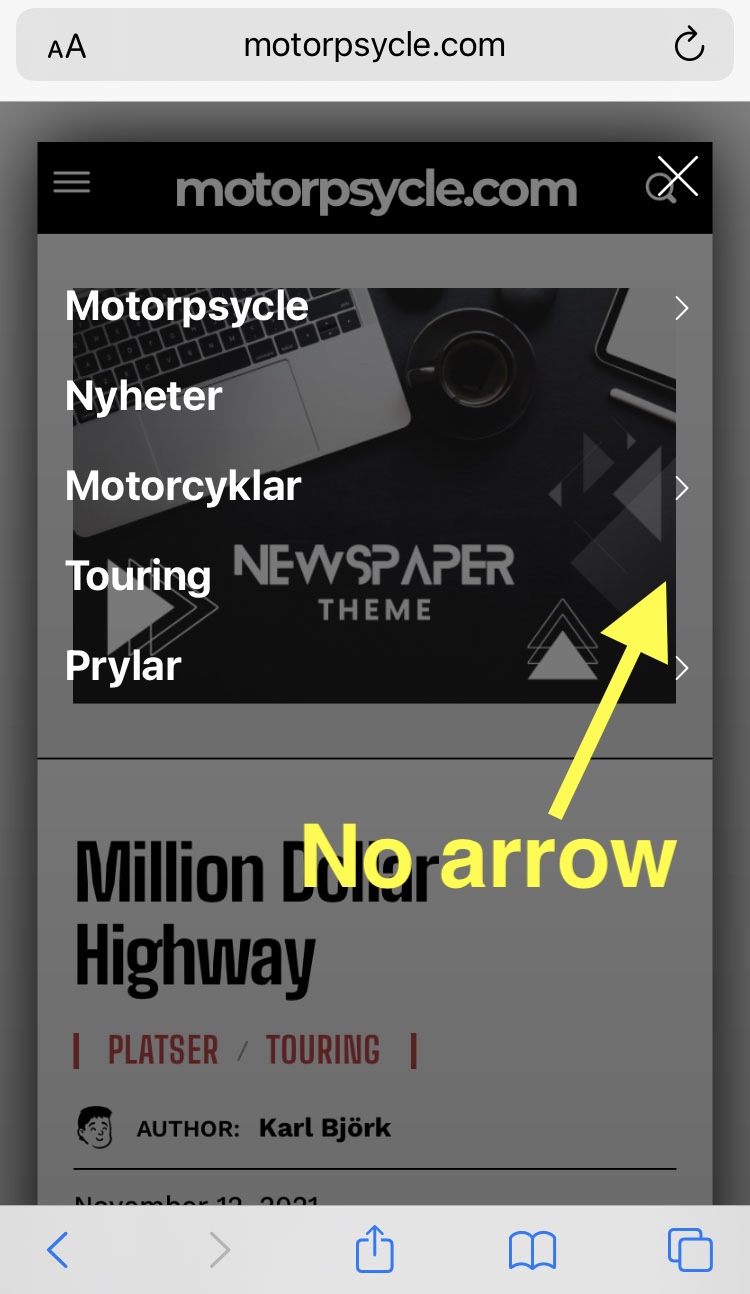
Motorpsycle This is what it looks like. An arrow, that means more reading if you click here, is missing.
https://motorpsycle.com/wp-content/uploads/2024/09/no_arrow.jpg
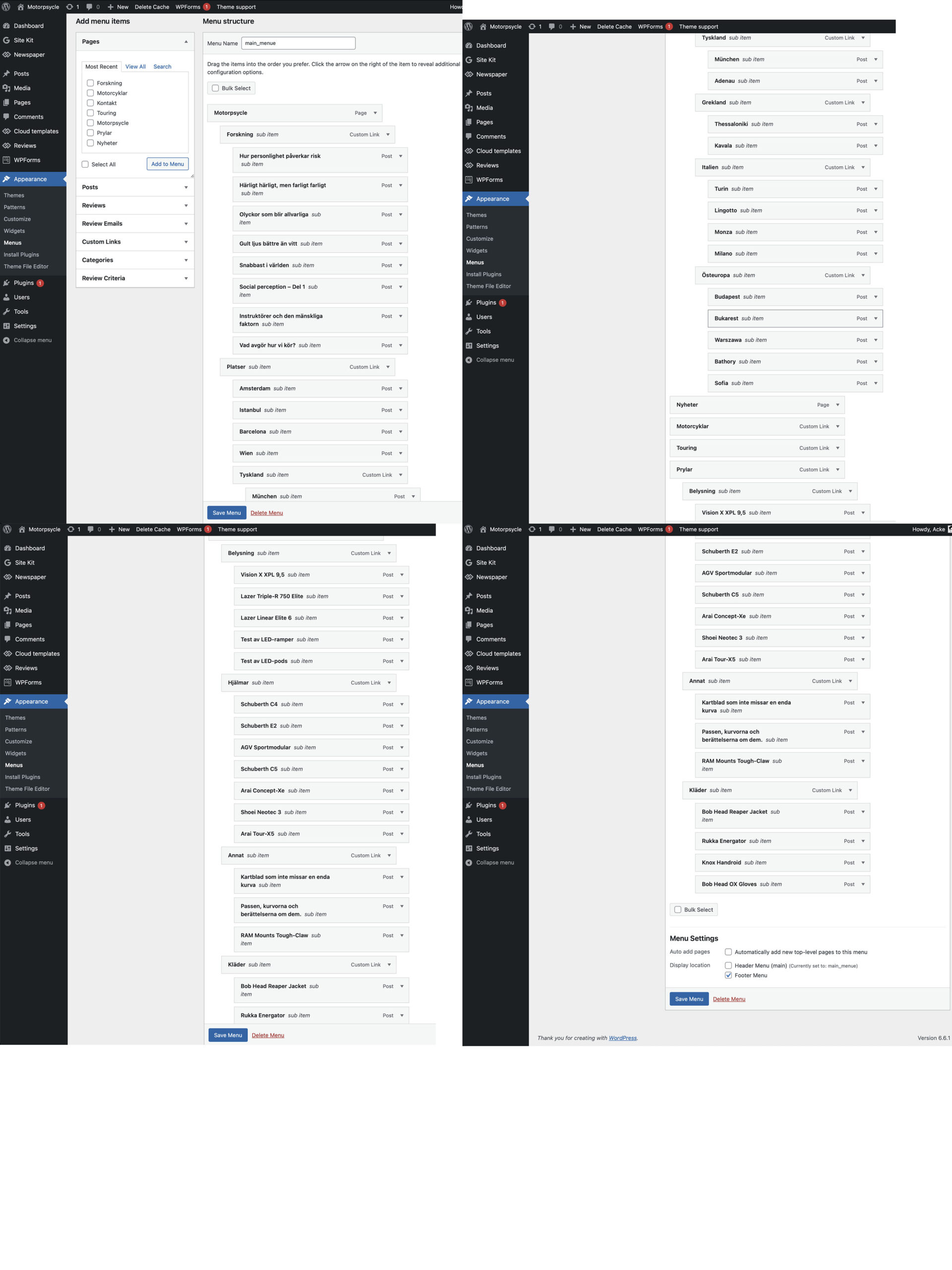
Motorpsycle Thank you for the swift reply. Here is the information asked for:
The website: https://motorpsycle.com
A screenshot of the menu and its structure: https://motorpsycle.com/wp-content/uploads/2024/09/menu_structure-scaled.jpg
Motorpsycle Thank you for your reply, but it was not helpful. I want to achieve what I wrote in the first post and what can be seen by the provided link there, that you commented. I enclose a new link here that displays what is happening now and what I want to avoid: that a visitor who clicks one of many names of a menu, is taken to a new page. I don’t want that. As I wrote in the first post: I only want the content under that name, if clicked on or hovered over, to be displayed and THOSE will take the visitor to specific posts, if clicked on. As by the link that you commented. A link here that shows what happens now, when a visitor clicks on one of the headings on the start page: https://imgur.com/a/ZrSQju9
Motorpsycle A screen shot was provided at a working link in the very first post along with a description of what I want to achieve: ”I wish to keep a visitor on the current page and make the search in the field on top of the page and not be transfered to a specific ´search page´.” Awaiting reply/support.
Motorpsycle I don´t understand the question. I am not familiar with ”header live search” or ”modal page” and believe it is nevertheless possible to respond effectively.
Motorpsycle That response was unfortunately of no help. What do I need to do, in regard to the image that I enclosed?
Motorpsycle No I have not. I wrote: ”as on the page below”.
Motorpsycle Thank you for your respons, Anamaria! I´m however afraid there is no option (on the left under ”FEATURE IMAGE”) that corresponds to not showing the featured image, when editing a single post template. Please help me further.
Motorpsycle That reply was not a solution to my problem. Looking forward to respons from someone who knows the latest version of the Newspaper theme and specifically what I am asking.
-
This reply was modified 2 years by
Motorpsycle I don’t see the similarities between what is shown at the link below (about image info box) and the technical specs that is displayed in my first message here. Could you please explain?
https://tagdiv.com/differences-tagdiv-image-box-title-over-image-or-image-info-box/
Motorpsycle Thank´s for the link to the blocks. To make a block I am writing about, using tagdiv Composer, what tutorial would you recommend?
Motorpsycle Maybe I need to fraise it as a question. Are there pre built blocks in tagDiv Newspaper designed for facts and/or technical specs?
Motorpsycle Thanks for your respons, Anamaria! By ”only some links will be active”, an example would be a headline/link ”Read this interesting article about green grass.” with its intriguing image is there, but the link-function to the actual article is not active and nothing happens when clicking on it. Is there a way that I can control this? The reason being some of the content is only partly finished.
Motorpsycle What specific additional information do you need? A link to the website here is not possible, since the site is not for public display
-
This reply was modified 5 years by
Motorpsycle Motorpsycle That is: why doesn´t it show in the wordpress menu? As it does on the screen shot a bit down on the link below.