Sebastian Escobar
 Links do not show actual pages in site. I have a link for the home, another for “We” (page) and “Contact”, also a page.
http://compone.cl/wp-content/uploads/2020 /03/chilecientifico-movil.jpg
I can see that I have to make special content for these pages in the mobile editor, although this can be very limiting. But my problem is with the start link. How can I make a mobile “home” page for “home”? Vlad said it is not possible. Is that so?
Sebastian Escobar OK, why the option is avaliable? Well, I will disable it! Thank you!
Sebastian Escobar Yes, this was the solution, but at first time the footer don’t answer to tagDiv editor then I thought in cloud template edit. I should have insisted. Thank you very very much.
Sebastian Escobar Thank you very very much! That was a detail that I would never realize, drag the element to be located below. I always thought in another row with module.
Thank you very much again for the detailed explanation:)
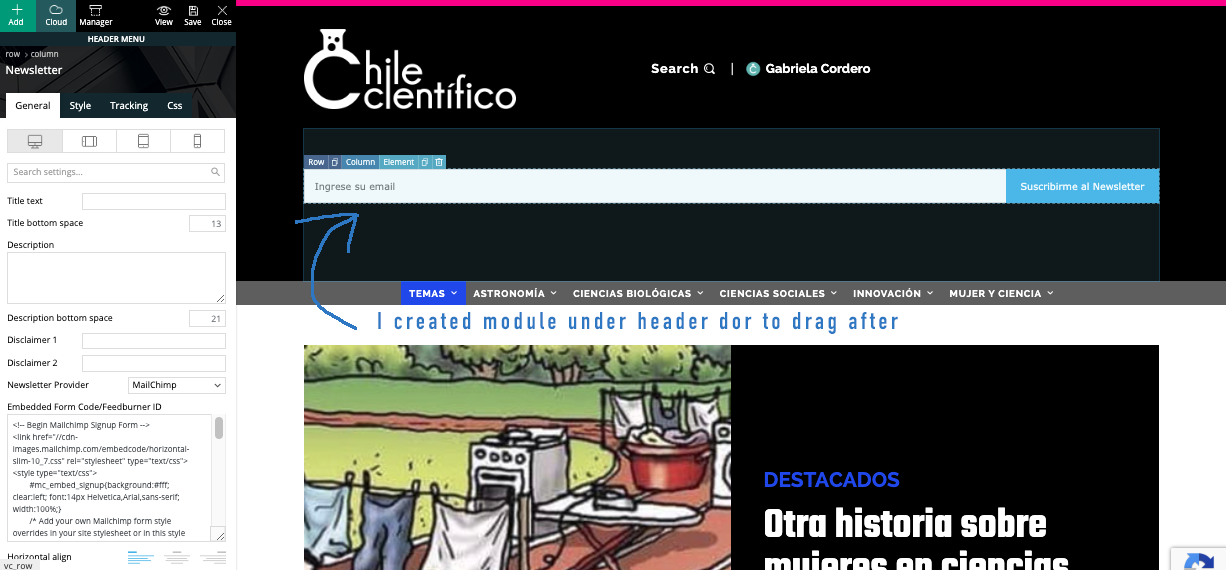
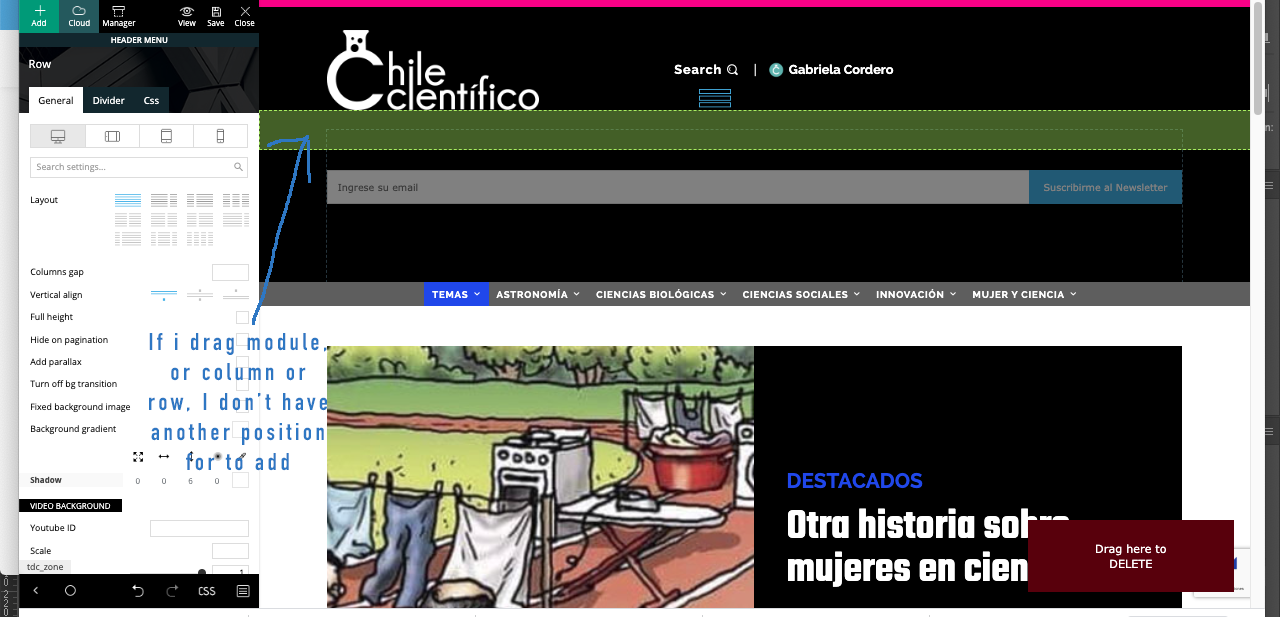
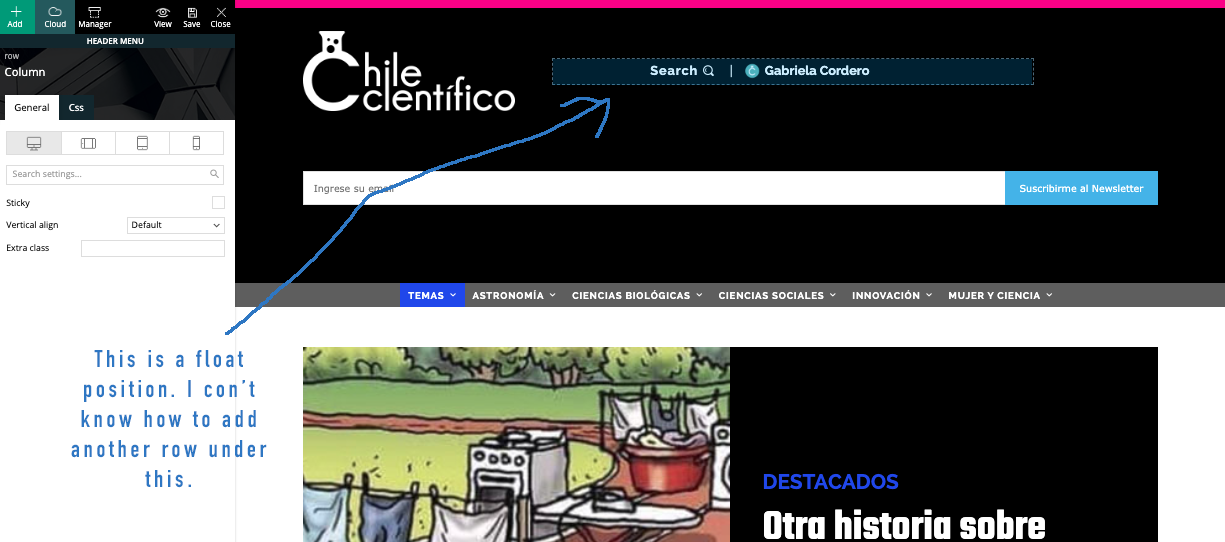
Sebastian Escobar My problem is with positioning of module. I created module in a row in header for to drag it after, because really I don’t know if I need a new row with subscrube module or is only a new module in the same row of search/login. I send you screenshots: https://www.compone.cl/wp-content/uploads/2020/03/newsletter-module1.png > https://www.compone.cl/wp-content/uploads/2020/03/newsletter-module2.png > https://www.compone.cl/wp-content/uploads/2020/03/newsletter-module3.png
Sebastian Escobar Thank you very much. I only have a doubt. In demo >https://demo.tagdiv.com/newspaper_history/ the subscribe module is in a position I can’t set under search/login module. I know the subscribe module are not good because are too big, but maybe I can control it by css. Is only the position, because search/login module is in a float row. How can I positioning a new one? Thank you very much for your help.
-
This reply was modified 6 years by
Sebastian Escobar. Reason: orthography
Sebastian Escobar Hi, my problem is with posts, no with pages, then I have to work with single cloud template with tagDiv Composer, but here the template looks good and I can see the side bar > http://compone.cl/wp-content/uploads/2020/02/sidebar-in-posts-historie.png
but in real view this don’t show > http://compone.cl/wp-content/uploads/2020/02/sidebar-don’t-show.png
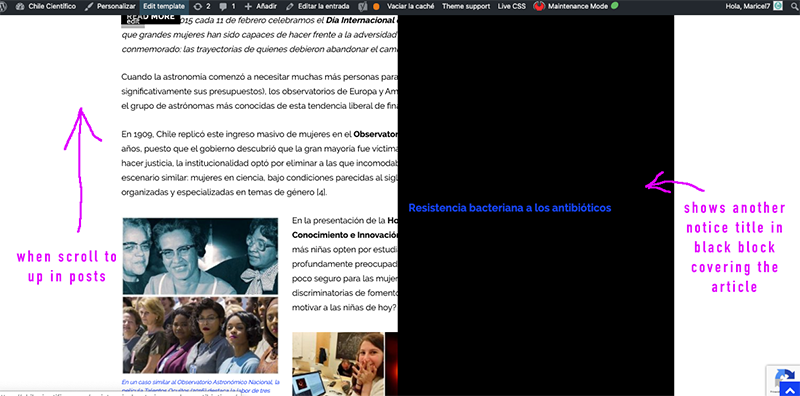
And the black box very similar to the main module of homepage in layout is shown when you scroll the post “up” on the screen > https://www.compone.cl/wp-content/uploads/2020/02/posts-black-block.png
(My site is unpublished because I am configuring these types of errors)
Sebastian Escobar Hi, really the module is this 
although I am very happy that you helped me with the other “bar” because I also had that doubt.
Anyway, I would like to know what is the module to “subscribe”.
Sebastian Escobar Thank you very much! I hope the system ask me before if I want to overwrite the content!
Sebastian Escobar Hi, I’m again.
As you say me about Slider Revolution, really I would like Essential grid, a product of Slider Revolution. It should be the same compatibility? https://essential.themepunch.com/?rel=rev_ex
Thanks!
Sebastian Escobar Thank you very much, now it work!
Sebastian Escobar Thanks very much. Excuse me for to answer late. I need two kind of Galleries, one for social events and other in grid for illustrations that i will testo with Slider revolution as you told me.
The other gallerie is for to insert in pages and it would be enough this: https://forum.tagdiv.com/gallery/
but I would like to know how to insert it in TagDiv Composer if the module is not by default. I tried through Raw Html and is not possible. Does it mean that it is not compatible with the TagDiv composer?
Thank you very much.
Sebastian Escobar Thank you very much!
Sebastian Escobar Yes. I like, is better the General Responsive Mode but my only problem is with BigGrid. I have a strong argument for to to defend the use of the normal template in the cell phone view, if the pages can not be adapted. I have some pages that need to be seen in good shape and if Mobile theme can not do it, then the alternative is to stay with the normal site.
But what do I do with BigGrid 1?
Maybe I have to create a BigGrid 5 only for mobil? (I tested in https://demo.tagdiv.com/newspaper/big-grid-5/ and I think this work)
Sebastian Escobar Thank! But I can’t see there the </body> tag for to close body. The script can be embedded before the </body> tag in the HTML.
Sebastian Escobar No, really the BigGrid 1 is no responsive in https://demo.tagdiv.com/newspaper/big-grid-1.
Anyway, the client prefers Mobile Theme, but I have some problems for to show the content because I have some pages and no only posts. I can see the content space for mobile theme in pages accept HTML code but no the tagDiv composer code. How can I add for example a column of post in mobile page? Please do you have some documentation for do this? Thank you
Sebastian Escobar OK, I will create blocks for to show only in mobile. But Big Grid 1 I can see is no responsive, I checked the demo page and also is not responsive. Is it like that?
Thanks!
Sebastian Escobar Thanks. Finally the script could be inserted in footer and no in head. I don’t know why, but now works.
Thanks again.
Sebastian Escobar Thank you. I think the requirement to login discourages users from commenting. I think I will have to hide this field. Thank you very much!
Sebastian Escobar OK, Thank you very much! This was all I needed! Thank,
Sebastian Escobar OK, but my question is about how to insert a code that was made for WPBakery Page Builder, that was your backend support for template before tagDIv Composer. Some months ago I worked with Newspaper and WPBakery Page Builder, then I think you can know how to insert code in tagDIv Composer.
You know the behavior of WPBakery Page Builder and this add-on is built to work with him. That is why I think you should know what changes or what structure is equivalent between one and the other.(https://calendarize.it/)
I do not need support for the add-on, just know where or how to enter the code.
This is an example of code>:
[rhc_static_upcoming_events template=”widget_custom_accordion.php” number=”6″ horizon=”hour” words=”100″ date_format=”MMM d, yyyy” time_format=”h:mmtt” order=”ASC” post_type=”events” showimage=”1″ feed=”0″ nav=”3″ auw_title_type=”1″ taxonomy=”calendar” terms=”spartan-races”]
Thanks!
Sebastian Escobar Thank you! but this was what I did not want to do. Even he thought to use multisites, but he does not allow it either. I worked with a template called KALIUM, from Laborator, which does allow it. Anyway, Newspaper is a great theme.
Thank you very much!
Sebastian Escobar Ok, was a strange thing, the style was indicated in inspector in line 1344 and I don’t have this line in custom css, but finally I found it, Thank you very much..!!
Sebastian Escobar Now I disabled WPBakery and I want to work with TagDiv only to avoid problems in the future. I just realized that by erasing the short codes of VC in each post, the article returns to its structure. What a relief! I think that it is no longer necessary to duplicate each post to do it again.
Thank you so much for your explanation!
Sebastian Escobar I was talking about the same problem in two posts in this forum, excuse me (titled “WPBakery Page Builder”).
I’m sure I was not using Visual composer or WPBakery for posts. This was only for homepage. Now I developed a new homepage working with TagDiv Visual Composer and this is now the homepage.
I disabled WPBakery Page Builder.
But this don’t fixed my problem.
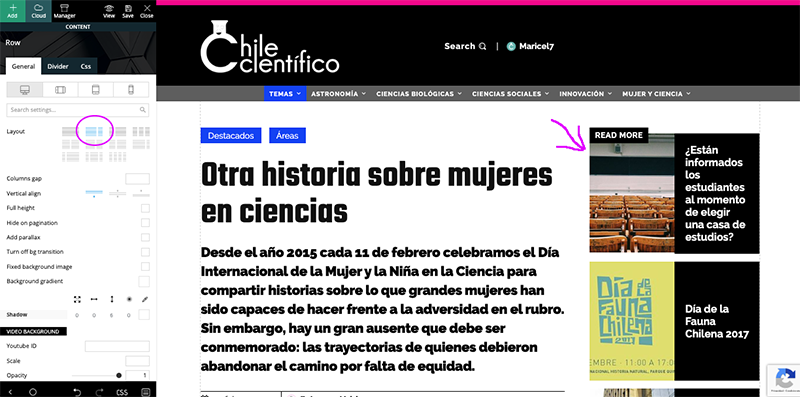
My problem is with Newspaper default template for Posts, because the width of content text is fullwidth instead of the measure of the template.
I hope this is clearer and can help me.