steve83
 My pages are still messed up 3 weeks after my initial support request. I emailed tagDiv directly but was told by one person “your site is completely messed up’ and another said “everything is working fine”. Must have spent all of 20 seconds looking into it.
Current advice is:
“Either recreate the pages with the tagDiv composer, or deactivate it and keep using Visual composer.”
Seriously you suggest I should recreate 130 pages of detailed content with a completely different composer (which doesn’t even include many of the elements I have used with visual composer)? Good job I don’t have ten thousand pages eh?
Deactivating tagDiv, gives me the error described in my first post:
“/web/sites/steve83/cancuncare.com/wp-content/themes/Newspaper/includes/wp_booster/td_api.php wp booster error: Missing parameter: ‘file’ /web/sites/steve83/cancuncare.com/wp-content/themes/Newspaper/includes/wp_booster/td_autoload_classes.php” and none of my sites pages work.
Re-creating the affected pages with Visual composer from scratch just gives the same error results.
I have tried deleting all plugins, all theme files and reinstalling everything except the database multiple times. Spent several tens of hours on this and still no further on, and still have a broken site that wasn’t broken before 8.1.
You really shouldn’t have introduced a completely new composer rendering visual composer useless when it was perfectly fine, at the very least ensure visual composer still works while adding tagDiv composer. There are threads daily about this same issue. Not happy.
steve83 Following
steve83 Thanks email sent.
steve83 Please ignore. I’m going to start a new ticket, even rebuilding the pages from scratch does not solve the problem. I’ve been going round in circles for 5 days now and no further on than when I started.
steve83 All was working fine before the latest update. It was the update that broke things.
As mentioned, following the update the pages showed a wp booster error and did not render at all. Activating tagdiv composer allowed the page to show but the strange rendering of pages explained above occurred. At no time were any pages created with tagdiv composer, it was only installed for the first time with the latest update.
I then reinstalled Visual composer via ftp, deactivated tagdiv composer and the pages rendered again but still had the weird display errors. I then removed tagdiv composer and wp supercache. I reinstalled the whole theme via ftp (minus tagdiv composer) but the problem continues.
I guess the only way to fix these issues are to build all affected pages from scratch, at least 20 pages around 20 hrs of work I didn’t anticipate 🙁
-
This reply was modified 9 years by
steve83.
steve83 It’s mostly working now but still having problems
Some images are still rendering wrong. For example this page:
http://www.cancuncare.com/tours/xcaret-tours/
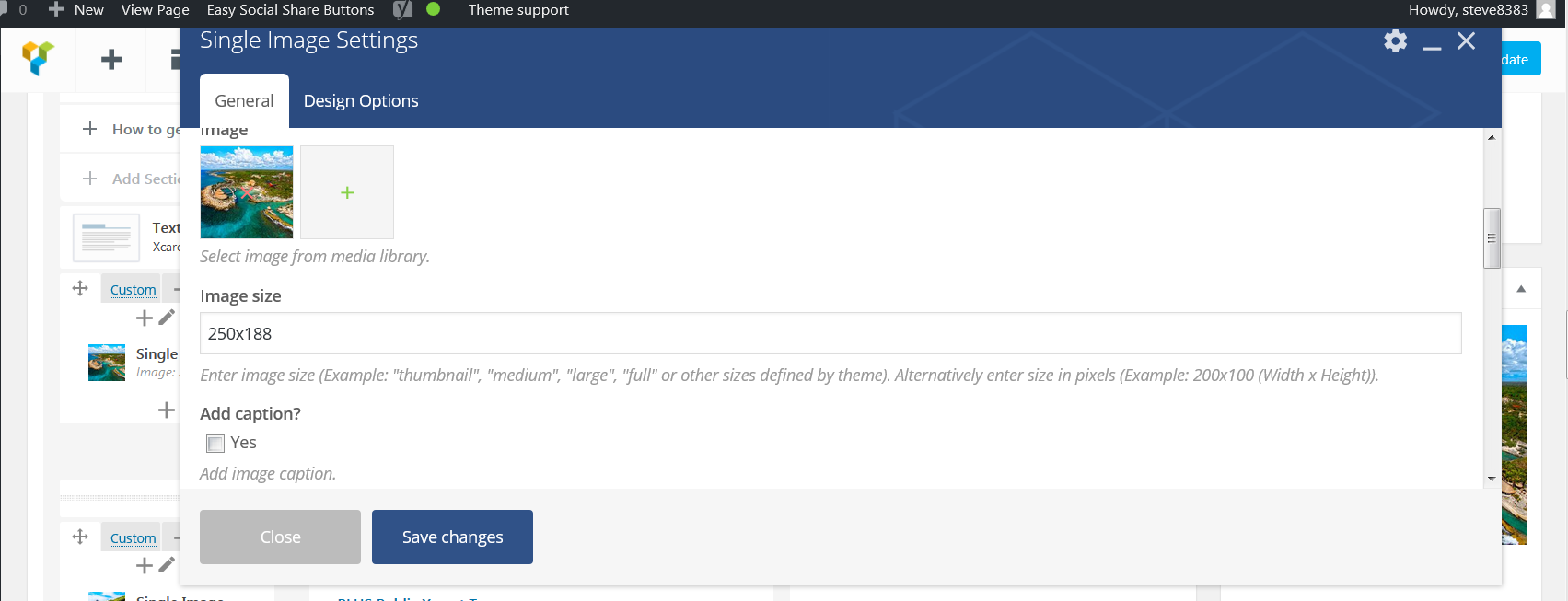
The images are supposed to be thumbnail size 250×188 and this is what is set in the single image setting (see screenshot http://www.cancuncare.com/screenshot.png). Yet the image displayed is a skyscraper shape.
Doesn’t matter how I change the single image setting, specifying size as above or defining it as ‘thumbnail’ or ‘medium’ the image always stays as this skyscraper shape.
A different issue on this page (and similar)
http://www.cancuncare.com/cancun-weather/cancun-weather-march/
The page width seem to have changed and now the sidebar appears below the main content at the bottom of the page, as if it is too wide to fit in the allocated space or there is a closing div missing.
-
This reply was modified 9 years by
steve83 I installed tagdiv composer and the pages now resolve.
However, many of the elements I previously created with Visual Composer are either corrupt or don’t show at all, some images are now a completely different size too and throw the layout out. If I disable Visual Composer more elements just show lines of code instead of the intended design element. e.g.
[vc_tta_tabs style=”modern” color=”peacoc” alignment=”center” active_section=”1″ css_animation=”fadeIn”][vc_tta_section title=”Overview” tab_id=”1491972503254-34a1c000-3dcd8379-50bf”]
How are we supposed to proceed when the site was originally made with Visual Composer and it is suggested we now switch to Tagdiv Composer?
-
This reply was modified 9 years by
steve83 Perfect, thank you!
steve83 Yes, this is now resolved.
The problem was my facebook url is a mixture of letters and numbers, like this “abcdef-123456” I had to ignore the letters and just enter 123456 as the facebook id and it worked fine.
steve83 Thanks Catalin,
actually it’s the breadcrumbs at the top of the page under the header that I want to show (location marked in red below)

Kind of like this from another site: