- NewspaperWP Rocket and Newspaper Theme: Optimization Guide
- TutorialsFrom WPBakery to tagDiv Composer
- TutorialsOffset Feature
- TutorialsWhat is Ajax preloading?
 manideepvtu
how to customize logo, header color in AMP
 Lalit Joshi
 Still Now is Showing (AMP ISSUE)
 Blo
BloHello I am using Block 24 on my home page.
My client writes about 2 different topics in each blog post.
So his titles need to have 2 lines, for example:
Brazil wins the world cup
Federer wins the US Open
I know he could just write:
Brazil wins the world cup – Federer wins the US Open
But he doesn’t want to do it like that, he needs two lines.
I tried using:
Brazil wins the world cup<br/>Federer wins the US Open
But it’s not working.
How can I solve this?
Thanks!
 chucky20
Hi everyone…im new here. i bought your theme and i love it! BUT:
This is my site which i started one week ago: https://eniyibebek.net/
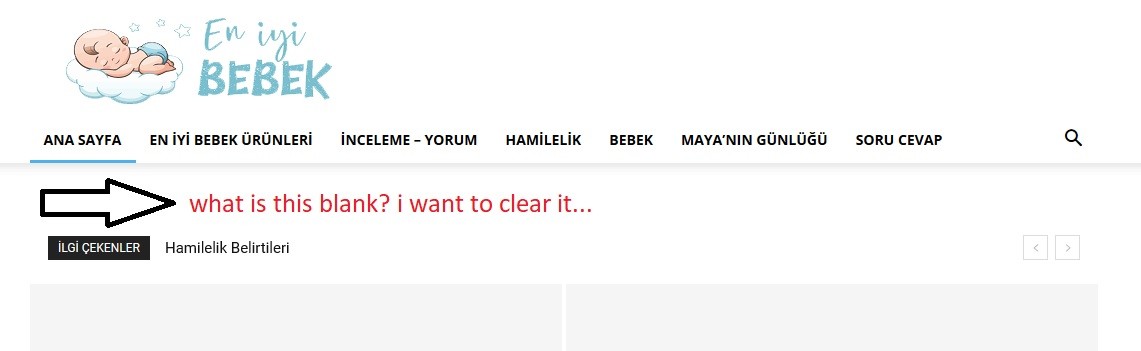
1- https://i.hizliresim.com/k0ZRnr.jpg How can i solve this problem.. i didnt want to use a header template..
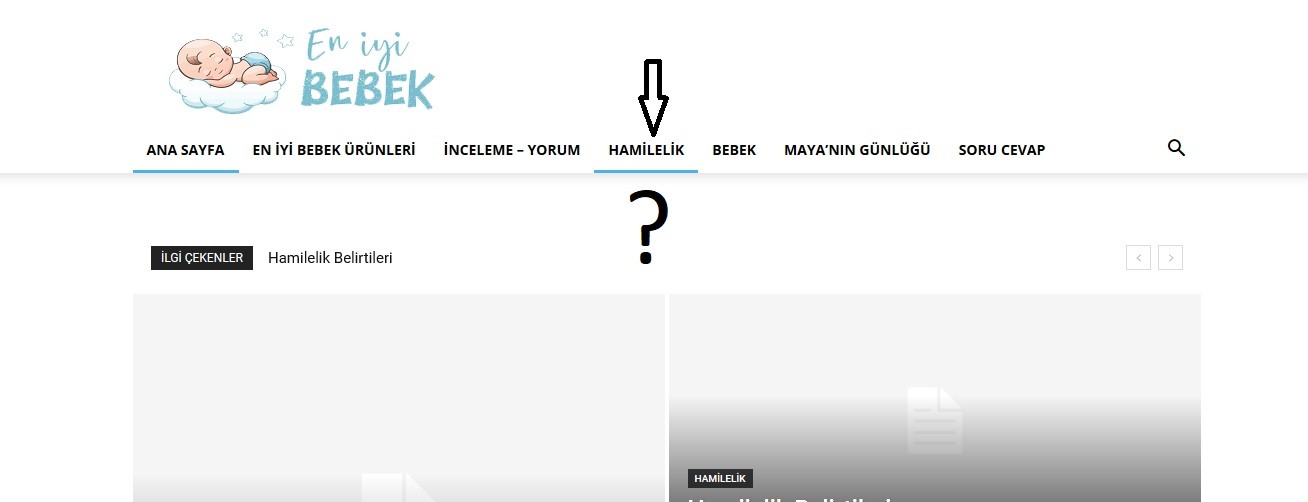
2- https://i.hizliresim.com/NGYJrY.jpg i have a categori which name is “Hamilelik”. and it has got one subcategory which name is “Hafta Hafta Gebelik” . i tried to active preloading or mega menu but it isnt working.. What is the problem?
3- Another and last question with my bad english 🙂 for example i have an A, B, C categories. And only the category A has SUBCATEGORY which names are 1,2.
how can i do this: When i click A. i see only subcategories names’ 1 – 2 (no subcategories’ posts, only two subcategory names blocks)
THANK YOU FOR ALL
 haykdigital
 I have the same problem. Using version 10.2
Example URLs:
1)

2) 
 atharveda
Hi,
I am getting the below error on google console: The script tag contains invalid JSON that cannot be parsed..
I have verified the AMP pages, It says “Valid AMP Pages” but Google is still complaining about it. Please see few of the URLs:
https://www.lyricsstop.com/music-directors/anu-malik/?amp
https://www.lyricsstop.com/actors/ileana-dcruz/?amp
https://www.lyricsstop.com/actors/gajraj-rao/?amp
Please help me in resolving this issue.
Thanks
 Calin
Calin Hi,
The mobile theme version and amp version can be editable only with the settings from theme panel -> https://i.imgur.com/Rxi3Vk1.png -> https://forum.tagdiv.com/the-mobile-theme/
tagDiv AMP Plugin Tutorial -> https://forum.tagdiv.com/tagdiv-amp-plugin-tutorial/
Thank you!
 ratedhistory
Hi. So I was very much under the impression that the desktop versions and mobile versions of you website/homepage could be structured differently? The problem is, whilst I have pretty much got my desktop homepage looking how I want it, it doesn’t display well on mobile. For example the flew box1 looks great on desktop, but when I look at the mobile theme it just doesn’t look right. I thought you were able to change both independently? If I try and change the way say for example flexbox1 looks on the mobile theme, the same changes take effect on the desktop one. Can I not make changes to the mobile version of my homepage without these same changes effecting how it displays on desktop? My website is http://www.eheritage.co.uk. Many thanks
 meri
meri Kassimon90Calin
 Hi,
So in order to insert icons you need to use the Font Awesome plugin, you can check our documentation from here -> https://forum.tagdiv.com/how-to-add-icons-in-menu/
Here is an example -> https://i.imgur.com/qwOrW8B.png and here is the results -> https://i.imgur.com/97e8OHn.png
You need to replace the above css with this one ->
.show-star-data{

background-color: #F9F9F9;

width: 300px;

border-bottom: 1px solid #ddd;

padding: 12px 24px;

}

.show-star-data .title-data, .show-star-data .info-data{

font-family: sans-serif;

font-size: 10px;

color: #666;

margin-bottom: 0;

text-transform: uppercase;

padding-left: 44px;

}

.show-star-data .info-data{

font-size: 16px;

line-height: 24px;

}

.show-star-data .fas{

  float: left;

  margin: 12px

}
This should do the trick.
How this will help.
Thanks.
Calin Hi,
AS I can see the post are ok now -> https://i.imgur.com/TR5teRh.png -> https://search.google.com/test/amp?utm_source=gws&utm_medium=onebox&utm_campaign=suit&id=3ZbHbo1gExpsCsHN01rmOA -> https://i.imgur.com/riUPIit.png
If there is still a problem, please provide a link to the post/page that have this problem.
Thank you!
 domien
hi guys, we are trying to integrate a shopping cart on the right side of the header, do you have anything for that out of the box that integrates nicely in the design? See example here: https://www.dropbox.com/s/37s84zsq2diy5oc/shottagdiv.png?dl=0
And if not, is it coming in a next update?
Thanks!
Calin Hi,
Please notice that tagDiv Cloud Library need to be deleted and reinstall it from Newspaper> Plugins, only deactivate and activate it back will not work.
If you want to edit the footer, then you’ll need to edit it from a page, for example your can edit the homepage, click on edit with tagDiv Composer -> https://i.imgur.com/uweNRrc.jpg after that go down to the footer end edit it how you want (now you can customize the the whole webpage from fronted).
Also the mobile problem can be a plugin conflict with untested plugins, please deactivate all non theme/tested plugins, also if you are using child theme, clear all cache and try again.
Also we do not recommend to use the tagDiv Cloud Library and WPBakery on your website, if you are using both of theme, then you’ll need to choose only one and deactivate the other one.
If there is still a problem, you can send us an email at contact@tagdiv.com and provide admin login, as well as cPanel or FTP if possible. We will take a look. Include a link to this topic in the email.
Thank you!
 chilliAdmin
Dear support,
How do I change the CSS of the gradient overlay on post images. At the moment it is too dark on the left side (behind the white text). I would like to make it slightly more lighter.
See the following page:
https://umeaguiden.se/chillimedia-rekryterar-instagramprofil-till-nytt-koncept/
Kind regards,
Peter Johansson
 trendspot
Hello,
I was wondering how to customize the Amp Layout of the mobile AMP page. In the Theme Panel we have an Option to display a grid. I have a sample of my Amp site here, it’s basically the one grid we can active through Theme Panel followed by the list of new Posts.
https://ibb.co/fdkFc1h
By evaluating the UX of this layout we found out that visitors didnt quite like the “dull layout” even though the amp version is fast and everything, we ended up going to the responsive version of the main Page.
I want to know how i could duplicate the main Grid block to show the first 3 posts of each category followed by the newest posts list. I know the mobile theme might not be intented for this.
Thanks in advance
 iconshare
Hi,
i have follow all documentation how enable AMP mobile theme but does not work.
I want give to mobile theme the layout from my desktop theme but this not work.
Let me know how to do that.
Thanks
Calin Hi,
Did you deactivate theme and try to see if the problem persist? this is the procedure to identify if there is a plugin conflict.
Maybe there are some new implementation in the latest version of amp that are no longer compatible with some plugins.
Thank you!
Calin Hi,
You have set a sub-menu in mega menu -> https://i.imgur.com/8R9CM5o.png in this section you made the mega menu -> https://prnt.sc/r3dizq and in this one you set in mega menu the sub-menus -> https://i.imgur.com/lcYtbPu.png you need to set a menu element after the mega menu not a sub-menu -> https://i.imgur.com/AbLVpsk.png, example menu elements, all the elements start at the same point -> https://i.imgur.com/xtXSonJ.png , sub-menus -> https://i.imgur.com/G2Fbw75.png
So using a mega menu you need to set the next element a normal menu, not a sub menu for mega menu.
Mega menu -> https://forum.tagdiv.com/mega-menu/
Hope this will help you!
Thank you!
Calin Hi,
You can try a different way, but since our theme do not have an option/element for this you need to make it custom, for example in post use a html element -> https://i.imgur.com/2TF2FeX.png
<div class="show-star-data">

  <div class="title-data">BIRTHDAY</div>

  <div class="info-data">February 18, 2005</div>

</div>
and in theme panel> custom code> custom css set this code ->
.show-star-data{

  background-color: #F9F9F9;

  width: 300px;

  border-bottom: 1px solid #ddd;

  padding: 12px 24px;

}

.show-star-data .title-data, .show-star-data .show-star-data{

 font-family: sans-serif;

 font-size: 10px;

 color: #666;

 margin-bottom: 0;

 text-transform: uppercase;

}

.show-star-data .show-star-data{

 font-size: 16px;

 line-height: 24px;

}
The results would be -> https://i.imgur.com/uQcQ9SU.png
Thank you!
Calin Hi,
If I’m right the infinite carousel is made suing some JavaScript or jQuery these will not work in amp version because the amp is using a different implementation for amp version.
Include custom JavaScript in AMP pages -> https://amp.dev/documentation/guides-and-tutorials/develop/custom-javascript/
Thank you!
Lalit JoshiAmp Showing error like that.
“The script tag contains invalid JSON that cannot be parsed.”
I’ve just update amp plugin. after that this error coming.
 a2adijital
Hi guys,
I just bought the theme and I am impressed with every detail I learn!
My client asks me to add the number one slider, but I couldn’t do that.
Appearance example
Can you help me to do this?
Thank you.
 Neoguy396
Hello, I’m owner of https://www.theticblog.com and using newspaper 10.3. I’ve copy pasted code snippets into the ads section on theme panel and can see the ads on desktop version.
But when I view my blog on mobile, I don’t see the ads? I also have amp enabled. What can be the issue?
Also, is using ads from the theme panel enough or should I consider using an plugin?
Thanks!
 Vlad S
 Hello !
Please make sure that you have set AMP and mobile theme properly as you can see it here: https://forum.tagdiv.com/tagdiv-amp-plugin-tutorial/
Thank you !