- ApiPractical example – How to add a new Block and Module
- Apitd_api_block::delete
- Apitd_api_block::update_key
- Apitd_api_block::update
- Apitd_api_block::add
- ApiAPI – Blocks – Introduction
- Apitd_api_thumb::update_key
- Apitd_api_thumb::update
- Apitd_api_thumb::add
- ApiAPI – Thumbnail – Introduction
- Apitd_api_category_top_posts_style::update_key
- Apitd_api_category_top_posts_style::update
- Apitd_api_category_top_posts_style::add
- ApiAPI – Category top section style – Introduction
- Apitd_api_module::update_key
- Apitd_api_module::update
- Apitd_api_module::add
- ApiAPI – Modules – Introduction
- ApiUsing the Theme API in plugins
- ApiThe Theme API
 Prajwal Desai
 1) AMP – I got the answer, it’s coming in future update.
2) Message / alert box – I haven’t got the answer. Are you suggesting me to use custom code for this as well ?. If you can add dropcaps, buttons then why not message box ?. I can modify the css file and add code but with every update the code goes off. Since i want to display colored message box, i have to define multiple codes for each color in css. Can’t you even consider this as a request ?.
3) 4)- I Got the answer. Can you tell me how do we change background color of quote box ?.
5) haven’t got the answer. How do we ensure google adsense ads are displayed in firefox and chrome when they are blocked.
6) Post update date – I have referred the post and it does not display updated date in google search. It just adds “last updated label” to all posts. Though you have updated the post or not, it just shows last updated on all posts which is incorrect. Ideally it should show last updated date only if post has been updated recently. So please give me a proper solution for this.
-
This reply was modified 8 years by
Prajwal Desai.
-
This reply was modified 8 years by
-
This reply was modified 8 years by
 Catalin
 Hello heisenberg234,
You should turn off your date from the Theme panel from the blocks/modules and post pages from here -> https://www.screencast.com/t/GbmrO1GL and then, you should use a bit of CSS code to display none the WordPress date from the top bar of your website.
The code is ->
.td_data_time{

display:none;

}
Thanks for the message!
 gabrielevoltaggio
In my site https://giuricivile.it images don’t appear anymore in blocks in the right sidebar and not even in related posts at the end of each article.
Pictures appear in the home. But in the single post no.
How can I solve this?
Thank you in advance
 expathos
Please advice.
http://www.the-blockchain.com is broken after and upgrade and the ads which were on the right sidebar are now on the bottom. I can’t for the life of me figure it out.
gabrielevoltaggioHello,
it’s been a while since I haven’t updated my theme. I noticed that I stayed at version 7.8.
Unfortunately, at the moment in the download area I can only download the patch to switch from version 8.5 to version 8.6.
How can I switch from version 7.8 to the latest version?
Thank you in advance for the help you will give me
Gabriele
Ps: I would also have a problem with photos in related posts and in some blocks. They do not appear.
The website is https://giuricivile.it.
I hope that updating the theme will solve the problem….
 Edward
 > AMP theme and ads
https://tagdiv.com/amp-newspaper-theme/
2 Developers:
Message / Alert boxes, Style quotes, Inline Related Posts (!!!) and etc. – live preview like for example here:
http://demo.betterstudio.com/publisher/shortcodes/advanced-blockquotes-pack/
http://demo.betterstudio.com/publisher/shortcodes/custom-lists/
http://community.betterstudio.com/publisher-doc/inline-related-posts/
http://community.betterstudio.com/publisher-cat/posts-pages/
 heisenberg234
Hey,
I am unable to find the option to remove the date from my site. I want to remove it completely, from posts, pages, sidebars and all the blocks. Can you please guide me with the steps to remove them globally?
 jpprods
Hello,
The thumbnails and tiles are not clickable in the red section on our website using a block 13 (see picture below) on mobile or when resized on desktop. We use two block 13 in that section, the second block works fine.
Must be a css issue, but can’t seem to pin-point the culprit.
Any help? The url is https://www.lemauricien.com

Prajwal DesaiHi,
I have got some feature requests, could you please look to add them in upcoming updates.
1) AMP theme and ads – Currently AMP plugin by automatic doesn’t display ads, could you come up with a new AMP plugin and allow us to display ads(more like a mobile theme plugin which you have).
2) Message box/ alert box + custom list shortcode – I know we can display a neat message box using custom css code. But if you could add it under shortcodes dropdown options (where buttons, dropbox and other shortcodes) are present, it would be great. Something like this –
https://snag.gy/8bdvku.jpg
https://snag.gy/PJnDwj.jpg
3) Ability to style quotes – Is there a way to set background for quotes ?. Something like this –
https://snag.gy/va4PHe.jpg
4) Ads on/off switch – Can you create a option to turn off ads for whole site at once ?. Currently one has delete the ads from all the locations > save to see how better website works with / without ads.
5) Adblocker detection – Can you add a feature where the website reports that adblocker is detected and one has to disable to view the site.
6) Post update date – Can you add an option to show post last updated date ?. I am very sure the current workaround of replacing the code doesn’t work well.
 designr
Hello,
I am finding it difficult to use the TD Composer to add elements onto my page. The window does not scroll down so I can view all the available elements (like blocks).
I suggest you add a scroll bar on the side for ease of use.
Thanks
 Bogdan B.
 Hello,
Sorry but our theme does not have an option to show the tags on blocks. It can only be made with custom modifications. A new function must be created that can show the post tags. Unfortunately there is no easy solution I can provide in this regard, Sorry.
Thanks.
Bogdan B. Hello,
Please contact your host and have them unblock admin-ajax.php or any other blocked files that could not get through from the server.
Also try to disable all plugins as plugin conflicts can also affect the theme panel
If the issue is still there afterwards, please create a full back-up of your install and provide wp-admin and ftp access via contact@tagdiv.com so we can login and investigate.
If you do contact us via email, make sure you post a link to this topic so we can identify you.
Thanks.
Catalin Hello MDNM2017,
You should exclude some categories from block settings from here -> https://www.screencast.com/t/sM32jKZjFdBe Read our documentation and apply the rules from there -> https://forum.tagdiv.com/block-settings-guide/.
Thanks for the message!
 maismeh
 randomly several things work, others don’t: vc_gallery works, vc_raw_html works, td_block_instagram does not work…
Catalin Hello Hannes,
Here is talking about Block Title and please notice that does not have any link to your categories. If you do not want to have block title, you simply edit your block from page builder and remove the name of it or you can use a bit of CSS code to hide them.
You should use the code below and place in Theme panel -> Custom CSS area.
The code is ->
.block-title{

display:none;

}
Thanks.
 Simion C.
 Hi,
Those would be the block headers styles. There is a general setting for this in the theme panel
– https://www.screencast.com/t/NltKOMw10AG
This is overridden by individual block settings set in the page with the composer, or for the widgets
– https://www.screencast.com/t/VTZx45XPp
– https://www.screencast.com/t/JPHMkquH
There should be no problems with these settings, I have checked them and they work properly. If this is not what you are trying to do, please provide some more details, for a better understanding.
Thanks
Simion C. Try a code like this, I believe that is how you want the tags to look
– https://www.screencast.com/t/I2alpldsE7g
– https://www.screencast.com/t/1cZAXNuBuoDN
.td_block_4 .td-module-image .td-post-category {

margin-right: 0;

bottom:auto;

top:0;

left:30%;

right:30%;

display: inline-block;

}

.td_block_4 .td-module-image{

text-align: center;

}
Enter the code in Theme panel->Custom CSS section.
Bogdan B. Hello,
Our theme uses a custom excerpt for the modules and blocks. It is an automatic cutting system so if you plan on using an excerpt variable in seo yoast you will probably have to add an excerpt to your post in WordPress in the excerpt field for each post: https://www.screencast.com/t/uq4A4npCpx
Thank you!
 prismss
Hi, We are seeing a black color transparent region on the photos on Block22 grides. please check the site on the homepage.
We want to remove that could you please let us know how to remove that.
 rafael-l
 Hi there again, i will post this here because is related, so the thing is i just applied the theme on the actual site and i have one last, but VERY SEVERE problem with the ads that happen only on Google Chrome, sometimes in Microsoft Edge, but never on Firefox.
I’m using 1 responsive and 1 native adsense blocks with the plugin quick adsense (i don’t use the native theme tool because the ads become very small than they supposed to be with the automatic function, so for me it dont work good, far from it actually).
The thing is i used this code on theme panel >> custom code >> Advanced CSS >> Desktop
.td-post-content {
padding-left:6%;
padding-right:6%;
}
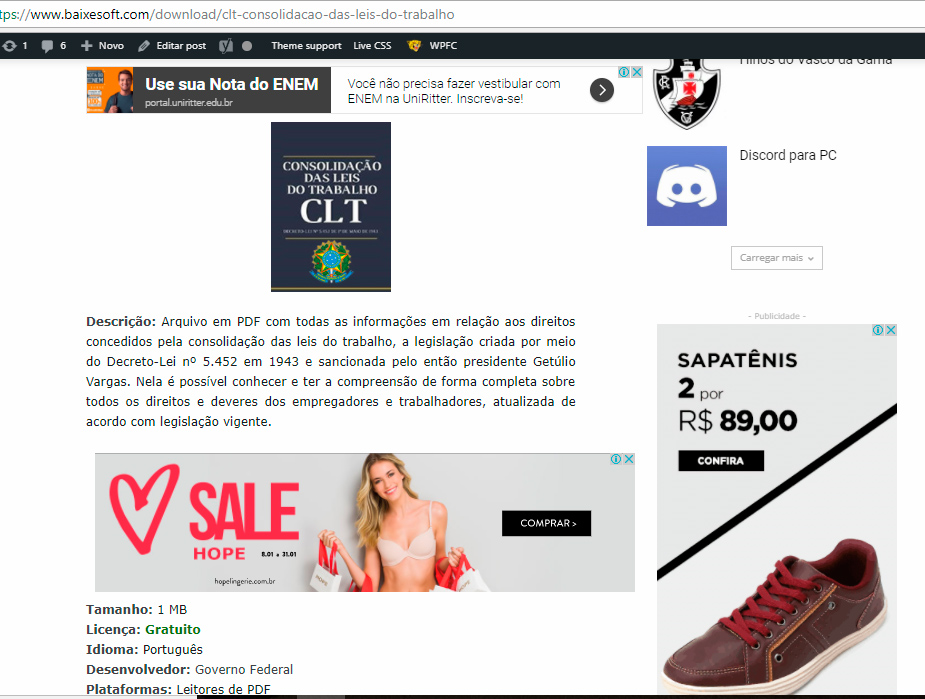
And the ads on chrome become outfited with the content like this: https://www.baixesoft.com/wp-content/uploads/2018/01/Ad-bug-on-chrome-1.jpg
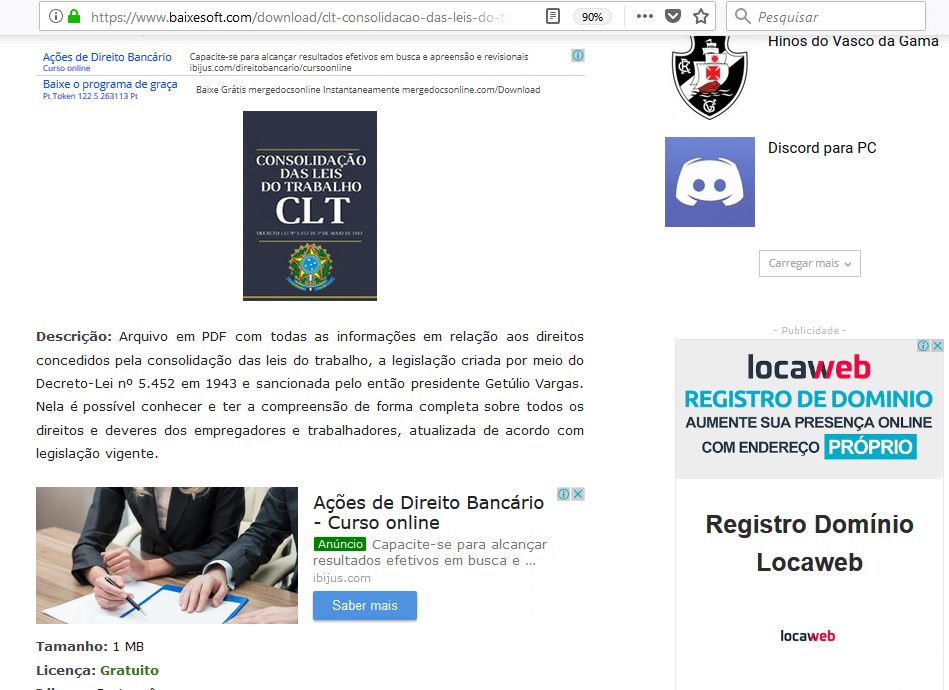
But on firefox it fit’s just nice: https://www.baixesoft.com/wp-content/uploads/2018/01/Ads-on-firefox.jpg
One example link: https://www.baixesoft.com/download/clt-consolidacao-das-leis-do-trabalho
Unfortunately 60 to 70% of my users use chrome, so this is very severe for me, i tried everything, all the others plugins, but nothing, i really don’t know what do do here anymore (tried to fiz this all day), so i’m asking for any ideas, any help, anything at all.
The solution will be to use the native option for blocks in the theme, i already tried but that automatic box for desktops junk this responsive ads real BAD, making them tiny (respectfully saying and meaning no offense)
If needed i can pay for some special service to fix this, because is a VERY SEVERE ISSUE…
-
This reply was modified 8 years by
rafael-l.
 billybatz9
 What I meant was to show the tags on the actual blocks. Like display the Tags next to the excerpts
 MDNM2017
Hi Block 22 does not allow me to exclude one category. How and where do I accomplish this please? thank you.
 beppepicaro
 Thank you for your relay and clarification.
First thing: in case I make need to make a modification the page (for sample “showcase”) that has been set as the “shop” page, what procedure shall I follow? The “showcase” cannot be properly reassigned?
I build the page with the WPBakery Page Builder in the backend. The WPBakery doesn’t have a “title” block, only “text with title”.
When I switched to the tagDiv Composer – I must say I thought they where the same thing, displayed differently – I found the “title” element. I added it and it works, but the WPBakery Page Builder elements “backed” together and where no more editable. (Probably you still can, but in text mode!)
I’d rather to keep things editable, just in case.
Is there a method – WPBackery or tagDiv – preferable then the other, maybe for compatibility issues in the future?
-
This reply was modified 8 years by
beppepicaro.
Simion C. That should work properly, note that the shop page has to be configured before setting it as shop page. Create a new page for example, set the page template you want, and also the elements you want in it’s content. Then set it as shop page in the woocommerce settings.
Once set as shop page you cannot edit it with the composer again, or make any other changes to the page template.
Instead of the text with title you could use the title element, since there is no need for the actual text
– https://www.screencast.com/t/Og3IhjheMYVQ
Blocks can display products, nut products cannot be filtered by product category
– https://www.screencast.com/t/93xkDko1OE
Use shortcodes instead for better control – https://www.screencast.com/t/86kaVjDyP
Thanks
Catalin Hello Paul,
Check the post limit number from the block and general settings in WordPress from here
-> https://www.screencast.com/t/5ICluBXaaAw -> https://www.screencast.com/t/9exgs3KvV
Hope this helps!
Thanks for the message!