
- TutorialstagDiv Social Counter Tutorial
 Bettina
 Hello!
Check in Newspaper -> Plugins to see if all plugins (including Cloud Library) are active.
Thank you!
Bettina Hello @rolv!
Make a test and deactivate ALL plugins except tagDiv ones, also if you are using a cache plugin, deactivate it, clear all cache and try again.
Examine some other potential interfering factors: https://forum.tagdiv.com/general-options-may-interfere-newspaper-theme/
If that problem is still there, then please execute these steps:
1. deactivate TagDiv Composer & Cloud Library
2. uninstall (delete) TagDiv Composer & Cloud Library
3. clear cache (if a cache plugin is present).
4. install TagDiv Composer & Cloud Library
5. activate TagDiv Composer & Cloud Library
6. clear cache (if a cache plugin is present).
I hope that helps you!
Thank you!
 rolv
rolvHello,
I am having an issue with using WPML along with Newspaper theme. Sites cannot be created using tagDiv Composer and category view is broken, possibly because of the error that appears on top of the page:
Undefined array key "tdb_templates" in /wp_path/public_html/wp-content/plugins/td-cloud-library/includes/tdb_functions.php on line 518
I would be grateful for any suggestions.
Kind regards
 idkv
idkvHi support,
Have having a issue when i try to add template in cloud library. Its stuck in loading screen.
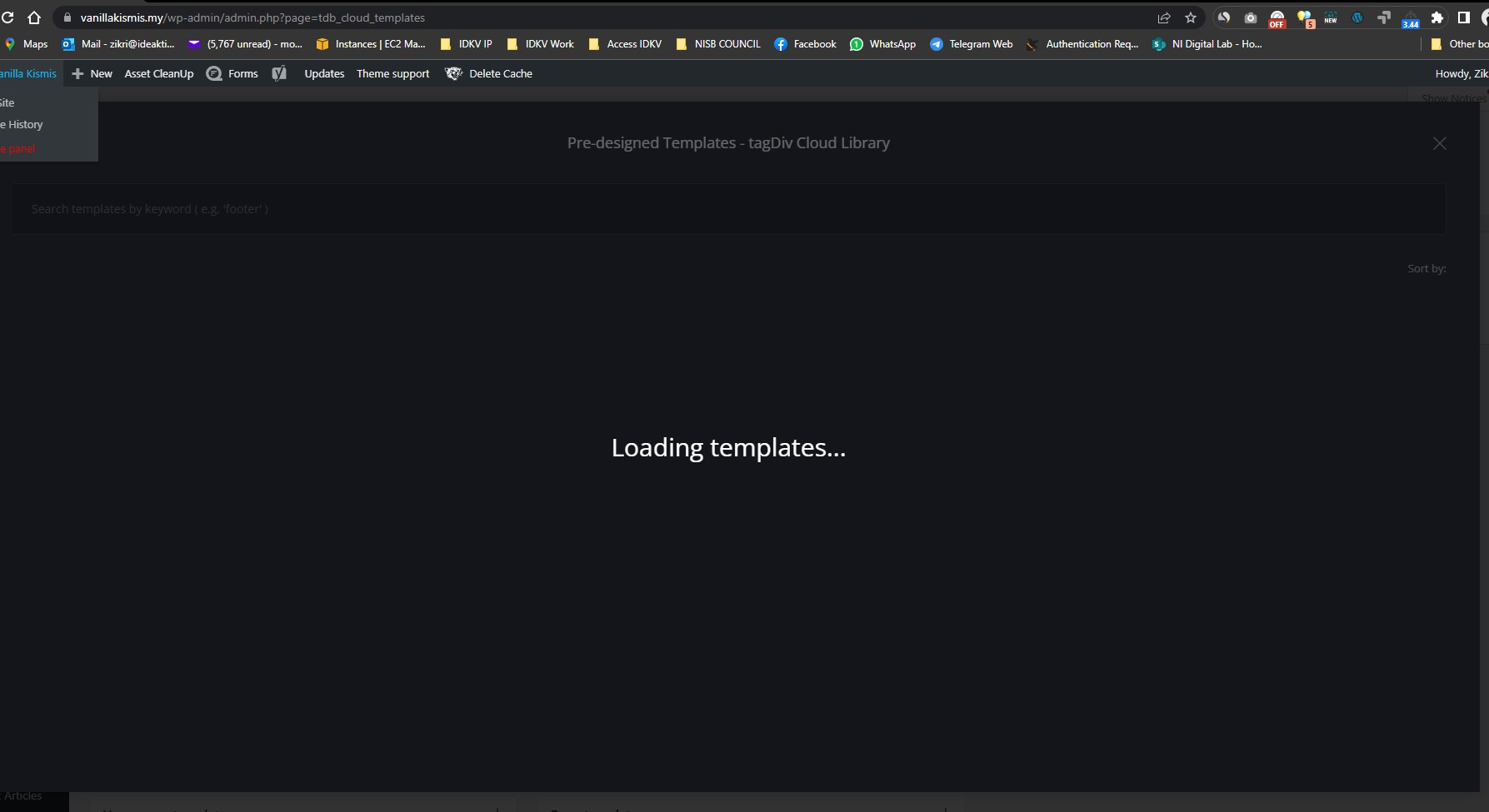
 insumedical
 Anamaria
thank you
But I am getting the below error.
—–My license
Manage your domains
Choose the domain where you want to use this license. You can simultaneously assign your license key to 2 domains (a live website and a staging one).
No domains associated with your license key
—
It seems that Cloud templates cannot be accessed because of this issue.
 bharatsat
 i have tested by disabling all the plugins, but cloud templates still not loading, please advise.
 sharozajmal
 After activating my theme, I am attaching the screenshot of my issue. I don’t know why the error appears red in the attachment, but I remember one thing which might help you guys when I installed the theme the first time; it works great. Easy install and activation, Plugins, etc., but after setting up all the critical steps, I found that the cloud library of the newspaper theme is not working correctly, and it takes too much time to load templates. After a long journey, I could not find any proper solution, so I thought I forgot something while setting up my theme, which caused these issues, so I tried to explore more options. I mistakenly clicked on the unassign option on the theme license page. After that, I continuously faced problems with the attachments containing that issue I was facing from the day first. Secondly, I decided to reinstall my WordPress and start from scratch, and It works, but after setting up everything, I got the same error. I plan to buy this theme because I want to publish my business news, share my business articles, and sell my product and services. I have been setting up my website for a long time. As you guys saw, I purchased my theme in Dec-2022, but I am still on my first step, so please check and guide me if I am doing any wrong because I am lithely fed up with this theme and feel that I am wasting my money and time both now. And especially cloud templates are still loading and loading, and so on. If we cannot do these directly from the theme, please share any backup from where we download these templates now.
bharatsat is there any issue with cloud templates ? i cant add any, it just says “loading templates” and nothing happens.
 saggel
 Calin hello. I use cloud template and i didn’t use “Single Post Views” element on template.
I write a screenshot video for my situation. Please take a look https://www.screencast.com/t/GS6fHqcXcMnR
Thank you
 Anamaria
 Hello,
You can import from Cloud Library on your page -> https://i.imgur.com/056P42f.png-> https://i.imgur.com/Xwb3E5T.png. The block will be set at the bottom page content, but you can move it where you want, select the row => https://i.imgur.com/ddupL4m.jpg
Thank you!
Bettina Hello @ericarrache!
Please check the console and let me know which errors you encounter there.
Make a test and deactivate ALL plugins except tagDiv ones, also if you are using a cache plugin, deactivate it, clear all cache and try again.
Also, you can try to reinstall Cloud Library and the tagdiv Composer plugins.
Thank you!
 ericarrache
My website letsgeek.com.br doesn’t have a “page 2, 3, 4 etc” page, so I’m trying to download a template for it using the tagDiv Cloud Templates, but the page is stuck at “Loading templates…”
Any tips on how to solve that?
 lgjerlgjer
Embed Google Photos album plugin not work with any Cloud Templates, but works well with default template.
In Cloud Templates if push plugin “Play” button the lightbox view not open (open only in colum).

 pavel_t
 SOLUTION (for someone with the same problem): I use Newspaper Cloud Template for eshop with WooCommerce plugin. Finally I found plugin Product Attachment for WooCommerce in free version. Now I could for product attach PDF files for download. It appears in Product Tab element in TD editor. I needed to change a little bit design so I created child theme for Newspaper and modified CSS and functions.php. Works perfect.
saggel Hello Calin, thank you for your reply. I made the comment on code, but dissapears the articles on /wp-admin/edit.php
I use cloud template and i didn’t use “Single Post Views” element. Did you want to give you gredentials to take a look?
-
This reply was modified 3 years by
saggel.
 vivreausmic
Hello,
I create some different CPT posts, all it’s right.
But, i add a block “CPT comments” and save, the comment block is not visible on the website.
I try in my different CPT cloud models and same problem.
Is it something more to do ?
Thanks for your help
 Central
 Please guide me how to do this:
If you use cloud templates, then there is a workaround:

Delete the custom title of that block, add an “inline text” element, and there you can have a title and also some text.
Where am I supposed to go and edit the flex block to delete the custom title and add an inline text element.
-
This reply was modified 3 years by
Central.
 Calin
Calin Hi saggel,
Normally if you are using a single post template and you remove the vire count element from the cloud template, then this should no longer be running in the back.
Now if you have a standard template, then this will run, the theme options will only hide it. And you need to comment/remove some code from the theme files, but this is not indicated because it can appear problem. First, you need to be sure that the option for view count is disabled and is not used anywhere on the website, after that on this page wp-content/plugins/td-composer/legacy/common/wp_booster/td_page_views.php you need to comment the code – https://i.imgur.com/66DiLDM.png – https://i.imgur.com/vbseby3.png
In case the option is used on the website, then it will be displayed an error.
I hoe this iwll helpp you!
Anamaria Hello,
Do you have posts in that category? Also, please check if you don’t have set offset on the block. Please edit the cloud template with tagDiv Composer -> https://i.imgur.com/j8YvKks.png click on the block and remove the offset -> https://i.imgur.com/dJ0iFQu.png let that field empty.
Thank you!
sharozajmal Please check my Theme activation key. I reset my key just because I was facing some issues with your theme in cloud templates, and now I am trying to activate my theme again, and it doesn’t work. Please check and resolve asap waiting for your response.
sharozajmal Can you please check what’s going on? Unfortunately, I can’t open cloud templates, as you asked for earlier. When I open the cloud template option, it’s just loading and loading. On the other hand, I was checking the plugging option, and something might need to be adequately installed while studying; I found that the theme shows; please reset your key. There is some issue with your theme activation. I reset my key immediately and set going back for theme activation with my theme purchased code. Unfortunately, after putting in the purchased theme code, the submit just loaded, and so on.
Central I can’t see Flex Block under Cloud Templates

Header and Footer Templates and Page Templates are above these, but no Flex Block there either
Bettina Hello @central!
Flex block 1 can be found in the tagdiv composer and is part of the cloud templates.
Thank you!
Central It’s Flex Block 1 which cannot be found under Cloud Templates so how to edit the block?
Bettina Hello @central!
If you use cloud templates, then there is a workaround:
Delete the custom title of that block, add an “inline text” element, and there you can have a title and also some text.
Thank you!



